Sarrera
This manual provides detailed instructions for the setup, operation, and maintenance of your Lotus Smartwatch 50050/4. Please read this manual thoroughly before using your device to ensure proper functionality and to maximize its features.
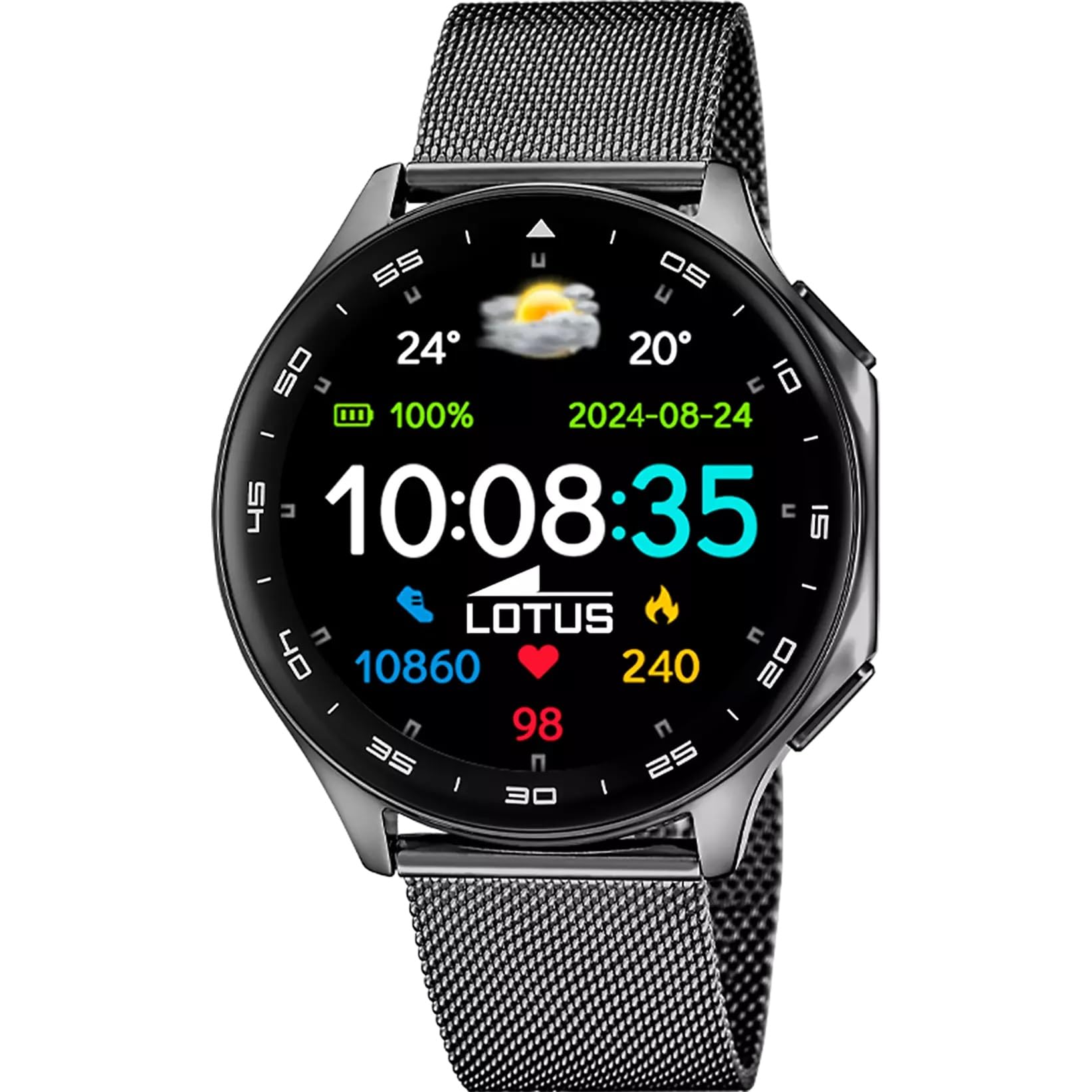
The Lotus Smartwatch 50050/4 is an outdoor sports watch designed for active lifestyles. It features a durable zinc alloy case, a black Milanese steel mesh strap, and a digital display. The watch offers a range of functions including sports tracking, health monitoring, and smart notifications.
Kutxan dagoena
- Lotus Smartwatch 50050/4
- Kargatzeko kablea
- Erabiltzailearen eskuliburua (dokumentu hau)
- Uhala osagarria
Konfigurazioa
1. Erloju adimenduna kargatzea
Before initial use, fully charge your smartwatch. Connect the charging cable to the charging port on the back of the watch and plug the other end into a USB power adapter (not included) or a computer's USB port. The watch display will indicate charging status.
Oharra: Use a standard 5V/1A USB charger. Overcharging or using incompatible chargers may damage the device.
2. Piztu/Itzaltzea
- Pizteko: Press and hold the side button for a few seconds until the Lotus logo appears.
- Itzaltzeko: Sakatu eta eutsi alboko botoiari, eta ondoren hautatu "Itzali" pantailan.
3. Aplikazioaren instalazioa eta parekatzea
To unlock the full potential of your smartwatch, download the official Lotus Smartwatch application on your smartphone. The app is compatible with Android devices.
- Bilatu the "Lotus Smartwatch" app in your smartphone's app store (Google Play Store for Android).
- Instalatu aplikazioa.
- Ireki aplikazioa eta jarraitu pantailako argibideei kontu bat sortzeko edo saioa hasteko.
- Gaitu Bluetootha zure telefonoan.
- In the app, navigate to the device pairing section and select your Lotus Smartwatch 50050/4 from the list of available devices.
- Berretsi parekatze eskaera zure telefonoan eta erloju adimendunean.
Once paired, the watch will synchronize time, date, and other settings with your smartphone.
Funtzionamendu-argibideak
Oinarrizko Nabigazioa
- Ukipen-pantaila: Swipe left, right, up, or down to navigate through menus and functions. Tap to select an item.
- Alboko botoia: Press to return to the previous screen or to the watch face. Press and hold for power options.
Funtzio giltzarriak
- Kirol moduak: Access various sports modes (e.g., running, walking, cycling) to track your activity, including steps, calories burned, and distance.
- Osasunaren jarraipena:
- Bihotz-taupadak: Jarrai ezazu zure bihotz-maiztasuna denbora errealean.
- Odol-oxigenoa: Neurtu zure odoleko oxigeno mailak.
- Loaren jarraipena: Aztertu zure lo-ereduak (lo sakona, lo arina, esna egoteko ordua).
- Arnasketa ariketak: Erlaxaziorako arnasketa ariketa gidatuak.
- Jakinarazpenak: Receive notifications for incoming calls, SMS messages, and app alerts directly on your watch. You can reject calls from the watch.
- Musika kontrola: Kontrolatu musika erreprodukzioa zure konektatutako telefonoan (erreproduzitu, pausatu, abestiak saltatu).
- Eguraldia: View egungo eguraldi baldintzak eta iragarpenak.
- Alarmak eta tenporizadoreak: Set alarms, use the stopwatch, or set a countdown timer.
- Kameraren urrunekoa: Erabili zure erlojua zure telefonoaren kamerarentzako urrutiko obturadore gisa.
- Video Calculator: Access a video calculator function.
- AI Voice Calculator: Utilize an AI voice-activated calculator.
- Telefono bilatzailea: Bilatu parekatutako telefonoa joaraziz.
- Linterna: Activate the screen as a flashlight.
- Dial Customization: Change the watch face (dial) through the watch settings or the companion app.
- Firmware eguneratzea: Update the watch's software via the companion app to ensure optimal performance and access new features.
- Language, Time, and Date: Adjust these settings through the watch or the companion app.
Mantentzea
Garbiketa eta Zainketa
- Garbitu erlojuaren pantaila eta gorputza oihal leun, lehor eta lihorik gabeko batekin.
- Orban egoskorretarako, apur bat dampGarbitu oihalak urarekin. Ez erabili produktu kimiko gogorrik edo material urratzailerik.
- Kargatu aurretik, ziurtatu kargatzeko kontaktuak garbi eta lehor daudela.
Urarekiko erresistentzia (IP65)
The Lotus Smartwatch 50050/4 has an IP65 rating, meaning it is protected against dust ingress and low-pressure water jets from any direction. This rating indicates resistance to splashes and light rain. It is not suitable for swimming, showering, or submersion in water. Exposure to high-pressure water or prolonged submersion may cause damage.
Uhalaren ordezkoa
The watch comes with an additional strap. To replace the strap, locate the quick-release pins on the underside of the strap where it connects to the watch case. Slide the pin to detach the strap, then align the new strap and slide the pin back into place to secure it.
Arazoak konpontzea
Erlojua ez da pizten
- Ziurtatu erlojua guztiz kargatuta dagoela. Konektatu kargagailura gutxienez 30 minutuz.
- Saiatu alboko botoia sakatuta edukitzen 10-15 segundoz berrabiarazteko.
Cannot Pair with Smartphone
- Ziurtatu Bluetootha gaituta dagoela zure telefonoan.
- Ensure the watch is within range of your smartphone (typically 10 meters).
- Berrabiarazi zure telefonoa eta erloju adimenduna.
- Clear the Bluetooth cache on your smartphone (if applicable) and try pairing again.
- Ensure the Lotus Smartwatch app is updated to the latest version.
Osasun-datu zehaztugabeak
- Ziurtatu erlojua eskumuturrean ondo estututa dagoela, baina ez gehiegi estututa.
- Keep the sensor on the back of the watch clean and free from debris.
- Environmental factors and individual physiology can affect sensor accuracy.
Fabrika berrezarri
If you experience persistent issues, a factory reset may resolve them. This will erase all data on the watch and restore it to its original settings. Consult the watch's settings menu or the companion app for the factory reset option.
Zehaztapenak
| Modelo zenbakia | 50050/4 |
| Marka | Lotoa |
| Bistaratzeko tamaina | 46.7 mm |
| Forma | Biribila |
| Kasu Materiala | Zink aleazioa |
| Uhalaren materiala | Milanese Steel Mesh |
| Uraren Erresistentzia | IP65 (Splash and dust resistant) |
| Konektibitatea | Bluetootha |
| OS bateragarria | Android (for companion app) |
| GPSa | Ez |
| Ezaugarri bereziak | Advanced sport and health functions |
Bermea eta Laguntza
The Lotus Smartwatch 50050/4 comes with a 3 urteko bermea from the date of purchase. This warranty covers manufacturing defects. It does not cover damage caused by misuse, accidents, unauthorized modifications, or failure to follow the instructions in this manual, including water damage beyond the specified IP65 rating.
For warranty claims or technical support, please contact your authorized Lotus retailer or visit the official Lotus webbezeroarentzako arreta-zerbitzuari buruzko informazioa lortzeko gunea.
Itzultzeko politika: If purchased from Amazon, the product is subject to a 30-day return policy for refund or replacement, as per Amazon's terms.
Produktuaren irudia