
Sarrera
Thank you for choosing the NOVOO 12-in-1 USB-C Docking Station. This manual provides essential information for setting up, operating, and maintaining your device. This docking station is designed to expand the connectivity of your USB-C enabled laptop, offering multiple ports for displays, data transfer, and power delivery.
Produktua amaituview
The NOVOO 12-in-1 USB-C Docking Station is a versatile hub that provides extensive connectivity options through a single USB-C connection to your host device. It features a comprehensive array of ports to enhance your productivity and expand your workspace.

Image: NOVOO 12-in-1 USB-C Docking Station showing all available ports and their functions.
Ezaugarri nagusiak:
- 12-in-1 Konexioa: Includes 2 x 4K HDMI, 1 x VGA, 3 x USB-A 3.0 (5Gbps), 1 x USB-C 3.0 Data, 2 x USB-A 2.0, 1 x SD Card Reader, 1 x TF Card Reader, and 1 x 100W Power Delivery (PD) charging port.
- Hirukoitz pantailaren euskarria: Connect up to three external displays. Windows supports Extend Mode (4K@30Hz + 1080P with two monitors; 1080P@60Hz with three monitors). macOS supports Mirror Mode only. HDMI 1 supports up to 4K@60Hz when used alone. Requires a DP1.4 laptop and monitor for optimal performance.
- Abiadura handiko datuen transferentzia: USB-A 3.0 and USB-C 3.0 ports offer 5Gbps data transfer. USB-A 2.0 ports provide 480Mbps.
- 100W potentzia-ematea: The PD port supports up to 100W input for stable power supply and up to 85W USB-C output for fast charging compatible laptops and devices. Note: The PD charging port is compatible only with devices that support the PD protocol.
- SD/TF txartelaren irakurgailua: Erraz sartzeko files from SD and Micro SD cards with simultaneous reading support.
- Diseinu eramangarria: Compact and lightweight with a 30cm (11.8 inches) extension cable for flexible use, ideal for travel and various workspaces.
Konfigurazioa
Follow these steps to set up your NOVOO 12-in-1 USB-C Docking Station:
- Verify Laptop Compatibility: Ensure your laptop's USB-C port supports Data, Power Delivery, and DisplayPort Alt Mode for full functionality. Refer to the diagram below for port capabilities.
- Konektatu ordenagailu eramangarrira: Konektatu kargatzeko estazioko USB-C kable integratua zure ordenagailu eramangarriko USB-C ataka libre batera.
- Konektatu energia (aukerakoa baina gomendagarria): For best performance and to charge your laptop, connect your laptop's power adapter (65W+ recommended) to the 100W PD USB-C input port on the docking station.
- Kanpoko pantailak konektatu: Use HDMI or VGA cables to connect your monitors to the corresponding ports on the docking station.
- Konektatu periferikoak: Plug in your USB devices (keyboard, mouse, external drives, etc.) into the available USB-A or USB-C data ports. Insert SD or TF cards into the card reader slots as needed.

Image: USB-C port compatibility guide for various functions including data, power delivery, and display output.
Konfiguratzeko bideoa:
Video: Official NOVOO video demonstrating the setup and features of the 12-in-1 USB-C Docking Station.
Funtzionamendu-argibideak
Bistaratzeko konfigurazioa:
The docking station supports various display configurations depending on your operating system and laptop's DisplayPort (DP) version.

Irudia: Adibample of a multi-screen display setup using the docking station.
- Windows sistemak: Supports both Mirror Mode (duplicate displays) and Extend Mode (separate displays). You can achieve up to three extended displays.
- macOS sistemak: Supports Mirror Mode (duplicate displays) across all external monitors. Extend Mode is not supported for multiple external displays; all external displays will mirror each other.
Windows Display Resolution:
| Interfaze Protokoloa | Modua | HDMI1 | HDMI2 | VGA |
|---|---|---|---|---|
| DP1.4 | Pantaila bakarra | 4K@60Hz | 4K@30Hz | 1080P @ 60Hz |
| Pantaila bikoitza | 4K@30Hz | 1080P @ 60Hz | - | |
| Pantaila hirukoitza | 1080P @ 60Hz | 1080P @ 60Hz | 1080P @ 60Hz | |
| DP1.2 | Pantaila bakarra | 4K@30Hz | 4K@30Hz | 1080P @ 60Hz |
| Pantaila bikoitza | 1080P @ 60Hz | - | 1080P @ 60Hz | |
| Pantaila hirukoitza | 1080P @ 60Hz | 1080P @ 60Hz | 640*480@30Hz |
macOS Display Resolution:
| Interfaze Protokoloa | Modua | HDMI1 | HDMI2 | VGA |
|---|---|---|---|---|
| DP1.4 | Pantaila bakarra | 4K@60Hz | 4K@30Hz | 1080P @ 60Hz |
| Pantaila bikoitza | 4K@30Hz | - | 1080P @ 60Hz | |
| Pantaila hirukoitza | 1080P @ 60Hz | 1080P @ 60Hz | 1080P @ 60Hz | |
| DP1.2 | Pantaila bakarra | 4K@30Hz | 4K@30Hz | 1080P @ 60Hz |
| Pantaila bikoitza | 4K@30Hz | - | 1080P @ 60Hz | |
| Pantaila hirukoitza | 1080P @ 60Hz | 1080P @ 60Hz | 640*480@30Hz |
Power Delivery (PD) Charging:
The dedicated USB-C PD port allows you to charge your laptop while using the docking station. Connect your laptop's original power adapter (or a compatible 65W+ USB-C PD charger) to this port. The docking station will pass through up to 85W of power to your laptop, reserving 15W for its own operation.

Image: Diagram illustrating 100W PD input and 85W output for laptop charging.
Data Transfer and Card Reader:
Utilize the USB-A 3.0, USB-C 3.0, and USB-A 2.0 ports for connecting various peripherals and transferring data. The SD and TF card slots enable quick access to memory card content.
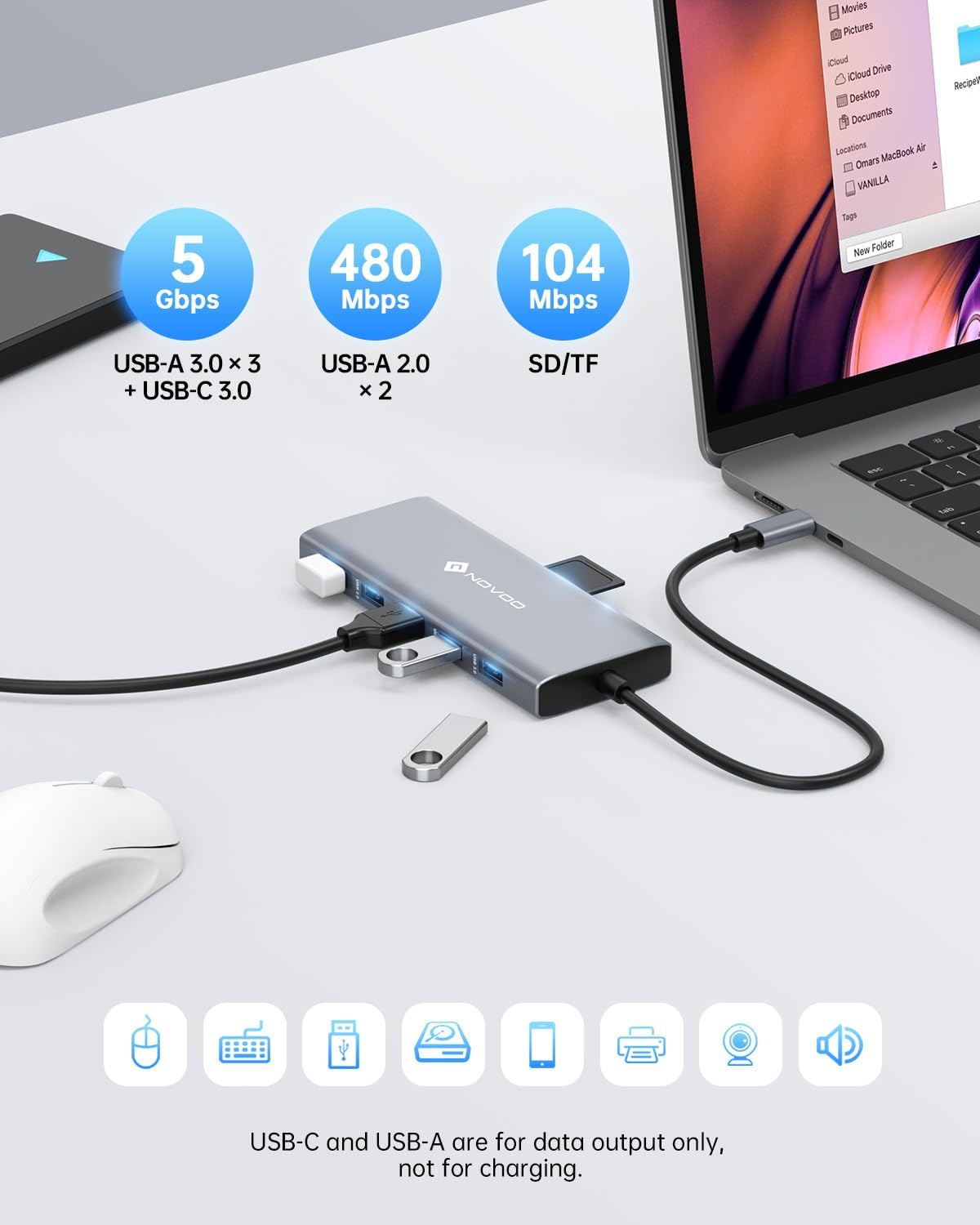
Image: High-speed data transfer capabilities with USB 3.0 and SD/TF card reader.
Zehaztapenak
| Ezaugarri | Xehetasuna |
|---|---|
| Produktuaren neurriak | 1.85 x 0.57 x 5.16 hazbete |
| Elementuaren pisua | 4.6 ontza |
| Modelo zenbakia | NHM12S-MH12 |
| Marka | NOVOO |
| Kolorea | Grisa |
| Hardware interfazea | USB C mota |
| Ezaugarri Berezia | Kargatze azkarra, eramangarria |
| Gailu bateragarriak | MacBook Pro, Dell, HP, Surface (any USB-C laptop supporting DP Alt Mode and PD) |
Arazoak konpontzea
- Ez dago pantaila-irteerarik:
- Ziurtatu zure ordenagailu eramangarriaren USB-C atakak DisplayPort Alt modua onartzen duela.
- Egiaztatu kable guztien konexioak (USB-C ordenagailu eramangarrira, HDMI/VGA monitoreetara).
- Verify monitor input settings are correct (e.g., HDMI 1, HDMI 2, VGA).
- For Windows, check display settings (Display Settings > Multiple Displays) to detect and configure monitors.
- For macOS, remember only Mirror Mode is supported for multiple external displays.
- Datuen transferentzia motela:
- Ensure you are using USB 3.0 ports for high-speed devices. USB 2.0 ports offer slower speeds.
- The performance of the connected device (e.g., external hard drive) can also affect transfer speeds.
- Ordenagailu eramangarria ez da kargatzen:
- Confirm your laptop supports Power Delivery (PD) via its USB-C port.
- Ensure your power adapter is connected to the docking station's PD port and is 65W or higher.
- Check if the power adapter itself is functioning correctly.
- Etengabeko konexioak:
- Ziurtatu kable guztiak ondo konektatuta daudela.
- Avoid excessive bending or strain on the docking station's integrated USB-C cable.
- Try connecting the docking station to a different USB-C port on your laptop if available.
Mantentzea
To ensure the longevity and optimal performance of your NOVOO 12-in-1 USB-C Docking Station, follow these maintenance guidelines:
- Garbiketa: Use a soft, dry cloth to wipe the surface of the docking station. Avoid using liquid cleaners or abrasive materials, which can damage the finish or internal components.
- Biltegiratzea: Erabiltzen ez duzunean, gorde kargatzeko estazioa leku fresko eta lehor batean, eguzki-argitik eta muturreko tenperaturetatik babestuta.
- Manipulazioa: Avoid dropping or subjecting the device to strong impacts. Do not pull on the integrated USB-C cable forcefully.
- Aireztapena: Ensure the docking station has adequate airflow to prevent overheating, especially during prolonged use with multiple connected devices and displays.
Bermea eta Laguntza
NOVOO products are designed for reliability and performance. For warranty information, technical support, or any inquiries regarding your 12-in-1 USB-C Docking Station, please refer to the official NOVOO webwebgunera edo jarri harremanetan zuzenean bezeroarentzako arreta-zerbitzura. Gorde erosketa-agiria berme-erreklamazioetarako.
Fabrikatzailea: NOVOO