
1. Sarrera
This manual provides detailed instructions for the installation, operation, and maintenance of your Ymiko Smart Thermostat, model HC-020-ZB-GB. This thermostat is designed for electric heating systems, offering precise temperature control, programmable scheduling, and smart home integration for enhanced comfort and energy efficiency.
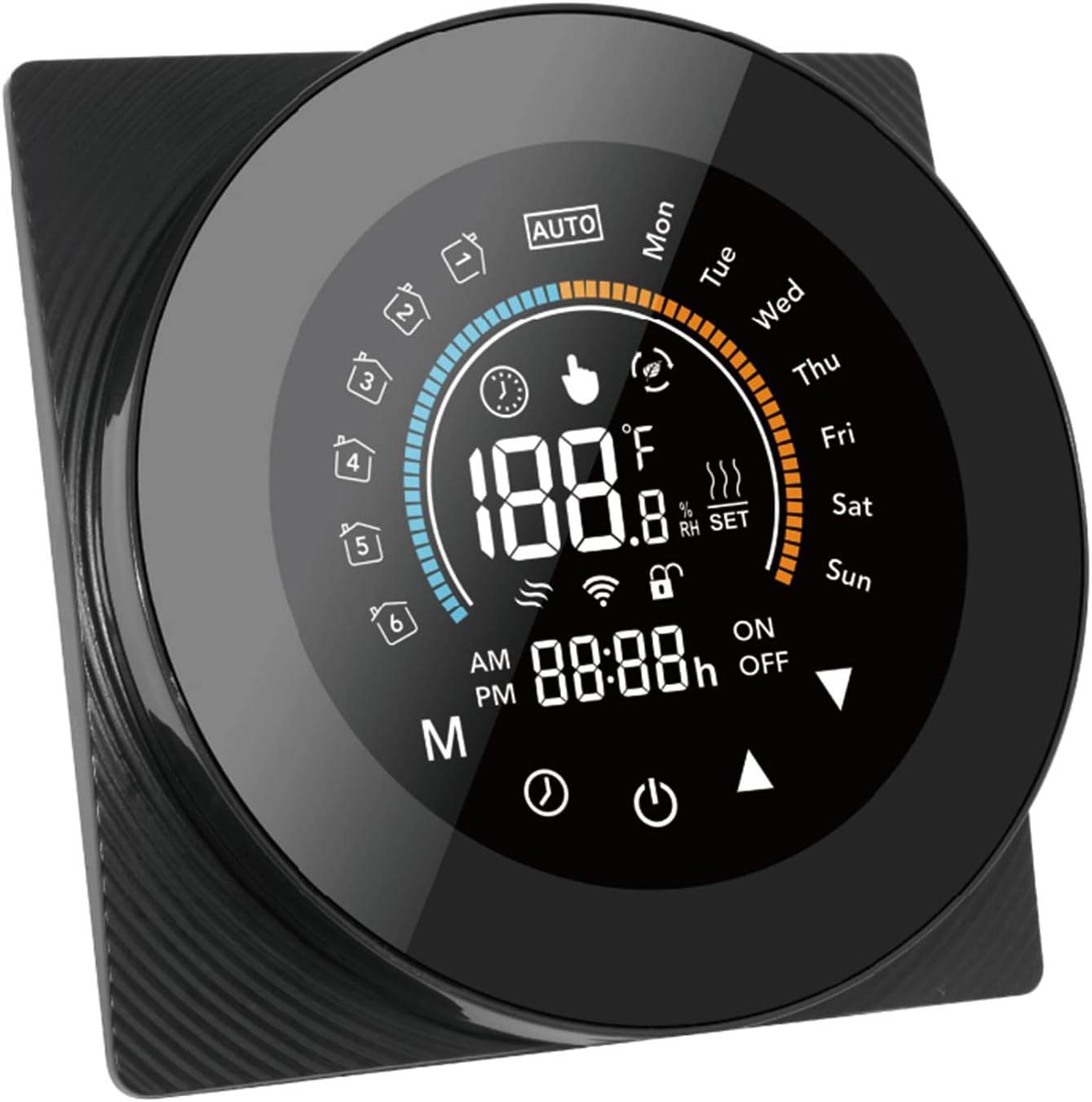
1.1. irudia: Aurrealdea view of the Ymiko Smart Thermostat, displaying its large LCD screen and touch buttons.
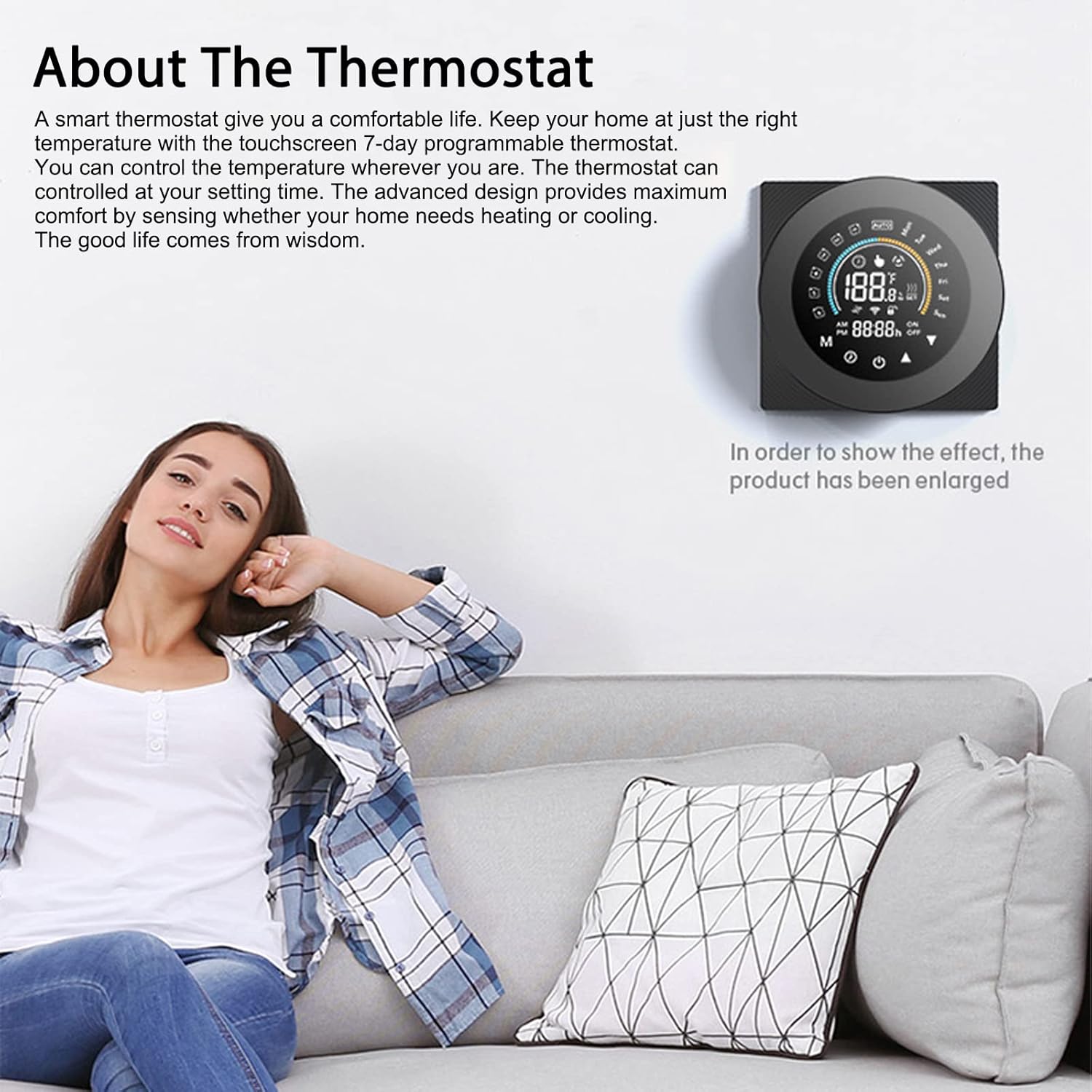
Image 1.2: The Ymiko Smart Thermostat installed on a wall, with a woman relaxing on a couch, illustrating its seamless integration into a modern home environment.
2. Konfigurazioa eta instalazioa
2.1 Instalazio aurreko oharrak
- The Tuya ZigBee smart thermostat requires a gateway hub that supports the ZigBee protocol to function. It cannot operate without a ZigBee intelligent gateway.
- This specific model (HC-020-ZB-GB) is designed for electric heating systems. Ensure your heating system is compatible.
- An external sensor may be required for optimal temperature detection. If the APP prompts 'E2', an external sensor is recommended for more accurate data, though the thermostat will still function without it.
- Always read this user manual carefully before installing and operating the thermostat.
2.2 Instalazio fisikoa
The thermostat is designed for easy setup and fits both 86mm and 60mm standard electrical boxes (not included). Professional installation is recommended to ensure safety and proper functionality.
- Itzali: Before any installation, ensure the main power supply to your heating system is turned off at the circuit breaker.
- Muntaketa: Secure the thermostat base to the wall using the provided screws, ensuring it is level.
- Kableatua: Connect the electrical wires from your heating system to the appropriate terminals on the thermostat base. Refer to the wiring diagram provided with your specific product packaging for detailed instructions. Ensure all connections are secure.
- Termostatoa erantsi: Carefully attach the thermostat display unit to the mounted base.
- Piztu: Restore power to your heating system at the circuit breaker.

Image 2.1: Technical diagram showing the dimensions of the Ymiko Smart Thermostat, including front, side, and rear views neurriak milimetrotan.
3. Funtzionamendua
3.1 Display and Touch Button Functions
The thermostat features a large backlit LCD screen for clear visibility and capacitive touch buttons for intuitive control. The display shows current temperature, set temperature, time, day of the week, operating mode, and other relevant indicators.
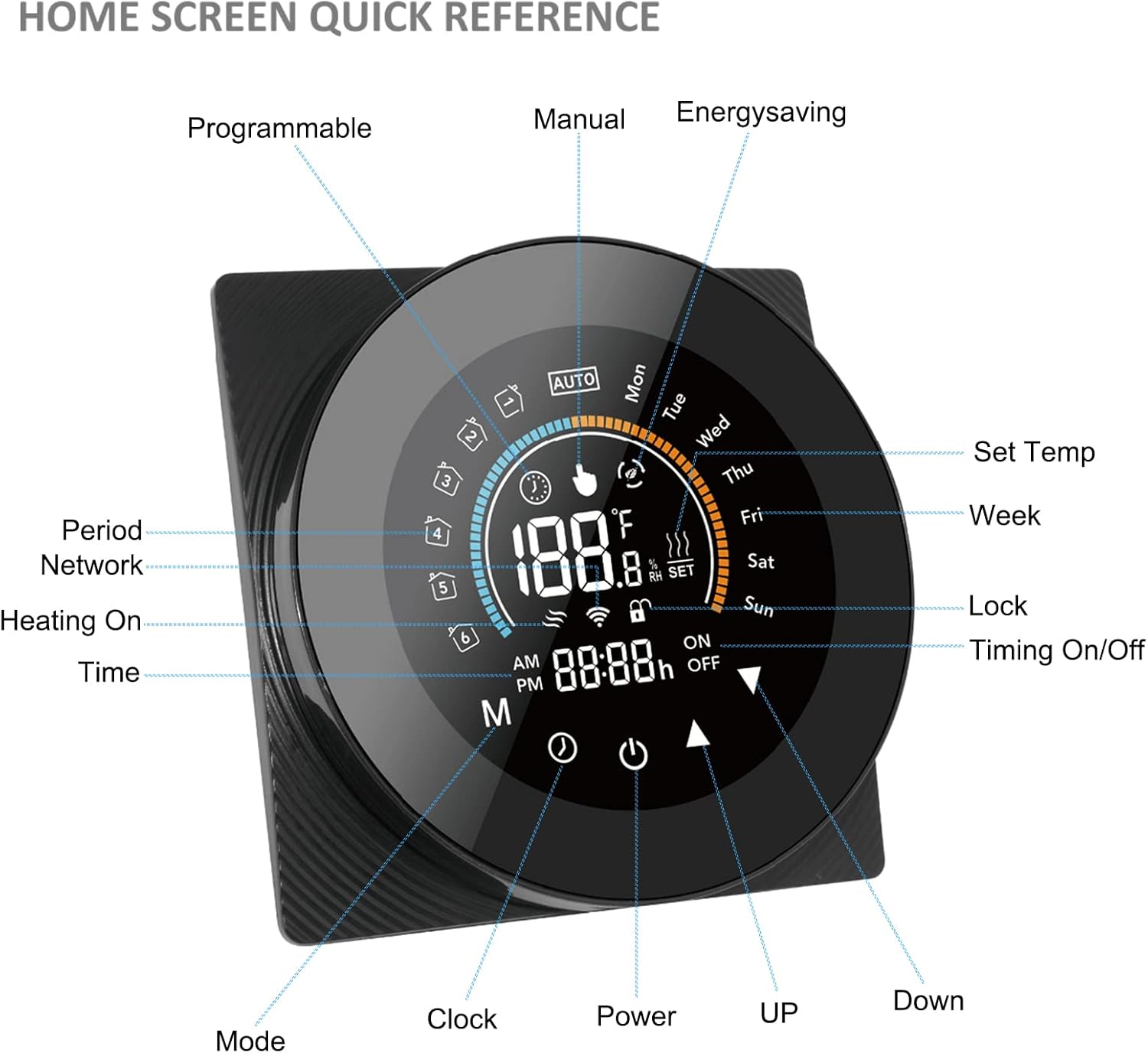
Image 3.1: A detailed diagram illustrating the various indicators and touch button functions on the thermostat's home screen, including Programmable, Manual, Energy Saving, Set Temp, Week, Lock, Timing On/Off, Mode, Clock, Power, Up, and Down controls.
The full touch screen operation ensures sensitive keys are easy to operate, even in dim environments. The circular interface design enhances its aesthetic appeal.

Image 3.2: A user interacting with the touch screen of the Ymiko Smart Thermostat, demonstrating its ease of use and responsive interface.
3.2 Ordutegi programagarria
The thermostat allows you to tailor heating schedules for workdays and weekends, ensuring optimal comfort while reducing unnecessary energy consumption. You can set specific temperatures for different times of the day across a 7-day period.

Image 3.3: A family leaving their home, symbolizing the convenience of the programmable schedule feature, which allows the thermostat to adjust temperatures automatically based on daily routines.
3.3 Smart Integration and Remote Control
The Ymiko Smart Thermostat works effortlessly with smart home platforms like Alexa and Google Assistant, allowing for convenient voice control. Additionally, by connecting your thermostat to the Tuya Smart App via your ZigBee gateway, you can control your heating system remotely from anywhere.
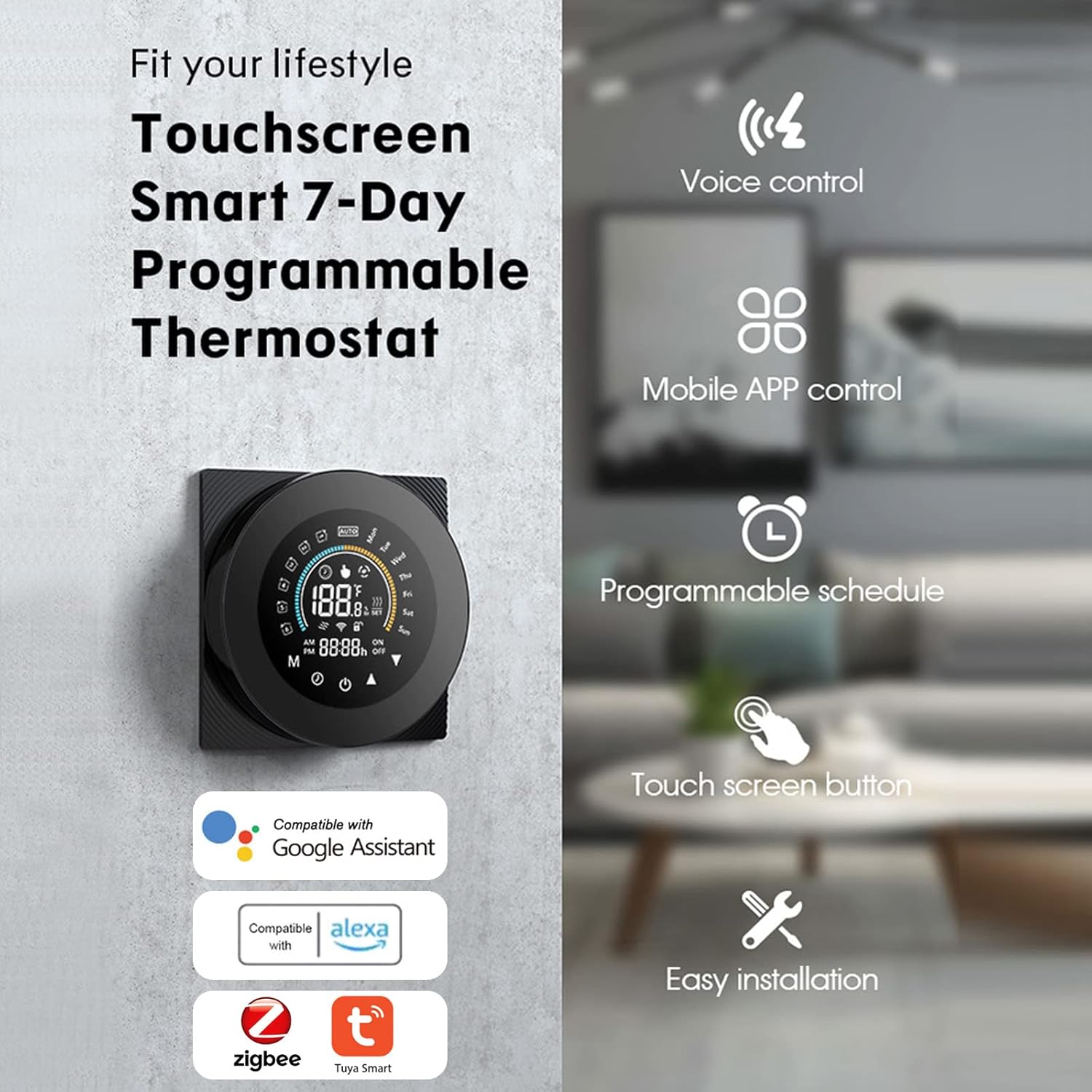
3.4 irudia: Gehiegizko batview of the thermostat's key features, including voice control, mobile app control, programmable schedule, touch screen buttons, and easy installation, along with compatibility logos for Google Assistant, Alexa, Zigbee, and Tuya Smart.

Image 3.5: A user remotely controlling the thermostat via a mobile application, demonstrating the convenience of adjusting settings from any location.
4. Zainketa eta Mantentzea
To ensure the longevity and optimal performance of your Ymiko Smart Thermostat, follow these simple maintenance guidelines:
- Garbiketa: Gently wipe the screen and body of the thermostat with a soft, dry, or slightly damp cloth. Avoid using abrasive cleaners, solvents, or chemical sprays, as these can damage the surface and internal components.
- Ingurumena: Keep the thermostat away from direct sunlight, extreme temperatures, and high humidity. Ensure it is not exposed to water or other liquids.
- Saihestu oztopoak: Do not place furniture or other objects directly in front of or around the thermostat, as this can interfere with accurate temperature readings.
- Software eguneraketak: Periodically check the Tuya Smart App for any available firmware updates for your thermostat to ensure you have the latest features and security enhancements.
5. Arazoak
If you encounter issues with your Ymiko Smart Thermostat, refer to the following common problems and solutions:
- Termostatoak ez du erantzuten:
- Check if the main power supply to the thermostat is on.
- Ensure the thermostat is securely attached to its base.
- Perform a soft reset by turning off the power at the circuit breaker for a few minutes, then turning it back on.
- Temperature Readings Seem Inaccurate:
- Ziurtatu termostatoa ez dagoela eguzki-argiaren, korronteen edo bero-iturrien eraginpean (adibidez, lampk, etxetresna elektrikoak) bere sentsoreari eragin diezaioketenak.
- If the APP displays 'E2', consider installing an external sensor for more precise temperature detection.
- Cannot Connect to App/ZigBee Gateway:
- Verify that your ZigBee gateway is powered on and connected to your home network.
- Ensure the thermostat is within range of the ZigBee gateway.
- Follow the pairing instructions in the Tuya Smart App to re-establish the connection.
- Heating System Not Turning On/Off:
- Check the thermostat's mode setting (e.g., Heat, Auto).
- Verify that the set temperature is above the current room temperature for heating to activate.
- Inspect the wiring connections at the thermostat base and your heating system for any loose connections.
Konponbide hauek saiatu ondoren arazoa konpontzen ez bada, jarri harremanetan bezeroarentzako arreta-zerbitzuarekin.
6. Zehaztapen Teknikoak
Below are the detailed specifications for the Ymiko Smart Thermostat (Model HC-020-ZB-GB):
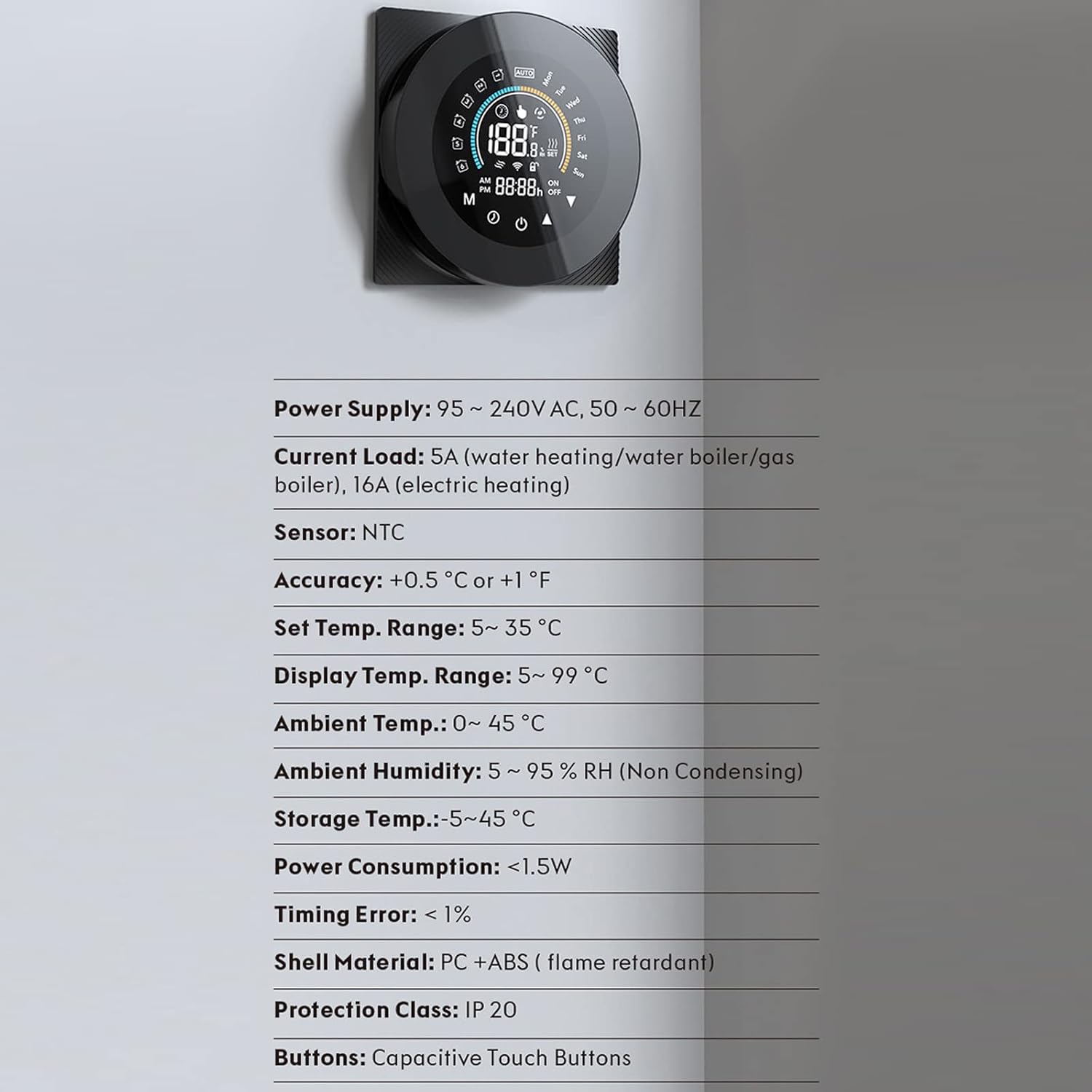
Image 6.1: A list of the Ymiko Smart Thermostat's technical specifications, including power supply, current load, sensor type, accuracy, temperature ranges, and material.
| Zehaztapena | Balioa |
|---|---|
| Eredua | HC-020-ZB-GB |
| Mota | Thermostat for Electric Heating |
| Elikatze Hornidura | 95-240V AC, 50/60HZ |
| Uneko Karga | 16A (berogailu elektrikoa) |
| Sentsore | NTC |
| Zehaztasuna | ±0.5℃ or ±1℉ |
| Ezarri Tenperatura. Barrutia | 5 ~ 35 ℃ |
| Bistaratu Tenperatura. Barrutia | 5 ~ 99 ℃ |
| Giro-tenperatura | 0 ~ 45 ℃ |
| Inguruko Hezetasuna | 5~95 % RH (Non Condensing) |
| Biltegiratze Tenperatura | -5 ~ 45 ℃ |
| Energia-kontsumoa | <1.5W |
| Denbora-errorea | <1% |
| Maskorraren materiala | PC + ABS (suaren aurkakoa) |
| Babes Klasea | IP 20 |
| Botoiak | Ukipen-botoi ahalmendunak |
7. Bermea eta bezeroarentzako laguntza
For warranty information, please refer to the documentation included with your purchase or visit the official Ymiko website. If you require technical assistance or have questions not covered in this manual, please contact Ymiko customer support through their official channels. When contacting support, please have your product model (HC-020-ZB-GB) and purchase details ready.