
OHREX T76
OHREX T76 Car Sat Nav User Manual
Eredua: T76
Sarrera
This manual provides comprehensive instructions for the OHREX T76 Car Sat Nav. It covers essential information regarding product setup, operation, maintenance, and troubleshooting to ensure optimal performance and user experience. The OHREX T76 is a 7-inch capacitive touchscreen GPS device designed for cars, trucks, lorries, HGVs, and motorhomes, featuring pre-loaded UK maps with free lifetime updates, Bluetooth hands-free calling, and intelligent navigation features.
Kutxan dagoena
Egiaztatu osagai guztiak paketean daudela:
- 1x OHREX T76 Sat Nav Unit
- 1 x Bentosa muntaia
- 1x USB Data Charging Cable
- 1x Car USB Charger (12-24V/1.5A)
- 1x Erabiltzailearen eskuliburua (dokumentu hau)

Figure 1: Included components of the OHREX T76 Sat Nav package. This image displays the main Sat Nav unit, the suction cup for mounting, the USB data charging cable, and the car USB charger.
Konfigurazio Gida
1. Gailua kargatzea
Before first use, it is recommended to fully charge the OHREX T76 Sat Nav using the provided car charger. Connect the USB data charging cable to the Sat Nav and the car USB charger, then plug the charger into your vehicle's 12V DC socket. The device has a 3000mAh lithium battery and typically takes 2-3 hours for a full charge.
2. Mounting the Sat Nav
Attach the suction cup mount to a clean, smooth surface on your vehicle's dashboard or windscreen. Ensure the surface is free of dust and grease for a secure hold. Press the suction cup firmly against the surface and flip the lever to create a vacuum seal. Then, slide the OHREX T76 Sat Nav onto the bracket until it clicks into place. Adjust the viewing angle for optimal visibility without obstructing your view errepidearena.
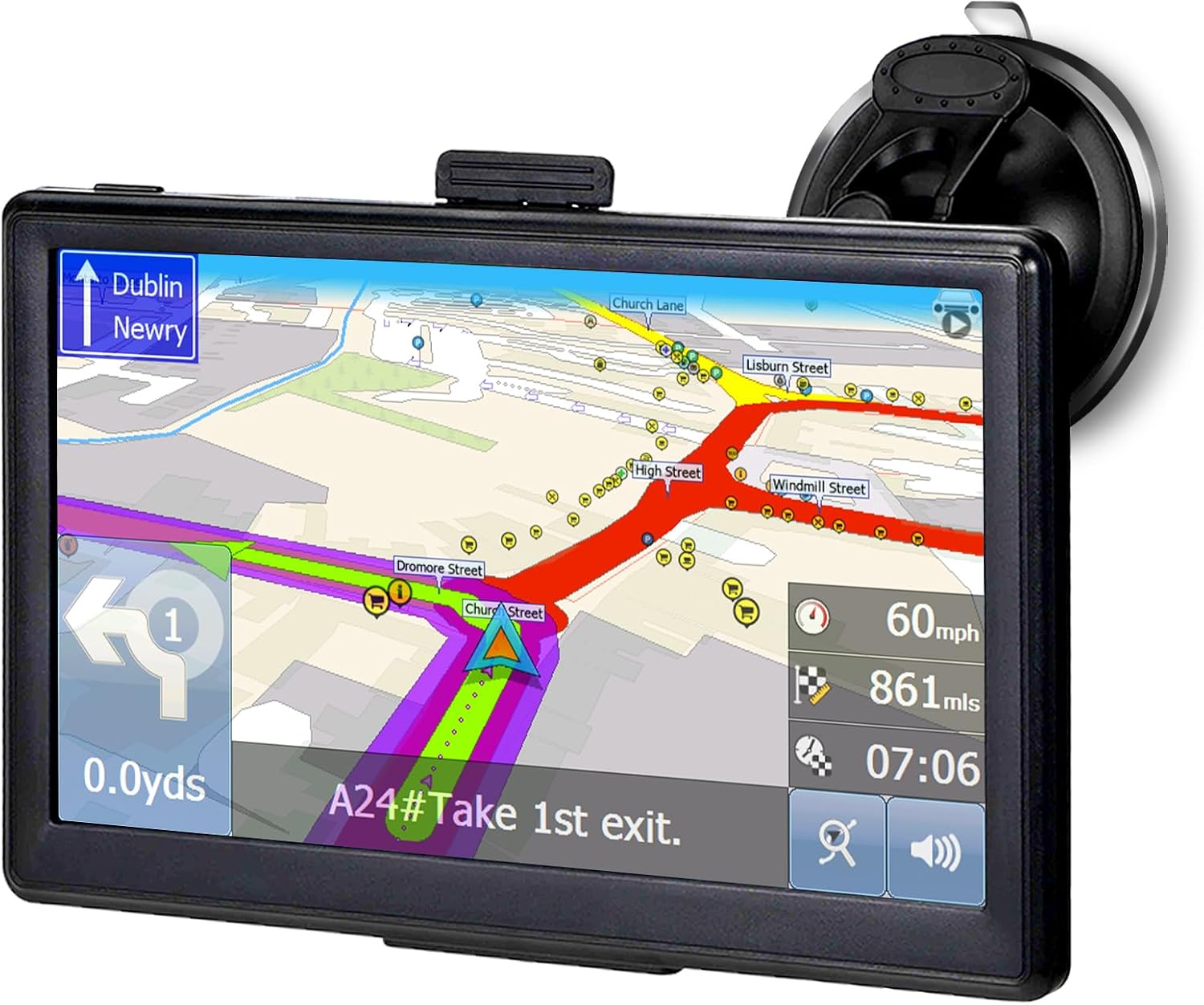
Figure 2: The OHREX T76 Sat Nav securely mounted in a vehicle, showing its display with active navigation.
3. Hasierako piztea
Press and hold the power button located on the device until the OHREX logo appears. The device will boot up and display the main menu. Follow any on-screen prompts for initial language and region settings.
Funtzionamendu-argibideak
Nabigazioaren oinarriak
The OHREX T76 features a user-friendly interface for destination input. You can set a destination using various methods:
- Postcode Search: Input the full postcode in the "FIND Address" section for quick and easy destination setting.
- Address Search: Enter the city, street name, and house number.
- Points of Interest (POI): Bilatu nearby attractions, restaurants, fuel stations, and more.
- Koordenatuak: Input specific geographical coordinates for precise locations.
Once a destination is set, the device will calculate the optimal route, offering options for fast or economical routes. Turn-by-turn real voice broadcast will guide you along the way, providing street names and estimated arrival times.

Figure 3: Main menu interface of the OHREX T76 Sat Nav, showing options like Navigate, Set as Departure, Set as Waypoint, and POI search.
Maparen eguneraketak
The OHREX T76 comes with pre-installed 2025 UK maps and offers free lifetime map updates. To ensure you have the latest map data, including new roads and points of interest, connect your Sat Nav to a Windows PC. Regular updates are provided monthly. For detailed instructions on downloading and installing updates, please refer to the OHREX support website or contact their technical team.

Figure 4: Visual representation of the lifetime free map updates feature, highlighting the availability of 2025 EU and UK maps.
Bluetooth esku libreko deiak
The integrated Bluetooth functionality allows you to connect your mobile phone to the Sat Nav for hands-free calling. This feature enhances safety by enabling you to make and receive calls without handling your phone. Pair your phone with the Sat Nav via the Bluetooth settings menu on the device. Once paired, you can synchronize your mobile phone book and manage calls directly from the Sat Nav screen.
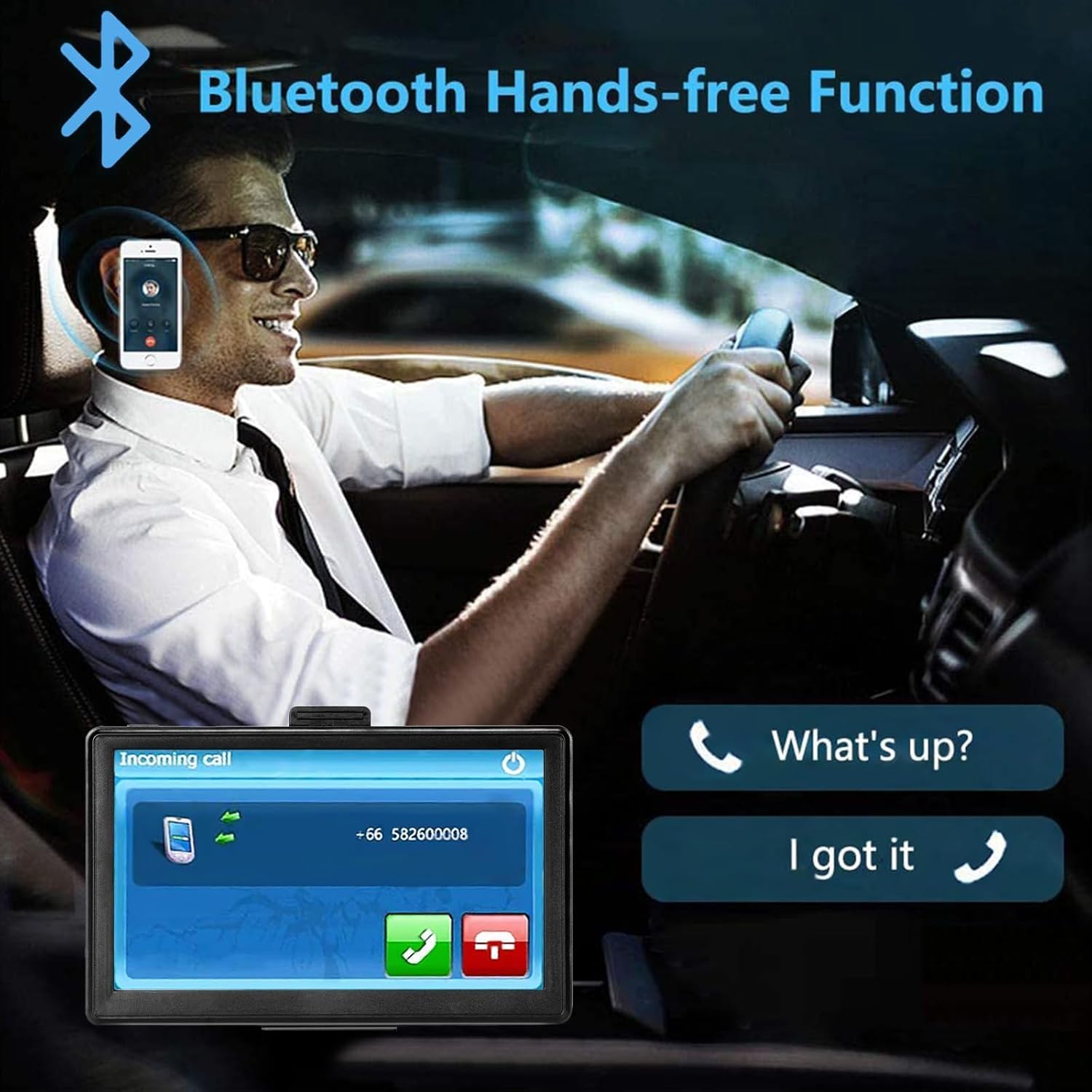
Figure 5: Illustration of the Bluetooth Hands-free Function in use, showing a driver making a call through the Sat Nav.
FM transmisorearen funtzioa
The OHREX T76 includes an FM transmitter (not an FM radio) that allows you to broadcast the navigation audio through your vehicle's FM radio system. To use this feature, turn on the FM transmitter on the Sat Nav and set it to a specific frequency. Then, tune your car's FM radio to the exact same frequency. The navigation voice prompts will now play through your car's speakers, providing clearer audio guidance.

Figure 6: Instructions for setting up the FM Transmitter, demonstrating how to match the Sat Nav's frequency with the car's FM radio.
Intelligent Navigation Features
The Sat Nav is equipped with advanced features to enhance your driving experience:
- Gidariaren alertak: Provides warnings for speed cameras, sharp curves, and other potential hazards.
- Erreiaren gidaritza: Clearly indicates the correct lane to be in for upcoming turns and exits.
- Abiadura-kameraren alerta: Notifies you of approaching speed cameras to help maintain legal speeds.
- Ahots-emisioa: Delivers clear, real-time voice instructions for navigation.
- Current Speed Display: Shows your current vehicle speed on the navigation screen.

Figure 7: The OHREX T76 Sat Nav in action, showing detailed navigation with lane guidance and speed limit information.
Mantentzea
- Garbiketa: Use a soft, lint-free cloth to clean the screen and exterior of the device. Do not use abrasive cleaners or solvents.
- Biltegiratzea: When not in use, store the Sat Nav in a cool, dry place, away from direct sunlight and extreme temperatures.
- Bateria zaintzea: Bateriaren iraupena luzatzeko, saihestu bateria maiz erabat deskargatzea. Kargatu gailua aldizka, batez ere denbora luzez gordeko bada.
- Software eguneraketak: Regularly update the maps and software as recommended by OHREX to ensure optimal performance and access to the latest features.
Arazoak konpontzea
If you encounter issues with your OHREX T76 Sat Nav, refer to the following common problems and solutions:
- Gailua ez da pizten:
- Ensure the device is fully charged. Connect it to the car charger and allow it to charge for at least 30 minutes before attempting to power on again.
- Check the power cable and charger for any damage.
- GPS seinalerik ez:
- Ziurtatu gailuak argia duela view of the sky. GPS signals can be obstructed by buildings, tunnels, or dense foliage.
- Mugitu ibilgailua gune ireki batera.
- Allow several minutes for the device to acquire satellites, especially during first use or after a long period of inactivity.
- Pantailak ez du erantzuten:
- Perform a soft reset by pressing the reset button (if available) or holding the power button for 10-15 seconds until the device restarts.
- Ziurtatu pantaila garbi eta hondakinik gabe dagoela.
- Map updates fail or are slow:
- Ensure you have a stable internet connection on your PC.
- Verify that the correct update software is being used and that your device is properly connected to the PC.
- Contact OHREX support for assistance with map updates if issues persist.
- Audio issues (no sound or distorted sound):
- Check the volume settings on the Sat Nav.
- If using the FM transmitter, ensure the Sat Nav and car radio frequencies match exactly and that the car radio is tuned to the correct FM station.
Zehaztapenak
| Ezaugarri | Xehetasuna |
|---|---|
| Marka | OHREX |
| Eredua | T76 |
| Sistema | Windows CE 6.0 |
| Pantaila | 7 inches capacitive touchscreen, 800 x 480 resolution |
| Memoria | Samsung 8 GB ROM |
| Memoria zabalgarria | TF txartela 32GBrako laguntza |
| Bluetootha | Yes (Hands-free calling) |
| AV IN | Ez |
| USB Interfazea | USB 2.0, mini USB |
| Bateria | 3000mAh lithium battery (Rechargeable) |
| Kargatzeko Denbora | 2-3 ordu |
| Kargatzeko entxufea | 12V DC entxufea |
| Kotxe kargagailua | 12-24V/1.5A |
| Produktuaren neurriak | 17.2 x 11.1 x 1.57 cm |
| Pisua | 270 g |
| Mapa mota | UK (Europe maps available upon request) |
| Ezaugarri bereziak | Touchscreen, Bluetooth, Lane Assist, Speed Cam Alert, FM Transmitter |
Bermea eta Laguntza
OHREX is committed to providing excellent customer support and product reliability. The OHREX T76 Sat Nav comes with free lifetime map updates, ensuring your navigation data is always current.
For any questions, technical inquiries, or assistance with map updates, please contact the OHREX support team. OHREX has an established professional technician team in London dedicated to assisting customers. Refer to the product packaging or the official OHREX webgunea kontaktu-informazio eguneratuena lortzeko.
Please note: After receiving your sat nav, ensure it is fully charged using the car charger before its first use to ensure optimal performance.
Ask a question about this manual
Ask about setup, troubleshooting, compatibility, parts, safety, or missing instructions. Manuals+ will review the question and use this page’s manual context to help answer it.