
1. Sarrera
Welcome to the OUKITEL C59 Pro user manual. This guide provides detailed instructions on how to set up, operate, maintain, and troubleshoot your new Android 15 smartphone. Please read this manual thoroughly to ensure optimal performance and longevity of your device.
2. Segurtasun informazioa
To prevent injury to yourself or others, or damage to your device, read all safety information before using the device. Keep this manual for future reference.
- Ez jarri gailua tenperatura altuen, eguzki-argiaren eraginpean edo hezetasun handiaren eraginpean.
- Use only OUKITEL-approved chargers, batteries, and accessories.
- Saihestu gailua erortzea edo kolpe gogorren eraginpean jartzea.
- Ez desmuntatu, aldatu edo konpondu gailua zeuk.
- Maintain a safe distance from medical devices to avoid interference.
- Tokiko araudien arabera bota gailua eta haren osagaiak arduraz.
3. Paketearen edukia
Egiaztatu elementu guztiak zure produktuaren kaxan daudela:
- OUKITEL C59 Pro Smartphone
- Telefono-zorroa
- USB kablea (C mota)
- SIM kanporatzeko tresna
- Elikatze-moldagailua
4. Gailua amaitu daview
Familiarize yourself with the physical features and components of your OUKITEL C59 Pro smartphone.

Image: General view OUKITEL C59 Pro telefonoaren erakusleihoaasinbere diseinu dotorea eta atzeko kameraren modulua.
4.1 Physical Buttons and Ports
- Pizteko botoia: Located on the side, used to power on/off the device or wake/sleep the screen. Integrates fingerprint recognition.
- Bolumen-botoiak: Located on the side, used to adjust media volume and ringtone volume.
- USB C motako ataka: Beheko aldean kokatuta, kargatzeko eta datuak transferitzeko erabiltzen da.
- SIM/MicroSD txartelaren zirrikitua: Located on the side, for inserting Nano SIM cards and a MicroSD card.
- 110lm LED Flashlight: An exclusive physical flashlight located at the top of the device, activated by a dedicated button.
4.2 Bistaratzea
The OUKITEL C59 Pro features a large 6.88-inch HD+ display with a 90Hz refresh rate and 450 nits brightness, providing a clear and smooth visual experience.

Image: The OUKITEL C59 Pro's 6.88-inch HD+ display, highlighting its size and visual clarity.
4.3 Kamera
The device is equipped with a dual rear camera system, featuring a 13MP main camera, and a 5MP front camera for selfies and video calls.

Image: Close-up of the OUKITEL C59 Pro's rear camera module and examples of photos taken with the 13MP main camera and 5MP front camera.
4.4 Linterna
The OUKITEL C59 Pro features a powerful 110 lumen LED flashlight at the top. This flashlight can be activated instantly by pressing a dedicated physical button on the side of the phone, even when the screen is locked.

Image: The OUKITEL C59 Pro's 110lm LED flashlight illuminating dark environments, demonstrating its brightness and utility in various scenarios.
5. Konfigurazioa
5.1 SIM eta MicroSD txartelak sartzea
Your OUKITEL C59 Pro supports Dual Nano SIM cards and a MicroSD card for expandable storage up to 1TB.
- Bilatu SIM txartelaren erretilua gailuaren alboan.
- Sartu SIM txartelaren kanporatzeko tresna erretiluaren ondoko zulo txikian, hura irekitzeko.
- Place your Nano SIM cards and/or MicroSD card into the designated slots on the tray, ensuring correct orientation.
- Sakatu astiro-astiro erretilua gailuan sartu arte.

Image: The SIM card tray of the OUKITEL C59 Pro, showing slots for two Nano SIM cards and one MicroSD card.
5.2 Gailua kargatzea
Before first use, fully charge your OUKITEL C59 Pro. The device supports 18W fast charging.
- Konektatu USB C motako kablea telefonoaren beheko aldean dagoen kargatzeko atakara.
- Konektatu USB kablearen beste muturra korronte-egokigailura.
- Entxufatu korronte-egokigailua hormako entxufe batera.
- A full charge typically takes approximately four hours.
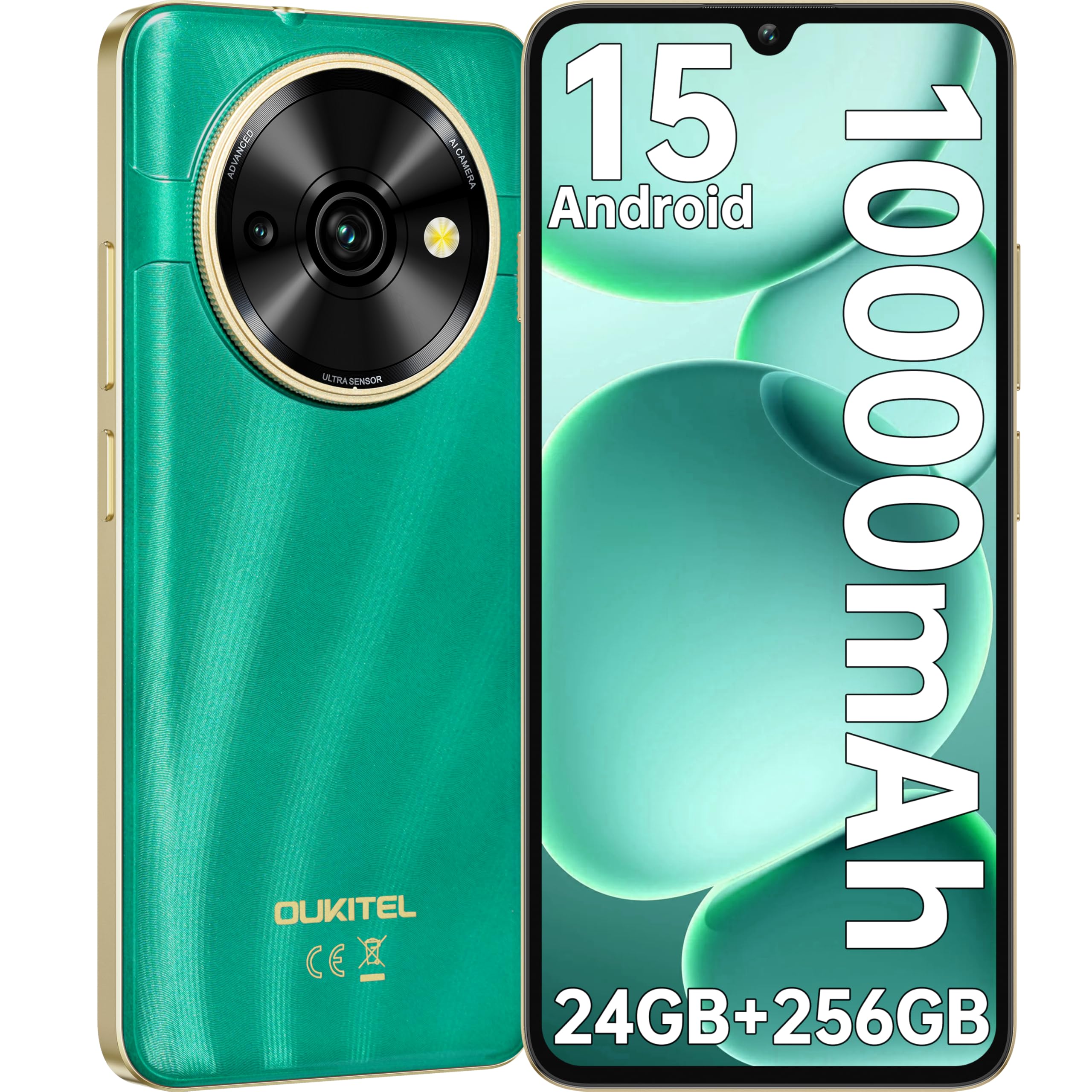
Image: Visual representation of the OUKITEL C59 Pro's 10000mAh battery capacity, indicating extended standby, talk, flashlight, and video playback times.
5.3 Piztu/Itzaltzea
- Pizteko: Sakatu eta eutsi pizteko botoiari OUKITEL logotipoa agertu arte.
- Itzaltzeko: Sakatu eta eutsi pizteko botoiari, eta ondoren hautatu 'Itzali' pantailan agertzen diren aukeren artean.
- Berrabiarazteko: Sakatu eta eutsi pizteko botoiari, eta ondoren hautatu 'Berrabiarazi' aukeren artean.
6. Zure telefonoa erabiltzea
6.1 Android 15 sistema eragilea
Your OUKITEL C59 Pro runs on the latest Android 15 operating system, offering enhanced energy efficiency, privacy protection, and multi-device integration capabilities optimized with artificial intelligence.

Irudia: Android 15 sistema eragilearen interfazearen irudikapen bisuala, erakusten duenaasing its modern design and various application icons.
6.2 Biometric Security (Fingerprint & Face ID)
Unlock your device securely using the side-mounted fingerprint sensor or Face ID recognition.
- Hatz-markak hautematea: Register your fingerprints in the Security settings. To unlock, simply place your registered finger on the side power button.
- Aurpegiaren IDa: Set up Face ID in the Security settings. To unlock, hold the phone in front of your face.
6.3 Connectivity Features (NFC, GPS)
The OUKITEL C59 Pro supports NFC for contactless payments and data transfer, and GPS for navigation and location services.
- NFC: Enable NFC in Settings > Connected devices > Connection preferences > NFC. Tap your phone to compatible devices for quick pairing or payments.
- GPSa: Kokapen zerbitzuak lehenespenez gaituta daude. Ezarpenak > Kokapena atalean kudea ditzakezu.
6.4 Memoria eta biltegiratzea
The device comes with 24GB RAM (8GB physical + 16GB virtual) and 256GB internal storage, expandable up to 1TB via MicroSD card.

Image: A graphical representation of the OUKITEL C59 Pro's memory configuration, showing 24GB RAM (8GB + 16GB expansion) and 256GB ROM (expandable to 1TB).
6.5 OTG funtzionaltasuna
The OUKITEL C59 Pro supports OTG (On-The-Go) reverse charging, allowing you to transfer data to other devices or use your phone as an emergency power bank.
7. Mantentzea
Mantentze egokiak zure telefonoaren iraupena eta errendimendu optimoa bermatzen ditu.
- Garbiketa: Erabili zapi leun eta pelusik gabeko bat gailuaren pantaila eta gorputza garbitzeko. Saihestu produktu kimiko gogorrak edo material urratzaileak erabiltzea.
- Software eguneraketak: Egiaztatu eta instalatu sistemaren eguneraketak aldizka, zure gailuak azken funtzioak eta segurtasun-adabakiak dituela ziurtatzeko. Joan Ezarpenak > Sistema > Sistemaren eguneraketa atalera.
- Bateria zaintzea: Avoid fully discharging the battery frequently. For long-term storage, charge the battery to about 50%.
- Biltegiratze kudeaketa: Aldian-aldian garbitu beharrezkoak ez direnak fileaplikazioak eta biltegiratze espazioa askatzeko eta errendimendua hobetzeko.
8. Arazoak
Gailuarekin arazoak badituzu, saiatu honako irtenbide hauekin:
- Gailuak ez du erantzuten: Berrabiarazteko, sakatu eta eutsi pizteko botoia 10-15 segundoz.
- Aplikazioak kraskatzen: Clear the cache and data of the problematic app in Settings > Apps > [App Name] > Storage. If the issue persists, uninstall and reinstall the app.
- Bateriaren iraupen eskasa: Check battery usage in Settings > Battery to identify power-hungry apps. Reduce screen brightness, disable unnecessary features like GPS or Wi-Fi when not in use.
- Sareko arazoak: Ensure SIM cards are correctly inserted. Try restarting the device. Check network settings or contact your service provider.
- Gehiegizko berotzea: Avoid using the device while charging or during prolonged heavy usage. Close background apps.
- Fabrikaren berrezarpena: As a last resort, if software issues persist, you can perform a factory reset. Abisua: Honek zure gailuko datu guztiak ezabatuko ditu. Jarraitu aurretik, egin datu garrantzitsuen babeskopia. Joan Ezarpenak > Sistema > Berrezarri aukerak > Ezabatu datu guztiak (fabrika berrezartzea).
9. Zehaztapenak
Detailed technical specifications for the OUKITEL C59 Pro smartphone.
| Ezaugarri | Zehaztapena |
|---|---|
| Marka | OUKITEL |
| Ereduaren izena | OUKITEL C59 Pro |
| Sistema eragilea | Android 15 |
| Instalatutako RAM tamaina | 24 GB (8 GB fisikoa + 16 GB birtuala) |
| Biltegiratze Ahalmena | 256 GB |
| Max Supported Flash Memory Size | 1024 GB (1 TB) |
| Pantailaren tamaina | 6.88 hazbete |
| Ebazpena | 1640 x 720 pixel |
| Freskatze tasa | 90 Hz |
| Bistaratzeko mota | LCDa |
| Teknologia Zelularra | 4G |
| Konektibitate Teknologia | 4G |
| Kolorea | BERDEA |
| Number of SIM Card Slots | SIM bikoitza |
| SIM txartelaren tamaina | Nano |
| Konektore mota | USB C mota |
| Forma-faktorea | Taberna |
| Biometric Security Feature | Fingerprint Recognition, Face ID |
| Uraren Erresistentzia Maila | Ez iragazgaitza |
| Aurikularretarako Jack | Bat ere ez |
| Atzeko kameraren bereizmena | 13 MP |
| Number of Rear Cameras | 2 |
| Number of Front Cameras | 1 |
| Bideo Harrapaketa Ebazpena | 1080p |
| Fotograma-tasa | 30 fps, 60 fps, 120 fps |
| Bateria Edukiera | 10000 mAh |
| Bateriaren iraupena | 50 ordu (elkarrizketa denbora) |
| GPSa | Bai |
| Dakarten osagaiak | Phone case, USB cable, SIM ejector tool, Power adapter |
| Produktuaren erabilera espezifikoak | Gaming, Photography, Streaming, Video Conferencing |
10. Bermea eta Laguntza
10.1 Bermearen informazioa
The OUKITEL C59 Pro smartphone comes with a 2 urteko fabrikatzailearen bermea. This warranty covers defects in materials and workmanship under normal use. It does not cover damage caused by misuse, accidents, unauthorized repairs, or normal wear and tear. Please retain your proof of purchase for warranty claims.
10.2 Bezeroarentzako laguntza
For technical assistance, warranty claims, or any other inquiries regarding your OUKITEL C59 Pro, please contact OUKITEL customer support through their official website or the contact information provided with your purchase. Ensure you have your device model and purchase details ready when contacting support.