
1. Sarrera
This manual provides detailed instructions for the setup, operation, and maintenance of your ARZOPA D10 Gold 10.1" Digital Picture Frame. Please read this manual thoroughly before using the device to ensure proper functionality and to maximize your user experience.
The ARZOPA D10 Gold Digital Picture Frame features a 10.1-inch HD IPS touchscreen, Wi-Fi connectivity, and a durable metal frame. It allows for easy sharing of photos and videos with family and friends through the dedicated ARZOPA app, offering unlimited cloud storage and additional 32GB built-in storage.
2. Paketearen edukia
Mesedez, egiaztatu elementu guztiak zure paketean daudela:
- ARZOPA D10 Gold 10.1" Digital Picture Frame
- Elikatze-moldagailua
- Erabiltzailearen eskuliburua
- Zutik euskarria
3. Produktua amaitu daview
Familiarize yourself with the components of your digital picture frame.

3.1. irudia: Aurrealdea view of the ARZOPA D10 Gold Digital Picture Frame, showcasing its 10.1-inch display and a smartphone displaying the ARZOPA app interface.

3.2. irudia: Atzekoa view of the ARZOPA D10 Gold Digital Picture Frame, highlighting the built-in speakers, wall mounting holes, stand hole, power button, USB port, Micro SD card slot, and DC power input.
Markoaren osagaiak:
- 10.1 hazbeteko IPS ukipen-pantaila: High-definition display for vibrant photo and video playback.
- Metalezko markoa: Iraunkorra eta estetikoki atseginaasing gold-colored metal casing.
- Bozgorailu integratuak: Bideoekin batera audioa erreproduzitzeko.
- Pizteko botoia: To turn the frame on/off or activate sleep mode.
- USB ataka: For connecting USB drives for media transfer.
- Mikro SD txartelaren zirrikitua: For expanding storage up to 128GB (SD card not included).
- DC potentzia sarrera: Korronte-egokigailua konektatzeko.
- Stand Bracket: For tabletop display.
- Hormako zuloak: Markoa horman muntatzeko.
4. Konfigurazioa
4.1 Hasierako konfigurazioa
- Konektatu energia: Plug the power adapter into the DC power input on the back of the frame, then plug the adapter into a wall outlet. The frame will automatically power on.
- Hizkuntza hautaketa: Jarraitu pantailan agertzen diren argibideei nahiago duzun hizkuntza hautatzeko.
- Wi-Fi konexioa: Hautatu zure Wi-Fi sarea zerrendatik eta idatzi pasahitza. Ziurtatu Interneteko konexio egonkorra duzula errendimendu optimoa lortzeko.
- Download ARZOPA App: Download the free ARZOPA app from the App Store (iOS) or Google Play Store (Android) on your smartphone.
- Erregistratu kontua: Open the ARZOPA app and register a new account or log in if you already have one.
- Pair Frame: In the app, follow the instructions to add a new device. You will typically scan a QR code displayed on your digital frame to pair it with your app account.

4.1. irudia: Visual guide for connecting the ARZOPA app to the digital picture frame, showing steps from opening the app to uploading photos.
4.2 Muntatzeko aukerak
- Mahaigaineko pantaila: Attach the included stand bracket to the designated hole on the back of the frame for stable placement on any flat surface.
- Horman muntatzea: Use the wall holes on the back of the frame to mount it securely on a wall. Ensure appropriate wall anchors and screws are used (not included) for safe installation.
5. Funtzionamendu-argibideak
5.1 Oinarrizko funtzionamendua
- Ukipen-pantailako nabigazioa: The frame features a responsive touchscreen. Swipe left/right to navigate through photos, tap to access menus, and pinch to zoom (if supported by software).
- Piztu/Itzali: Press and hold the power button for a few seconds to turn the frame on or off. A short press will activate/deactivate sleep mode.
- Lo egiteko modua: Configure smart sleep mode settings in the frame's settings menu to automatically turn the screen off during specific hours (e.g., overnight) to save energy.
- Distira doitzea: Adjust screen brightness via the settings menu or quick access controls (if available) for optimal viewargiztapen baldintza desberdinetan.
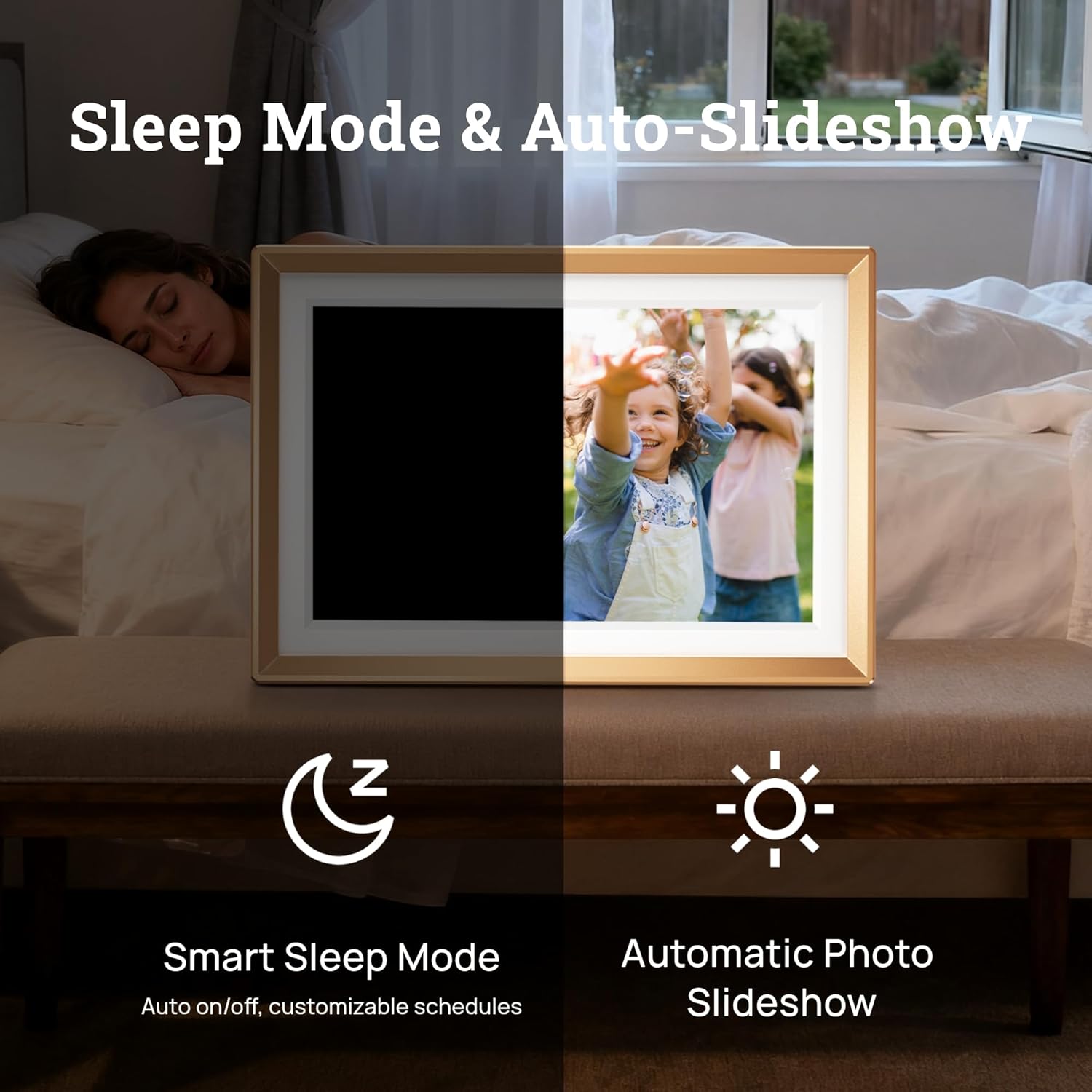
5.1. irudia: Illustration of the Smart Sleep Mode, where the frame automatically turns off, and the Automatic Photo Slideshow feature.
5.2 Argazki eta bideoen kudeaketa
- Uploading via ARZOPA App: Open the ARZOPA app, select the frame, and choose photos or videos from your device to upload. The app supports unlimited uploads to cloud storage.
- SD txartela/USB bidez igotzea: Insert a Micro SD card (up to 128GB) or a USB drive into the respective port. The frame will detect the storage, allowing you to import media to the internal 32GB storage.
- Managing Content: Access the gallery or file management section on the frame's touchscreen to view, delete, or organize your uploaded photos and videos.
- Diapositiba-aurkezpenaren ezarpenak: Customize slideshow intervals, transition effects, and playback order in the frame's settings.

5.2. irudia: Amaituview of various methods to upload photos and videos to the ARZOPA frame: via the ARZOPA app, external storage (SD card/USB), PC connection, and free cloud storage.
5.3 Sharing Features
- Invite Others to Share: Through the ARZOPA app, you can invite family and friends to share photos and videos directly to your frame. They will need to download the app and create an account.
- Ezaugarri interaktiboak: The app may include features like 'like' and 'comment' to create a shared, interactive space for memories.
5.4 Ezaugarri aurreratuak
- Weather and Calendar: The frame can display real-time weather information and a calendar. These features can be enabled and configured in the settings.
- Errotazio automatikoa: The built-in gravity sensor automatically adjusts the display orientation (landscape or portrait) based on how the frame is positioned.

5.3. irudia: The digital picture frame displaying a photo along with real-time weather and calendar information.
6. Mantentzea
- Pantaila garbitzea: Erabili zapi leun eta pelurik gabeko bat pantaila astiro-astiro garbitzeko. Orban egoskorrak izanez gero, garbitu pixka bat.ampGarbitu zapi bat urarekin edo pantaila garbitzeko soluzio batekin. Saihestu produktu kimiko gogorrak.
- Software eguneraketak: Periodically check for software updates in the frame's settings menu to ensure you have the latest features and performance improvements.
- Biltegiratze kudeaketa: Aldian behin berriroview your stored photos and videos. Delete unnecessary files to free up internal storage, especially if you are not using cloud storage exclusively.
7. Arazoak
If you encounter issues with your ARZOPA Digital Picture Frame, refer to the following common problems and solutions:
| Arazoa | Irtenbide posiblea |
|---|---|
| Markoa ez da pizten. | Ziurtatu korronte-egokitzailea ondo konektatuta dagoela markora eta funtzionatzen duen korronte-entxufe batera. Saiatu beste entxufe batekin. |
| Ezin da wifira konektatu. | Check if your Wi-Fi router is working. Re-enter the Wi-Fi password carefully. Ensure the frame is within range of your Wi-Fi signal. Restart the frame and your router. |
| Photos/Videos not appearing. | Verify that media has been successfully uploaded via the ARZOPA app or transferred from an SD card/USB. Check the frame's internal storage. Ensure file formatuak onartzen dira. |
| ARZOPA app not pairing with frame. | Ensure both the frame and your smartphone are connected to the internet. Re-scan the QR code on the frame. Restart both the app and the frame. |
| Pantailak ez du erantzuten. | Restart the frame by holding down the power button. If the issue persists, perform a factory reset (refer to settings menu, note this will erase all data). |
8. Zehaztapenak
| Ezaugarri | Xehetasuna |
|---|---|
| Produktuaren neurriak | 10.35 x 7.15 x 0.99 hazbete |
| Elementuaren pisua | 2.97 kilo |
| Pantailaren tamaina | 10.1 hazbete |
| Ebazpena | 1280x800 |
| Kolorea | D10-Gold |
| Barne Biltegiratzea | 32 GB |
| Biltegiratze zabalgarria | Up to 128GB (Micro SD card, not included) |
| Konektibitatea | WiFi |
| Gailu bateragarriak | Android, iOS, Personal Computer, Smartphone |
| Fabrikatzailea | ARZOPA |
9. Bermearen informazioa
ARZOPA products are covered by a manufacturer's warranty. For specific details regarding your product's warranty period and terms, please refer to the warranty card included in your package or visit the official ARZOPA webgunea. Gorde erosketa-agiria erosketaren frogagiri gisa berme-erreklamazioetarako.
10. Laguntza
For technical assistance, product inquiries, or warranty support, please contact ARZOPA customer service. Our dedicated support team aims to respond within 48 hours to provide personalized technical assistance.
- Lineako laguntza: Visit the official ARZOPA webMaiz egiten diren galderen, laguntza-baliabideen eta harremanetarako formularioen gunea.
- Posta elektronikoko laguntza: Refer to your product packaging or the ARZOPA webbezeroarentzako arreta-zerbitzuko helbide elektronikoaren webgunea.