
1. Sarrera
This manual provides essential information for setting up, operating, and maintaining your TCL 32V5C Smart QLED Full HD Android TV. Please read this manual thoroughly before using your television to ensure proper functionality and safety.
The TCL 32V5C series combines a sleek design with QLED and HDR image quality, powered by the advanced Android TV system. It offers a smart visual experience, allowing you to enjoy movies, streaming applications, and multiplayer games with ease.
2. Segurtasun informazio garrantzitsua
Jarraitu beti oinarrizko segurtasun neurriak telebista hau erabiltzean sute, deskarga elektriko eta lesio arriskua murrizteko.
- Ez jarri telebista euri edo hezetasunera.
- Ez ireki armairua; konponketa guztiak langile kualifikatuei eskatu.
- Ziurtatu aireztapen egokia telebistaren inguruan.
- Use only the power cord supplied by the manufacturer.
- Mantendu telebista eguzki-argitik eta bero-iturrietatik urrun.
- Clean the TV with a soft, dry cloth only.
3. Zer dago kutxan
Konfigurazioarekin jarraitu aurretik, egiaztatu osagai guztiak daudela:
- TCL 32V5C Smart QLED TV
- Urruneko Kontrola
- Elikatze-kablea
- Erabiltzailearen eskuliburua (dokumentu hau)
- TV Stand and Support Screws
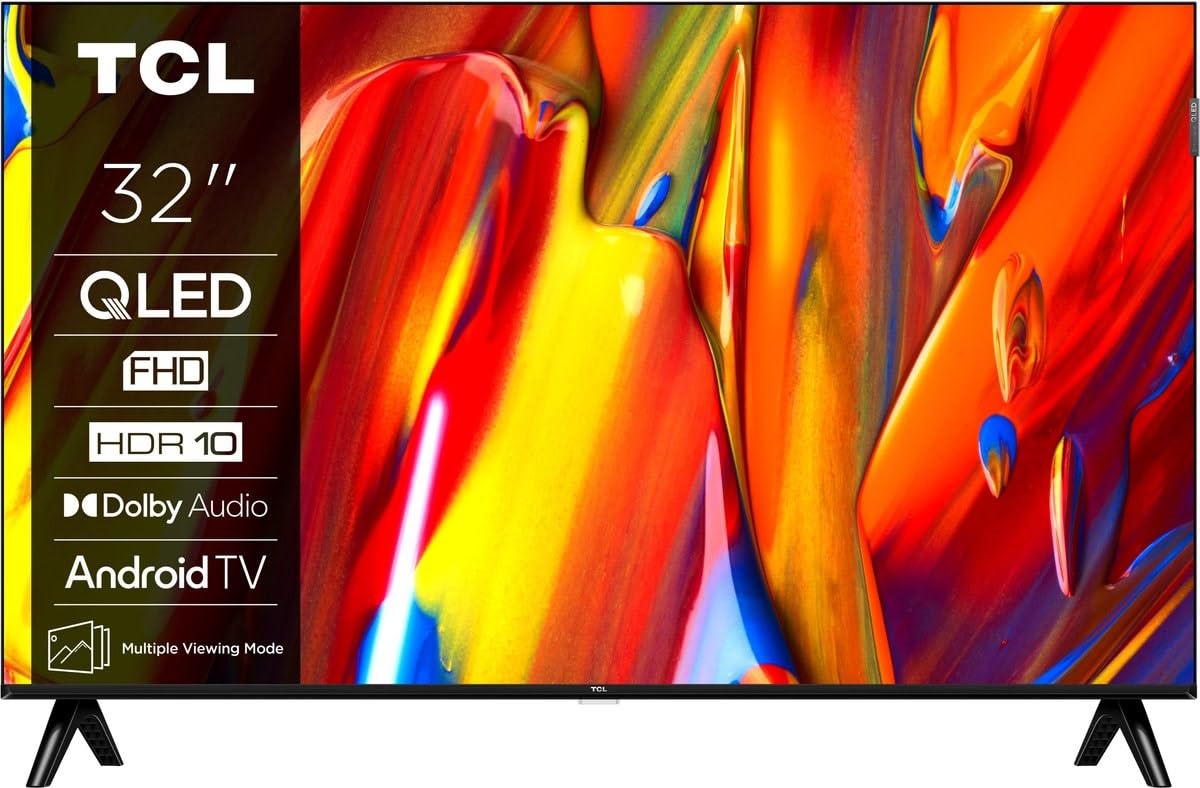
Irudia: Aurrealdea view of the TCL 32V5C Smart QLED Full HD Android TV, showcasing its slim design and display features.
4. Konfigurazio gida
4.1 Telebistaren euskarria muntatzea
Euskarria erantsi ahal izateko:
- Jarri telebista aurpegia behera gainazal bigun eta lau batean, pantaila kaltetu ez dadin.
- Lerrokatu euskarriaren osagaiak telebistaren behealdeko muntaketa-zuloekin.
- Lotu euskarria emandako torlojuak erabiliz. Ziurtatu torloju guztiak ondo estututa daudela.

Image: Diagram showing the dimensions of the TCL 32V5C TV and the included remote control (RC733A).
4.2 Horman muntatzea (aukerakoa)
If you choose to wall mount your TV, ensure you use a VESA-compatible wall mount (100 x 100 mm). Consult a professional for installation to prevent damage or injury.
4.3 Potentzia konektatzea
Connect the power cable to the TV's power input and then plug it into a wall outlet. The TV is designed for 220-240V AC, 50/60Hz power supply.
4.4 Kanpoko gailuak konektatzea
Your TCL 32V5C TV offers various connectivity options:
- HDMI: Connect Blu-ray players, game consoles, or set-top boxes using one of the two HDMI ports.
- USBa: Use the single USB port for media playback from USB drives.
- Ethernet: Interneteko konexio egonkor bat lortzeko, konektatu Ethernet kable bat LAN atakara.
- Wi-Fi: Konektatu etxeko haririk gabeko sarera interneterako sarbidea izateko.
- Bluetootha: Pair wireless headphones, soundbars, or other Bluetooth-enabled devices.
5. Zure telebista funtzionatzea
5.1 First-Time Setup and Android TV
Upon first power-on, the TV will guide you through the initial setup process. This includes selecting your language, connecting to Wi-Fi, and logging into your Google account to activate Android TV features.
Android TV provides access to over 400,000 movies and shows from various streaming services. Utilize Google Cast to transfer photos, videos, and music from your smart devices directly to your TV.
5.2 Urruneko kontrolaren funtzioak
Use the provided remote control to navigate menus, adjust volume, change channels, and access smart features. Refer to the remote control diagram for specific button functions.
5.3 Irudi eta soinu kalitatea
Your TV features QLED technology, which uses quantum dot materials to deliver exceptional colors and optical properties, enhancing brightness and fine details for a realistic viewing experience. Direct LED backlighting further improves image quality and energy efficiency.
With HDR10 support, the TV displays a wider range of colors and contrasts, bringing more depth to compatible content. Dolby Audio processing ensures clear and immersive sound quality through the integrated speakers.
6. Mantentzea
Zure telebistaren iraupena eta errendimendu optimoa bermatzeko:
- Pantaila garbitzea: Garbitu pantaila astiro-astiro zapi leun eta pelusik gabeko batekin. Orbanik egoskorrak izanez gero, garbitu astiro-astiro.ampGarbitu oihal bat urarekin edo pantaila-garbitzaile espezializatu batekin (ez ihinztatu zuzenean pantailan).
- Armairua garbitzea: Erabili zapi leun eta lehor bat telebistaren armairua garbitzeko. Saihestu garbitzaile edo disolbatzaile urratzaileak.
- Aireztapena: Ensure the ventilation openings on the back of the TV are not blocked.
- Elikatze kablea: Aldian-aldian egiaztatu elikatze-kablea kalterik duen.
7. Arazoak
Telebistarekin arazoak badituzu, jo ezazu ohiko irtenbide hauetara:
| Arazoa | Irtenbide posiblea |
|---|---|
| Botererik ez | Egiaztatu kablea telebistara eta hormako entxufera ondo konektatuta dagoen. Ziurtatu entxufea funtzionatzen duela. |
| Irudirik ez, baina soinua badago | Verify the correct input source is selected. Check external device connections (HDMI, etc.). |
| Soinurik ez, baina irudia badago | Check the volume level and mute settings. Ensure external audio devices are properly connected and selected. |
| Urruneko kontrola ez dabil | Ordeztu bateriak. Ziurtatu ez dagoela oztoporik urrutiko agintearen eta telebistaren IR sentsorearen artean. |
| Wi-Fi konexio-arazoak | Berrabiarazi bideratzailea eta modema. Konektatu berriro telebista Wi-Fi sarera ezarpenen menuan. |
For further assistance, please contact TCL customer support.
8. Zehaztapenak
| Ezaugarri | Xehetasuna |
|---|---|
| Marka | TCL |
| Modelo zenbakia | 32V5C |
| Pantailaren tamaina | 32 hazbete |
| Bistaratzeko Teknologia | QLED |
| Ebazpena | 1080p (HD osoa) |
| Freskatze tasa | 60 Hz |
| Ezaugarri bereziak | QLED & Android TV, HDR10, Google Cast |
| Konektibitate Teknologia | Bluetooth, Ethernet, HDMI, USB, Wi-Fi |
| HDMI atakak | 2 |
| USB atakak | 1 |
| Aspektu-erlazioa | 16:9 |
| Produktuaren neurriak (L x W x H) | 18P x 71.5l x 46.5H cm (with stand) |
| Elementuaren pisua (euskarririk gabe) | 3.1 kilogramo |
| VESA muntaketa estandarra | 100 x 100 mm |
| Audio formatua | Dolby Audio |
| Sintonizatzaile mota | DVB-T2 |
| Kolorea | Beltza |
9. Bermea eta Laguntza
9.1 Bermearen informazioa
This product comes with a Limited Warranty. Please refer to the warranty card included in the packaging or visit the official TCL website for detailed terms and conditions regarding your specific region.
9.2 Bezeroarentzako laguntza
For technical assistance, troubleshooting not covered in this manual, or service inquiries, please contact TCL customer support through their official webgunea edo bermearen dokumentazioan emandako harremanetarako informazioa.
You can often find additional resources, FAQs, and software updates on the TCL Ofiziala Webgunea.