
1. Sarrera
Thank you for choosing the AIRMATE FB20187 Standing Fan. This fan is designed to provide efficient air circulation, adjustable lighting, and quiet operation for your home or office. Please read this manual thoroughly before use to ensure proper operation and maintenance.
2. Segurtasun informazioa
- Ziurtatu beti haizagailua gainazal egonkor eta mailakatu batean jartzen dela, iraultzea saihesteko.
- Ez sartu hatzak edo bestelako objekturik haizagailuaren parrillan martxan dagoenean.
- Keep the fan away from water or other liquids. Do not use in wet environments.
- Deskonektatu haizagailua entxufetik garbitu edo mantentze-lanak egin aurretik.
- Ez erabili haizagailua kablea edo entxufea hondatuta badago. Jarri harremanetan bezeroarentzako arreta-zerbitzuarekin laguntza jasotzeko.
- Tresna hau ez da gaitasun fisiko, sentsorial edo mental murriztua duten edo esperientzia eta ezagutza falta duten pertsonek (haurrak barne) erabiltzeko, baldin eta haien segurtasunaz arduratzen den pertsona batek gailuaren erabilerari buruz gainbegiratu edo jarraibiderik eman ez badu.
- Haurrak gainbegiratu behar dira aparatuarekin jolasten ez dutela ziurtatzeko.
3. Paketearen edukia
Egiaztatu osagai guztiak paketean daudela:
- Fan Buru Batzarra
- Adjustable Stand Pole (multiple sections for height adjustment)
- Oinarria
- Elikatze-moldagailua
- Urruneko Kontrola
- Erabiltzailearen eskuliburua (dokumentu hau)
4. Muntatzeko jarraibideak
The AIRMATE FB20187 fan is designed for quick and easy assembly. Follow these steps:
- Erantsi oinarria: Securely connect the base to the bottom of the adjustable stand pole. Ensure it clicks into place or is tightened with the provided fastener.
- Assemble the Stand Pole: Depending on your desired height (12" to 39"), connect the appropriate sections of the stand pole.
- Haizagailuaren burua muntatu: Attach the fan head assembly to the top of the assembled stand pole. Ensure it is firmly seated and locked.
- Konektatu energia: Plug the power adapter into the fan and then into a suitable electrical outlet.
5. Funtzionamendu-argibideak
The AIRMATE FB20187 fan offers multiple control options and features for customized comfort.
5.1. Kontrol-panela eta urrutiko agintea
The fan can be operated using the digital touch display on the unit or the included remote control. The remote control features a magnetic backing for convenient storage on the fan itself.

5.2. Piztu/Itzali
- Press the Power button on the control panel or remote to turn the fan on or off.
5.3. Fan Abiadura Doitzea
The fan offers 16 precision speed settings.
- Use the 'Fan Speed' buttons on the control panel or remote to increase or decrease the airflow.
- A 'Storm Mode' button may be available for maximum airflow with a single press.
5.4. Oscillation Settings
The fan supports both horizontal and vertical oscillation for wide area coverage.
- Oszilazio horizontala: Select from 60°, 90°, or 120° oscillation angles using the 'Oscillation' button on the control panel or remote.
- Oszilazio bertikala: The fan head can be manually adjusted vertically up to 90°.

5.5. LED argiaren funtzioa
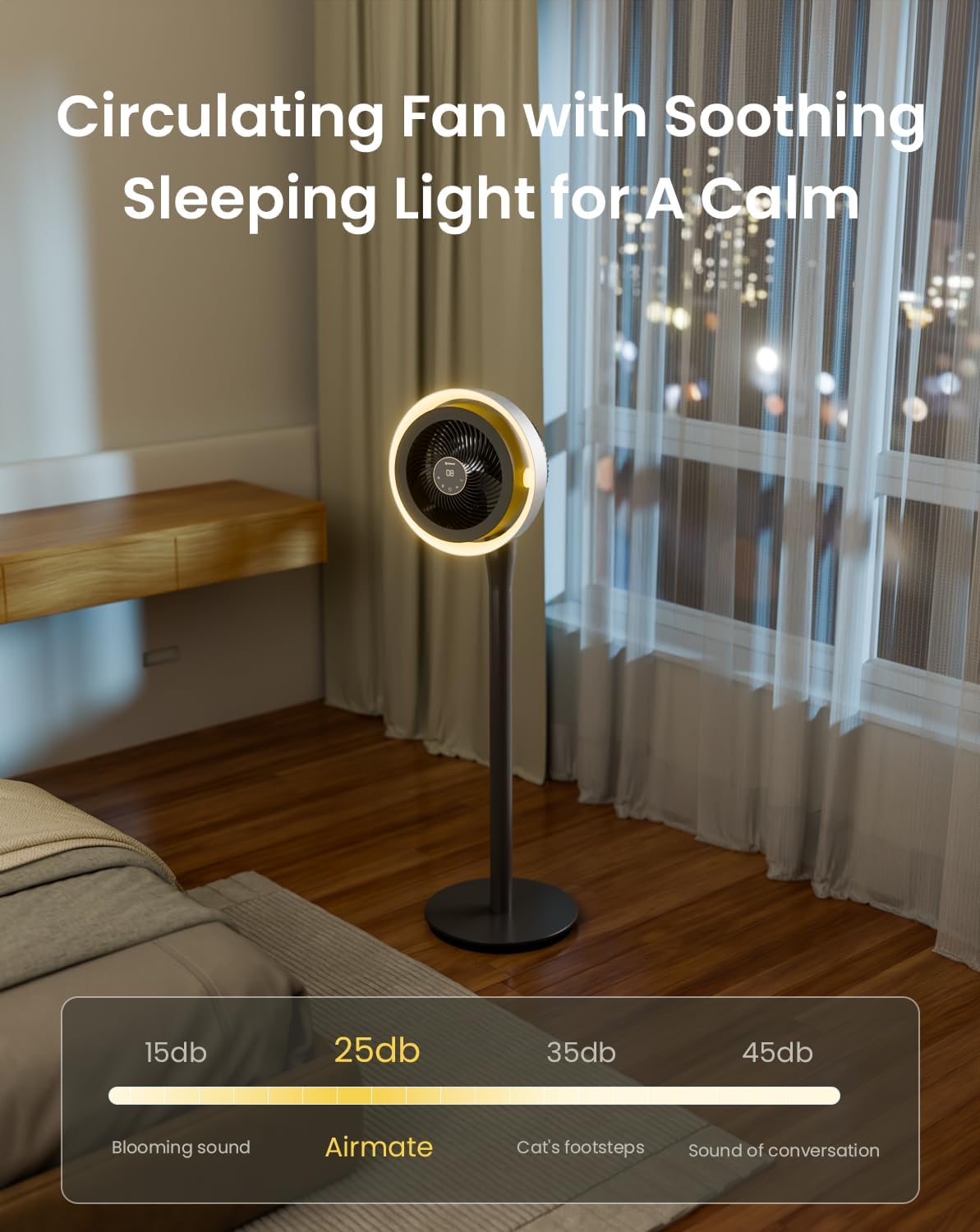
The integrated LED light offers three color temperature options and adjustable brightness.
- Press the 'Light' button on the control panel or remote to cycle through light colors: Warm, Neutral, and Cool White.
- Hold the 'Light' button to adjust the brightness level.

5.6. Tenporizadorearen funtzioa
Set the fan to operate for a specific duration using the 12-hour programmable timer.
- Press the 'Timer' button on the remote control to set the desired operating time. The fan will automatically turn off after the set period.
5.7. Mutu modua
- The fan features a mute mode to silence button presses for undisturbed use, especially during sleep.
6. Mantentzea
Regular cleaning and maintenance will ensure the longevity and optimal performance of your AIRMATE fan.
- Kanpoaldea garbitzea: Garbitu haizagailuaren kanpoko gainazalak oihal leun eta lehor batekinamp oihal. Ez erabili garbitzaile edo disolbatzaile urratzailerik.
- Haizagailuaren parrilla eta palak garbitzea: Unplug the fan before attempting to clean the grille or blades. The fan head can be disassembled for easier access to the blades. Use a soft brush or vacuum cleaner to remove dust. Ensure all parts are dry before reassembly and use.
- Biltegiratzea: Denbora luzez erabiltzen ez baduzu, gorde haizagailua leku fresko eta lehor batean, hobe jatorrizko ontzian.
7. Arazoak
Zure haizagailuarekin arazorik baduzu, jo ezazu honako arazo eta irtenbide ohikoenei:
| Arazoa | Kausa posiblea | Irtenbidea |
|---|---|---|
| Fan ez da pizten | No power supply; Power button not pressed; Damaged power cord/adapter | Check power connection; Press power button; Inspect cord for damage, contact support if damaged. |
| Aire fluxu ahula | Low speed setting; Dust accumulation on blades/grille | Increase fan speed; Clean fan blades and grilles. |
| Oscillation not working correctly | Obstruction; Internal mechanism issue | Ensure no obstructions; If issue persists, contact customer support. |
| Urruneko kontrolak ez du erantzuten | Battery depleted; Obstruction between remote and fan; Remote out of range | Replace remote battery; Remove obstructions; Ensure remote is within operating range. |
| LED argia ez dabil | Light function not activated; Internal issue | Press the light button; If issue persists, contact customer support. |
If the problem persists after attempting these solutions, please contact AIRMATE customer support for further assistance.
8. Zehaztapenak
| Ezaugarri | Zehaztapena |
|---|---|
| Modelo zenbakia | FB20187 |
| Marka | AIREKARTEA |
| Kolorea | Darkgrey |
| Haizagailu elektrikoaren diseinua | Solairuko haizagailua |
| Energia iturria | DC |
| Produktuaren neurriak (L x W x H) | 33D x 33Z x 121A zentimetroak |
| Muntatze Mota | Askea |
| Kontrolagailu mota | Urrutiko agintea, ukimena |
| Materiala | ABS plastikoa |
| Abiadura kopurua | 16 |
| Zarata Maila | 25 dezibelio |
| Wattage | 20 watt |
| Pala kopurua | 3 |
| Aire Fluxuaren Ahalmena | 1000 oin kubiko minutuko |
| Abiadura | 1700 RPM |
| liburukiatage | 120 Volt |
| Barruko Kanpoko Erabilera | Barruan |
| Pala Luzera | 12 hazbete |
9. Bermea eta Laguntza
AIRMATE products are manufactured to high-quality standards. For warranty information, product support, or to report any issues, please contact AIRMATE customer service. Keep your purchase receipt as proof of purchase for warranty claims.
Manufacturer Contact Information: Airmate Electrical(Shenzhen)Co.,Ltd. Huang Feng Ling Industrial Zone, Shiyan Town, Baoan District, China.