Sarrera
Eskerrik asko erosketagatik.asing the Levoit Smart Stand Fan. This fan is designed to provide powerful yet quiet air circulation for large rooms, featuring smart control options via app and voice assistants, multiple modes, and adjustable oscillation. Please read this manual thoroughly before use and keep it for future reference.

Image: The Levoit Smart Stand Fan, showcasing its sleek design, accompanying remote control, and a smartphone displaying the VeSync app interface for smart control.
Segurtasun Informazioa
Sute, deskarga elektriko edo lesio arriskua murrizteko, jarraitu segurtasun neurri hauek:
- Deskonektatu beti haizagailua garbitu edo mantentze-lanak egin aurretik.
- Ez sartu hatzak edo objektu arrotzak haizagailuaren parrillan.
- Keep the fan away from water and moisture. Do not use in wet environments.
- Ziurtatu haizagailua gainazal egonkor eta mailakatu batean jartzen dela, iraultzea saihesteko.
- Ez blokeatu aire irekidurak.
- The fan housing may become warm during use; this is normal and within safe temperature standards.
Paketearen edukia
- Levoit Smart Stand Fan
- Urruneko Kontrola
- Elikatze kablea
- Erabiltzailearen eskuliburua (dokumentu hau)
Konfigurazioa
The Levoit Smart Stand Fan is designed for easy assembly. Follow these steps to set up your fan:
- Kontu handiz kendu osagai guztiak ontzitik.
- Attach the fan head to the stand, ensuring it clicks securely into place.
- Connect the power cord to the fan and then plug it into a standard electrical outlet.
- Jarri haizagailua gainazal sendo eta mailakatu batean.
For optimal performance, ensure the fan is positioned where airflow is not obstructed.
Funtzionamendu-argibideak
Kontrol-metodoak
The Levoit Smart Stand Fan offers versatile control options:
- Gailuko pantaila: Use the buttons on the fan's main body to adjust settings.
- Urruneko kontrola: The included remote allows convenient control from a distance. The remote is magnetic and can be stored on the back of the fan.
- VeSync aplikazioa: Download the VeSync app from the App Store or Google Play to control your fan from your smartphone. This enables advanced features and scheduling.
- Voice Control (Alexa): Integrate with Amazon Alexa for hands-free operation.

Image: A woman relaxing in bed, demonstrating voice control of the Levoit Smart Stand Fan via an Amazon Alexa device.
Fan moduak
Choose from four distinct modes to suit your comfort needs:
- Modu normala: Aire-fluxu jarraitu estandarra.
- Turbo modua: Provides maximum airflow for rapid cooling.
- Modu ekologikoa: Energy-efficient mode that adjusts fan speed based on ambient temperature.
- Lo egiteko modua: Operates at a very low noise level (as low as 20 dB) for undisturbed sleep. The display can be turned off in this mode.

Image: A smartphone screen displaying the VeSync app with "Sleep Mode" activated, illustrating the fan's quiet operation at 20 dB for a peaceful night's sleep.
Abiadura ezarpenak
The fan features 12 adjustable speed levels, offering precise control over airflow intensity. Airflow can reach up to 7.5 m/s.

Image: A woman smiling, enjoying the powerful and fast airflow (7.5 m/s) from the Levoit Smart Stand Fan, illustrating its effectiveness in providing quick relief from heat.
Oszilazioak
Distribute cool air throughout your entire room with adjustable oscillation:
- Oszilazio bertikala: Gehienez 120°
- Oszilazio horizontala: Gehienez 90°
Control oscillation angles via the display, remote, or VeSync app. The fan can circulate air up to 30 meters, ensuring comfort even in large spaces.
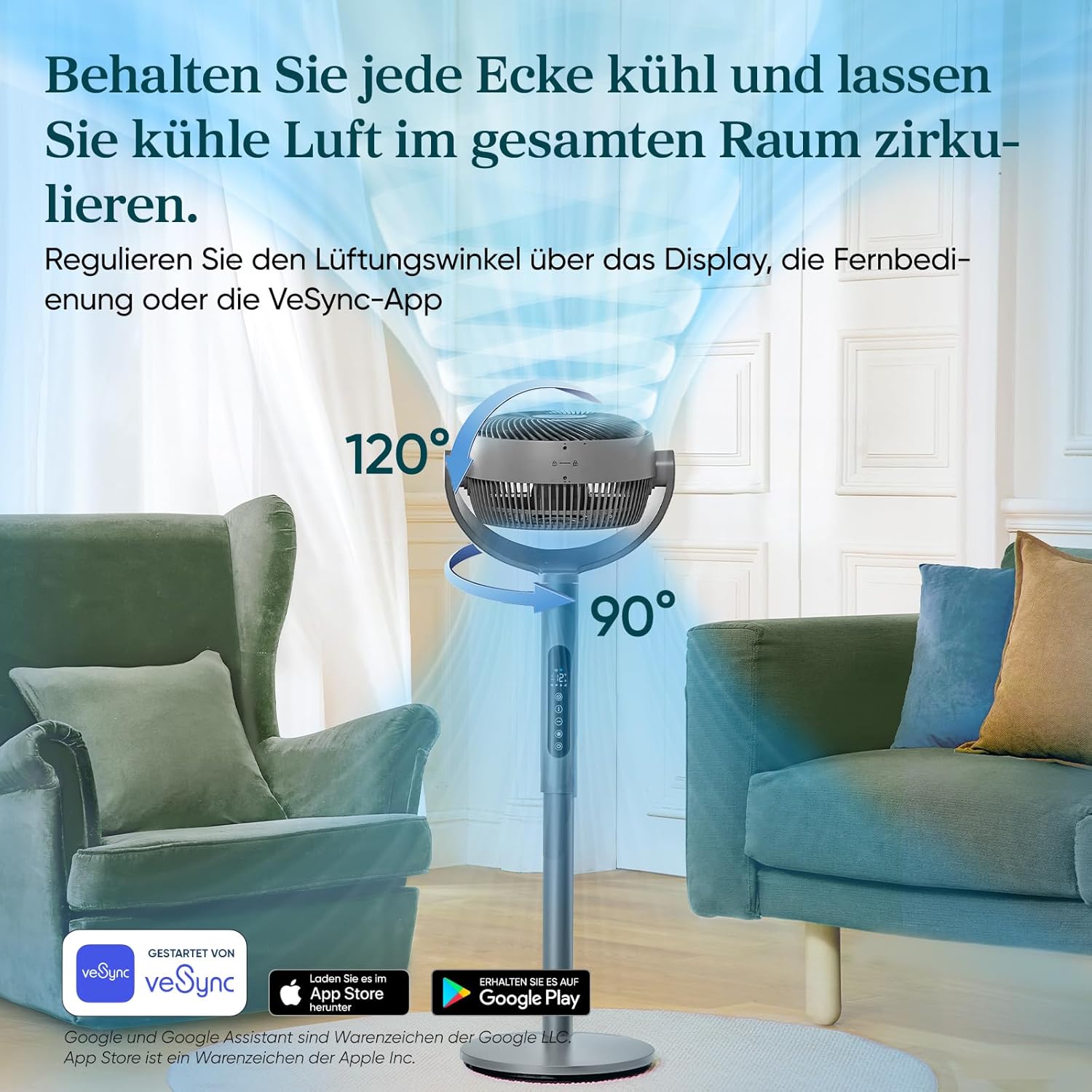
Image: A visual representation of the Levoit Smart Stand Fan's adjustable oscillation, showing its ability to move air vertically up to 120 degrees and horizontally up to 90 degrees, ensuring comprehensive room coverage.

Image: The Levoit Smart Stand Fan effectively circulating cool air across a large living space, demonstrating its impressive 30-meter air throw capability to keep distant areas comfortable.
Tenporizadorearen funtzioa
Set a timer for up to 12 hours for automatic fan shut-off, ideal for energy saving or nighttime use.
Energia Eraginkortasuna
The Levoit Smart Stand Fan is highly energy-efficient, consuming a maximum of 30 Watts.

Image: A visual representation of the fan's low power consumption, showing a lightbulb plugged into an outlet with "30 Watt, Max." indicating its energy efficiency.
Mantentzea
Mantentze-lan erregularrak zure haizagailuaren errendimendu optimoa eta iraupen luzea bermatzen ditu.
- Garbiketa:
- Deskonektatu beti haizagailua garbitu aurretik.
- Garbitu kanpoko gainazalak leun batekin, damp oihal.
- To clean the fan blades, carefully remove the front grille (refer to assembly instructions for reverse steps if needed). Use a soft brush or cloth to remove dust. Ensure all parts are dry before reassembling and operating.
- Biltegiratzea: Denbora luzez erabiltzen ez baduzu, gorde haizagailua leku fresko eta lehor batean, hobe jatorrizko ontzian.
Arazoak konpontzea
If you encounter issues with your Levoit Smart Stand Fan, please refer to the following common problems and solutions:
| Arazoa | Kausa posiblea | Irtenbidea |
|---|---|---|
| Haizagailua ez da pizten. | Not plugged in; Power outlet malfunction; Remote control battery low. | Ensure the power cord is securely plugged into a working outlet. Check remote control batteries and replace if necessary. |
| Aire fluxu ahula. | Fan speed too low; Obstruction in front/back of fan; Dirty blades. | Handitu haizagailuaren abiadura. Kendu oztopo guztiak. Garbitu haizagailuaren palak eta parrilla. |
| Fan zaratatsua da. | Haizagailua ez dago gainazal mailakatu batean; Pieza solteak; Oztopoa. | Place fan on a stable, level surface. Check for any loose components and secure them. Ensure no foreign objects are in the fan. Note: Oscillation motors may produce a slight sound, which is normal. |
| Urruneko kontrola ez dabil. | Batteries dead or incorrectly inserted; Obstruction between remote and fan. | Replace batteries, ensuring correct polarity. Ensure a clear line of sight between the remote and the fan's receiver. |
| Aplikazioen konexio arazoak. | Wi-Fi signal weak; Incorrect network settings; App outdated. | Ensure your Wi-Fi network is stable. Restart your router and the fan. Update the VeSync app to the latest version. Re-pair the device if necessary. |
Zehaztapenak
| Ezaugarri | Xehetasuna |
|---|---|
| Marka | Levoit |
| Modelo zenbakia | LPF-R432S-WEU |
| Kolorea | Grisa |
| Neurriak (produktua) | 32S x 36.6Z x 110A cm |
| Pisua | 7.4 kilogramo |
| Boterea | 30 watt (gehienez) |
| liburukiatage | 120V |
| Zarata Maila | 20 dB (gutxienez) |
| Aire-jaurtiketa distantzia | Gehienez 30 metro |
| Airearen Abiadura | Gehienez 7.5 m/s |
| Oszilazioak | 120° bertikala, 90° horizontala |
| Moduak | Turbo, Normal, Eco, Sleep |
| Abiadura Mailak | 12 |
| Tenporizadorea | Gehienez 12 ordu |
Bermea eta Laguntza
The Levoit Smart Stand Fan comes with a 2 urteko bermea. For warranty claims, technical support, or any questions regarding your product, please contact Levoit customer service. You can find contact information on the official Levoit webgunea edo VeSync aplikazioaren bidez.
For the latest updates and support resources, visit the official Levoit webgunea: www.levoit.com