
Produktua amaituview
The Lumary 4 Inch Smart Gimbal Recessed Light is a versatile LED lighting solution featuring adjustable color temperature, RGB color options, and smart control capabilities. Its unique gimbal design allows for directional lighting, making it suitable for various indoor applications.

Image description: The product packaging displays the 4-pack of Lumary Smart Gimbal Recessed Lights, highlighting features like 4-inch size, 9W power, 600 lumens brightness, 16 million colors, and compatibility with the Lumary app.
Kutxan dagoena
- Gimbal Recessed Light x4
- Argibide eskuliburua
- Hole Cut-out Template x1
- Hari azkoina x12
Segurtasun Informazioa
Always ensure power is turned off at the circuit breaker before installation, maintenance, or removal of the lights. Consult a qualified electrician if you are unsure about any part of the installation process. This product is designed for indoor use only and is damp-rated, meaning it can handle moisture but is not suitable for direct water exposure.
Only supports 2.4GHz Wi-Fi networks; not compatible with 5GHz Wi-Fi. Not compatible with dimmer switches; dimming must be done via the app.
Instalazio Gida
Gida bisual bat lortzeko, ikusi beheko instalazio bideoa:
Video description: This video provides a step-by-step guide on how to install the Lumary Smart Gimbal Recessed Lights, covering hole cutting, wiring connections, and securing the fixture.
- Step 1: Prepare the Ceiling Hole
Using the provided hole cut-out template or a 4.33-inch (105mm) hole saw, carefully cut a circular hole in the desired ceiling location. Ensure there are no electrical wires or structural elements in the cutting path.
Image description: Image showing the Lumary hole cut-out template, advising to trace and cut a 4.33-inch hole in the ceiling.
- 2. urratsa: Prestatu kableatzea
Pull the electrical wires from the ceiling through the newly cut hole. Strip the ends of the wires (live, neutral, and ground) to expose the copper conductors.
Image description: Image illustrating the preparation of electrical wires, showing them stripped and ready for connection.
- Step 3: Connect Wiring to Junction Box
Connect the house wiring to the corresponding wires in the Lumary junction box using the provided wire nuts. Connect live to live (black to black), neutral to neutral (white to white), and ground to ground (copper to green/bare wire). Secure all connections firmly.
Image description: Image showing the junction box being inserted into the ceiling hole after wiring connections are made.
- Step 4: Connect Light to Junction Box
Connect the cable from the recessed light fixture to the cable from the junction box. Ensure the male and female connectors are securely twisted together.
Image description: Image depicting the connection of the light fixture's cable to the junction box's cable.
- 5. urratsa: Argi-tresna instalatu
Push the spring-loaded clips on the light fixture upwards and insert the fixture base into the mounting hole. Release the clips to secure the light firmly against the ceiling. Ensure the light is flush with the ceiling surface.
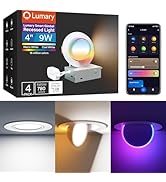
Image description: Image showing the final step of pushing the recessed light fixture into the ceiling hole, securing it with spring clips.
Funtzionamendu-argibideak
Aplikazio adimenduna kontrolatzea
The Lumary Smart Gimbal Recessed Lights are controlled via the Lumary app (or Smart Life app). Download the app from your device's app store, register, and log in.
- Gehitu gailua: Open the app, ensure Bluetooth and Wi-Fi (2.4GHz) are enabled on your phone. The app should discover nearby devices. Tap 'Add' to pair the lights. If the lights are not blinking, cycle power to enter pairing mode.
- Konektatu wifira: Select your 2.4GHz Wi-Fi network and enter the password. The app will connect the device.
- Taldeko gailuak: To control multiple lights simultaneously, select a device in the app, click the top right corner icon, choose 'Create Group', and select the lights to include. Save the group with a desired name.
- Doitu koloreak eta distira: Within the app, you can adjust brightness from 1% to 100% and color temperature from 2700K to 6500K for the main light. Choose from 16 million colors for the main light.
- Gaueko argia modua: The lights feature a 2200K auxiliary night light. Note: Main light and night light cannot be used together.
- Gimbal doitzea: The light fixture can rotate 270° and tilt 90°, allowing you to manually adjust the light direction as needed.

Image description: Screenshot of the Lumary app interface, showing the 'Add Device' screen for pairing new lights.
Image description: Screenshot of the Lumary app demonstrating how to create and manage groups of lights for synchronized control.

Image description: Lumary app interface showing adjustable color temperature (2700K-6500K) and brightness (1%-100%) for recessed lights.

Image description: A visual comparison of the lights operating in standard downlight mode, providing bright illumination, versus a soft 2200K nightlight mode, creating a warm, subtle glow.
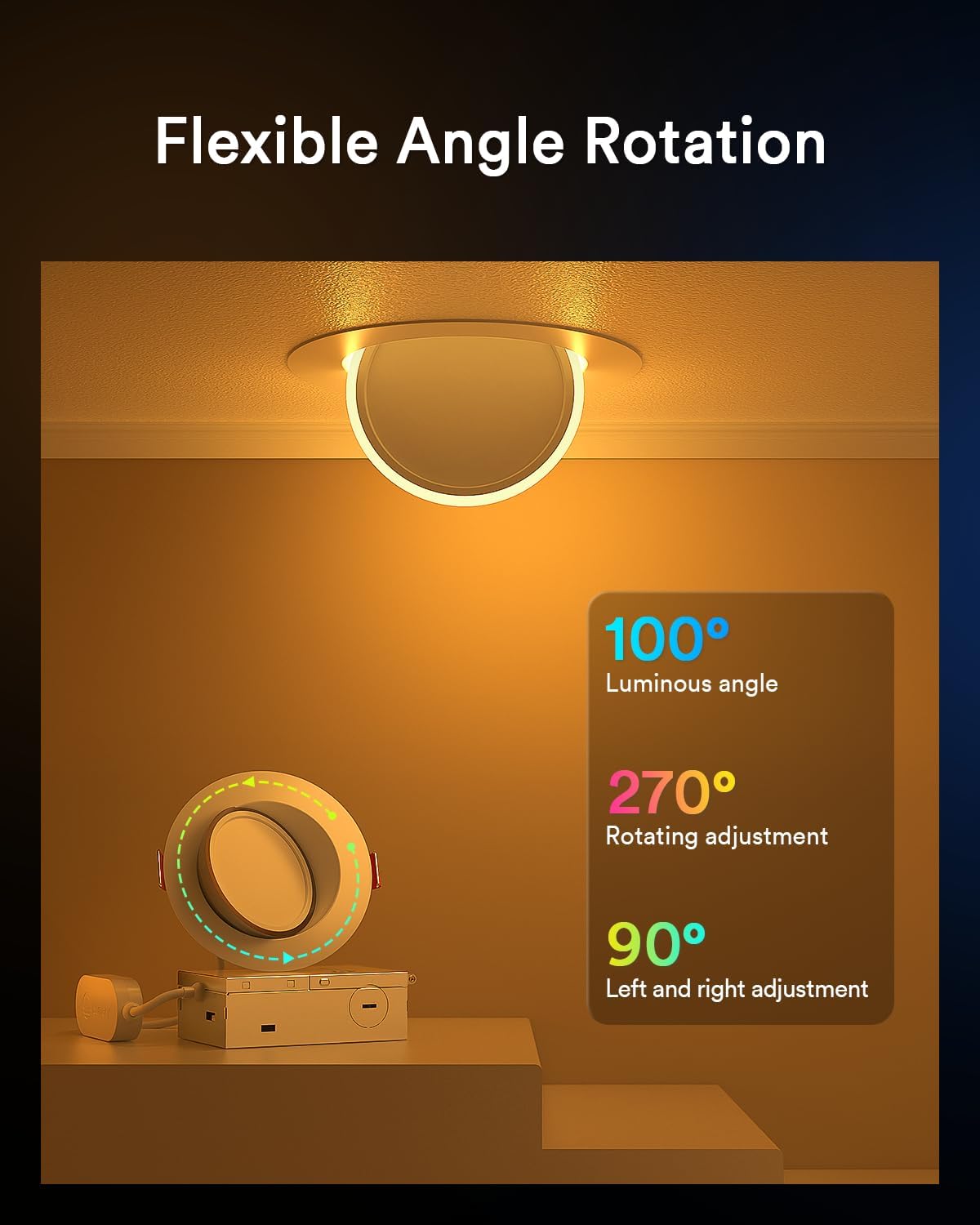
Image description: This image illustrates the adjustable nature of the gimbal light, capable of a 100-degree luminous angle, 270-degree rotation, and 90-degree tilt for precise light direction.
Ahots kontrola
The Lumary lights are compatible with Amazon Alexa and Google Assistant. Link your Lumary account within the Alexa or Google Home app to enable voice commands for adjusting colors, brightness, scenes, and timers.

Image description: Screenshot of the Lumary app showing the process of linking the account with Alexa for voice control.
Image description: A child in a brightly lit room using voice commands with a smart speaker to control Lumary smart lights, showing 'Alexa, Turn On the Lights' and 'Hey Google...' prompts.
Specifications (Model L-GL4D4)

Image description: Technical drawing detailing the physical dimensions and recommended cutout size for the Lumary recessed light.
| Ezaugarri | Xehetasuna |
|---|---|
| Marka | Lumaria |
| Ereduaren izena | 4"9W Smart Gimbal Recessed Light |
| Elementuaren eredu-zenbakia | L-GL4D4 |
| Tamaina | 4 hazbeteko |
| Wattage | 9 Watt |
| Distira | 600 lumen |
| Kolore Tenperatura | 2700K to 6500K (Main Light), 2200K (Night Light) |
| Argi Kolorea | Multiple (16 Million Colors RGB + CCT) |
| liburukiatage | 110 Volt |
| Kontrol-metodoa | Aplikazioa, Ahotsa (Alexa, Google Assistant) |
| Konektibitate-protokoloa | Bluetooth, Wi-Fi (2.4GHz only) |
| Ezaugarri bereziak | Adjustable Color Temperature, Color Changing, Gimbal Rotation (270°), Tilt (90°), Energy Efficient |
| Instalazio mota | Flush mendia |
| Barruko/Kanpoko erabilera | Barruko erabilera soilik |
| Materiala | Metala |
| Zehaztapena Met | FCC |
Arazoak konpontzea
- Light not pairing: Ensure your Wi-Fi is 2.4GHz. Cycle power to the light (turn off/on several times) to put it into pairing mode (it should blink). Ensure Bluetooth is enabled on your phone.
- No connection after pairing: Check your Wi-Fi signal strength. Ensure the device is within range of your router. Restart your router and try pairing again.
- Ahots-kontrola ez dabil: Verify that your Lumary account is correctly linked to your Alexa or Google Home app. Check your internet connection.
- Lights flickering: Ensure all wiring connections are secure. This product is not compatible with traditional dimmer switches; control dimming only through the app.
Mantentzea
To clean the light fixture, ensure power is off. Use a soft, dry cloth. Do not use abrasive cleaners or solvents. No user-serviceable parts inside.
Bermea eta Laguntza
For warranty information and technical support, please refer to the official Lumary webwebgunera edo jarri harremanetan bezeroarentzako arreta-zerbitzuarekin zuzenean. Gorde erosketa-agiria berme-erreklamazioetarako.