
1. Sarrera
This manual provides essential information for the setup, operation, maintenance, and troubleshooting of your BNCF NewBook 11 2-in-1 Laptop. Designed for versatility, this device functions as both a laptop and a tablet, powered by an Intel N150 processor and running Windows 11 Pro. Please read this manual thoroughly to ensure optimal performance and longevity of your device.

Figure 1.1: BNCF NewBook 11 2-in-1 Laptop
2. Zer dago kutxan
Upon opening your BNCF NewBook 11 package, verify that all the following items are included:
- BNCF NewBook 11 2-in-1 Laptop
- Teklatu magnetikoa
- Kickstand
- Korronte egokitzailea (12V/3A)
- Erabiltzailearen eskuliburua (dokumentu hau)
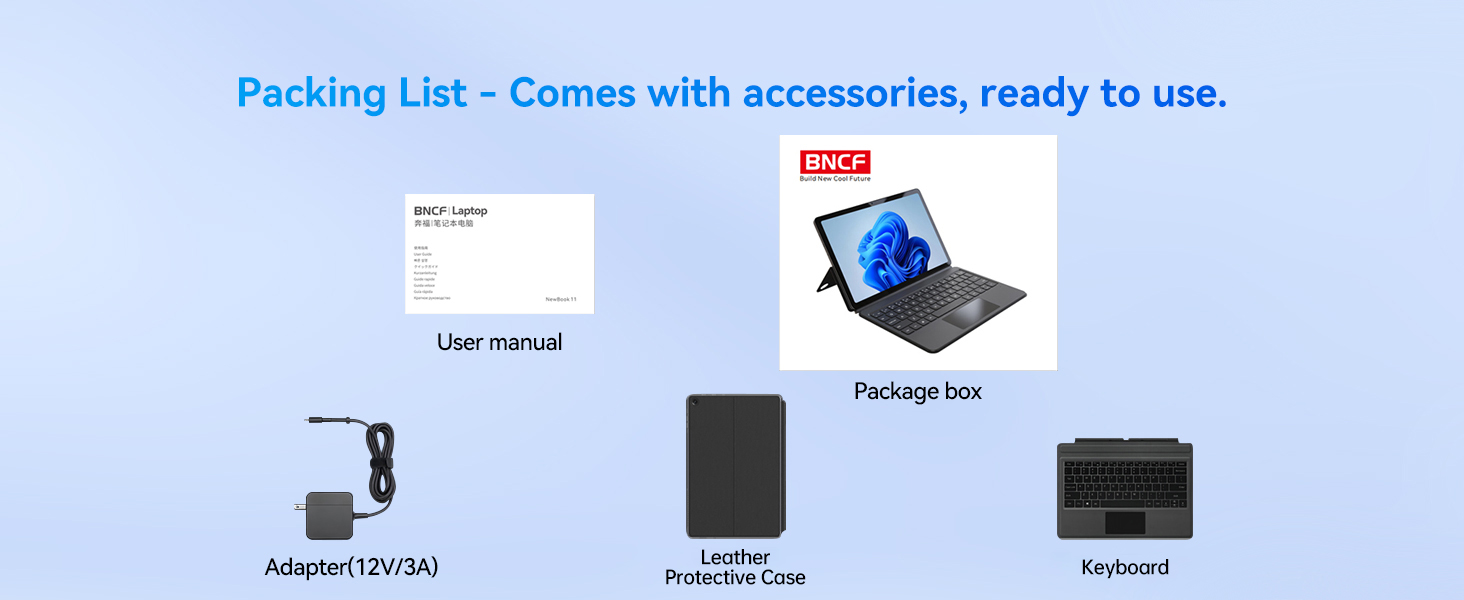
2.1. irudia: paketearen edukia
3. Produktua amaitu daview
3.1 Ezaugarri nagusiak
- Prozesadorea: Intel Alder Lake N150 Quad-core CPU (up to 3.6GHz Turbo) with Intel UHD Graphics.
- Sistema eragilea: Windows 11 Pro.
- Memoria eta biltegiratzea: 12GB DDR5 RAM and 256GB NVMe SSD.
- Pantaila: 11-inch FHD IPS In-Cell Touchscreen (1920x1200 resolution).
- Kamerak: Dual cameras (5MP front, 8MP rear).
- Bateria: 34.2Wh with Type-C fast charging (PD 36W).
- Konektibitatea: Wi-Fi 6 (2.4/5GHz), Bluetooth 5.0, 2x Type-C ports (charging/data), 1x USB 3.0 port, Micro HDMI, 3.5mm audio jack.
- Diseinua: Durable 635g metal body (tablet only), total 1106g with keyboard and kickstand.
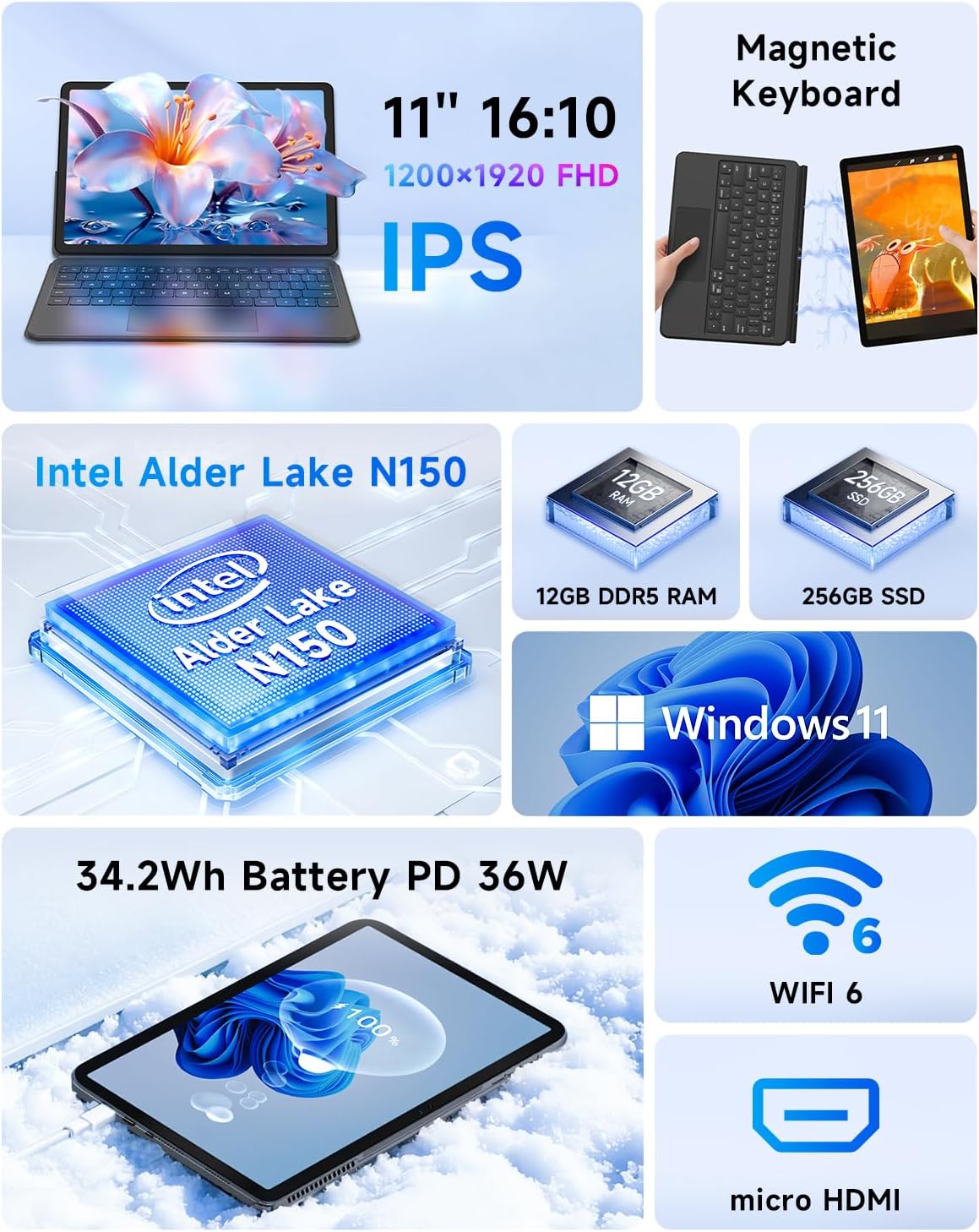
3.1. irudia: Ezaugarri nagusiakview
3.2 Ataka eta botoiak
Familiarize yourself with the location and function of the ports and buttons on your device:
- Pizteko botoia: Located on the top edge. Press to power on/off or sleep/wake.
- Bolumen-botoiak: Located on the top edge, next to the power button.
- Type-C Ports: Two ports on the left side, supporting charging and data transfer.
- USB 3.0 ataka: Periferikoak konektatzeko USB ataka estandarra.
- Mikro HDMI ataka: Kanpoko pantailetara konektatzeko.
- 3.5 mm aurikularretarako konektua: Audio irteerarako.
- Hizlariak: Bozgorailu estereo integratuak.
- Mikrofonoa: Built-in for audio input.
- Aurrealdeko kamera: 5MP camera for video calls.
- Atzeko kamera: 8MP kamera argazki eta bideoetarako.
- Keyboard Docking Connector: Magnetic connector at the bottom edge for attaching the keyboard.

Figure 3.2: Device Ports and Buttons
4. Konfigurazioa
4.1 Hasierako karga
Before first use, connect the provided power adapter to one of the Type-C ports on your device and plug it into a power outlet. Allow the device to charge for at least 30 minutes, or until the charging indicator shows a sufficient charge, before powering it on.
4.2 Attaching the Keyboard and Kickstand
The magnetic keyboard and kickstand can be easily attached to transform your tablet into a laptop. Align the magnetic connector on the keyboard with the docking port on the bottom edge of the tablet. The magnets will secure the connection. The kickstand attaches magnetically to the back of the tablet, allowing you to prop it up for comfortable viewidazten edo idazten.

Figure 4.1: Attaching the Magnetic Keyboard and Kickstand
4.3 Powering On and Initial Windows Setup
- Eduki sakatuta Pizteko botoia on the top edge until the screen illuminates.
- Jarraitu pantailan agertzen diren argibideei Windows 11 Pro-ren hasierako konfigurazioa osatzeko, hizkuntza hautatzea, sareko konexioa eta erabiltzaile kontua sortzea barne.
- Connect to a Wi-Fi network to ensure your device can download necessary updates and drivers.
5. Funtzionamendu-argibideak
5.1 Moduen artean aldatzea
Your BNCF NewBook 11 supports three primary modes:
- Ordenagailu eramangarriaren modua: With the magnetic keyboard and kickstand attached, use the device as a traditional laptop for typing and productivity.
- Tablet modua: Detach the keyboard and fold the kickstand for a lightweight, portable tablet experience, ideal for browsing or media consumption.
- Zutik egoteko modua: With the kickstand deployed and the keyboard detached or folded back, the tablet can stand upright, perfect for watching videos or presentations.
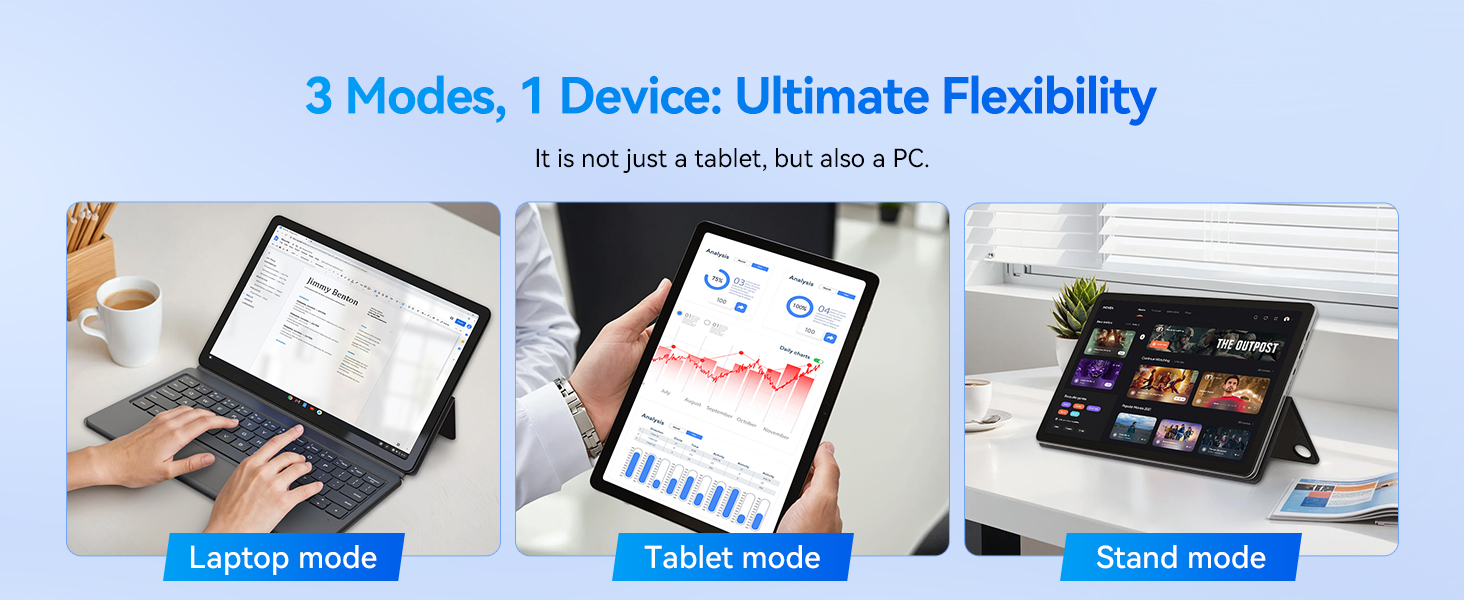
Figure 5.1: Flexible Usage Modes
5.2 Touchscreen and Gestures
The 11-inch FHD IPS In-Cell touchscreen supports multi-touch gestures. Common gestures include:
- Sakatu: Hautatu elementu bat edo ireki aplikazio bat.
- Eduki ukituta: Access contextual menus.
- Zoom egiteko apur bat egin: Irudiak handitu edo txikitu eta web orrialdeak.
- Pasatu hatza: Scroll through content or navigate interfaces.
5.3 Konektibitatea
- Wi-Fi 6: Konektatu haririk gabeko sareetara interneterako sarbidea izateko. Joan honera Ezarpenak > Sarea eta internet > Wi-Fi konexioak kudeatzeko.
- Bluetooth 5.0: Pair with wireless accessories like headphones or mice. Go to Ezarpenak > Bluetooth eta gailuak.
- Mikro HDMI: Use a Micro HDMI to HDMI cable to connect to external monitors or projectors. This supports 1080p HD output.
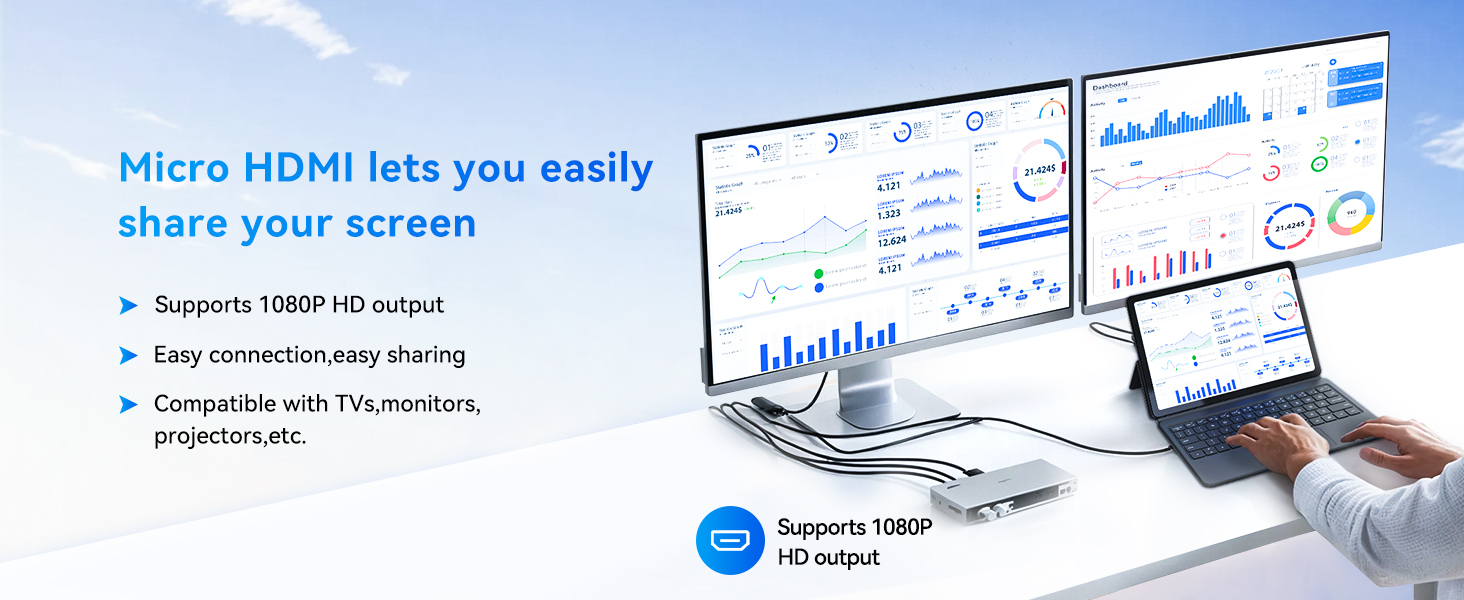
Figure 5.2: Micro HDMI Connectivity
5.4 Bateriaren kudeaketa
The device is equipped with a 34.2Wh battery and supports PD 36W fast charging via the Type-C port. To maximize battery life:
- Doitu pantailaren distira maila eroso batera.
- Itxi erabiltzen ez diren aplikazioak.
- Gaitu Bateria Aurrezteko modua Windows ezarpenetan.
- Use the provided adapter for optimal charging speed.
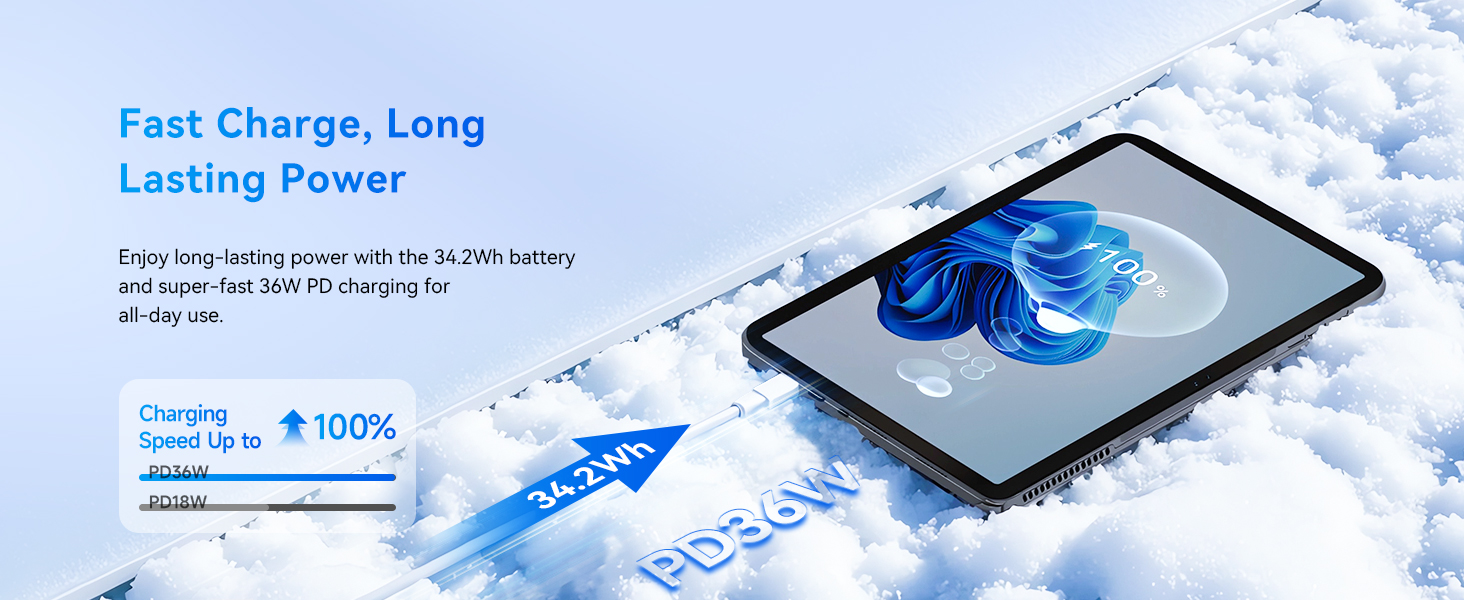
Figure 5.3: Fast Charging Feature
6. Mantentzea
Proper maintenance ensures the longevity and optimal performance of your BNCF NewBook 11.
- Garbiketa: Erabili zapi leun eta lihorik gabeko bat pantaila eta kanpoaldea garbitzeko. Orban egoskorrak izanez gero, garbitu apur batampGarbitu zapi bat urarekin edo pantailarako segurua den garbitzaile batekin. Saihestu produktu kimiko gogorrak.
- Biltegiratzea: Gorde gailua leku fresko eta lehor batean, eguzki-argitik eta muturreko tenperaturetatik babestuta.
- Software eguneraketak: Regularly check for and install Windows updates to ensure security and performance improvements. Go to Ezarpenak > Windows eguneratzea.
- Datuen babeskopia: Aldian-aldian, egin datu garrantzitsuen babeskopiak kanpoko disko gogor batean edo hodeiko biltegi batean, datuak galtzea saihesteko.
- Hozteko sistema: The device features an active cooling system with a PC-level fan and copper heat pipe. Ensure the air vents are not obstructed to maintain efficient cooling.

Figure 6.1: Active Cooling System
7. Arazoak
This section addresses common issues you might encounter with your BNCF NewBook 11.
| Arazoa | Irtenbide posiblea |
|---|---|
| Gailua ez da pizten | Ensure the device is charged. Connect the power adapter and wait a few minutes before attempting to power on again. If unresponsive, perform a hard reset by holding the power button for 10-15 seconds. |
| Screen is blank or unresponsive | Check if the device is powered on. If it is, try restarting the device. If the touchscreen is unresponsive, use the keyboard/mouse or perform a hard reset. |
| Keyboard or trackpad not working | Ensure the magnetic keyboard is securely attached to the tablet's docking port. Detach and reattach the keyboard. Restart the device. |
| Wi-Fi or Bluetooth connectivity issues | Check if Wi-Fi/Bluetooth is enabled in Windows settings. Restart your router/modem. Forget the network/device and reconnect. Update network drivers if necessary. |
| Errendimendu motela | Close unnecessary applications. Check for background processes consuming resources (Task Manager). Ensure sufficient free storage space. Run Windows Update. |
| External display not detected via Micro HDMI | Ensure the Micro HDMI cable is securely connected to both the tablet and the external display. Verify the external display is set to the correct input source. Try restarting both devices. |
8. Zehaztapenak
Detailed technical specifications for the BNCF NewBook 11 2-in-1 Laptop:
| Ezaugarri | Zehaztapena |
|---|---|
| Ereduaren izena | NewBook 11 |
| Sistema eragilea | Windows 11 Pro |
| Prozesadorea | Intel Alder Lake N150 (Quad-core, up to 3.6 GHz) |
| Koprozesadore grafikoa | Intel UHD grafikoak (integratuak) |
| RAM | 12 GB DDR5 |
| Disko gogorra | 256 GB NVMe SSD |
| Pantailaren tamaina | 11 hazbete |
| Pantailaren bereizmena | 1920 x 1200 pixels (FHD IPS In-Cell) |
| Haririk gabeko mota | Wi-Fi 6 (802.11a/b/g/n/ac), Bluetooth 5.0 |
| USB atakak | 2x Type-C (charging/data), 1x USB 3.0 |
| Bideo Irteera | Mikro HDMI |
| Audioa | 3.5mm Headphone Jack, Dual Stereo Speakers |
| Kamerak | 5MP aurrealdea, 8MP atzekoa |
| Bateria | 34.2Wh, PD 36W Fast Charging |
| Elementuaren pisua | Tablet: 635g (1.4 lbs), Total with keyboard/kickstand: 1106g (2.44 lbs) |
| Produktuaren neurriak | 10.12 x 6.61 x 0.38 hazbete |
| Kolorea | Beltza |
9. Bermea eta Laguntza
BNCF is committed to providing high-quality products and customer satisfaction.
9.1 Bermearen informazioa
Your BNCF NewBook 11 comes with a urtebeteko bermea. For tablets purchased from the BNCF Official Flagship Store, customers benefit from a 12-month free repair warranty and lifetime technical support. This warranty covers manufacturing defects and malfunctions under normal use.
9.2 Bezeroarentzako laguntza
If you encounter any issues or have questions regarding your device, please contact BNCF customer support. You can expect a response within 24 hours. Our expertise is available to help solve problems, or to facilitate return or exchange services if necessary.
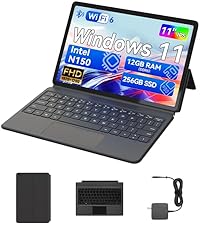
Figure 9.1: BNCF Warranty and Support
9.3 Babes Planak
Babes-plan gehigarriak eros daitezke:
- 2 Urteko Babes Plana: 52.99 $-ren truke eskuragarri.
- 4 Urteko Babes Plana: 90.99 $-ren truke eskuragarri.
- Babes osoa: Hileko 16.99 $-ko plana, iraganeko eta etorkizuneko erosketa guztiak barne hartzen dituena.