
Sarrera
This manual provides detailed instructions for the safe and efficient use of your boAt Stone 110 Bluetooth Speaker. Please read this manual thoroughly before operating the device and retain it for future reference.

Image: The boAt Stone 110 Bluetooth Speaker in Groovy Grey, showcasinbere diseinu trinkoa eta aurrealdeko parrilla.
Paketearen edukia
Ziurtatu elementu guztiak paketean daudela:
- BoAt Stone 110 Bluetooth bozgorailua
- Kargatzeko kablea
- Erabiltzailearen eskuliburua
Produktua amaituview
Ezagutu bozgorailuen osagaiak eta kontrolak.

Image: A collage illustrating the boAt Stone 110's main features: 3W Signature Sound, up to 15 hours of playtime, TWS for 2X power, and IPX4 sweat & splash resistance.
Kontrolak eta Portuak
- Pizteko botoia: Sakatu eta eutsi bozgorailua pizteko edo itzaltzeko.
- Bolumena igo (+): Bolumena handitu.
- Bolumena jaitsi (-): Bolumena gutxitu.
- Erreproduzitu/Pausatu/Deitu botoia: Musika erreproduzitu/pausatu, deiak erantzun/amaitu.
- Modu botoia: Switch between Bluetooth and AUX modes.
- Mikrofonoa: For hands-free calling and voice assistant.
- USB kargatzeko ataka: Bozgorailua kargatzeko.
- AUX ataka: Kable bidezko audio konexiorako.
Konfigurazioa
1. Bozgorailua kargatzea
Before first use, fully charge the speaker. Connect the provided charging cable to the speaker's USB charging port and the other end to a USB power adapter (not included) or a computer's USB port.
- LED adierazleak kargaren egoera erakutsiko du.
- Karga oso batek 15 ordu arteko erreprodukzio-denbora eskaintzen du.

Image: A person holding the compact boAt Stone 110 speaker, illustrating its portability and ease of handling.
2. Piztu/Itzali
Press and hold the Power button for a few seconds until you hear an audible prompt and the LED indicator lights up.
- Itzaltzeko, sakatu eta eutsi berriro pizteko botoia.
3. Bluetooth parekatzea
- Turn on the boAt Stone 110 speaker. It will automatically enter Bluetooth pairing mode, indicated by a flashing LED.
- Gaitu Bluetooth-a zure telefonoan, tabletan edo beste gailu batean.
- Bilatu "boAt Stone 110" in the list of available Bluetooth devices.
- Select "boAt Stone 110" to connect. Once connected, the LED indicator will stop flashing and remain solid.
- You can now play audio wirelessly through the speaker.
4. AUX konexioa
For devices without Bluetooth, use the AUX port:
- Connect one end of a 3.5mm audio cable (not included) to the speaker's AUX port.
- Konektatu beste muturra zure gailuaren audio irteerako konektorera.
- Bozgorailua automatikoki aldatuko da AUX modura, edo baliteke Modu botoia sakatu behar izatea.
5. Benetako haririk gabeko estereoa (TWS) parekatzea
Pair two boAt Stone 110 speakers for a stereo audio experience:

Image: Two boAt Stone 110 speakers positioned to illustrate their TWS pairing capability, providing enhanced audio output.
- Ensure both boAt Stone 110 speakers are powered on and not connected to any other Bluetooth device.
- On one speaker (this will be the primary speaker), press and hold the Play/Pause button for a few seconds until you hear a TWS pairing prompt.
- The two speakers will automatically search for and connect to each other. Once connected, you will hear a confirmation tone.
- Orain, konektatu gailua bozgorailu nagusira Bluetooth bidez, 3. urratsean azaldu bezala. Audioa estereoan erreproduzituko da bi bozgorailuetatik.
Funtzionamendu-argibideak
Musika erreproduzitzea
- Erreproduzitu/Pausatu: Sakatu Erreproduzitu/Pausatu botoia behin.
- Bolumena igo: Sakatu '+' botoia.
- Bolumena jaitsi: Sakatu '-' botoia.
- Hurrengo ibilbidea: Sakatu eta eutsi '+' botoiari.
- Aurreko pista: Sakatu eta eutsi '-' botoiari.
Esku libreko deiak
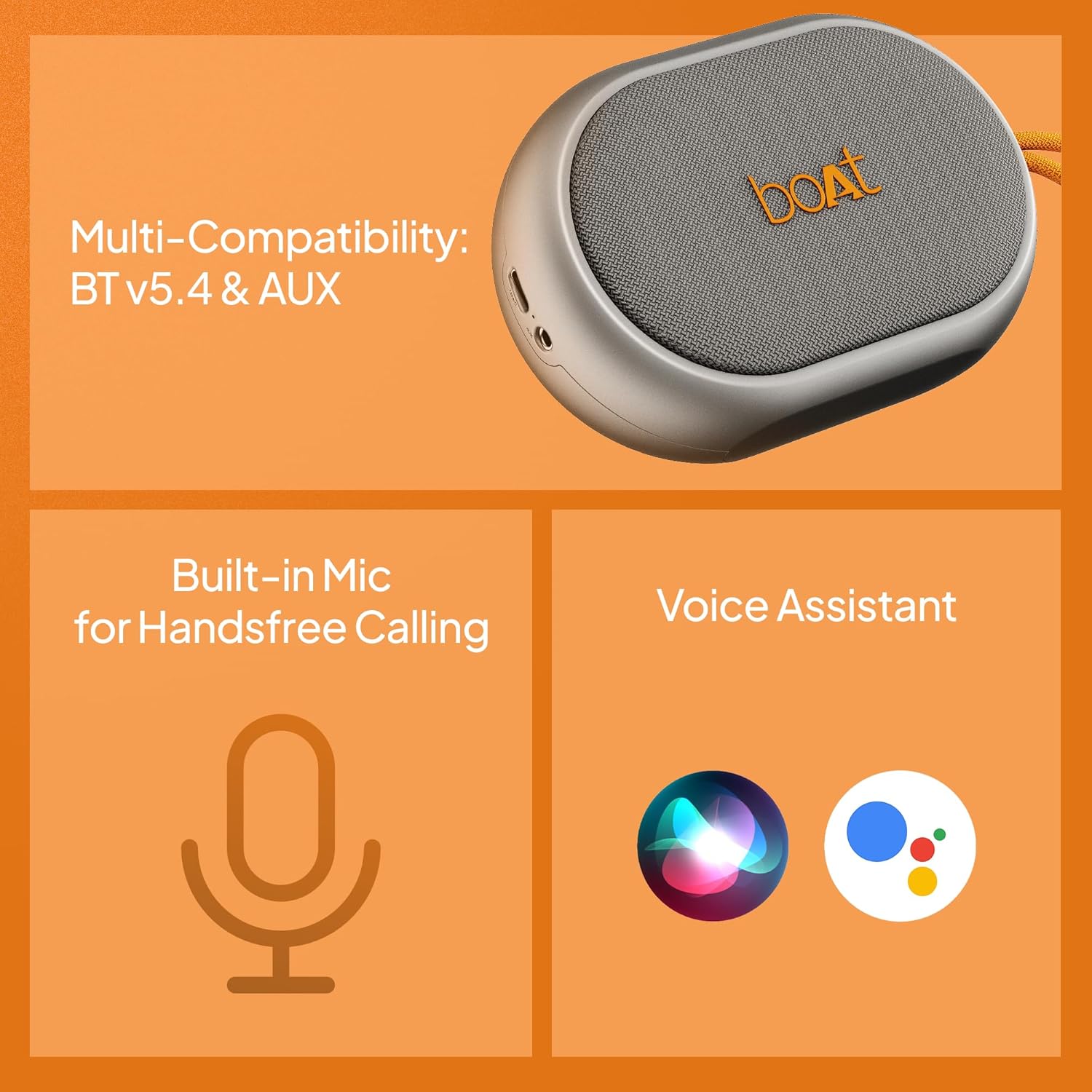
Image: An illustration detailing the speaker's multi-compatibility with Bluetooth v5.4 and AUX, its built-in microphone for hands-free calls, and support for voice assistants like Siri and Google Assistant.
- Erantzun deia: Dei bat sartzen duzunean, sakatu Erreproduzitu/Pausatu botoia behin.
- Amaitu deia: Sakatu Erreproduzitu/Pausatu botoia behin dei batean zehar.
- Deia baztertu: Eduki sakatuta Erreproduzitu/Pausatu botoia 2 segundoz.
Ahots Laguntzailea
Activate your device's voice assistant (Siri, Google Assistant) through the speaker:
- Aktibatu: Sakatu birritan Erreproduzitu/Pausatu botoia.
Mantentzea
Garbiketa
Garbitu bozgorailua leun batekin, damp cloth. Do not use harsh chemicals or abrasive cleaners. Ensure the charging port cover is securely closed to maintain IPX4 resistance.

Image: The boAt Stone 110 speaker with water droplets on its surface, illustrating its IPX4 rating for sweat and splash resistance.
Biltegiratzea
Gorde bozgorailua leku fresko eta lehor batean, eguzki-argitik eta muturreko tenperaturetatik babestuta. Denbora luzez gordetzen baduzu, kargatu bateria aldian-aldian bere iraupena mantentzeko.
Arazoak konpontzea
| Arazoa | Irtenbide posiblea |
|---|---|
| Bozgorailua ez da pizten. | Ziurtatu bozgorailua kargatuta dagoela. Konektatu energia-iturri batera eta saiatu berriro. |
| Ezin da Bluetooth bidez parekatu. |
|
| Soinurik ez. |
|
| TWS parekatzeak huts egin du. |
|
Zehaztapenak
| Ezaugarri | Xehetasuna |
|---|---|
| Ereduaren izena | Harria 110 |
| Marka | itsasontzia |
| Hizlari mota | Bluetooth bozgorailua |
| Konektibitate Teknologia | Bluetooth v5.4, AUX |
| Bozgorailuaren irteera potentzia | 3 Watt |
| Audio kontrolatzaile mota | Gidari dinamikoa |
| Audio irteera modua | Stereo (with TWS pairing) |
| Bateriaren iraupena | Gehienez 15 ordu |
| Bateria mota | Lithium Ion (1 x 12V included) |
| Uraren Erresistentzia | IPX4 (Izerdi eta zipriztinen aurkakoa) |
| Mikrofono integratua | Yes (for Hands-free Calling) |
| Ahots Laguntzailea laguntza | Bai |
| Produktuaren neurriak | 13D x 5Z x 9A zentimetro |
| Elementuaren pisua | 200 gramo |
| Jatorrizko Herrialdea | India |
Segurtasun Informazioa
- Ez jarri bozgorailua tenperatura altuen, eguzki-argiaren eraginpean edo hezetasun handiaren eraginpean.
- Saihestu bozgorailua kolpe gogorrak erortzea edo jasaten.
- Ez saiatu bozgorailua zeuk desmuntatzen edo konpontzen. Honek bermea baliogabetuko du.
- Keep the speaker away from water sources, despite its splash resistance. Do not submerge it.
- Erabili emandako kargatzeko kablea edo baliokide ziurtatu bat soilik.
- Bota ezazu produktua arduraz tokiko araudiaren arabera.
Bermea eta Laguntza
The boAt Stone 110 Bluetooth Speaker comes with a limited warranty. Please refer to the warranty card included in your package for specific terms and conditions.
For technical support, warranty claims, or any other inquiries, please visit the official boAt webwebgunean edo jarri harremanetan bezeroarentzako arreta-zerbitzuarekin. Harremanetarako datuak normalean produktuaren ontzian edo marka ofizialean aurki daitezke. webgunea.
Era berean, bisitatu dezakezu boAt denda Amazonen informazio gehiagorako.