
1. Sarrera
This manual provides detailed instructions for the installation, operation, and maintenance of your Ctronics 2K 3MP Wi-Fi Indoor Surveillance Camera (Model CTIPC-920C-P2). This wireless, battery-powered camera offers flexible surveillance for various indoor environments, featuring 2K 3MP resolution, infrared night vision, smart PIR motion detection, and two-way audio communication.
2. Segurtasun informazioa
Please read and follow all safety instructions carefully to prevent damage to the device or personal injury.
- Use only the specified power adapter and charging cable.
- Ez jarri kamera tenperatura altuen, hezetasun handien edo eguzki-argiaren eraginpean.
- Keep the camera away from water and other liquids. This product is not waterproof.
- Ez saiatu kamera zeuk desmuntatzen edo konpontzen. Jarri harremanetan bezeroarentzako arreta-zerbitzuarekin laguntza jasotzeko.
- Ziurtatu kamera ondo instalatuta dagoela eror ez dadin.
3. Paketearen edukia
Egiaztatu elementu guztiak zure paketean daudela:
- Ctronics 2K 3MP Wi-Fi Indoor Surveillance Camera
- Mounting Bracket/Support
- USB kargatzeko kablea
- Erabiltzailearen eskuliburua (dokumentu hau)
- Screws and Wall Plugs (if applicable for mounting)
4. Produktua amaitu daview
Ezagutu zure kameraren osagai nagusiak.

4.1. irudia: The Ctronics indoor camera, highlighting its 100% wire-free and battery-powered design with a 5000mAh battery capacity. This allows for flexible placement without the need for power cables.
The camera features a compact dome design, equipped with a lens, infrared LEDs for night vision, a microphone, a speaker for two-way audio, and a reset button. It is designed for easy placement on flat surfaces or ceiling mounting using the provided bracket.
5. Konfigurazioa eta instalazioa
5.1 Kamera kargatzea
Before initial use, fully charge the camera's built-in rechargeable Lithium-ion battery using the provided USB cable and a compatible 5V power adapter. The charging indicator light will typically change color or turn off when fully charged.
5.2 Aplikazioaren instalazioa
Download the official Ctronics Pro app or HiP2P Client software to your smartphone, tablet, or PC. Bilatu "Ctronics Pro" in your device's app store (Google Play Store or Apple App Store) or visit the official Ctronics website for PC client downloads.

5.1. irudia: Accessing the camera feed via the Ctronics Pro mobile app and HiP2P Client on a PC, demonstrating multi-device compatibility.
5.3 Wi-Fira konektatzea
- Open the Ctronics Pro app and create an account or log in.
- Sakatu "+" ikonoa gailu berri bat gehitzeko.
- Follow the on-screen instructions to connect the camera to your 2.4GHz Wi-Fi network. This usually involves scanning a QR code generated by the app with the camera lens.
- Konexio egonkorra izan dadin, ziurtatu kamera Wi-Fi bideratzailearen eremuan dagoela.
5.4 Kamera muntatzea
The camera's 100% wire-free design allows for flexible placement. You can place it on a shelf, table, or mount it to a ceiling using the included support bracket. No drilling is required for tabletop placement.

5.2. irudia: Examples of flexible camera placement in different indoor environments, demonstrating its readiness for use anywhere.
6. Funtzionamendu-argibideak
6.1 Bizi View eta Grabaketa
Once connected, open the app to view the live feed from your camera. The camera records in 2K 3MP resolution, providing clear and stable video. You can manually record video or capture screenshots directly from the app.

6.1. irudia: Demonstrates the camera's 2K HD resolution for clear daytime footage and effective infrared night vision up to 20m.
6.2 Pan/Tilt/Zoom (PTZ) Control
Kontrolatu kameraren viewing angle directly from the app. The camera supports 355° horizontal pan and 80° vertical tilt, allowing for comprehensive room coverage. Use the digital zoom feature to get a closer look at details.
6.3 Smart PIR Motion Detection
The camera features intelligent PIR (Passive Infrared) motion detection, designed to accurately detect human movement and reduce false alarms. When motion is detected, you will receive instant push notifications on your connected device.

6.2. irudia: Illustrates the Smart PIR Motion Detection feature, which only alerts users when relevant motion is detected, such as a person or pet.
You can adjust the motion detection sensitivity settings within the app to suit your environment and preferences.
6.4 Gaueko Ikusmen Infragorria
The camera is equipped with infrared LEDs for clear night vision up to 20 meters. This feature operates discreetly without bright white light, making it ideal for monitoring nurseries, pet areas, or elderly care without disturbance.
6.5 Bi norabideko audioa
Utilize the built-in microphone and speaker for two-way communication. You can listen to what's happening in the camera's vicinity and speak through the camera to interact with family members or pets.

6.3. irudia: Depicts the two-way audio function, allowing users to communicate with individuals near the camera, fostering a sense of closeness.
6.6 Biltegiratze aukerak
The camera supports multiple storage methods for your footage:
- Mikro SD txartela: Supports up to 128GB Micro SD card (not included). Insert the card into the designated slot on the camera.
- Hodeiko biltegiratzea: Optional cloud storage service available through the Ctronics Pro app for secure, remote backup of your recordings.
- FTP: Configure FTP settings in the app to upload recordings to an FTP server.

6.4. irudia: Highlights the flexible storage options available, including cloud, local 128GB SD card, and FTP, to keep your footage seguru.
6.7 Custom Alarm Sounds
Personalize your camera's alarm responses by setting custom alarm sounds through the app. This allows you to choose specific alerts that fit your lifestyle or preferences.
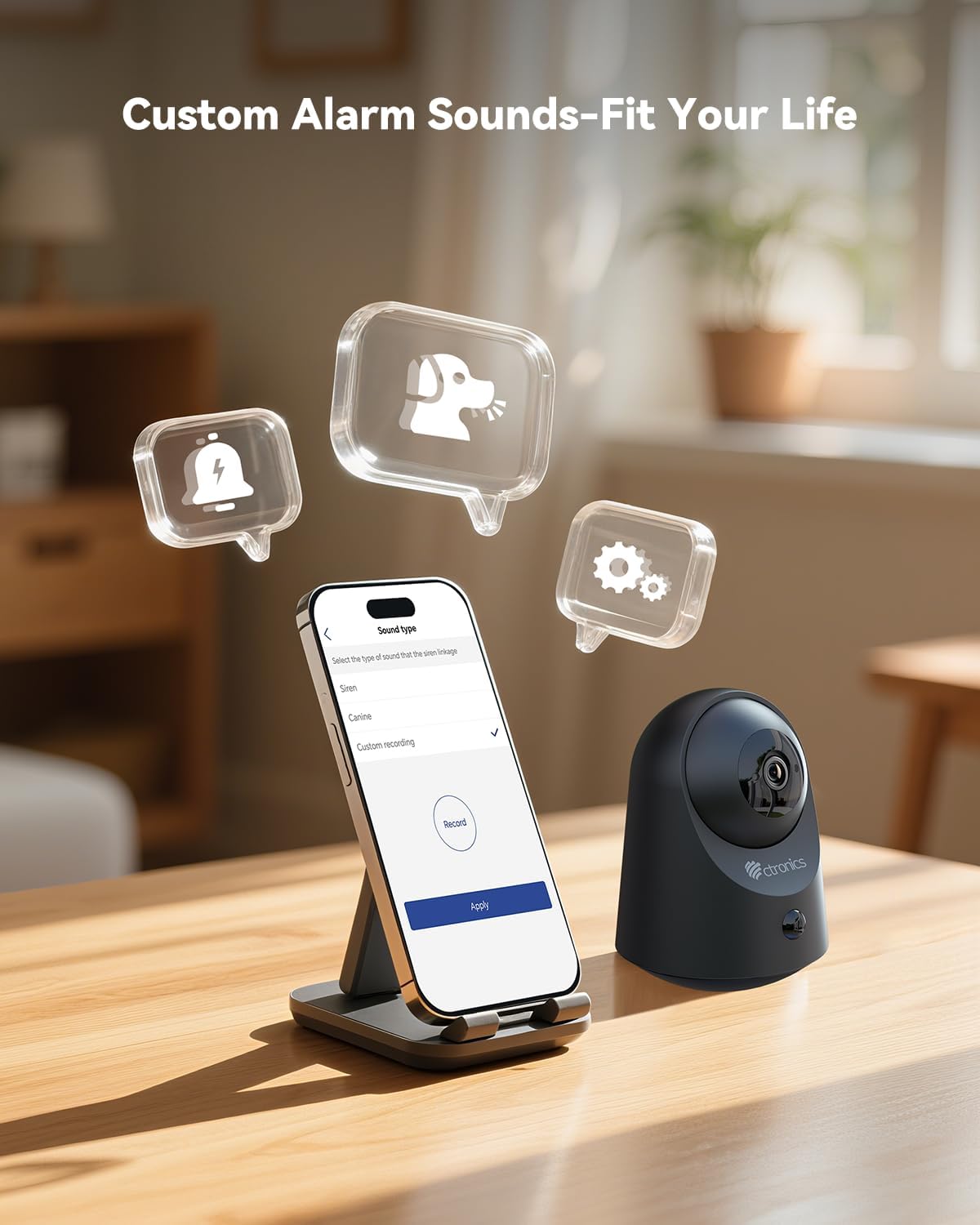
6.5. irudia: Demonstrates the ability to customize alarm sounds via the app, allowing users to tailor alerts to their specific needs.
7. Mantentzea
- Garbiketa: Erabili zapi leun eta lehor bat kameraren lentea eta gorputza garbitzeko. Ez erabili garbitzaile likidorik edo aerosolik.
- Bateria zaintzea: For optimal battery life, avoid fully discharging the battery frequently. Recharge the camera when the battery level is low.
- Firmware eguneraketak: Regularly check the Ctronics Pro app for available firmware updates to ensure your camera has the latest features and security enhancements.
8. Arazoak
| Arazoa | Kausa posiblea | Irtenbidea |
|---|---|---|
| Kamera ez da pizten. | Low battery or faulty charging cable/adapter. | Charge the camera for several hours. Try a different USB cable or power adapter. |
| Ezin da wifira konektatu. | Incorrect Wi-Fi password, camera too far from router, or 5GHz Wi-Fi network. | Ziurtatu 2.4 GHz-ko Wi-Fi pasahitza zuzena dela. Hurbildu kamera bideratzailera. Berrezarri kamera eta saiatu berriro parekatzen. |
| Bideoaren kalitate eskasa. | Weak Wi-Fi signal, dirty lens, or low light conditions. | Improve Wi-Fi signal strength. Clean the camera lens. Ensure adequate lighting or verify night vision is active. |
| Mugimendu detekzioak ez du funtzionatzen edo alarma faltsu gehiegi daude. | Incorrect sensitivity settings, camera placement, or environmental factors. | Adjust PIR sensitivity in the app. Ensure camera is placed to minimize unwanted triggers (e.g., moving branches, direct sunlight). |
| Bi norabideko audioa ez dabil. | Microphone/speaker muted in app, or network issues. | Check app settings to ensure audio is enabled. Verify stable internet connection. |
9. Zehaztapenak
| Ezaugarri | Xehetasuna |
|---|---|
| Modelo zenbakia | CTIPC-920C-P2 |
| Ebazpena | 2K 3MP (2304x1296P) |
| Konektibitatea | Wi-Fi (2.4 GHz), Bluetootha |
| Energia iturria | Litio-ioizko bateria kargagarria integratua |
| liburukiatage | 5 Volt |
| Energia-kontsumoa | 5 Watt |
| Panorama/Tilt barrutia | Panorama 355°, okertu 80° |
| Gaueko Ikusmenaren barrutia | 20 metro arte (infragorria) |
| Mugimendu-detekzioa | Smart PIR Human Motion Detection |
| Audioa | Bi norabideko audioa |
| Biltegiratze-aukerak | Micro SD (up to 128GB), Cloud Storage, FTP |
| Neurriak (L x W x H) | 11 x 10 x 7 cm |
| Pisua | 544.31 gramo (1.2 kilo) |
| Materiala | Akrilonitrilo Butadieno Estirenoa (ABS) |
| Uraren Erresistentzia Maila | Not waterproof (Indoor use only) |
10. Bermea eta Laguntza
Ctronics products come with a standard manufacturer's warranty. Please refer to the warranty card included in your package or visit the official Ctronics webwebgunean bermearen baldintza zehatzak ikusteko.
For technical support, troubleshooting assistance, or any inquiries regarding your product, please contact Ctronics customer service through their official webgunea edo aplikazioan emandako harremanetarako informazioa.
Webgunea: www.ctronics.com