
LG 55QNED86ASA.ATC
LG QNED evo AI TV 55QNED86A User Manual
Model: 55QNED86ASA.ATC | Brand: LG
1. Produktua amaitu daview
The LG QNED evo AI TV 55QNED86A is a 55-inch 4K Smart TV designed to deliver an immersive viewing experience. Featuring QNED evo display technology, an α8 AI Processor Gen2, and webOS 25, this television offers advanced picture and sound capabilities, along with smart functionalities for seamless entertainment.
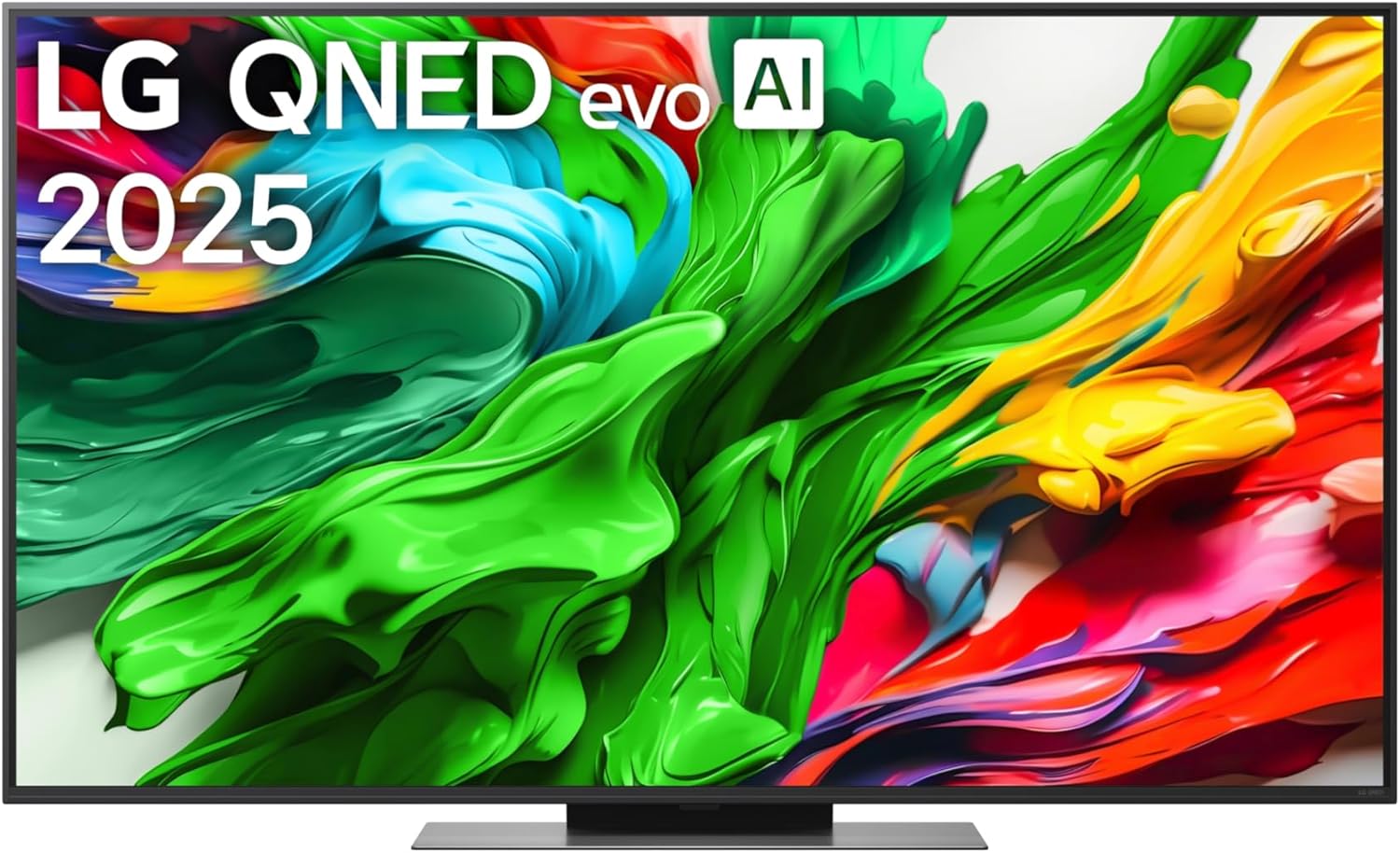
1.1. irudia: Aurrealdea view of the LG QNED evo AI TV 55QNED86A, showcasinbere marko mehea eta pantaila bizia ditu.
Ezaugarri nagusiak:
- Pantaila: QNED evo technology for enhanced color and contrast.
- Prozesatzea: α8 AI Processor Gen2 for optimized picture and sound.
- AI soinua: α8 AI Sound Pro for immersive audio.
- Sistema eragilea: webOS 25 for intuitive smart TV experience.
- Konektibitatea: 4 HDMI inputs, Bluetooth, Wi-Fi, USB.
- Jokoa: AMD FreeSync Premium support for smooth gaming.
2. Segurtasun informazioa
Mesedez, irakurri arretaz segurtasun-jarraibide guztiak telebista erabili aurretik. Gorde eskuliburu hau etorkizunean erreferentzia gisa.
- Potentzia: Ensure the power cord is securely plugged into a grounded outlet. Do not overload power strips.
- Lekua: Place the TV on a stable, level surface or mount it securely to a wall. Ensure adequate ventilation around the TV. Avoid direct sunlight, heat sources, and excessive dust.
- Ura eta hezetasuna: Ez jarri telebista euripean edo hezetasunean. Ez jarri likidoz betetako objekturik, hala nola loreontziak, telebistaren gainean.
- Garbiketa: Deskonektatu telebista garbitu aurretik. Erabili zapi leun eta lehor bat. Ez erabili garbitzaile likidorik edo aerosol-garbitzailerik.
- Aireztapena: Do not block ventilation openings. Ensure there is sufficient space around the TV for proper airflow.
- Tximista: Tximista-ekaitz batean edo denbora luzez zaindu gabe uzten denean babes gehigarrirako, deskonektatu telebista hormako entxufetik eta deskonektatu antena edo kable-sistema.
3. Konfigurazioa
3.1 Desontziratzea eta ikuskatzea
Carefully remove the TV and all accessories from the packaging. Check for any signs of damage. Retain the packaging for future transport or service.
3.2 Euskarri-muntaketa (aukerakoa)
If you are not wall-mounting the TV, attach the stand according to the instructions provided in the separate stand assembly guide. Ensure all screws are tightened securely.

3.1 irudia: Alboko aldeafile of the LG QNED evo AI TV, illustrating its slim design and the attached stand.
3.3 Potentzia konektatzea
- Connect the power cable to the power input port on the back of the TV.
- Entxufatu kablearen beste muturra hormako entxufe batera.
3.4 Kanpoko gailuak konektatzea
The TV features multiple input ports for various devices. Refer to the back panel image for port locations.
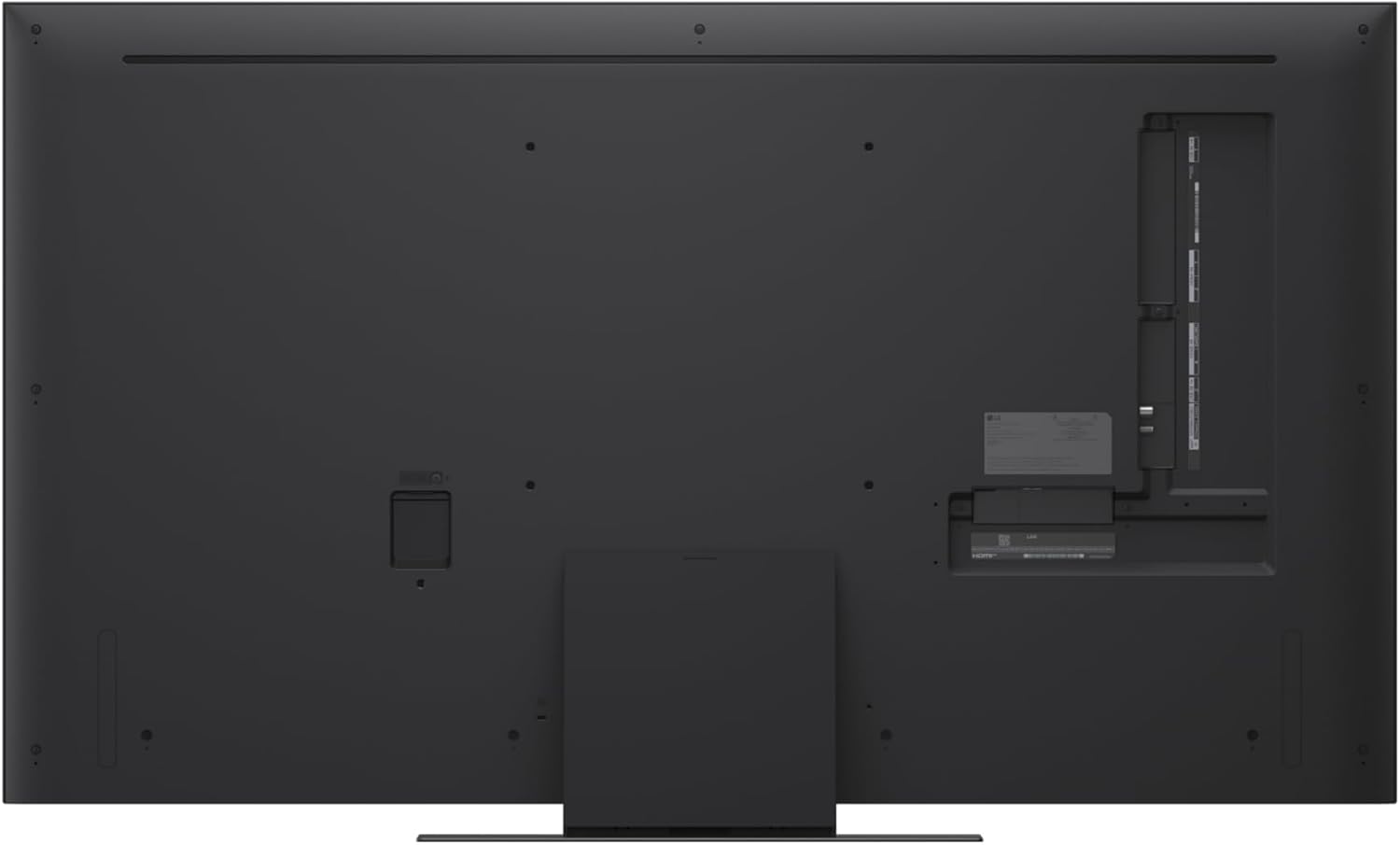
3.2. Irudia: Atzealdea view of the LG QNED evo AI TV, highlighting the arrangement of HDMI, USB, and other connectivity ports.
- HDMI: Connect Blu-ray players, game consoles, or set-top boxes to the HDMI ports (4 available).
- USBa: Konektatu USB biltegiratze gailuak multimedia erreproduzitzeko.
- Antena/Kablea: Konektatu antena edo kable bidezko telebista seinalea.
- Ethernet: Interneteko kable bidezko konexio baterako.
3.5 Hasierako konfigurazio-morroia
Upon first power-on, the TV will guide you through the initial setup process. Follow the on-screen prompts to:
- Select language and country.
- Konektatu Wi-Fi sare batera.
- Tune channels (if using antenna/cable).
- Baldintzak eta zehaztapenak onartu.
4. Funtzionamendu-argibideak
4.1 Magiko urrutiko agintea erabiltzea
Barnean dagoen Magic Remote-ak telebistaren kontrol intuitiboa ahalbidetzen du. Seinalatu eta egin klik, erabili ahots-komandoak edo nabigatu gurpilarekin.
- Pizteko botoia: Telebista pizten edo itzaltzen du.
- Gurpil-botoia (Ados): Elementuak hautatzen eta korritzen ditu.
- Ahots-ezagutza botoia: Ahots-komandoak aktibatzen ditu.
- Hasierako botoia: Atzitzen du webSistema eragilearen hasierako pantaila.
- Sarrerako botoia: Changes input source.
4.2 Nabigazioa webOS 25
The webOS 25 operating system provides a user-friendly interface for accessing apps, content, and settings.
- Sakatu Hasiera button to open the Launcher Bar, which displays your installed apps and recommended content.
- Use the Magic Remote's pointer or directional buttons to navigate.
- Customize the Launcher Bar by rearranging or adding apps.
4.3 Irudi eta soinu ezarpenak
Access settings to optimize your viewentzuteko eta entzuteko esperientzia.
- Irudi modua: Select from various modes like Vivid, Standard, Cinema, Game, or customize your own.
- AI Picture Pro: Utilizes the α8 AI Processor Gen2 to automatically enhance picture quality based on content.
- Soinu modua: Choose from Standard, Cinema, Clear Voice, or AI Sound Pro.
- AI Sound Pro: Optimizes audio based on the room environment and content type.
4.4 Ezaugarri adimendunak eta konektibitatea
- Wi-Fi: Konektatu etxeko haririk gabeko sarera interneterako sarbidea eta streaming-a lortzeko.
- Bluetootha: Parekatu Bluetooth gailuak, hala nola entzungailuak edo soinu-barrak.
- App Store: Deskargatu eta instalatu aplikazio ugari LG Content Store-tik.
- Ahots laguntzailea: Use the built-in voice assistant for quick searches and controls.
4.5 Jokoen Ezaugarriak
The TV supports AMD FreeSync Premium for a smoother gaming experience with compatible devices.
- Jokoen optimizatzailea: Access dedicated gaming settings for low input lag and optimized visuals.
- VRR (Freskatze tasa aldakorra): Ensures tear-free and stutter-free gameplay.
5. Mantentzea
5.1 Telebista garbitzea
- Pantaila: Garbitu pantaila astiro-astiro mikrofibrazko zapi leun eta lehor batekin. Orban egoskorrak izanez gero, garbitu apur bat.ampBusti oihala urarekin (ez ihinztatu zuzenean pantailan).
- Markoa eta euskarria: Use a soft, dry cloth to wipe the frame and stand.
- Kontuz: Do not use abrasive cleaners, waxes, or solvents. Always unplug the TV before cleaning.
5.2 Software eguneraketak
Regularly check for and install software updates to ensure optimal performance and access to new features.
- Joan zaitez Ezarpenak > Laguntza > Software eguneratzea.
- Enable automatic updates for convenience.
6. Arazoak
Telebistarekin arazoak badituzu, jo ezazu honako arazo eta irtenbide ohikoenei.
| Arazoa | Balizko Kausa / Irtenbidea |
|---|---|
| Botererik ez |
|
| Ez dago irudirik, baina soinua badago |
|
| Soinurik ez, baina irudia badago |
|
| Urruneko kontrola ez dabil |
|
| Ezin da wifira konektatu |
|
7. Zehaztapenak
| Ezaugarri | Zehaztapena |
|---|---|
| Ereduaren izena | QNED86A |
| Modelo zenbakia | 55QNED86ASA.ATC |
| Pantailaren tamaina | 55 hazbete (140 cm) |
| Bistaratzeko Teknologia | QNED evo |
| Ebazpena | 4K (3840 x 2160) |
| Freskatze tasa | 120 Hz |
| Prozesadorea | α8 AI prozesadorea Gen2 |
| Sistema eragilea | webOS 25 |
| HDMI sarrerak | 4 |
| Konektibitatea | Bluetooth, Wi-Fi, USB, HDMI |
| Dakarten osagaiak | Magic Remote, Remote Control Batteries, Power Cable |
| Produktuaren neurriak (x x H x D) | 123.6 cm x 78.6 cm x 26 cm (euskarriarekin) |
| Paketearen neurriak (W x H x D) | 135.5 cm x 81.8 cm x 18.6 cm |
| Paketearen pisua | 24.22 kg |
8. Bermea eta Laguntza
LG provides a standard manufacturer's warranty for this product. Please refer to the warranty card included with your TV or visit the official LG webzure eskualdeko berme-baldintza zehatzak ikusteko, bisitatu webgunea.
For technical support, service requests, or further assistance, please contact LG Customer Service or visit the LG support webgunea:
- LG Ofiziala Webgunea: www.lg.com/support
- Refer to the contact information provided in your product packaging for local support numbers.