
TCL 65C7K
TCL 65C7K QD-Mini LED Smart Google TV User Manual
Modeloa: 65C7K
1. Sarrera
This user manual provides detailed instructions for the safe and efficient operation of your TCL 65C7K 65-inch QD-Mini LED Smart Google TV. Please read this manual thoroughly before using the product and retain it for future reference. It covers setup, operation, maintenance, troubleshooting, and product specifications.
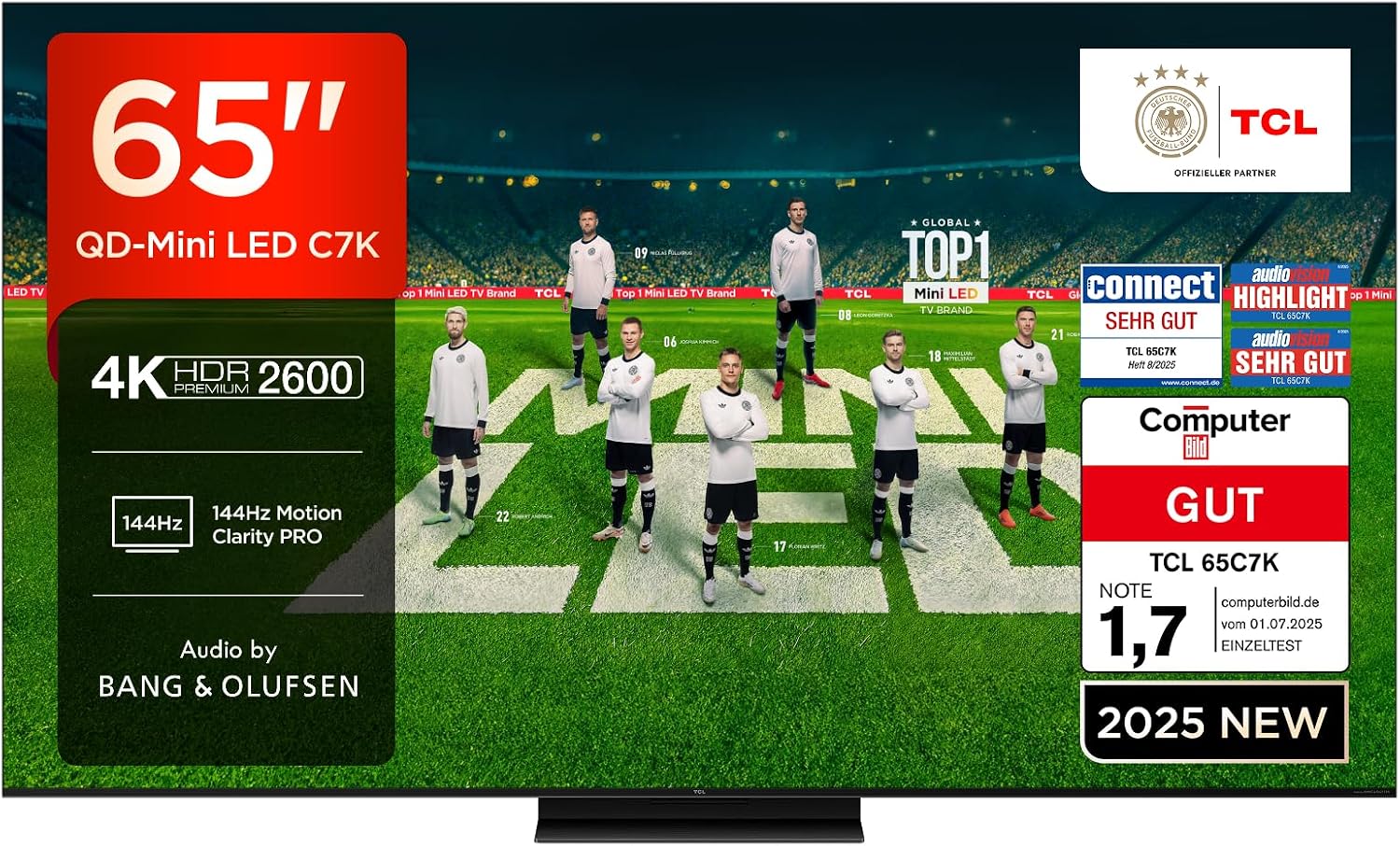
Image: The TCL 65C7K 65-inch QD-Mini LED TV, showcasinbere diseinu dotorea eta pantaila bizia ditu.
2. Segurtasun informazioa
Always adhere to the following safety precautions to prevent fire, electric shock, or injury:
- Ez jarri telebista euri edo hezetasunera.
- Ziurtatu aireztapen egokia; ez blokeatu aireztapen-irekidurak.
- Erabili telebistarekin batera datorren elikatze-kablea soilik.
- Ez jarri objektu astunak korronte-kablean.
- Deskonektatu entxufea tximista-ekaitzetan edo denbora luzez erabili gabe dagoenean.
- Jarri zerbitzu-zerbitzu guztiak zerbitzu-pertsonal kualifikatuari.
3. Zer dago kutxan
Desontziratzean, egiaztatu osagai guztiak sartuta daudela:
- TCL 65C7K telebista unitatea
- Urruneko Kontrola
- Stand (Base and Screws)
- Elikatze-kablea
- Erabiltzailearen eskuliburua (dokumentu hau)
4. Konfigurazioa
4.1 Standaren instalazioa
Telebistako euskarria instalatzeko:
- Place the TV face-down on a soft, flat surface to prevent screen damage.
- Lerrokatu euskarriaren osagaiak telebistaren behealdeko muntaketa-zuloekin.
- Lotu euskarria emandako torlojuak erabiliz. Ziurtatu torloju guztiak ondo estututa daudela.
4.2 Horman muntatzea (aukerakoa)
If you choose to wall mount your TV, use a VESA-compatible wall mount (300x300mm) and follow the instructions provided with the wall mount kit. Professional installation is recommended.

Image: Detailed dimensions of the TCL 65C7K TV and its remote control, useful for planning installation.
4.3 Hasierako piztea eta konfigurazioa
After physical setup:
- Konektatu korronte-kablea telebistara eta korronte-hartune batera.
- Sakatu telebistako edo urrutiko aginteko pizteko botoia.
- Jarraitu pantailan agertzen diren argibideei hasierako konfigurazioa osatzeko, hizkuntza hautatzea, sareko konexioa eta Google TV kontuaren konfigurazioa barne.
5. Produktuaren ezaugarriak
5.1 QD-Mini LED Technology
The TCL 65C7K features QD-Mini LED technology, combining the benefits of QLED and Mini LED for superior picture quality. This advanced backlighting system provides precise light control, resulting in incredibly vibrant images with true-to-life colors and an ultra-high contrast ratio. It also offers higher peak brightness, a wider color gamut, and extended lifespan compared to traditional LED TVs.

Image: An illustration demonstrating the QD-Mini LED technology, showing the precise light emission from the Mini LEDs and the Quantum Dot layer enhancing color.
5.2 CrystGlow HVA Panel
The advanced CrystGlow HVA Panel utilizes special nanomaterials to precisely control light, delivering stunningly vivid images. Its anti-reflection film minimizes screen glare, ensuring every detail is visible with remarkable clarity, even in brightly lit environments.

Image: A visual representation of the CrystGlow HVA Panel, highlighting its anti-reflection properties and enhanced contrast.
5.3 AiPQ Pro Processor
The AiPQ Pro Processor, powered by TCL's advanced algorithms, processes content to deliver high-quality 4K visuals with clear, fluid motion, high contrast, and fine details. It optimizes image quality across various aspects including contrast, color, clarity, motion, HDR, and scene recognition.

Image: A detailed graphic of the AiPQ Pro Processor chip, surrounded by icons representing its various image optimization capabilities.
5.4 HDR Multiformat Support
The TCL 65C7K supports multiple HDR formats including HDR10, HDR HLG, HDR10+, HDR Dolby Vision, and Dolby Vision IQ. This ensures you experience the best possible HDR picture quality from various sources. The TV is also IMAX Enhanced certified and supports Filmmaker Mode for an immersive cinematic experience.

Image: A visual comparison demonstrating the superior contrast and brightness of HDR Premium 2600 compared to conventional HDR, with a scene of burning wood.
5.5 144Hz Motion Clarity Pro
With a native 144Hz display, the TCL 65C7K delivers exceptionally smooth and clear motion, significantly faster than standard 50/60Hz TVs. This feature is ideal for fast-paced sports broadcasts and action movies, ensuring clear, blur-free images without compromise.

Image: A dynamic image illustrating the smooth motion provided by 144Hz Motion Clarity Pro, featuring a fast-moving car.
5.6 Audio by Bang & Olufsen
Experience elevated audio with sound engineered by Bang & Olufsen. The C7K series features a surround-acoustic design with Hi-End quality speakers, providing a detailed, natural, and three-dimensional sound experience. The Beosonic function allows real-time soundscape adjustment to match your mood.

Image: A living room scene with sound waves emanating from the TV, symbolizing the immersive audio experience provided by Bang & Olufsen.
5.7 Joko Maisua
For gamers, the C7K series supports HDMI 2.1, ALLM, 144Hz VRR, and 120Hz VRR, ensuring the lowest latency and optimal picture settings for gaming. It also features VRR (Variable Refresh Rate), FreeSync Premium Pro certification, Game Bar, and 288Hz Game Accelerator for a smooth, tear-free gaming experience.

Image: A dynamic illustration depicting a character in a futuristic vehicle, representing the enhanced gaming experience with Game Master features.
6. Funtzionamendua
6.1 Oinarrizko telebista funtzioak
- Piztu/Itzali: Sakatu urrutiko agintearen edo telebistaren pizteko botoia.
- Sarrera hautatzea: Erabili urrutiko agintearen 'Sarrera' botoia HDMI, USB eta beste iturri batzuen artean aldatzeko.
- Bolumen kontrola: Erabili 'Bolumena +/-' botoiak.
- Kanalen nabigazioa: Use the 'Channel +/-' buttons or number pad.
6.2 Smart Google TV Features
Your TCL 65C7K is powered by Google TV, offering a personalized entertainment experience.
- Edukien aurkikuntza: Google TV organizes movies, shows, and live TV from your subscriptions and apps, providing personalized recommendations.
- Hands-Free Google Assistant: Control your TV, launch apps, switch inputs, and more using voice commands without the remote.
- Galdaketa: Easily cast content from your phone, tablet, or laptop to the TV using Google Cast or AirPlay 2.
- Alexa-rekin funtzionatzen du: Integrate your TV with Amazon Alexa devices to control it with voice commands.

Image: The Google TV interface displaying various streaming service apps and content recommendations.

Image: A person interacting with the TV using hands-free voice commands, demonstrating the Google Assistant feature.
7. Konektibitatea
The TCL 65C7K offers a variety of connectivity options:
- HDMI: 4 ports for connecting external devices like gaming consoles, Blu-ray players, and soundbars.
- USBa: 1 port for media playback from USB drives.
- LAN (Ethernet): Kable bidezko internet konexiorako.
- Optikoa: Digital audio output for connecting to external audio systems.
- Kablea/Satelitea: Antenna inputs for broadcast TV.
- CI zirrikitua: For Conditional Access Modules (CAMs) to decrypt pay-TV channels.
- Bluetootha: Haririk gabeko audio gailu eta osagarrietarako.
- WLAN (Wi-Fi): Haririk gabeko internet konexiorako.

Image: A diagram illustrating the various input and output ports available on the TCL 65C7K TV, including HDMI, USB, LAN, and optical audio.
8. Mantentzea
8.1 Telebista garbitzea
- Deskonektatu beti telebista garbitu aurretik.
- Erabili zapi leun eta lehor bat pantaila eta kabinetea garbitzeko.
- Marka egoskorretarako, arinki garbituampGarbitu zapi bat urarekin edo pantaila-garbitzaile leun eta ez-urratzaile batekin. Ez ihinztatu likidoa zuzenean pantailan.
8.2 Software eguneraketak
Your TV may receive automatic software updates to improve performance and add new features. Ensure your TV is connected to the internet for these updates. You can also manually check for updates in the TV's settings menu.

Image: A screenshot of the TV's energy-saving mode settings, showing options for brightness and adaptive brightness.
9. Arazoak
Telebistarekin arazoak badituzu, jo ezazu ohiko irtenbide hauetara:
| Arazoa | Irtenbide posiblea |
|---|---|
| Botererik ez | Check if the power cable is securely connected to the TV and the power outlet. Try a different outlet. |
| Irudi/soinurik ez | Ziurtatu sarrera-iturri zuzena hautatuta dagoela. Egiaztatu kanpoko gailuetarako kable-konexioak. |
| Urrunekoa ez dabil | Ordeztu bateriak. Ziurtatu ez dagoela oztoporik urrutiko agintearen eta telebistaren artean. |
| Irudiaren kalitate eskasa | Check the signal source. Adjust picture settings (brightness, contrast, sharpness). |
| Ez dago Interneteko konexiorik | Check your Wi-Fi router or Ethernet cable. Restart the TV and router. |
Arazo konplexuagoetarako, jo online laguntza-baliabideetara edo jarri harremanetan bezeroarentzako arreta-zerbitzuarekin.
10. Zehaztapenak
| Ezaugarri | Xehetasuna |
|---|---|
| Marka | TCL |
| Modelo zenbakia | 65C7K |
| Pantaila Teknologia | Mini LED |
| Ebazpena | 4K (3840 x 2160) |
| Freskatze tasa | 144 Hz |
| Produktuaren neurriak (WxDxH) | 144.4 x 36.9 x 86.9 cm |
| Pisua | 27.5 kilogramo |
| Konektibitatea | Bluetooth, Ethernet, HDMI, USB, WLAN |
| Onartutako Interneteko zerbitzuak | Google TV |
| Energia Eraginkortasun Klasea | F |

Image: The EU Energy Label for the TCL 65C7K, indicating its energy efficiency class F.
Xehetasun gehiagorako, jo EPREL datu basea.
11. Bermea eta Laguntza
11.1 Bermearen informazioa
Your TCL 65C7K TV comes with a manufacturer's warranty. Please refer to the warranty card included in the packaging or visit the official TCL webzure eskualdeko berme-baldintza zehatzak ikusteko, bisitatu webgunea.
11.2 Bezeroarentzako laguntza
For technical assistance, product inquiries, or service requests, please contact TCL customer support through their official website or the contact information provided in your product documentation. Ensure you have your model number (65C7K) and serial number ready when contacting support.
Erlazionatutako dokumentuak - 65C7K
 |
TCL C7K/C8K : ordaintzeko eskaintza 500€ arte QD-Mini LED 4K telebistan Ezagutu TCL ordaintzeko eskaintza C7K eta C8K telebistarako. Lortu 500€ arte QD-Mini LED 4K ereduetan Google TV eta audio Bang & Olufsen-ekin. 2025eko ekainaren 30ean eta 24an eskaintzen da. |
 |
Gidatu TCL Smart TV: Sicurezza, Connessioni eta Funzionalità TCL Smart TVrako eskuliburu osoa. Ezagutu Segurtasuneko argibideak, konektatu gailuak, konfiguratu sareak, erabili Smart TV, Bluetooth, Google TV eta arazo komunitarioak konpontzeko. |
 |
TCL C7K シリーズ 取扱説明書 TCL C7K シリーズ 4K チューナー内蔵 HDR/HLG対応 Google TV取扱説明書。安全、設置、操作、トラブルシューティング、仕様に関する詳細情報を提供します。 |
 |
Offre de Remboursement TCL C7K/Q7C - Jusqu'à 200€ Découvrez comment bénéficier de l'offre de remboursement TCL pour les téléviseurs des séries C7K et Q7C. Valable du 30 mars au 23 juin 2026. |
 |
TCL C7K Serieko Telebista Adimendunaren Erabilera Eskuliburua TCL C7K Serieko Smart TV-aren funtzionamendu eskuliburu osoa, konfigurazioa, ezaugarriak, arazoak konpontzea eta zehaztapen teknikoak biltzen dituena. Ikasi zure TCL telebista nola erabili ahalik eta ondoen. viewesperientzia. |
 |
TCL 65Q7C 65-inch 4K QD-Mini LED TV Specifications Technical specifications and energy efficiency data for the TCL 65Q7C 65-inch 4K QD-Mini LED TV, featuring Google TV, 144Hz Motion Clarity Pro, and Bang & Olufsen audio. |
Ask a question about this manual
Ask about setup, troubleshooting, compatibility, parts, safety, or missing instructions. Manuals+ will review the question and use this page’s manual context to help answer it.