
1. Sarrera
This manual provides detailed instructions for the installation, setup, and operation of your LEXXSON RM-CP6801 Single Din Car Stereo. Please read this manual thoroughly before using the product to ensure proper functionality and safety. Keep this manual for future reference.
2. Segurtasun informazioa
- Ensure the vehicle is parked and the engine is off before installation or maintenance.
- Professional installation is recommended to avoid damage to the unit or vehicle.
- Ez erabili gailua gidatzeaz distraitzen zaituen moduan.
- Saihestu unitatea tenperatura altuen, eguzki-argiaren eraginpean edo hezetasunean jartzea.
- Use only specified power cables and accessories.
3. Produktua amaitu daview
The LEXXSON RM-CP6801 is a single din car stereo featuring a 6.86-inch IPS touch screen. It supports Carplay, Android Auto, Mirror Link, FM radio, USB media playback, and includes an equalizer for audio customization.
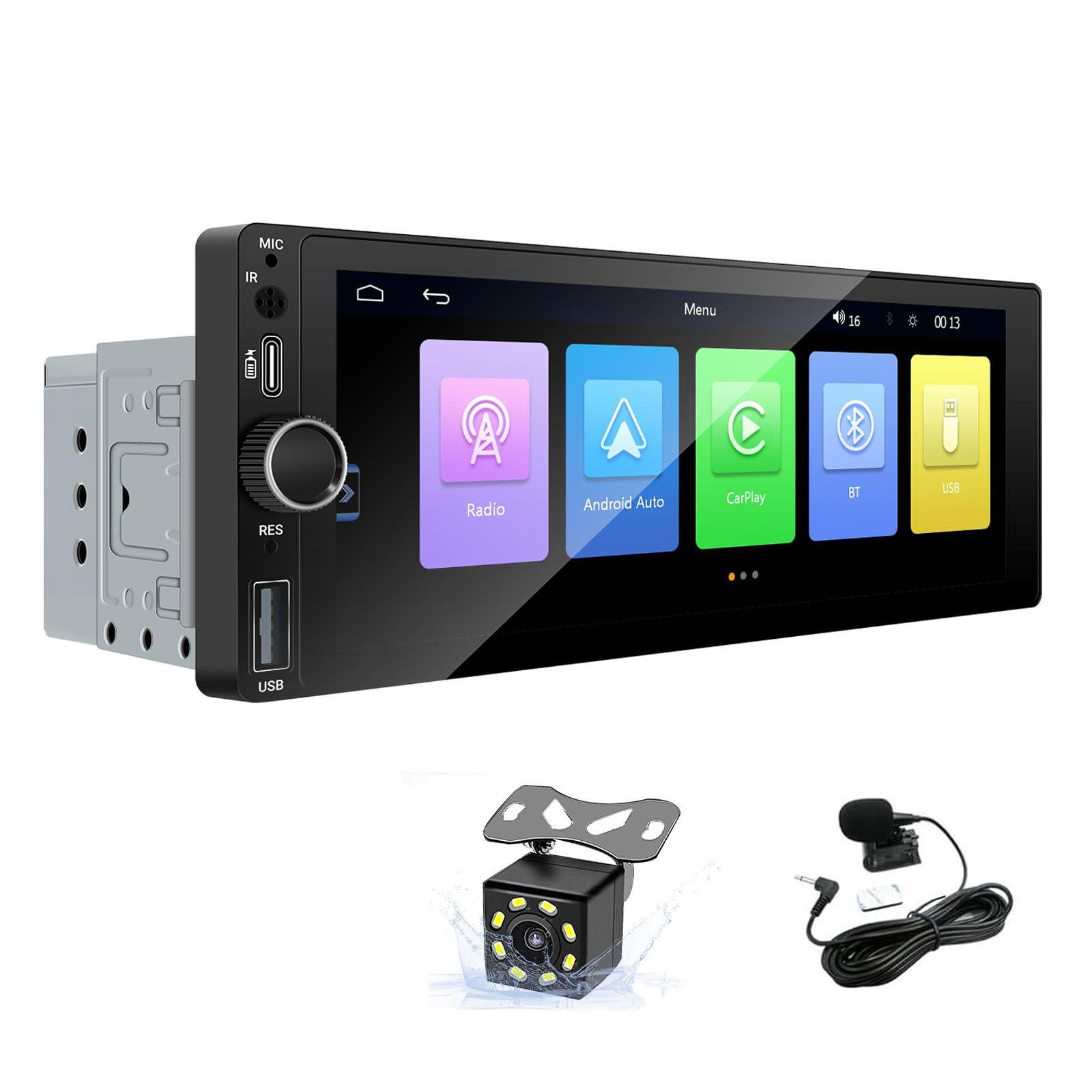
Irudia: Aurrealdea view of the LEXXSON RM-CP6801 Single Din Car Stereo, showcasing its 6.86-inch IPS touch screen and physical controls.

Image: Diagram illustrating the Carplay, Android Auto, and Mirror Link functionalities of the car stereo, showing connections for Android and iOS devices.
4. Instalazioa
Proper installation is crucial for the performance and safety of your car stereo. Refer to your vehicle's specific wiring diagram and consult a professional if unsure.
4.1 Kableatu-diagrama

Image: Detailed wiring diagram for the LEXXSON RM-CP6801, showing connections for power, speakers, auxiliary input, video output, camera input, and USB slot.
4.2 Instalazio-urratsak
- Deskonektatu ibilgailuaren bateria zirkuitu laburrak saihesteko.
- Kendu autoko estereoa aginte-paneletik.
- Connect the wiring harness from the LEXXSON RM-CP6801 to your vehicle's wiring, matching colors and functions as per the wiring diagram.
- Connect the antenna cable and any additional accessories like the backup camera or external microphone.
- Slide the new stereo into the dashboard opening and secure it.
- Reconnect the vehicle's battery and test the unit.

Image: Comparison showing a car dashboard before and after the installation of the LEXXSON RM-CP6801 car stereo.
4.3 Packing List and Dimensions

Image: Illustration of the LEXXSON RM-CP6801 packing list, including the car radio, horn cable, power cable, waterproof camera, and microphone, along with the unit's dimensions.
The product package includes the car radio unit, power cable, horn cable, waterproof camera, and microphone. The unit dimensions are approximately 18.8 cm (7.4 inches) in width, 7.1 cm (2.78 inches) in height, and 8.4 cm (3.3 inches) in depth.
5. Konfigurazioa
After installation, perform initial setup to configure the stereo to your preferences.
5.1 Ezarpen orokorrak
- Hizkuntza: Navigate to 'Setup' > 'System' > 'Language' to select your preferred language.
- Ordua konfiguratzea: Adjust the year, month, day, hour, and minute under 'Setup' > 'System' > 'Time Setup'.
- Pantailaren ezarpenak: Customize brightness, contrast, hue, saturation, and backlight under 'Setup' > 'Display settings'.
- Sound Setup (EQ): Access the equalizer settings under 'Setup' > 'Sound Setup' to adjust audio frequencies or select preset modes like Jazz, Classic, Rock, Pop, Flat, or User.
Video: A short demonstration of the 6.86-inch IPS touch screen interface, showing navigation through various settings such as language, time, display adjustments, and equalizer presets.
6. Funtzionamendu-argibideak
6.1 CarPlay eta Android Auto
Connect your smartphone via USB to access CarPlay (for iPhone) or Android Auto (for Android phones). This allows for navigation, calls, messages, and music playback directly from the stereo's screen.
Bideoa: Ikuspegi osoaview of the LEXXSON Single Din Car Stereo's interface, demonstrating the use of Carplay and Android Auto features, including app navigation and media control.
6.2 Ispilu-lotura
The Mirror Link function allows you to project your phone's screen onto the car stereo display via a USB cable. This is useful for viewing videos or using navigation apps not directly supported by CarPlay/Android Auto.
6.3 Bluetooth Hands-Free and Music
Pair your mobile phone with the stereo via Bluetooth for hands-free calling and wireless music streaming. Access call history and contacts directly from the stereo.

Irudia: Panel anitzeko irudien erakustaldiaasing the Bluetooth music playback, FM radio interface, graphic equalizer settings, and backup camera display on the LEXXSON RM-CP6801.
6.4 FM Irratia
Tune into your favorite FM radio stations. The stereo features 18 preset stations and automatic channel search for convenience.
6.5 USB Play and Charging
Connect USB disk devices to play audio and video files. The Type-C port also supports fast charging for compatible devices.
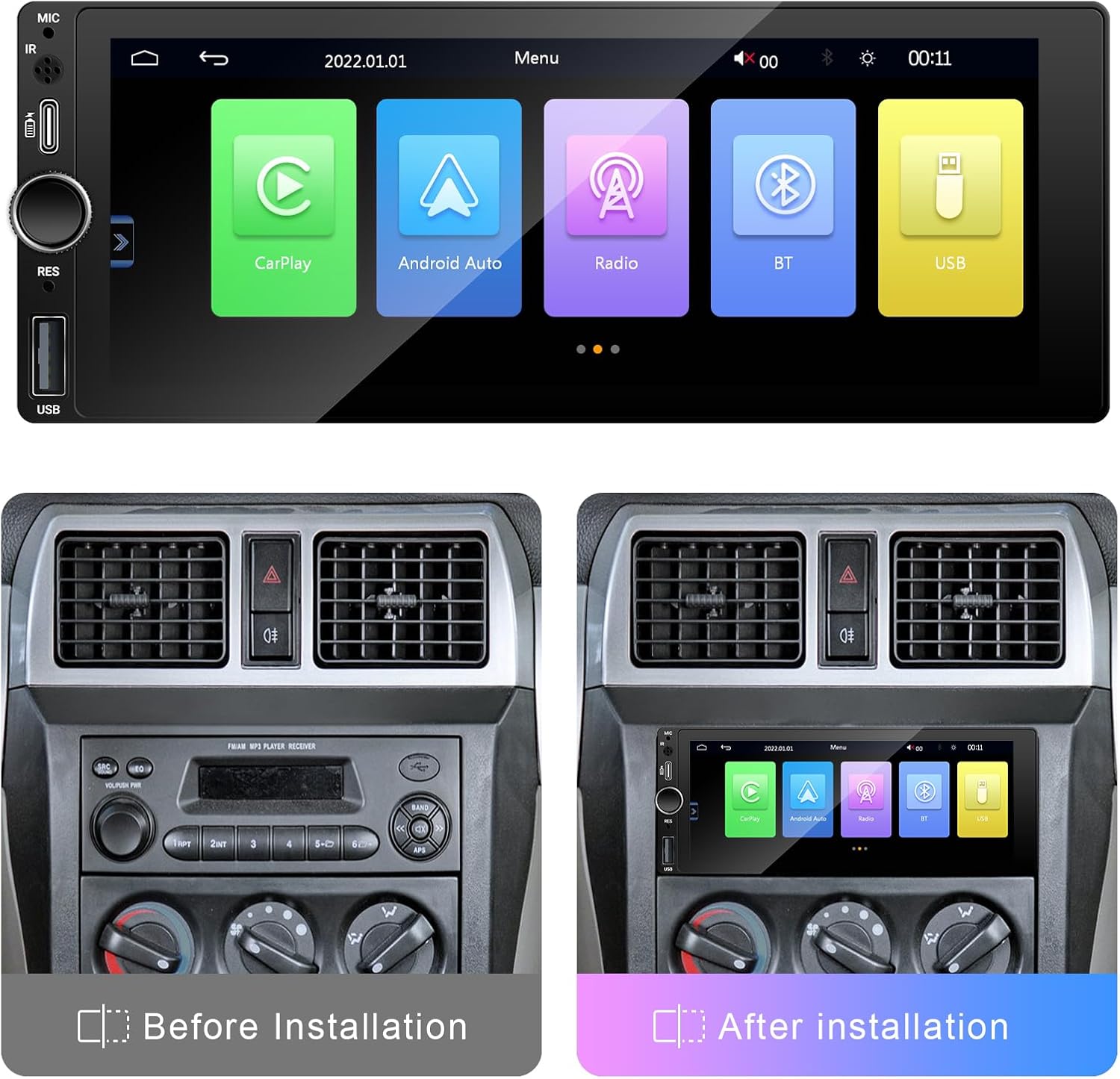
Image: A four-panel image detailing the steering wheel control setup, USB media playback, fast charging interface, and the high-definition display quality of the LEXXSON RM-CP6801.
6.6 Backup Camera
When connected to a reverse camera, the stereo automatically displays the rear view upon engaging reverse gear, enhancing parking safety. The included camera offers a 170° horizontal wide angle.
6.7 Bolantearen kontrolak
If your vehicle supports it, you can configure the stereo to work with your existing steering wheel controls for convenient operation of volume, track changes, and calls.
7. Mantentzea
To ensure the longevity of your LEXXSON RM-CP6801 car stereo, follow these maintenance guidelines:
- Clean the screen regularly with a soft, dry cloth. Avoid abrasive cleaners.
- Mantendu unitatea hauts eta hondakinetatik libre.
- Ziurtatu konexio guztiak seguru daudela eta korrosiorik gabe.
8. Arazoak
If you encounter issues with your car stereo, refer to the following common problems and solutions:
| Arazoa | Kausa posiblea | Irtenbidea |
|---|---|---|
| Botererik ez | Kableatu okerra, fusiblea piztuta | Check power connections and vehicle fuses. Ensure proper grounding. |
| Soinurik ez | Speaker wiring issues, volume too low | Verify speaker connections. Increase volume. Check EQ settings. |
| Ukipen-pantailak ez du erantzuten | Software glitch, calibration needed | Restart the unit. Perform touch screen calibration in settings. |
| CarPlay/Android Auto ez dira konektatzen | Faulty USB cable, phone settings | Use a high-quality USB cable. Ensure phone is unlocked and has CarPlay/Android Auto enabled. |
9. Zehaztapenak
- Eredua: RM-CP6801
- Produktuaren neurriak: 3.31 x 7.4 x 2.8 hazbete (18.8 x 7.1 x 8.4 cm)
- Elementuaren pisua: 1.76 kilo
- Konektibitate Teknologia: Bluetootha, USBa
- Kontroladore mota: Hand Control, Voice Control (Google Assistant, Siri Assistant)
- Ezaugarri berezia: Pantaila digitaleko pantaila
- Gailu bateragarriak: Kotxea
- Audio irteera modua: Estereoa
- Inguruko soinu-kanalaren konfigurazioa: 5.1
- Bideo Kodetzea: H.264, H.265/HEVC
- Kolorea: Beltza
10. Bermea eta Laguntza
For warranty information and technical support, please refer to the warranty card included with your product or contact LEXXSON customer service. Keep your purchase receipt as proof of purchase.