
Sarrera
This manual provides detailed instructions for the proper use and maintenance of your Micool T18 Invisible Sleep Wireless Earphones. Please read this manual thoroughly before using the product to ensure optimal performance and longevity.
Kutxan dagoena
- Micool T18 Invisible Sleep Wireless Earphones
- Kargatzeko kablea
- Erabiltzailearen eskuliburua
Produktua amaituview
The Micool T18 earphones are designed for comfort during sleep and extended wear. They feature a unique elephant-shaped, non-in-ear design, ensuring a lightweight and unobtrusive fit. Equipped with Bluetooth 5.4, they offer stable connectivity and intuitive touch controls.
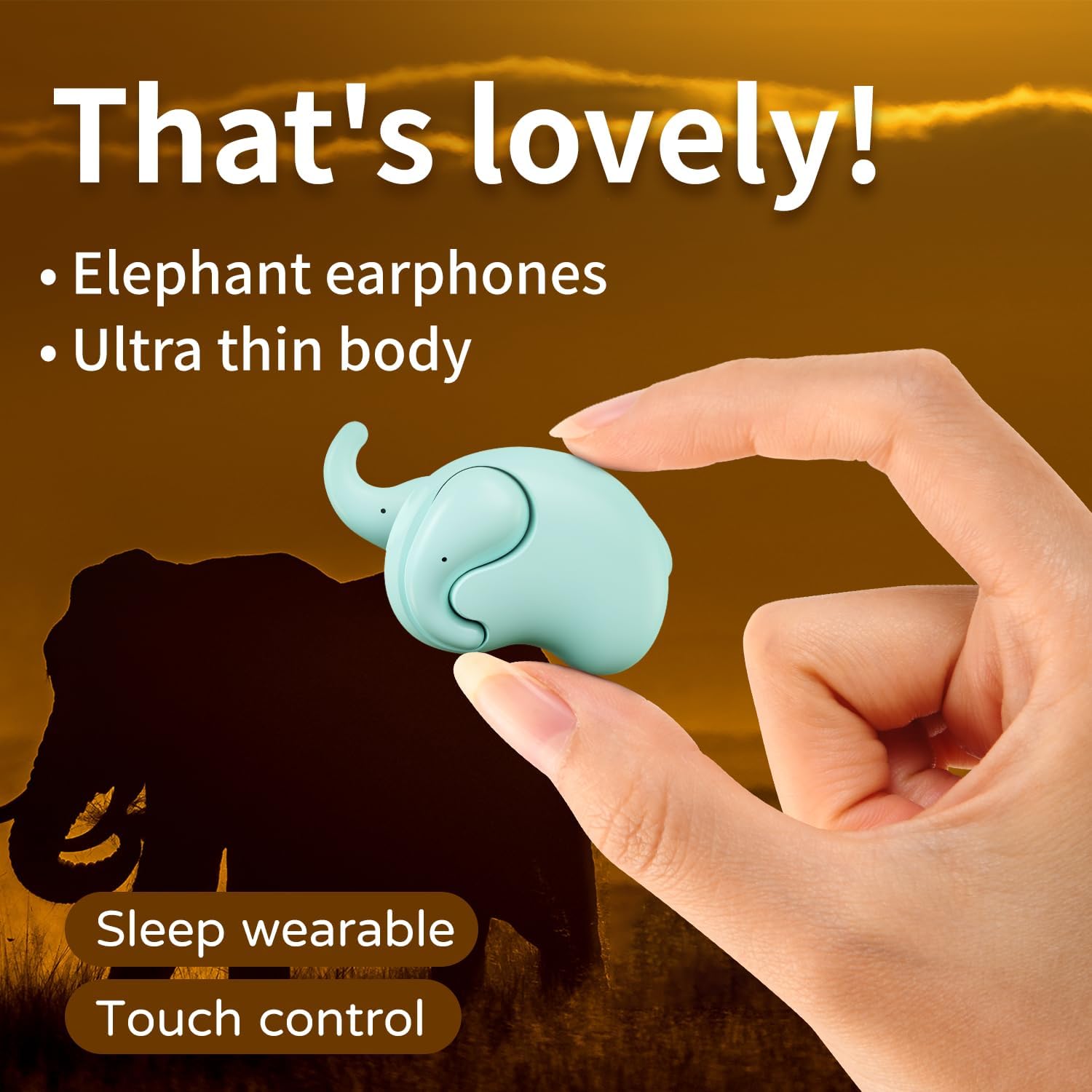
Image: The Micool T18 earphone, showcasing its compact, elephant-shaped design, held between two fingers. This image highlights its ultra-thin body and suitability for sleep wear.

Irudia: Gertutik view of the Micool T18 earphone comfortably placed in an ear, demonstrating its mini comfort and ergonomic fit for sleeping.
Konfigurazioa
1. Entzungailuak kargatzea
Before first use, fully charge the earphones. Connect the provided charging cable to the charging port on the earphones and to a USB power source. The indicator light will show charging status and turn off or change color when fully charged.
2. Bluetooth parekatzea
- Ziurtatu entzungailuak kargatuta eta itzalita daudela.
- Press and hold the multi-function button on both earphones until the indicator lights flash red and blue alternately, indicating pairing mode.
- Zure gailuan (smartphone-an, tabletan, etab.), gaitu Bluetooth-a eta bilatu eskuragarri dauden gailuak.
- Select "Micool T18" from the list of devices.
- Once connected, the indicator lights will stop flashing and remain solid blue or turn off, depending on the model.
- Pasahitza eskatzen badizute, idatzi "0000".
Funtzionamendu-argibideak
The Micool T18 earphones feature intuitive touch controls for various functions.
Piztu/Itzali
- Piztu: Press and hold the touch area for approximately 3 seconds.
- Itzali: Press and hold the touch area for approximately 5 seconds.
Musika erreproduzitzea
- Erreproduzitu/Pausatu: Sakatu behin entzungailuetako edozeinetan.
- Hurrengo ibilbidea: Sakatu bi aldiz eskuineko entzungailuan.
- Aurreko pista: Sakatu bi aldiz ezkerreko entzungailuan.
Deien Kudeaketa
- Deia erantzun/amaitu: Sakatu behin entzungailuetako edozeinetan.
- Deia baztertu: Sakatu eta eutsi ukipen-eremuari 2 segundoz.
Bolumen kontrola
- Bolumena igo: Hiru aldiz sakatu eskuineko entzungailuan.
- Bolumena jaitsi: Hiru aldiz sakatu ezkerreko entzungailuan.
Mantentzea
Garbiketa
Gently wipe the earphones with a soft, dry, lint-free cloth. Do not use abrasive cleaners, alcohol, or chemical solvents. Avoid getting moisture into any openings.
Biltegiratzea
Store the earphones in a cool, dry place away from direct sunlight and extreme temperatures. When not in use for extended periods, ensure they are fully charged to preserve battery life.
Uraren Erresistentzia
The Micool T18 earphones are IPX5 waterproof, meaning they are resistant to splashes and sweat. They are not designed for submersion in water. Avoid using them during swimming or showering.
Arazoak konpontzea
| Arazoa | Irtenbidea |
|---|---|
| Entzungailuak ez dira pizten. | Ziurtatu entzungailuak guztiz kargatuta daudela. |
| Ezin da gailuarekin parekatu. | 1. Ziurtatu Bluetooth gaituta dagoela zure gailuan. 2. Make sure earphones are in pairing mode (flashing red/blue). 3. Forget "Micool T18" from your device's Bluetooth list and try pairing again. 4. Move earphones closer to your device. |
| Soinurik ez edo soinu tartekatua. | 1. Check device volume and earphone volume. 2. Ensure earphones are within Bluetooth range of your device. 3. Re-pair the earphones with your device. |
| Entzungailuak ez dira kargatzen. | 1. Check if the charging cable is securely connected. 2. Try a different USB power source or cable. 3. Ensure charging contacts on earphones are clean. |
Zehaztapenak
| Ezaugarri | Xehetasuna |
|---|---|
| Marka | Micool |
| Modelo zenbakia | T18 |
| Konektibitate Teknologia | Haririk gabeko (Bluetooth) |
| Bluetooth bertsioa | 5.4 |
| Belarrien Kokatzea | In Ear (Non-in-ear design) |
| Forma-faktorea | Egiazko Haririk gabekoa |
| Uraren Erresistentzia | IPX5 |
| Materiala | Plastikoa |
| Gailu bateragarriak | Sakelako telefonoak |
| Erabilera espezifikoak | Sleeping, Music |
Bermea eta Laguntza
Bermearen informazioa
This product comes with a 1-year limited warranty from the date of purchase. This warranty covers manufacturing defects. Please retain your proof of purchase for warranty claims.
Bezeroarentzako Arreta
For further assistance, technical support, or warranty inquiries, please visit the official Micool Store on Amazon: