
MECHEN H10
MECHEN H10 MP3 Player Instruction Manual
Eredua: H10
Marka: MECHEN
Produktua amaituview
The MECHEN H10 is a versatile MP3 and MP4 player running on Android 13 OS, designed for high-quality audio and video playback, app functionality, and extensive storage.

Aurretik eta atzetik view of the MECHEN H10 MP3 player, showcasing its 4-inch touchscreen display with various app icons and its sleek, dark gray casing.
Zer sartzen da
Your MECHEN H10 package contains the following items:
- 1 x Music Player
- 1 x USB kablea
- 1 x Entzungailuak
- 1 x Babes-filma
- 1 x babes-zorroa
- 1 x Erabiltzailearen eskuliburua
- 1 x 128 GB TF txartela
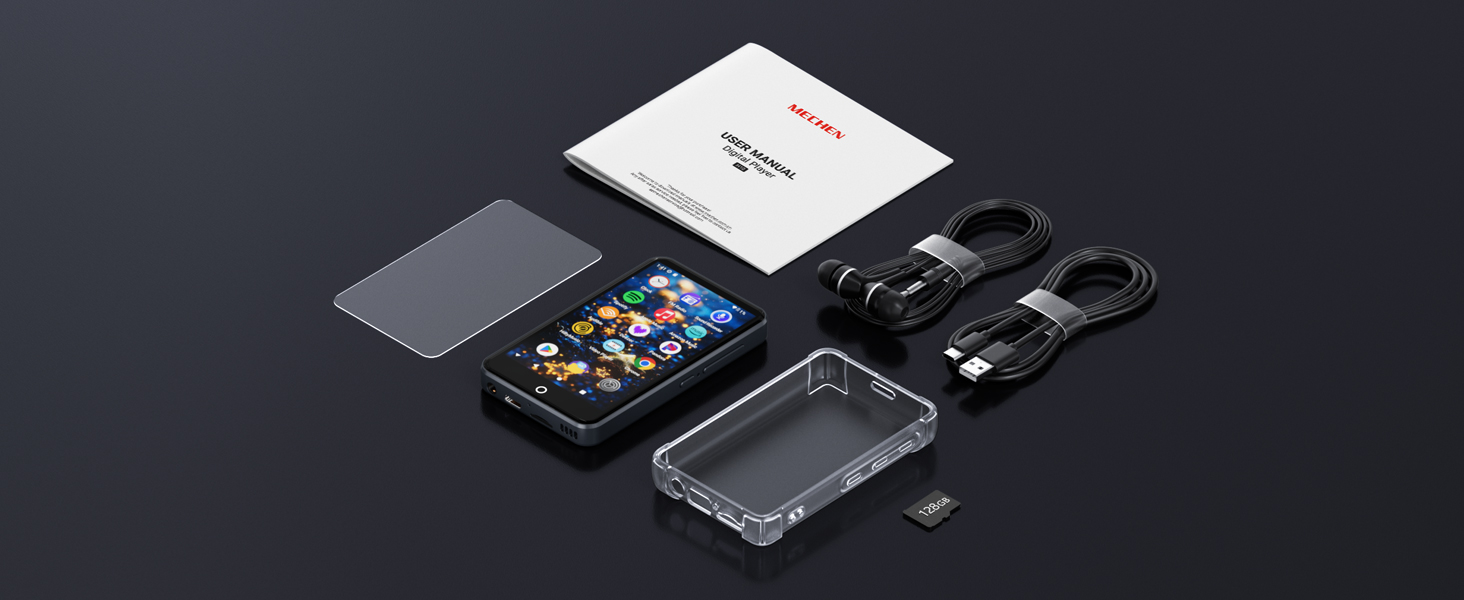
Buru bat view of all included accessories: the MECHEN H10 player, USB-C cable, earphones, protective film, protective case, user manual, and a 128GB TF card.
Ezaugarri fisikoak
Familiarize yourself with the physical components of your MECHEN H10 device:
| Ezaugarri | Deskribapena |
|---|---|
| Bolumena + | Bolumena handitu. |
| Bolumena - | Bolumena gutxitu. |
| Berrezarri | Small pinhole for device reset. |
| Piztu/Itzali | Eduki sakatuta 3 segundoz pizteko/itzaltzeko. |
| Grabaketa-zuloa | Mikrofonoaren sarrera. |
| Hizlaria | Audio irteera integratua. |
| TF txartelaren zirrikitua | 1 TB-rainoko biltegiratze zabalgarrirako. |
| USB-C ataka | Kargatzeko eta datuak transferitzeko. |
| 3.5 mm-ko irteera | Aurikularretarako konektua. |
Hasierako konfigurazioa
Lehen aldiz kargatzea
Before first use, fully charge the device using the provided 5V/1A USB-C charger. Fast chargers are not recommended.
Piztea eta hasierako konfigurazioa
Press and hold the Power button for 3 seconds to turn on the device. Follow the on-screen prompts to select language, time zone, and accept Google Terms to activate Google Play services.

The MECHEN H10 display showing the Android 13 interface with various pre-installed applications, indicating a smooth and modern user experience.
Zure gailua funtzionatzea
Oinarrizko Nabigazioa
The MECHEN H10 features a responsive 4-inch IPS touchscreen for intuitive navigation. Swipe through screens, tap icons to open applications, and use the physical buttons for volume control and power.

The MECHEN H10 displaying a video in landscape mode, highlighting its 4-inch IPS touchscreen and support for various media formats.
Musika erreproduzitzea
The device supports a wide range of audio formats including MP3, FLAC, WAV, AAC, OGG, WMA, and APE. You can play music stored on the internal memory or the inserted TF card.
- Access your music through the pre-installed music player apps like Spotify, Apple Music, Amazon Music, or Deezer.
- Connect to Bluetooth headphones or speakers using Bluetooth 4.1 for wireless audio.
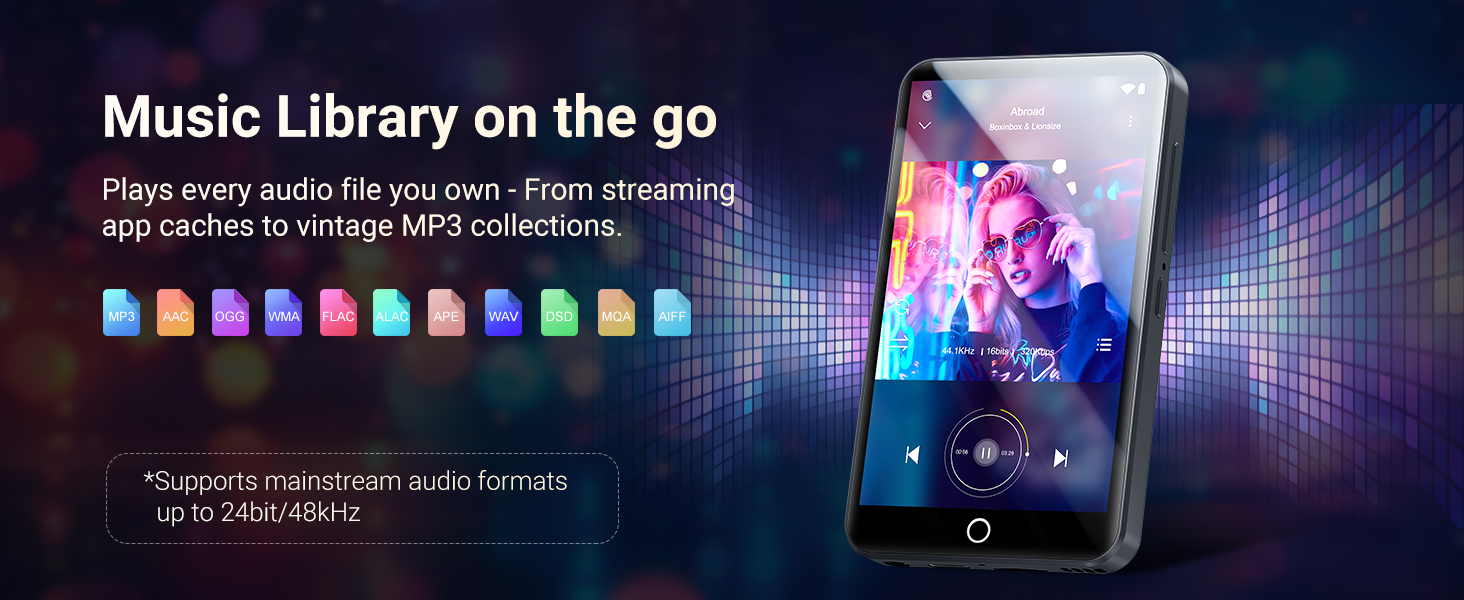
A visual representation of the MECHEN H10 playing music, surrounded by icons of various supported audio file formats, emphasizing its extensive music library capabilities.
Bideo erreprodukzioa
The 4-inch high-resolution screen supports 1080P HD video playback without format conversion. Compatible formats include AVI, MKV, RMVB, MP4, MPG, and MOV.
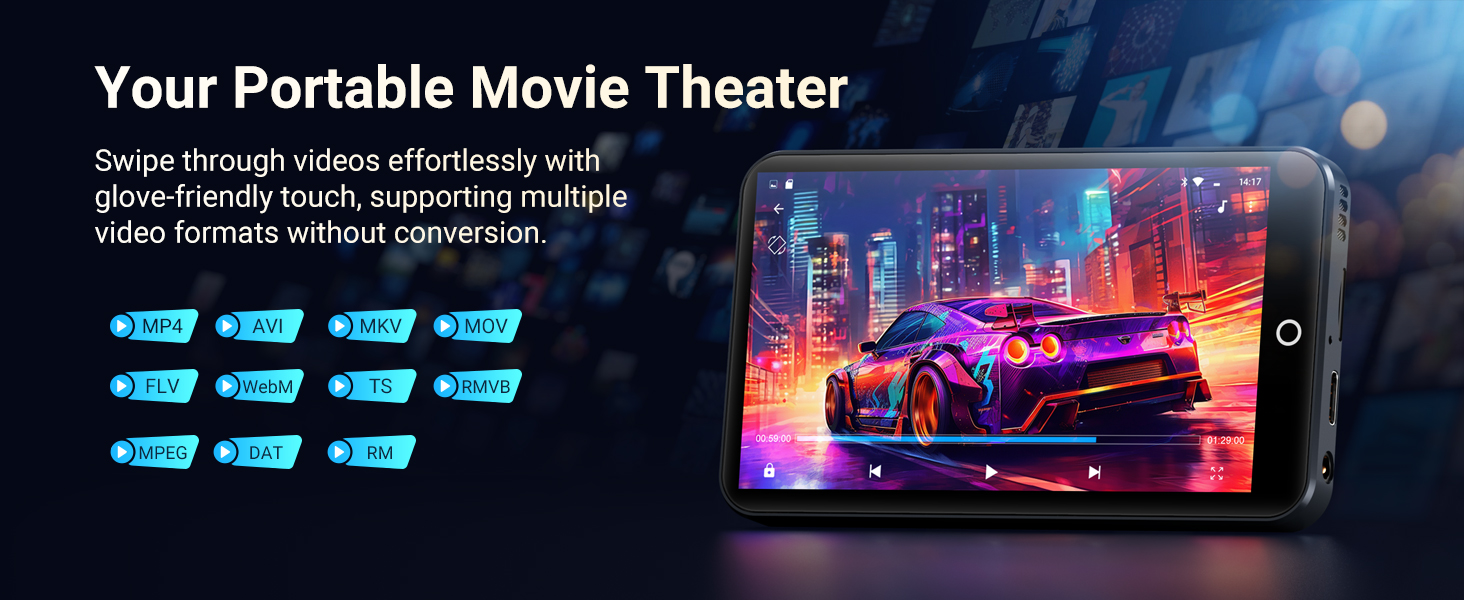
The MECHEN H10 displaying a movie scene in landscape mode, illustrating its function as a portable movie theater with support for multiple video formats.
App Usage and Connectivity
The Android 13 OS allows for smooth operation and access to the Google Play Store. You can download and install various applications, including streaming services like Spotify, Pandora, Audible, and Amazon Music.
- Wi-Fi: The device features dual-band (2.4GHz and 5GHz) Wi-Fi for stable wireless connections and faster data transfers.
- Bluetootha: Bluetooth 4.1 with bi-directional technology allows connection to headphones, speakers, and car stereos.

Irudi erakustaldi batasing the MTK Octa-Core processor for smooth performance and symbols representing dual-band Wi-Fi and Bluetooth 5.0 for enhanced connectivity on the MECHEN H10.
An official product video demonstrating the MECHEN H10 MP3 player's features, including its design, massive storage options (96GB or 160GB), Android 13 OS, MTK 8-core processor for smooth operation, 4-inch IPS touchscreen for clear visuals, Bluetooth connectivity for various devices, Wi-Fi for pre-loaded apps and streaming, and its 2000mAh battery life.
Zehaztapen Teknikoak
| Kategoria | Xehetasunak |
|---|---|
| Prozesadorea | MTK6762 Octa-core |
| Memoria | 3GB RAM + 32GB ROM (internal) |
| Sistema eragilea | Android 13 |
| Bistaratzea | 4-inch LCD Touchscreen, 480x800 resolution |
| Bateria Edukiera | 2000mAh |
| Kargatzen | 5V/1A USB-C (Full charge ~2.5hrs) |
| Erreprodukzioa | Music 15hrs / Video 8hrs |
| Wi-Fi | Dual-band (2.4G/5G) |
| Bluetootha | 4.1 (A2DP/AVRCP) |
| Audio formatuak | MP3, FLAC, WAV, AAC, OGG, WMA, APE |
| Bideo formatuak | AVI, MKV, RMVB, MP4, MPG, MOV |
| Neurriak | 103*61*10mm |
| Pisua | 108 g |
| Supported OS for PC | Windows XP, Vista, 7, 8, 10, 11; Mac OS 10 |
| Konexioa | USB-C MTP/PTP mode |
Mantentzea eta zaintzea
Bateriaren iraupena
The 2000mAh Li-ion battery provides approximately 15 hours of music playback or 8 hours of video playback. For optimal battery health, use a 5V-1A or 5V-2A charging head. Avoid fast charging heads.
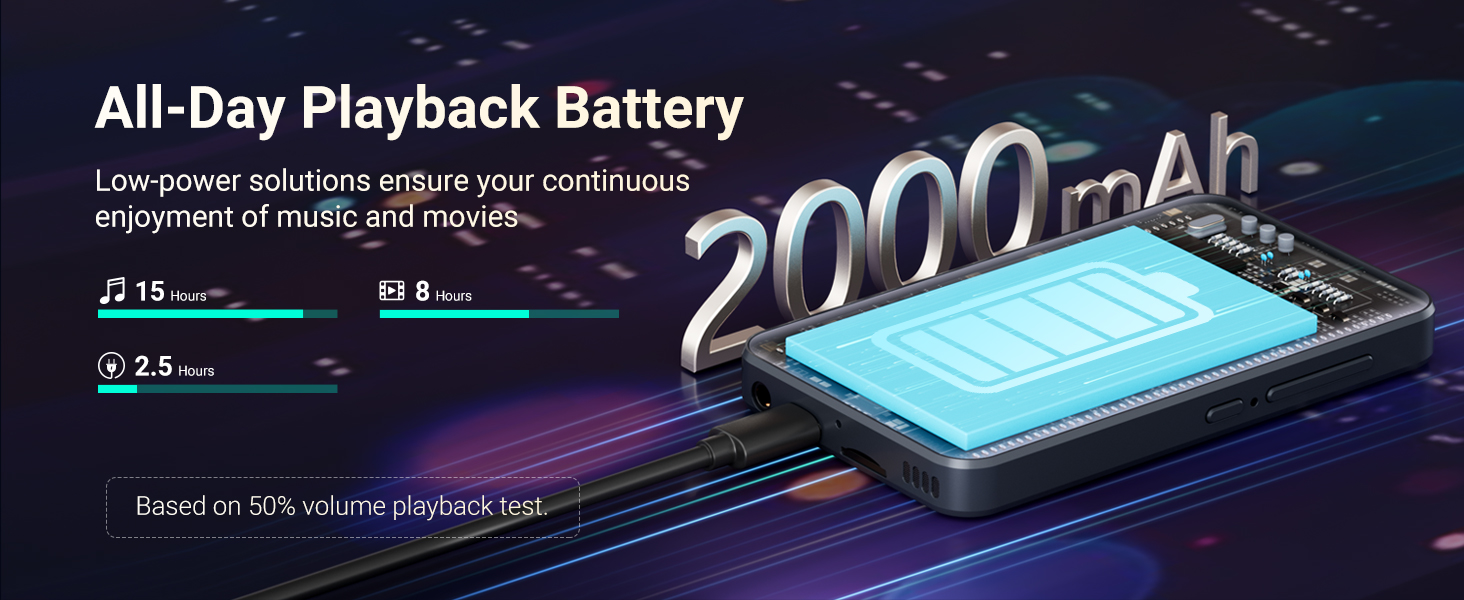
A graphic illustrating the 2000mAh battery capacity of the MECHEN H10, showing estimated playback times of 15 hours for music and 8 hours for video.
Biltegiratze kudeaketa
The device comes with 32GB internal storage and a 128GB SD card. The TF card slot supports expansion up to 1TB. Regularly manage your storage by deleting unnecessary files eta aplikazioak errendimendu optimoa mantentzeko.
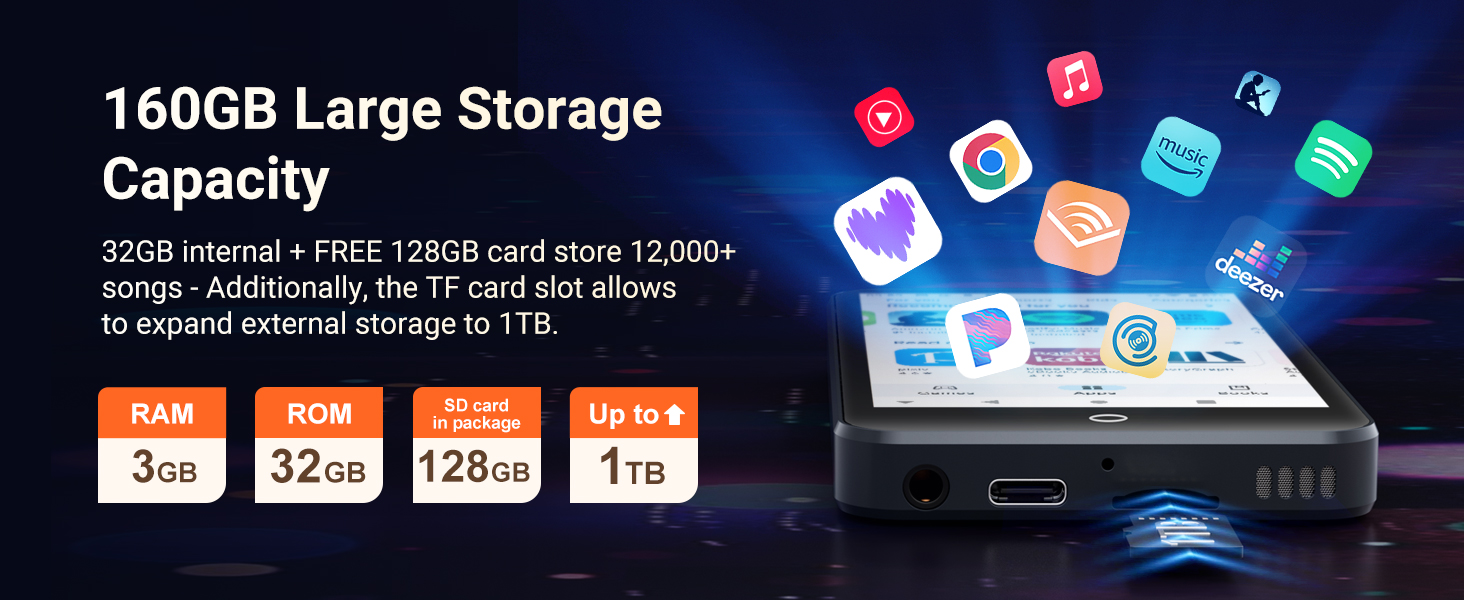
An image detailing the MECHEN H10's storage capabilities, including 3GB RAM, 32GB ROM, a 128GB SD card in the package, and an SD slot expandable up to 1TB.
Firmware bertsio berritzea
Regular security patches and performance upgrades are available. Ensure your device is connected to Wi-Fi to receive and install these updates for long-term smooth operation.
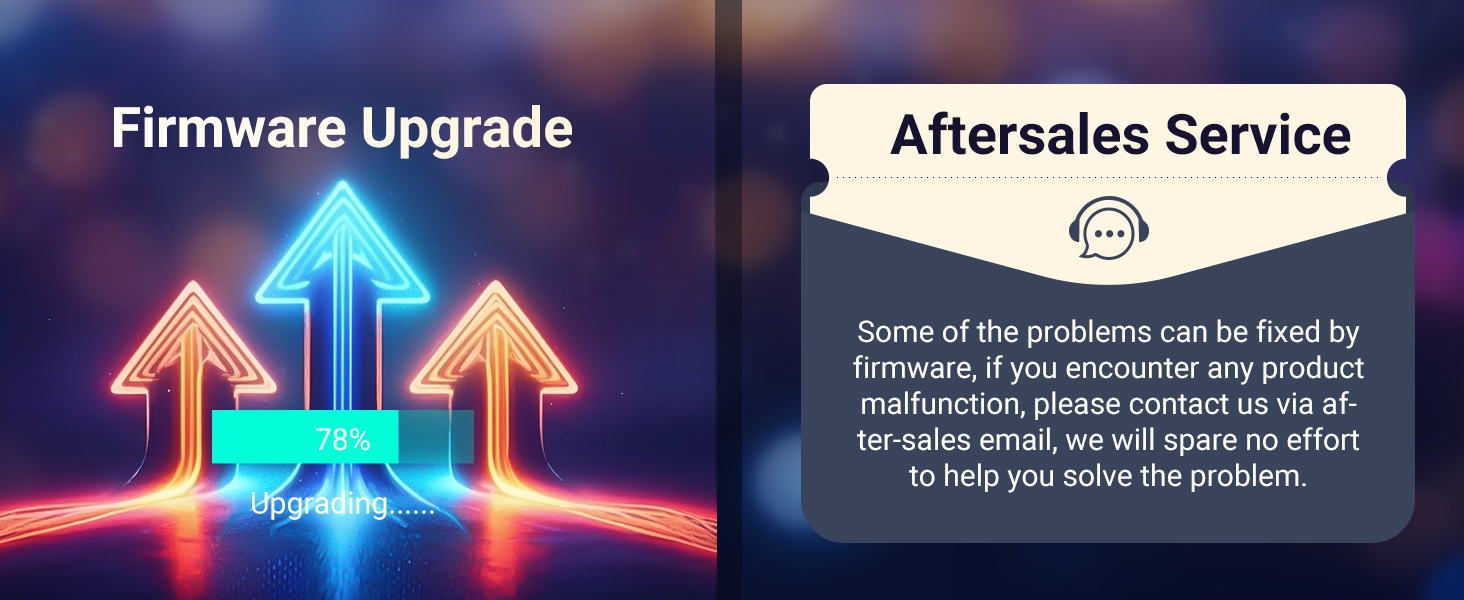
A graphic showing arrows pointing upwards with a 'Firmware Upgrade' title and a progress bar, alongside a section for 'Aftersales Service' with a chat bubble icon.
Arazoak konpontzea
Ohiko arazoak eta haien konponbideak:
| Gaia | Irtenbidea |
|---|---|
| Won't Charge | 1. Try a different USB-C cable. 2. Clean the port with a toothpick (non-metallic). 3. Test with a 5V/1A charger. |
| Google FRP Lock | Before factory reset: 1. Sign out Google account on device. 2. Remove device from google.com/devices. Failure to do so may cause login loop. |
| Aplikazioa huts egiten du | 1. Clear app cache (Settings > Apps > All Apps > [App Name] > Storage & cache > Clear Cache). 2. Reinstall the app. |
| Soinurik ez | 1. Check headphone connection. 2. Disable Bluetooth. 3. Reset sound settings (Settings > Sound > reset the sound settings). |
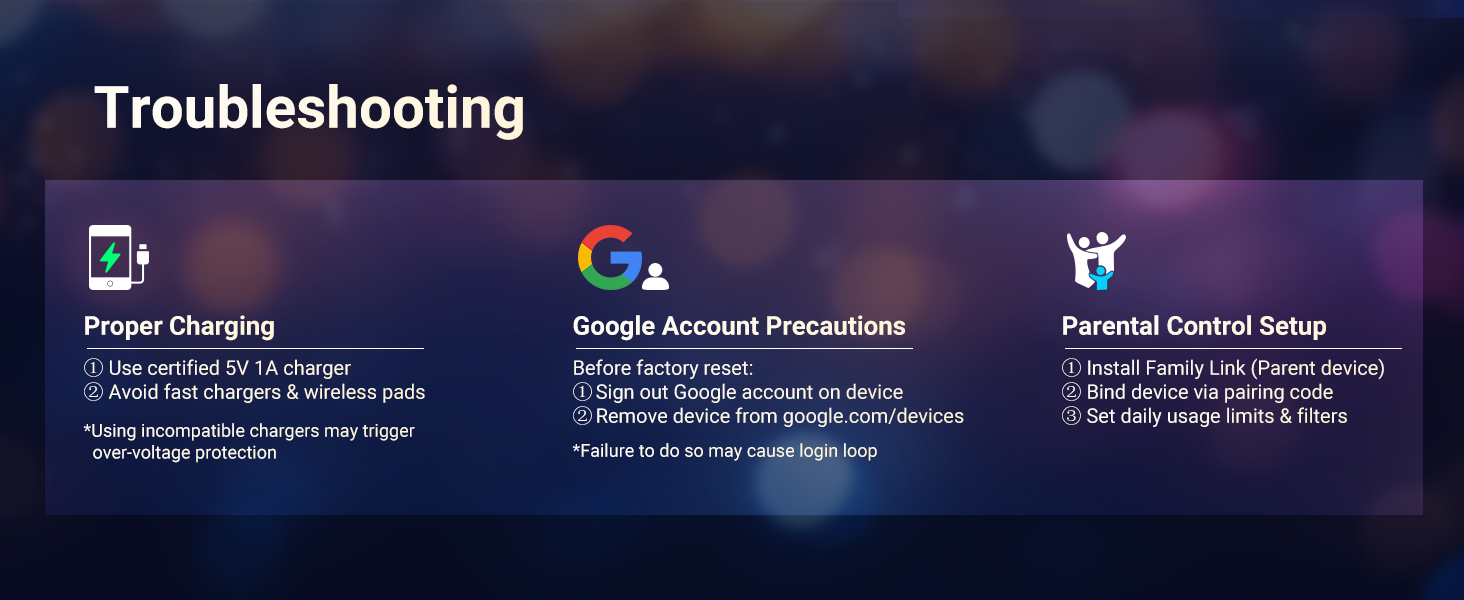
A graphic detailing troubleshooting steps for common issues like proper charging, Google account precautions, and parental control setup.
Segurtasun Informazioa
- Use ONLY the 5V/1A USB-C charger. Fast chargers may cause overheating or permanent battery damage.
- Avoid charging in direct sunlight, humid environments, or near heat sources.
- If the device becomes hot during charging, unplug immediately and let it cool in a well-ventilated area.
- Operating Temperature: 0°C to 35°C.
- Biltegiratze tenperatura: -10 °C-tik 45 °C-ra.
- Do not expose to liquids, sand, or extreme pressure (e.g., sitting on the device).
Bermea eta Laguntza
For any product malfunction or support inquiries, please contact MECHEN customer service via the after-sales email provided in your purchase documentation. We are committed to helping you resolve any issues.
Ask a question about this manual
Ask about setup, troubleshooting, compatibility, parts, safety, or missing instructions. Manuals+ will review the question and use this page’s manual context to help answer it.