
Sarrera
This manual provides detailed instructions for the INFURTURE Wearable Bluetooth Speaker, Model BH127AR. Please read this manual carefully before use to ensure proper operation and to maximize the product's lifespan. Keep this manual for future reference.
Paketearen edukia
- INFURTURE Wearable Bluetooth Speaker (BH127AR)
- USB-C kargatzeko kablea
- Erabiltzailearen eskuliburua
Produktuaren Ezaugarriak
- Eraman daitekeen diseinua: Features a sturdy carabiner clip for secure attachment to clothing, bags, or belts, allowing for hands-free audio.
- Iragazgaitza eta iraunkorra: Boasts an IPX7 waterproof rating, making it resistant to rain, spills, and accidental submersion (up to 30 minutes at 1 meter depth). It is also dustproof and shock-resistant.
- Bateriaren iraupen hedatua: Provides up to 15 hours of continuous audio playback on a single charge.
- Bluetooth 5.4 aurreratua: Ensures a stable wireless connection and faster pairing with devices, offering a range of up to 100 feet.
- Mikrofono integratua: Equipped with a noise-canceling microphone for clear, hands-free communication during calls.
- Argiztapen integratua: Includes a 2-level white LED light for visibility in low-light conditions and an RGB light feature for ambiance.
- Trinkoa eta arina: Weighs approximately 90g (3.17oz) with dimensions of 1.1"D x 1.97"W x 3.15"H, ensuring easy portability.
Produktua amaituview
Refer to the image below for a visual guide to the speaker's components and controls.

This image displays the front of the INFURTURE BH127AR speaker, highlighting its compact design, speaker grille, control panel with volume and power buttons, and the integrated LED light at the bottom.
- Bozgorailuaren parrilla: Audio irteera nagusia.
- Kontrol-panela: Contains buttons for Power/Bluetooth, Volume Up/Next Track, and Volume Down/Previous Track.
- LED argiaren botoia: Activates and cycles through LED light modes.
- USB-C kargatzeko ataka: Located under a protective cover for charging the device.
- Moskete-klipa: For attaching the speaker to various items.
Konfigurazioa
Hizlaria kargatzen
Before initial use, fully charge the speaker to ensure optimal performance.
- Connect the provided USB-C cable to the speaker's charging port. Ensure the port cover is fully open.
- Konektatu kablearen beste muturra USB elikatze-egokitzaile batera (ez dago barne) edo ordenagailuaren USB atakara.
- The charging indicator light will illuminate. It will turn off or change color once fully charged (approximately 1.5 hours).
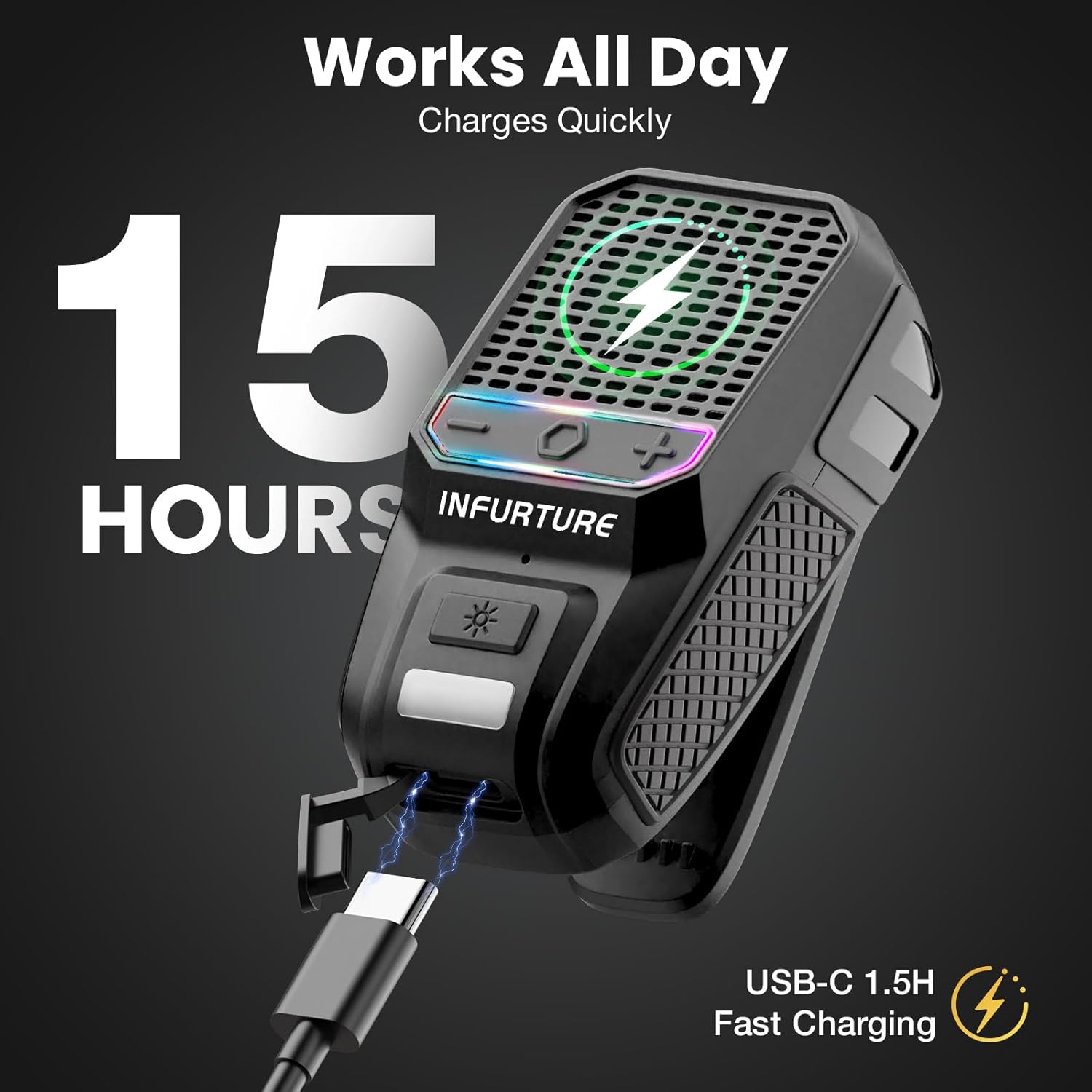
This image illustrates the speaker connected to a USB-C charging cable, emphasizing its fast charging capability and extended battery life.
Bluetooth parekatzea
Follow these steps to connect your speaker to a Bluetooth-enabled device.
- Power on the speaker by pressing and holding the Power/Bluetooth button for approximately 3 seconds until you hear an audible prompt and the LED indicator flashes.
- Zure gailuan (smartphone-an, tabletan, etab.), gaitu Bluetooth-a eta bilatu eskuragarri dauden gailuak.
- Select "INFURTURE BH127AR" from the list of devices.
- Once successfully paired, you will hear a confirmation sound, and the LED indicator will remain solid.
This video demonstrates the initial Bluetooth pairing process for the INFURTURE Wearable Bluetooth Speaker BH127AR, showing how to power on the device and connect it to a smartphone.
Funtzionamendu-argibideak
Oinarrizko audio-kontrola
- Piztu/Itzali: Press and hold the Power/Bluetooth button for 3 seconds.
- Bolumena igo: Sakatu labur '+' botoia.
- Bolumena jaitsi: Sakatu labur '-' botoia.
- Hurrengo ibilbidea: Sakatu eta eutsi '+' botoiari.
- Aurreko pista: Sakatu eta eutsi '-' botoiari.
- Erreproduzitu/Pausatu: Short press the Power/Bluetooth button.
Deien Kudeaketa
- Deia erantzun/amaitu: Short press the Power/Bluetooth button when a call comes in or during a call.
- Deia baztertu: Press and hold the Power/Bluetooth button for 2 seconds when a call comes in.
Ahots-laguntzailearen aktibazioa
Double-tap the Power/Bluetooth button to activate your device's voice assistant (e.g., Siri, Google Assistant).
This image illustrates the hands-free functionality of the speaker, including the ability to activate voice assistants like Siri with a double-tap, and manage music and calls while engaged in other activities.
LED argiaren funtzionamendua
- LED argi zuria: Short press the LED Light button to cycle through the two brightness levels of the white LED light.
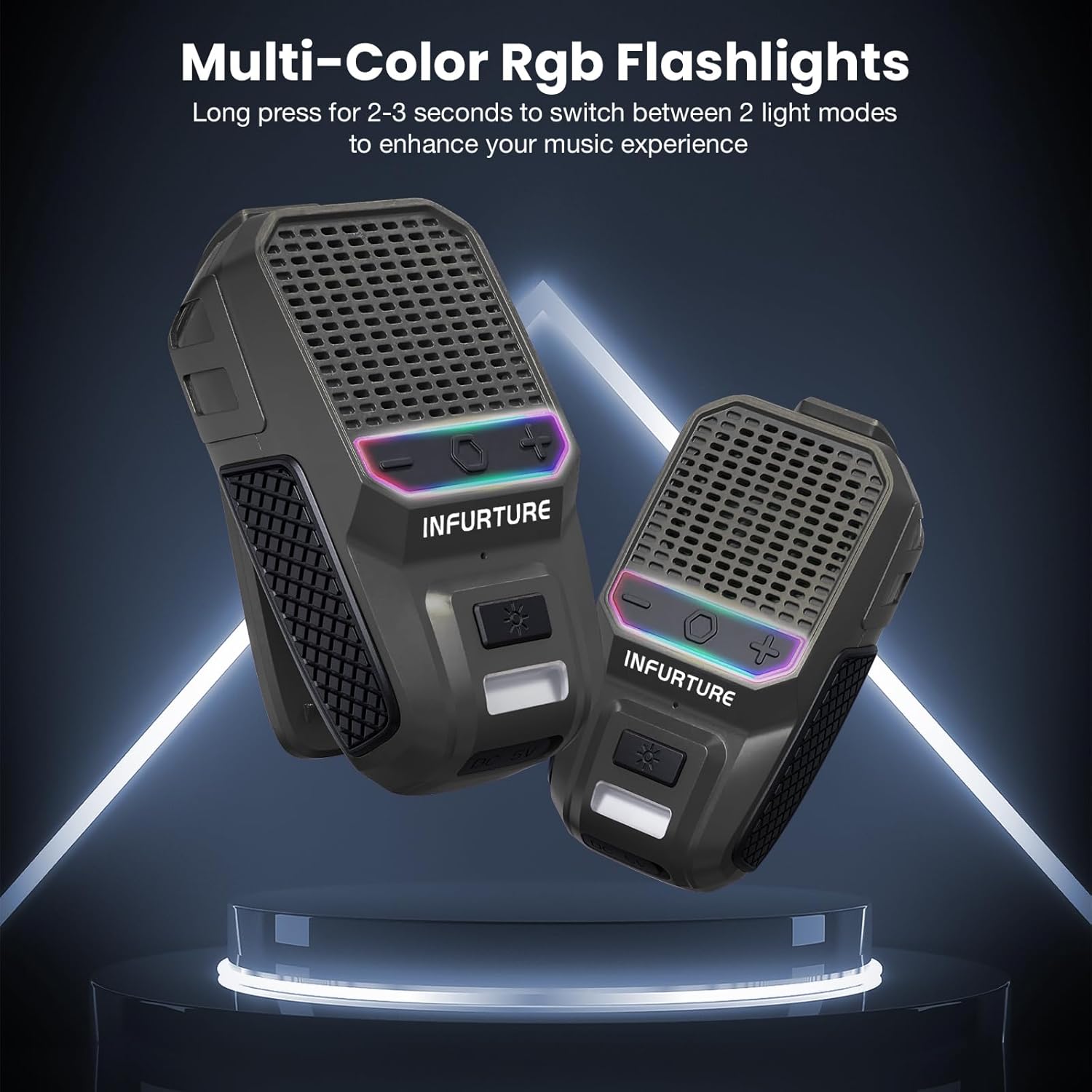
- RGB argia: Long press the LED Light button for 2-3 seconds to switch between the available RGB light modes.
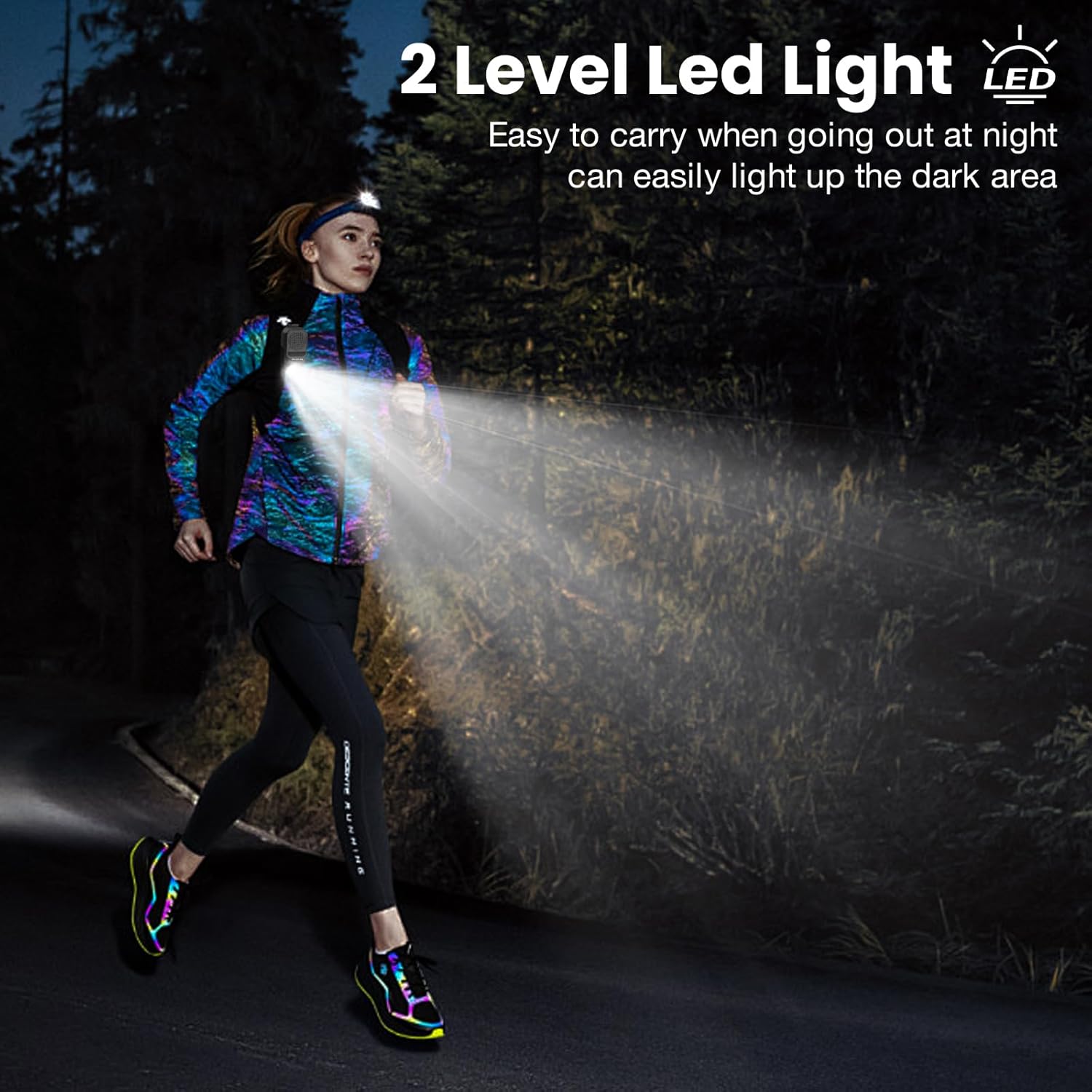
This image demonstrates the speaker's 2-level LED light feature, showing how it can illuminate the path for night activities like running, enhancing safety and visibility.

This image highlights the multi-color RGB flashlight feature of the speaker, which can be used to enhance the music experience or provide ambient lighting.
Zainketa eta Mantentzea
- Garbiketa: Garbitu bozgorailua leun batekin, damp cloth. Avoid using harsh chemicals, solvents, or abrasive cleaners, as these may damage the surface or internal components.
- Uraren esposizioa: While the speaker is IPX7 waterproof, it is recommended to avoid prolonged submersion. Always ensure the USB-C charging port cover is securely closed before exposing the speaker to water. After exposure to water, dry the speaker thoroughly before charging.
- Biltegiratzea: Gorde bozgorailua leku fresko eta lehor batean, eguzki-argitik, tenperatura altuetatik eta hezetasun handitik babestuta.
- Bateria zaintzea: To preserve the lifespan of the internal battery, charge the speaker at least once every three months if it is not in regular use. Avoid fully discharging the battery frequently.
Arazoak konpontzea
- Bozgorailua ez da pizten:
Ensure the battery is charged. Connect the speaker to a power source using the USB-C cable and try again. - Ezin da Bluetooth bidez parekatu:
- Make sure the speaker is in pairing mode (LED indicator flashing).
- Ziurtatu Bluetootha gaituta dagoela zure gailuan.
- Interferentziak murrizteko, hurbildu bozgorailua gailura.
- If previously paired, try forgetting the device from your phone's Bluetooth settings and attempting to pair again.
- Ziurtatu beste gailurik ez dagoela bozgorailura konektatuta.
- Soinurik ez edo bolumen baxua:
- Egiaztatu bozgorailuaren eta konektatutako gailuaren bolumen-mailak.
- Ziurtatu bozgorailua behar bezala parekatuta eta konektatuta dagoela.
- Try playing a different audio source to confirm the issue is not with the media file.
- Soinu kalitate eskasa:
- Move closer to your connected device to minimize potential wireless interference.
- Ziurtatu bozgorailuen parrilla ez dagoela oztopatuta.
Zehaztapen Teknikoak
| Ezaugarri | Xehetasuna |
|---|---|
| Eredua | BH127AR |
| Marka | IZURRIA |
| Konektibitate Teknologia | Bluetooth 5.4 |
| Iragazgaitzaren balorazioa | IPX7 |
| Jolas-ordua | Gehienez 15 ordu |
| Kargatzeko Denbora | Gutxi gorabehera 1.5 ordu (USB-C) |
| Bozgorailuaren irteera-potentzia maximoa | 10 Watt |
| Elementuaren pisua | 0.09 kilogramo (3.2 ontza) |
| Produktuaren neurriak (L x W x H) | 1.1" x 1.97" x 3.15" |
| Materiala | Metala, Plastikoa |
| Ezaugarri bereziak | Built-in Microphone, 2-Level LED Light, RGB Flashlight |
Bermea eta Bezeroarentzako Arreta
Bermearen informazioa
This product comes with a Limited Warranty. For specific terms and conditions, please refer to the warranty card included in your package or visit the official INFURTURE webinformazio zehatza lortzeko gunea.
Bezeroarentzako Arreta
If you encounter any issues or have questions not covered in this manual, please contact INFURTURE customer support for assistance.
- Lineako laguntza: Bisitatu INFURTURE Store on Amazon.