
Produktua amaituview
The Piegricdiat Q26 Invisible Sleep Headphones are designed for comfort and discretion, especially for side sleepers. Featuring Bluetooth 5.3 connectivity, these mini earbuds offer noise blocking capabilities and a secure fit for various activities, including sleeping and working.

This image displays the Piegricdiat Q26 Invisible Sleep Headphones from two angles. The left earbud shows the outer casing with control sensors, while the right earbud highlights the ergonomic design and ear tip for comfortable wear.
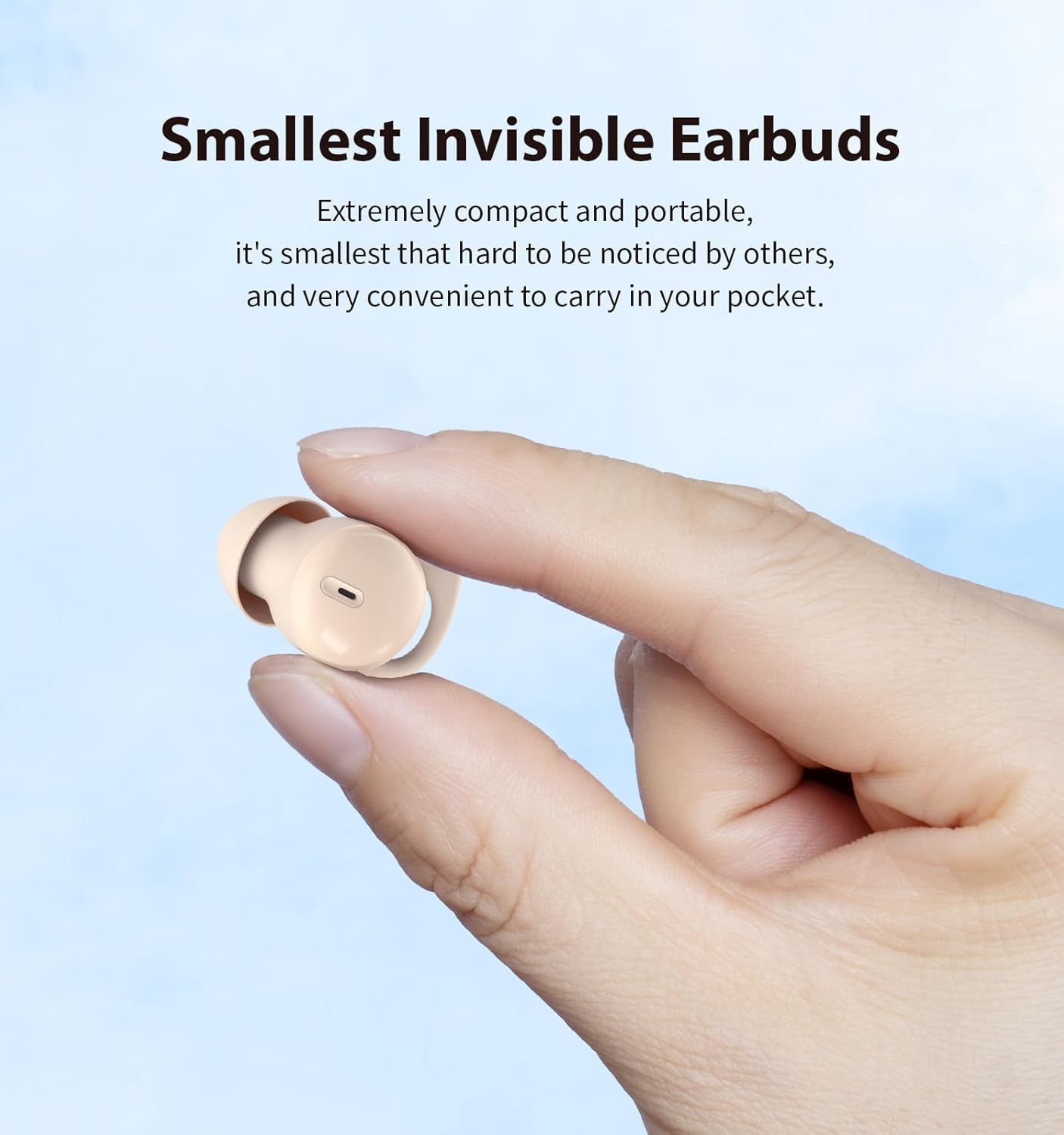
A close-up of a hand holding one Piegricdiat Q26 earbud, demonstrating its extremely compact and portable design, making it discreet and easy to carry.

This image highlights the IPX6 water resistance of the Piegricdiat Q26 earbuds, showing water droplets on the skin around the earbud, indicating protection against sweat and light rain.
Konfigurazio Argibideak
1. Entzungailuak eta zorroa kargatzea
Before first use, fully charge the earbuds and charging case. Use the provided USB Type-C cable to connect the charging case to a power source.
- A full charge for the case typically takes 1 hour.
- The earbuds provide 6-8 hours of playback on a single charge.
- The charging case extends total battery life to approximately 40 hours.

This image shows a woman sleeping with the earbuds, alongside the charging case, illustrating the 6-8 hours of earbud battery life and 40 hours with the case, charged via Type C in 1 hour.
2. Bluetooth parekatzea
Follow these steps to pair your Piegricdiat Q26 earbuds with your device:
- Ziurtatu entzungailuak kargatuta daudela eta kargatzeko zorroan sartuta daudela.
- Ireki kargatzeko zorroa. Aurikularrak automatikoki sartuko dira parekatze moduan.
- Zure gailuan (telefono adimenduna, tableta, ordenagailu eramangarria), gaitu Bluetooth-a.
- Bilatu Eskuragarri dauden Bluetooth gailuak eta hautatu 'Q26' zerrendatik.
- Behin konektatuta, baieztapen-tonu bat entzungo duzu, eta entzungailuak erabiltzeko prest egongo dira.

The image displays the Piegricdiat Q26 charging case next to a smartphone screen showing a successful Bluetooth connection, highlighting the simple one-step pairing process with various devices.
3. Entzungailuak janztea
For optimal sound quality and comfort, ensure the earbuds are correctly inserted:
- Sartu astiro-astiro aurikularra belarriko kanalean.
- Twist and tuck the earbud to ensure a snug and secure fit. The design accommodates small ear canals and prevents falling out during movement or sleep.

A diagram demonstrating the correct method for wearing the Piegricdiat Q26 earbuds, showing the 'insert' and 'tuck' steps for a secure and comfortable fit, even for small ear canals.
Funtzionamendu-argibideak
Ukitu Kontrolak
The Piegricdiat Q26 earbuds feature intuitive touch controls for various functions:
| Ekintza | Kontrola |
|---|---|
| Erreproduzitu/Pausatu | Click L earbud / Click R earbud |
| Aurreko / Hurrengo pista | Press L earbud for 2 seconds (Previous) / Press R earbud for 2 seconds (Next) |
| Erantzun/Ezin egin deia | Egin klik / Egin klik bikoitza |
| Deia baztertu | Press earbud for 2 seconds |
| Ahots Laguntzailea | Triple-tap earbud |
| Bolumena igo/behera | Double-click R earbud (Volume Up) / Double-click L earbud (Volume Down) |

This graphic illustrates the easy-to-use touch controls for the Piegricdiat Q26 earbuds, detailing actions like play/pause, answer/hang up calls, previous/next track, call rejection, voice assistant, and volume adjustment.
Lo modua
The earbuds are designed for comfortable sleep, featuring a 'Sleep Mode' that prevents accidental touches and eliminates disruptive beeps, ensuring an uninterrupted night's rest.

This image illustrates the noise-blocking capability of the Piegricdiat Q26 earbuds, showing a woman sleeping undisturbed next to a snoring partner, highlighting their effectiveness for peaceful sleep.
Mantentzea
Garbiketa
- Garbitu aldizka entzungailuak eta kargatzeko zorroa oihal leun, lehor eta lihorik gabeko batekin.
- Ez erabili garbitzaile urratzailerik, alkoholik edo disolbatzaile kimikorik.
- Kendu astiro-astiro belarri-puntetatik eta bozgorailu-saretik belarri-argizaria edo hondakinak eskuila txiki eta leun bat edo kotoi-hagaxka bat erabiliz.
Urarekiko erresistentzia (IPX6)
The earbuds are rated IPX6 water-resistant, meaning they are protected against high-pressure water jets from any direction. This makes them suitable for use during workouts or in light rain. However, they are not designed for submersion in water.
- Ez murgildu entzungailuak nahita uretan.
- Ziurtatu kargatzeko ataka lehor dagoela kargatu aurretik, kalteak ekiditeko.
Biltegiratzea
Erabiltzen ez dituzunean, gorde entzungailuak kargatzeko zorroan hautsetik, kalteetatik babesteko eta kargatuta mantentzeko.
Arazoak konpontzea
- Earbuds not powering on/off or charging: Ensure the charging case and earbuds are fully charged. Clean the charging contacts on both the earbuds and the case.
- Earbuds continuously powering off: This may indicate low battery. Fully charge both earbuds and the case. If the issue persists, try resetting the earbuds (refer to manufacturer's support for specific reset instructions).
- Connection issues (glitching, losing connection): Ensure the earbuds are within the Bluetooth range of your device. Disconnect and re-pair the earbuds. Try restarting your device.
- Muffled sound: Check if the ear tips are clean and properly seated in your ear. Try different sized ear tips for a better seal.
- Sleep mode not activating: Ensure you are performing the correct touch gesture for sleep mode activation as per the operating instructions. If the function is inconsistent, a factory reset might be necessary.
- Egokitzapen deserosoa: Experiment with different ear tip sizes to find the most comfortable and secure fit for your ears.
Zehaztapenak
| Ezaugarri | Xehetasuna |
|---|---|
| Modelo zenbakia | 26.G |
| Bluetooth bertsioa | 5.3 |
| Maiztasun barrutia | 20 Hz - 20,000 Hz |
| Audio kontrolatzaile mota | Armadura orekatua gidaria |
| Ezaugarri bereziak | Noise Cancellation, Waterproof (IPX6) |
| Entzungailuaren forma | Biribila |
| Aurikularretako bateriaren iraupena | 6-8 ordu |
| Bateriaren iraupen osoa (zorroarekin) | Gehienez 40 ordu |
| Kargatzeko ataka | USB C motakoa |
| Kargatzeko Denbora | Gutxi gorabehera ordu 1 (kaxa) |
| Gailu bateragarriak | Smartphone-ak, tabletak, ordenagailu eramangarriak, mahaigaineko ordenagailuak, bozgorailu adimendunak |
| Elementuaren pisua | 3.84 ontza (0.11 kilogramo) |
| Paketearen neurriak | 3.43 x 3.39 x 1.34 hazbete |
| UPC | 786570253939 |
Bermearen informazioa
Please refer to the official Piegricdiat website or the product packaging for detailed warranty terms and conditions. Typically, warranty coverage addresses manufacturing defects under normal use.
Bezeroarentzako Arreta
For further assistance, technical support, or inquiries, please visit the official Piegricdiat support page or contact their customer service directly. Contact information can usually be found on the manufacturer's webgunea edo produktuaren ontziak.