
Sarrera
This manual provides essential information for the safe and efficient operation of your Hisense 50U8R 50V-inch 4K Mini LED Quantum Dot TV. Please read these instructions thoroughly before using your television and retain them for future reference. This television features advanced Mini-LED PRO backlight technology, a HI-VIEW AI Engine PRO, Quantum Dot wide color gamut, and a 2.1.2 spatial surround sound system for an immersive viewesperientzia.
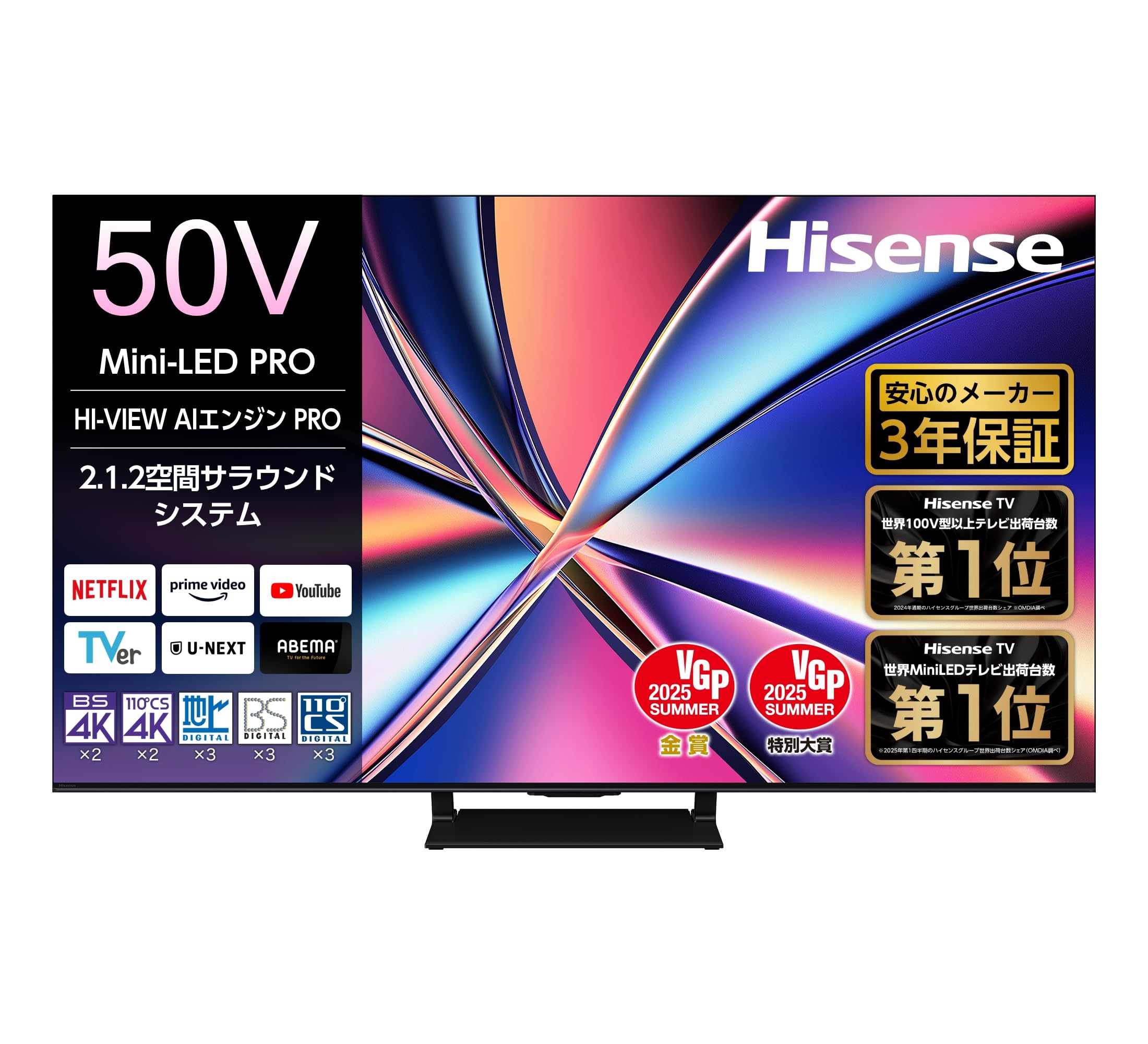
1. irudia: Aurrealdea view of the Hisense 50U8R 50V-inch 4K Mini LED TV.
Konfigurazioa
1. Despaketatzea eta osagaien egiaztapena
Carefully remove the television from its packaging. Ensure all included components are present:
- Hisense 50U8R TV Unit
- Erabiltzailearen eskuliburua
- Bluetooth/Infrared Remote Control
- AAA bateriak (x2) urrutiko aginterako
- Elikatze kablea
- Anti-tip strap (1 set)
- Stand (1 set)
2. Standaren instalazioa
Attach the included stand to the television according to the instructions provided in the separate quick setup guide. Ensure the stand is securely fastened to prevent tipping.
3. Kanpoko gailuak konektatzea
Your Hisense 50U8R TV offers various connectivity options:
- HDMI: Connect up to 4 HDMI devices (e.g., game consoles, Blu-ray players). HDMI 1 and HDMI 2 support HDMI 2.1 features like 144Hz VRR.
- USBa: Two USB ports are available (1x USB 2.0, 1x USB 3.0) for connecting external storage devices for media playback or recording.
- Wi-Fia eta Bluetootha: For wireless network access and connecting Bluetooth devices like headphones or soundbars.
- LAN: Interneteko kable bidezko konexio baterako.
- Audio-irteera digital optikoa: Kanpoko audio-sistema batera konektatzeko.
4. Energia-konexioa
After connecting all necessary devices, plug the power cord into the TV and then into a wall outlet.
Funtzionamendu-argibideak
1. Piztu/Itzali
Press the power button on the remote control or on the TV to turn the television on or off.
2. Urruneko kontrola
The included remote control operates via both Bluetooth and infrared. It requires two AAA batteries. The remote features dedicated buttons for popular streaming services for quick access.

Figure 2: Hisense TV remote control with direct access buttons for streaming services.
3. Smart TV Ezaugarriak (VIDAA OS)
Your TV runs on the VIDAA OS, providing quick access to a wide range of streaming services and smart features. Popular services like Netflix, Amazon Prime Video, Disney+, YouTube, and more are pre-installed. The system also supports voice control.

Figure 3: The VIDAA OS interface showing various streaming applications.
4. Screen Sharing
Share content from your smartphone or tablet to the TV using AirPlay 2 (for Apple devices) or Anyview Cast (for Android and Windows devices). This allows you to view photos, videos, and other content on the larger TV screen.

Figure 4: Screen sharing functionality from mobile devices to the TV.
5. Grabaketa Ezaugarriak
Connect an external HDD via USB to record TV programs. The TV supports simultaneous recording of two programs and features a chapter function to skip unwanted content.

Figure 5: External HDD recording and dual program recording capabilities.
Ezaugarri nagusiak
Mini-LED PRO Backlight
The Hisense 50U8R features a newly developed Mini-LED PRO backlight. This technology efficiently and precisely illuminates high-brightness light, offering improved brightness and more precise area control compared to previous models. This results in a precise contrast expression that approaches OLED quality.

Figure 6: Visual comparison of traditional TV backlight and Mini-LED PRO backlight.
Puntu kuantiko zabaleko kolore gama
Quantum Dot technology significantly improves color expression, especially for green and red tones, achieving a wide color gamut close to reality. Pantone validated colors provide richer hues and a deeper immersive experience.

Figure 7: Illustration of enhanced color reproduction with Quantum Dot technology.
KAIXO-VIEW AI Engine PRO
Developed in collaboration with TVS, the HI-VIEW AI Engine PRO is the central processing unit for optimizing picture quality, sound, and energy efficiency. It ensures optimal performance for all entertainment content.

Figure 8: The HI-VIEW AI Engine PRO, optimizing picture, sound, and energy.
AI Clear Motion PRO & 144Hz VRR
The AI Clear Motion PRO, combined with a 144Hz VRR (Variable Refresh Rate) compatible panel, ensures smooth and clear images even during fast-moving scenes. It reduces motion blur and judder, making it ideal for sports and gaming. The TV supports HDMI 2.1, ALLM (Auto Low Latency Mode), and AMD FreeSync Premium for an enhanced gaming experience.

Figure 9: AI Clear Motion PRO for smooth, clear images and 144Hz VRR for gaming.
2.1.2 Spatial Surround Sound System & Dolby Atmos
The TV is equipped with a 2.1.2 channel sound system, featuring two main speakers, a central subwoofer, and two upward-firing top speakers, delivering a maximum output of 60W. This configuration creates a 3D sound experience, making sound appear to come from above. It supports Dolby Atmos for an immersive audio experience, enhancing the sense of presence like in a movie theater.

Figure 10: The 2.1.2 spatial surround sound system for immersive audio.
Low Reflection Wide Viewing Angle Panel PRO
The panel surface incorporates a low-reflection film to suppress external light reflections, allowing for a clear screen with minimal glare even in bright rooms. The wide viewing angle ADS panel ensures colors do not fade when viewed from an angle, providing high-quality visuals for everyone. Additionally, the Wide Viewing Angle Sheet PRO reduces light leakage from oblique angles by over 90%. Note: The 50V model does not feature the Low Reflection Wide Viewing Angle Panel PRO.

Figure 11: Low reflection film reduces glare for better viewing.
Mantentzea
Pantaila garbitzea
Pantaila garbitzeko, astiro-astiro zapi leun, lehor eta pelusik gabeko batekin garbitu. Orban egoskorrak izanez gero, apur bat garbitu.ampen the cloth with water or a specialized screen cleaner. Avoid using harsh chemicals, abrasive materials, or excessive pressure, as these can damage the screen.
Armairuen Garbiketa
Wipe the TV cabinet with a soft, dry cloth. Do not use liquid or aerosol cleaners directly on the cabinet, as they may contain substances that could damage the finish or internal components.
Hautsa kentzea
Regularly dust the ventilation openings on the back of the TV to ensure proper airflow and prevent overheating.
Arazoak konpontzea
If you encounter issues with your television, please refer to the following common solutions before contacting customer support.
| Arazoa | Irtenbide posiblea |
|---|---|
| Botererik ez | Ensure the power cord is securely plugged into both the TV and the wall outlet. Check if the wall outlet is functioning by plugging in another device. |
| Ez dago irudirik, baina soinua badago | Check the input source. Press the 'Input' button on your remote to cycle through available inputs. Ensure all HDMI cables are securely connected. |
| Soinurik ez, baina irudia badago | Check the volume level and ensure the TV is not muted. If using external audio, ensure it is properly connected and powered on. Check audio output settings on the TV. |
| Urruneko kontrola ez dabil | Replace the batteries in the remote control. Ensure there are no obstructions between the remote and the TV's IR sensor. If it's a Bluetooth remote, try re-pairing it according to the TV's settings menu. |
| Irudiaren kalitate eskasa | Check the signal source (antenna, cable box, streaming device). Adjust picture settings (brightness, contrast, sharpness) in the TV menu. Ensure the resolution of the input source matches the TV's capabilities. |
| Smart TV features not working / No internet connection | Check your Wi-Fi or wired LAN connection. Restart your router. Go to the TV's network settings to reconnect or troubleshoot the connection. |
Zehaztapenak
| Ezaugarri | Xehetasuna |
|---|---|
| Pantailaren tamaina | 50V-inch |
| Bistaratzeko Teknologia | Mini LED |
| Ebazpena | 4K (3840 x 2160) |
| Freskatze tasa | 144 Hz |
| HDR euskarria | HDR10, HDR10+, HLG, Dolby Vision |
| Irudiaren hobekuntza | Mini-LED PRO, HI-VIEW AI Engine PRO, AI Clear Motion PRO, Quantum Dot Wide Color Gamut |
| Audio Sistema | 2.1.2ch Spatial Surround Sound, Dolby Atmos |
| Max Audio Output | 60W |
| Konektibitatea | Bluetooth, HDMI (x4), USB (x2), Wi-Fi, LAN, Optical Digital Audio |
| HDMI atakak | 4 (HDMI 1 & 2 support 144Hz VRR) |
| USB atakak | 1x USB 2.0, 1x USB 3.0 |
| Sistema eragilea | VIDAA OS |
| Pantaila islatzea | AirPlay 2, Anyview Antzezleak |
| Dimensions (D x W x H) with Stand | 28.8 x 111 x 70.6 cm |
| Pisua Standarekin | 13.5 kg |
| Energia-kontsumoa | 180 W |
| VESA muntaketa estandarra | 300 x 200 mm |
Bermea eta Laguntza
Bermearen informazioa
This Hisense 50U8R television comes with a 3 urteko fabrikatzailearen bermea. Please retain your proof of purchase for warranty claims. The warranty covers defects in materials and workmanship under normal use. For specific terms and conditions, please refer to the warranty card included with your product or visit the official Hisense webgunea.
Bezeroarentzako Arreta
For technical assistance, troubleshooting beyond this manual, or warranty service, please contact Hisense customer support. Contact details can typically be found on the Hisense official webgunean edo bermearen dokumentazioan.