
1. Sarrera
This manual provides essential information for the safe and efficient operation of your Optoma GT4000UHD Ultra-Short Throw 4K UHD Home Cinema Laser Projector. Please read it thoroughly before using the product and retain it for future reference.
The Optoma GT4000UHD is designed to deliver high-quality 4K UHD visuals for various entertainment purposes, including console gaming, PC gaming, and streaming video content. Its ultra-short throw capability allows for large images from a minimal distance.
2. Segurtasun informazioa
Proiektoreari kalterik ez egiteko eta erabiltzailearen segurtasuna bermatzeko, jarraitu segurtasun neurri hauek:
- Ez blokeatu aireztapen-irekidurak. Ziurtatu aire-fluxu egokia dagoela proiektorearen inguruan.
- Ez begiratu zuzenean proiektorearen lenteari l dagoenean.amp piztuta dago. Argi biziak begietan kalteak eragin ditzake.
- Avoid placing the projector in direct sunlight, near heat sources, or in environments with high humidity or dust.
- Erabili proiektorearekin batera datorren korronte-egokitzailea soilik.
- Deskonektatu korronte-kablea tximista-ekaitzetan edo denbora luzez erabili gabe dagoenean.
- Ez saiatu proiektorea zeuk irekitzen edo konpontzen. Konponketa guztiak langile kualifikatuei eskatu.
3. Paketearen edukia
Egiaztatu elementu guztiak paketean daudela:
- Optoma GT4000UHD Projector
- Elikatze kablea
- Urruneko Kontrola
- Erabiltzailearen eskuliburua (dokumentu hau)
4. Produktua amaitu daview
4.1 Projector Front and Top View
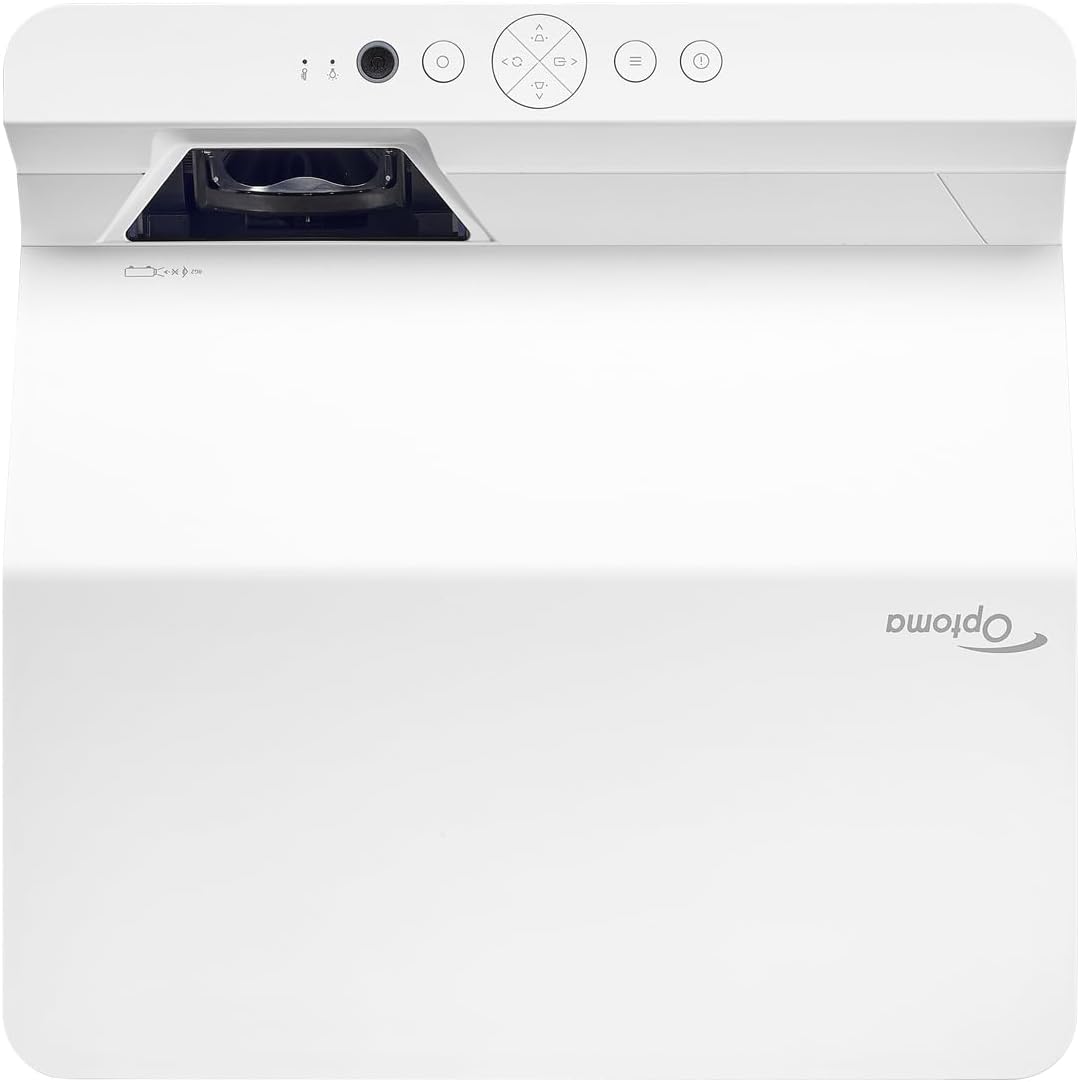
Deskribapena: Irudi honek goiko eta aurreko aldea erakusten du view of the Optoma GT4000UHD projector. The ultra-short throw lens is visible at the front, along with basic control buttons on the top panel. The Optoma logo is prominently displayed.
4.2 Atzeko panela eta konektibitatea
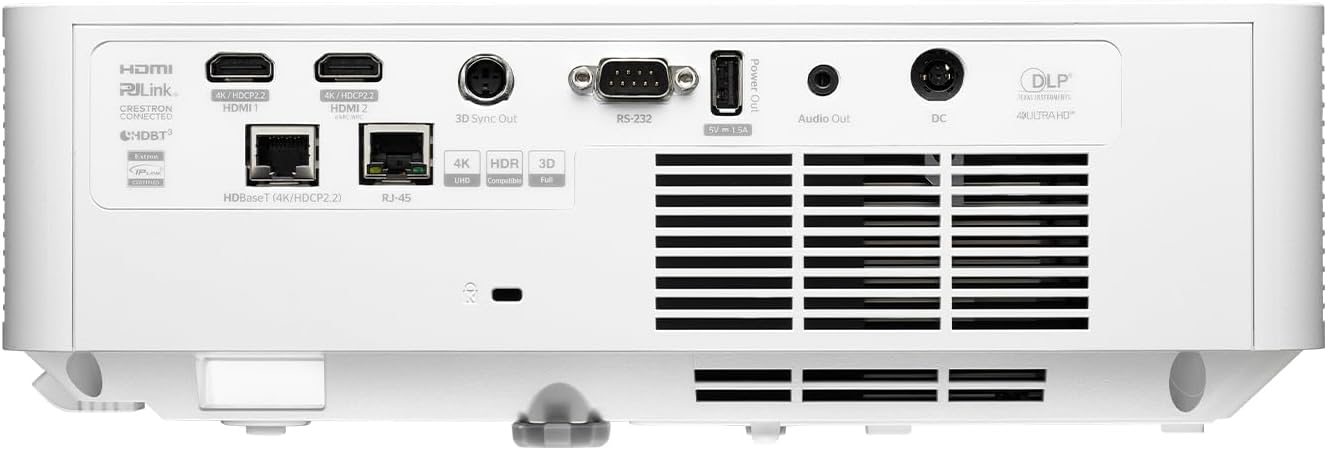
Deskribapena: This image shows the rear panel of the Optoma GT4000UHD projector, highlighting its connectivity options. Ports include HDMI, HDBaseT, RJ-45, 3D Sync Out, RS232, Audio Out, and DC power input.
4.3 Urruneko kontrola
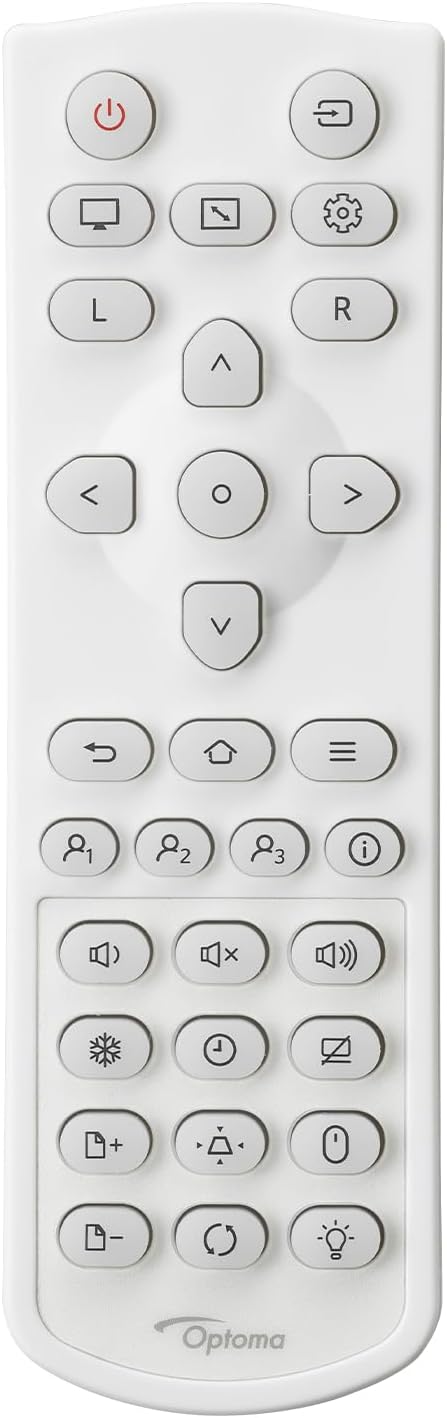
Deskribapena: This image displays the remote control for the Optoma GT4000UHD projector. It features buttons for power, source selection, menu navigation, volume control, and other functions.
5. Konfigurazioa
5.1 Proiektorearen kokapena
The GT4000UHD is an ultra-short throw projector, capable of producing large images from a very short distance. Place the projector on a stable, flat surface directly in front of your screen or wall.
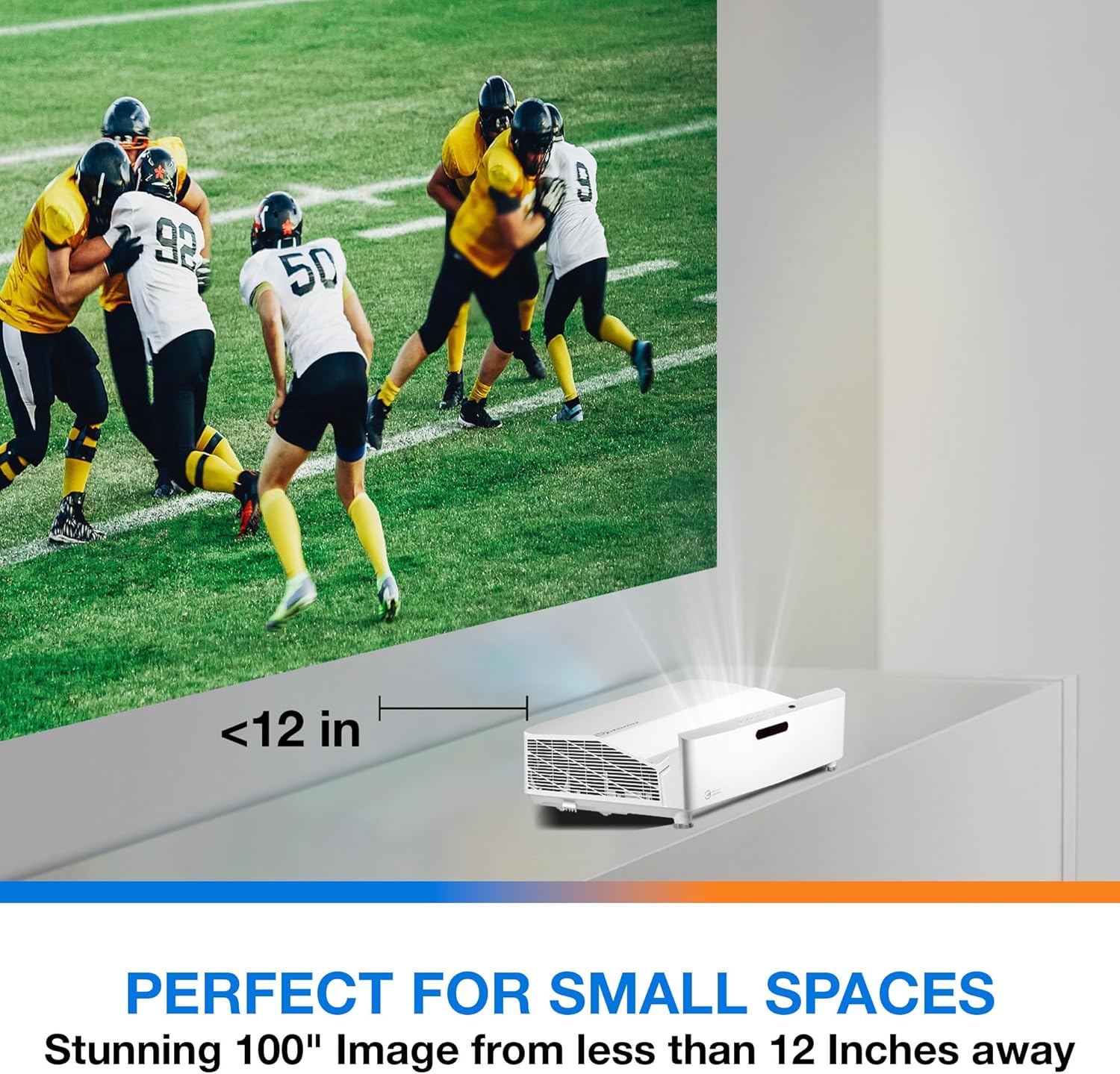
Deskribapena: This image illustrates the ultra-short throw capability of the GT4000UHD, showing it projecting a 100-inch image from less than 12 inches away from the projection surface. This allows for flexible placement in small spaces.
- For a 100-inch image, position the projector approximately 10-12 inches (25-30 cm) from the projection surface.
- Ensure the projector is level to avoid image distortion. Use the adjustable feet if necessary.
5.2 Gailuak konektatzea
Connect your video sources (e.g., gaming console, Blu-ray player, streaming device) to the projector's HDMI ports. For network control or HDBaseT connectivity, use the respective ports on the rear panel.
- HDMI: Connect HDMI cables from your source devices to the HDMI 1 or HDMI 2 ports.
- Audio irteera: For external audio systems, connect an audio cable from the Audio Out port to your sound system.
- Potentzia: Connect the power cord to the DC input on the projector and then to a power outlet.
5.3 Piztu/Itzali
- Piztu: Sakatu proiektorearen edo urrutiko agintearen pizteko botoia. Pizteko adierazlearen argia piztuko da.
- Itzali: Press the power button again. A confirmation message may appear; confirm to shut down the projector.
6. Funtzionamendu-argibideak
6.1 Oinarrizko funtzionamendua
- Iturburuaren hautaketa: Use the 'Source' button on the remote control to cycle through available input sources (HDMI 1, HDMI 2, etc.).
- Menuen nabigazioa: Use the 'Menu' button to access settings. Use the arrow keys and 'OK' button to navigate and select options.
- Bolumen kontrola: Doitu bolumena urrutiko agintean dauden bolumen-botoi espezifikoak erabiliz.
6.2 Image Adjustment (4-Corner Geometric Correction)
The GT4000UHD features 4-Corner Adjustment for precise image alignment, especially useful when the projector is not perfectly perpendicular to the screen.
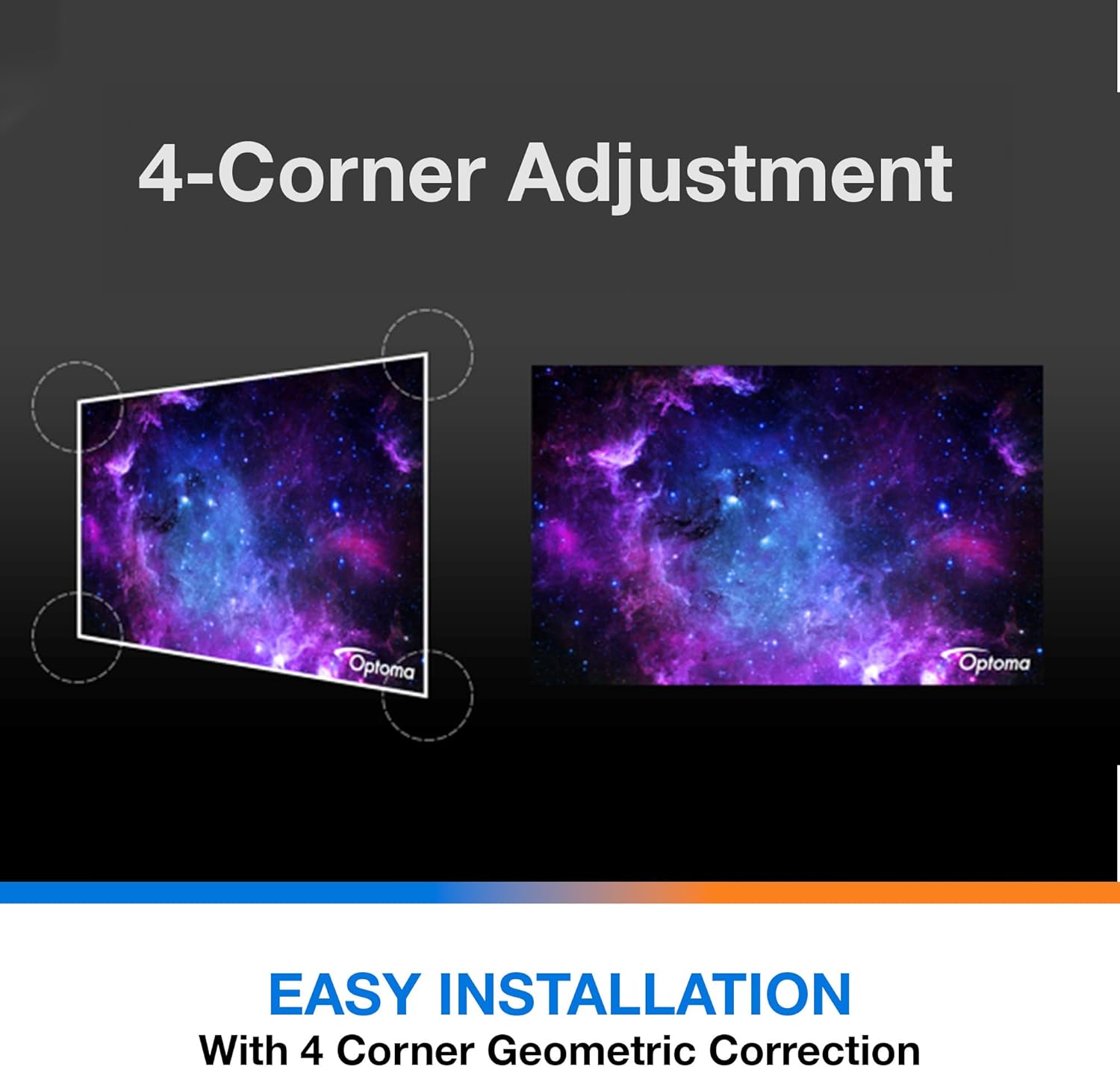
Deskribapena: This diagram illustrates the function of 4-Corner Adjustment. It shows a trapezoidal, distorted image being geometrically corrected to form a perfect rectangular projection, ensuring easy installation and optimal viewing.
- Access the 'Image' or 'Geometric Correction' menu.
- Select '4-Corner Adjustment' and use the arrow keys to individually adjust each corner of the projected image until it forms a perfect rectangle.
6.3 Enhanced Gaming Mode
The projector includes an Enhanced Gaming Mode to minimize input lag, providing a more responsive gaming experience.
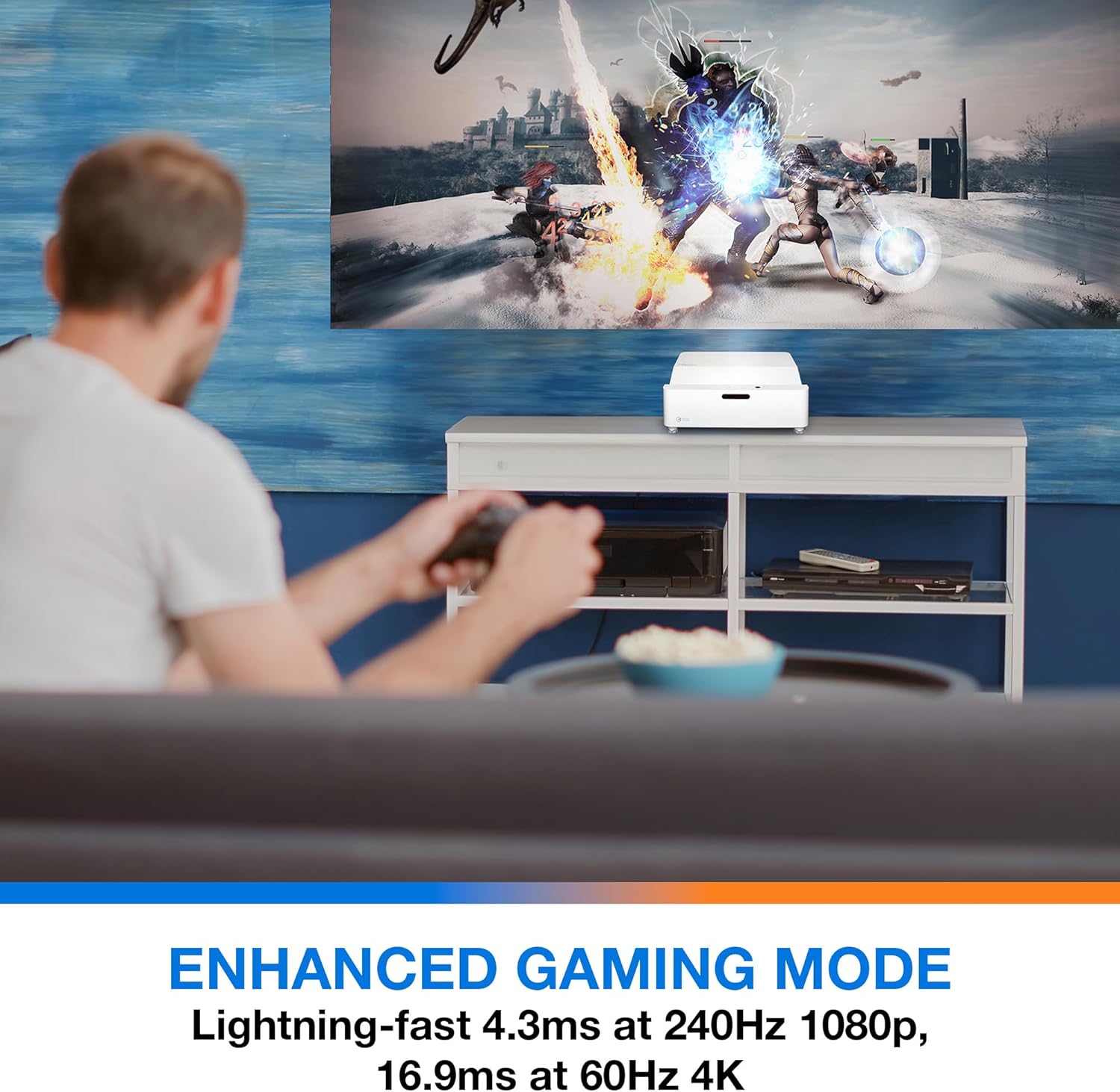
Deskribapena: This image shows a user engaged in gaming with the Optoma GT4000UHD projector, highlighting the Enhanced Gaming Mode. This mode offers low input lag for a responsive gaming experience.
- To activate, navigate to the 'Display' or 'Picture Mode' settings in the menu and select 'Gaming Mode'.
- This mode optimizes the projector for fast-paced action, reducing input latency to as low as 4.3ms at 240Hz 1080p, or 16.9ms at 60Hz 4K.
6.4 Firmware Updates (FOTA Integration)
The projector supports Firmware Over-The-Air (FOTA) updates, allowing for convenient software enhancements.
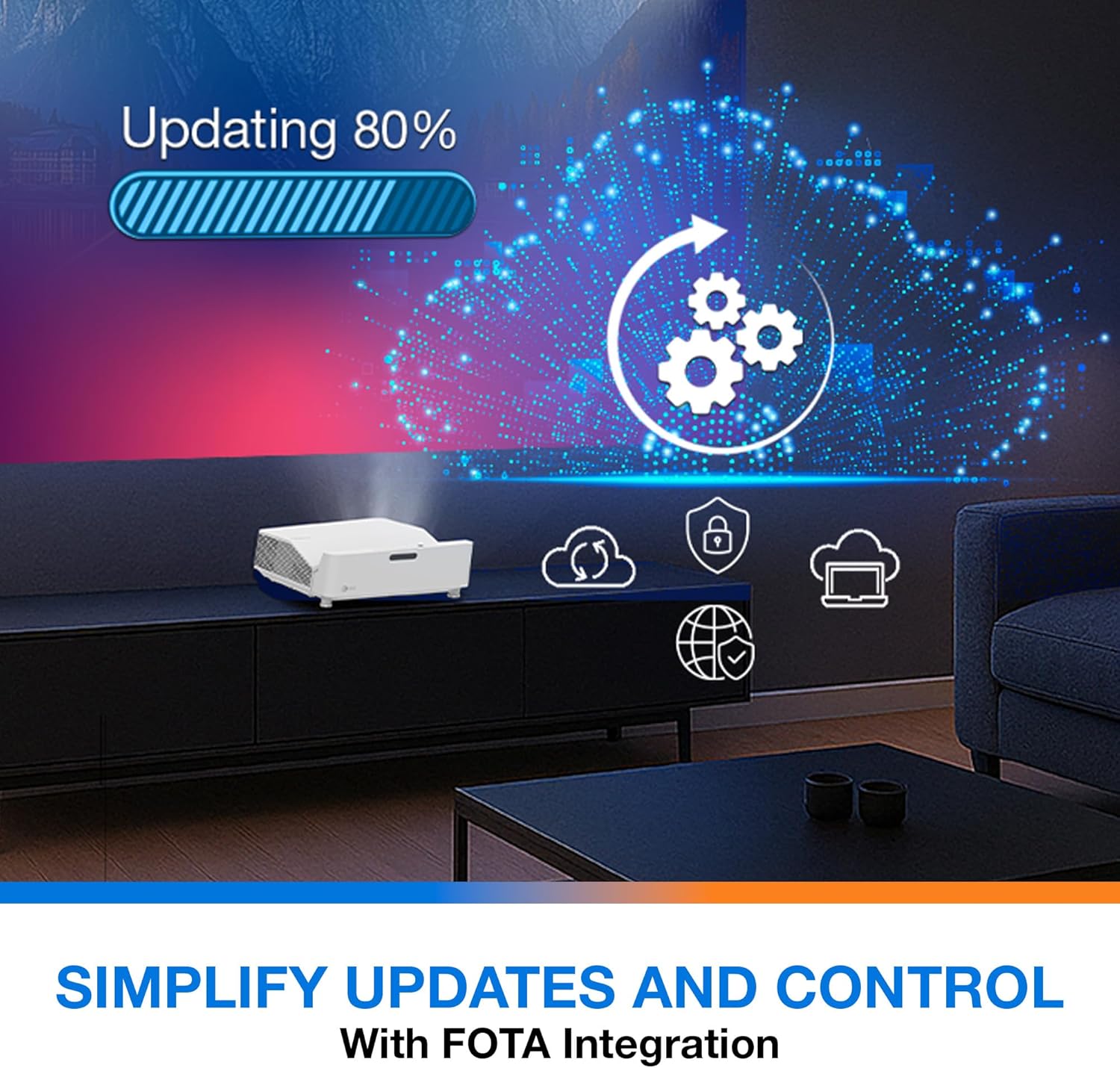
Deskribapena: This image depicts the FOTA (Firmware Over-The-Air) integration feature, showing a progress bar for an update and cloud icons representing simplified updates and control for the projector.
- Ensure the projector is connected to the internet via its network port.
- Check for updates in the 'System' or 'About' menu. Follow on-screen prompts to download and install any available firmware updates.
7. Mantentzea
- Lenteen garbiketa: Garbitu lentea astiro-astiro gainazal optikoetarako bereziki diseinatutako zapi leun eta lint-gabe batekin. Ez erabili garbitzaile urratzailerik.
- Aireztapena: Regularly check and clean the air vents to prevent dust buildup, which can affect performance and lifespan.
- Biltegiratzea: Proiektorea denbora luzez erabiltzen ez baduzu, gorde leku fresko eta lehor batean, hautsetik babestuta.
8. Arazoak
Arazoak badituzu, jo ezazu honako ohiko irtenbide hauetara:
| Arazoa | Kausa posiblea | Irtenbidea |
|---|---|---|
| Ez da irudirik bistaratzen | Power cable loose, incorrect input source, source device off | Check power connections, select correct input source, ensure source device is on. |
| Image distorted/not rectangular | Projector not level, keystone/corner adjustment needed | Adjust projector position, use 4-Corner Adjustment feature. |
| Audiorik ez | Volume too low, external audio system not connected/selected | Increase volume, check external audio connections and settings. |
| Urruneko kontrola ez dabil | Batteries depleted, obstruction between remote and projector | Aldatu bateriak, kendu oztopoak, ziurtatu ikusmen-lerroa. |
If the problem persists, contact Optoma customer support.
9. Zehaztapenak
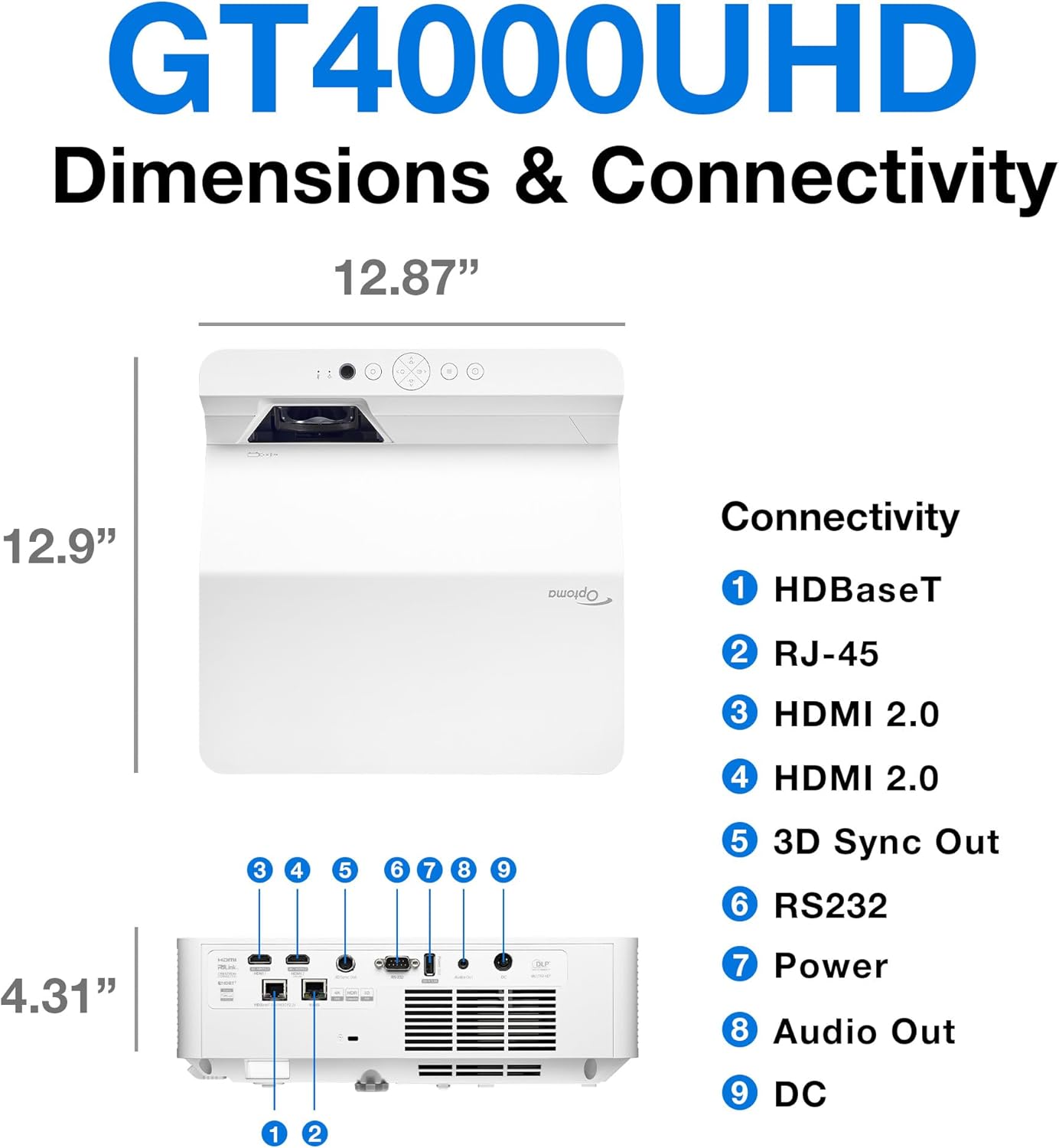
Deskribapena: This image provides a detailed diagram of the Optoma GT4000UHD projector, including its dimensions (12.87" x 12.9" x 4.31") and a labeled overview of its connectivity ports such as HDBaseT, RJ-45, HDMI 2.0, 3D Sync Out, RS232, Power, Audio Out, and DC.
| Ezaugarri | Zehaztapena |
|---|---|
| Ereduaren izena | GT4000UHD |
| Marka | Optoma |
| Bistaratzeko ebazpena | 3840 x 2160 (4K UHD) |
| Distira | 4,000 lumen |
| Konektibitate Teknologia | HDMI, RCA |
| Ezaugarri Berezia | Bota ultralaburra |
| Gomendatutako Erabilerak | Jokoak, Etxeko Zinema |
| Irudiaren Gehieneko Tamaina | 100 hazbete |
| Gutxieneko jaurtiketa distantzia | 0.28 metro |
| Gehieneko jaurtiketa distantzia | 0.56 metro |
| Elementuaren pisua | 9.8 kilo |
| Muntatze Mota | Mahai gaineko muntaia |
10. Bermea eta Laguntza
10.1 Bermearen informazioa
The Optoma GT4000UHD projector comes with a 1 Year Projector Parts and Labor Manufacturer’s WarrantyGorde erosketaren egiaztagiria bermearen erreklamazioetarako.
10.2 Bezeroarentzako laguntza
For technical assistance, troubleshooting beyond this manual, or warranty inquiries, please visit the official Optoma support website or contact their customer service department. Contact information can typically be found on the Optoma webgunean edo produktuaren ontzian.