
Sarrera
This manual provides essential information for the safe and efficient use of your Samsung QLED 4K Vision AI Smart TV, model QE50Q8FAAUXZT. Please read these instructions thoroughly before operating the device and retain them for future reference.
Paketearen edukia
Egiaztatu osagai guztiak kaxan daudela:
- 1x Samsung Smart TV 50'' Serie Q8F, QLED 4K
- 1x Elikadura Kablea
- 1x Standard Remote Control
- 1x Solar-powered Remote Control
- 1x Erabiltzailearen eskuliburua (dokumentu hau)
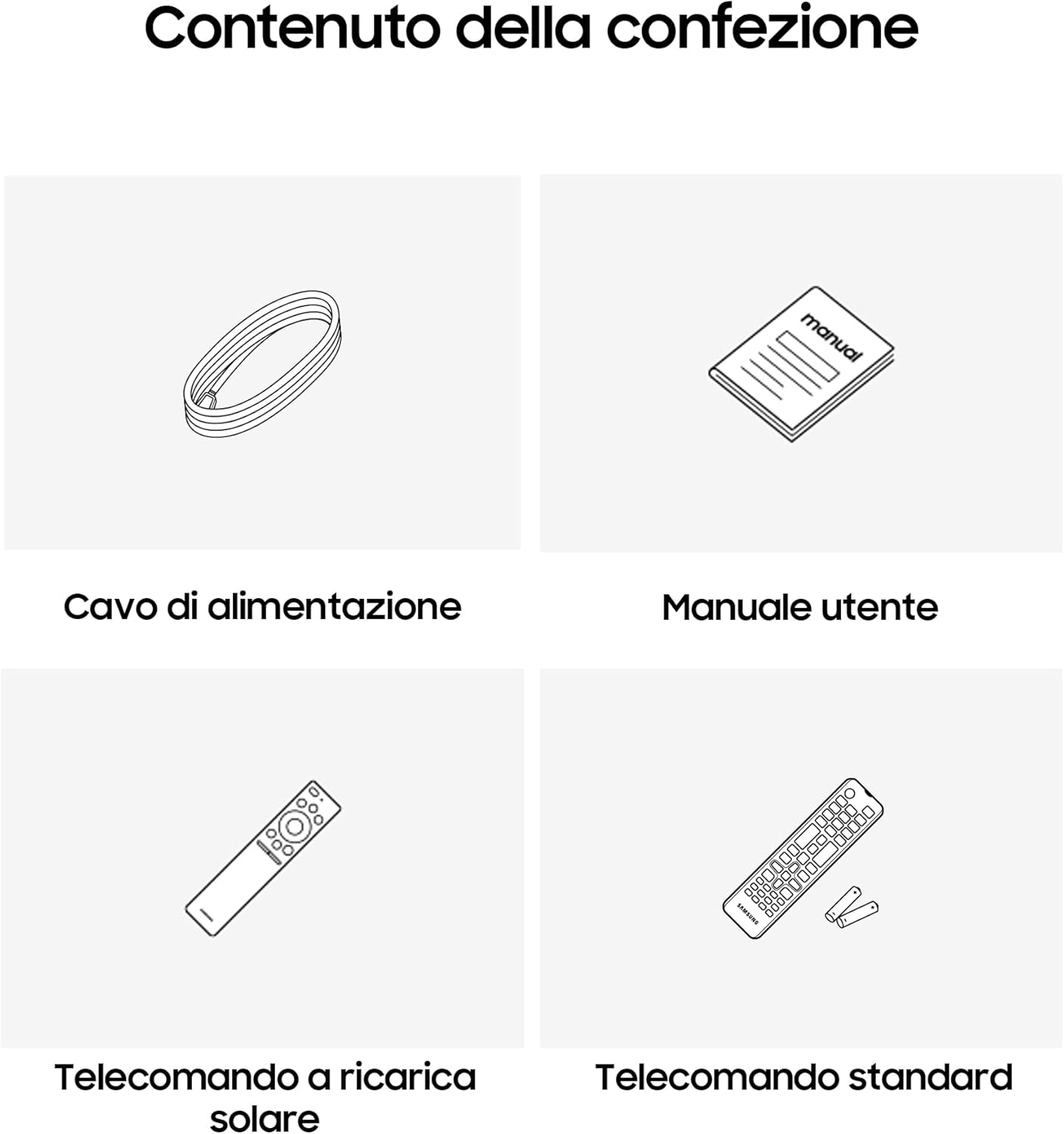
Image: Diagram showing the included items: power cable, user manual, solar-powered remote, and standard remote.
Konfigurazioa
Despaketatzea eta Kokatzea
Carefully remove the TV from its packaging. Place the TV on a stable, flat surface or mount it on a wall using a compatible VESA mount (sold separately). Ensure adequate ventilation around the TV.
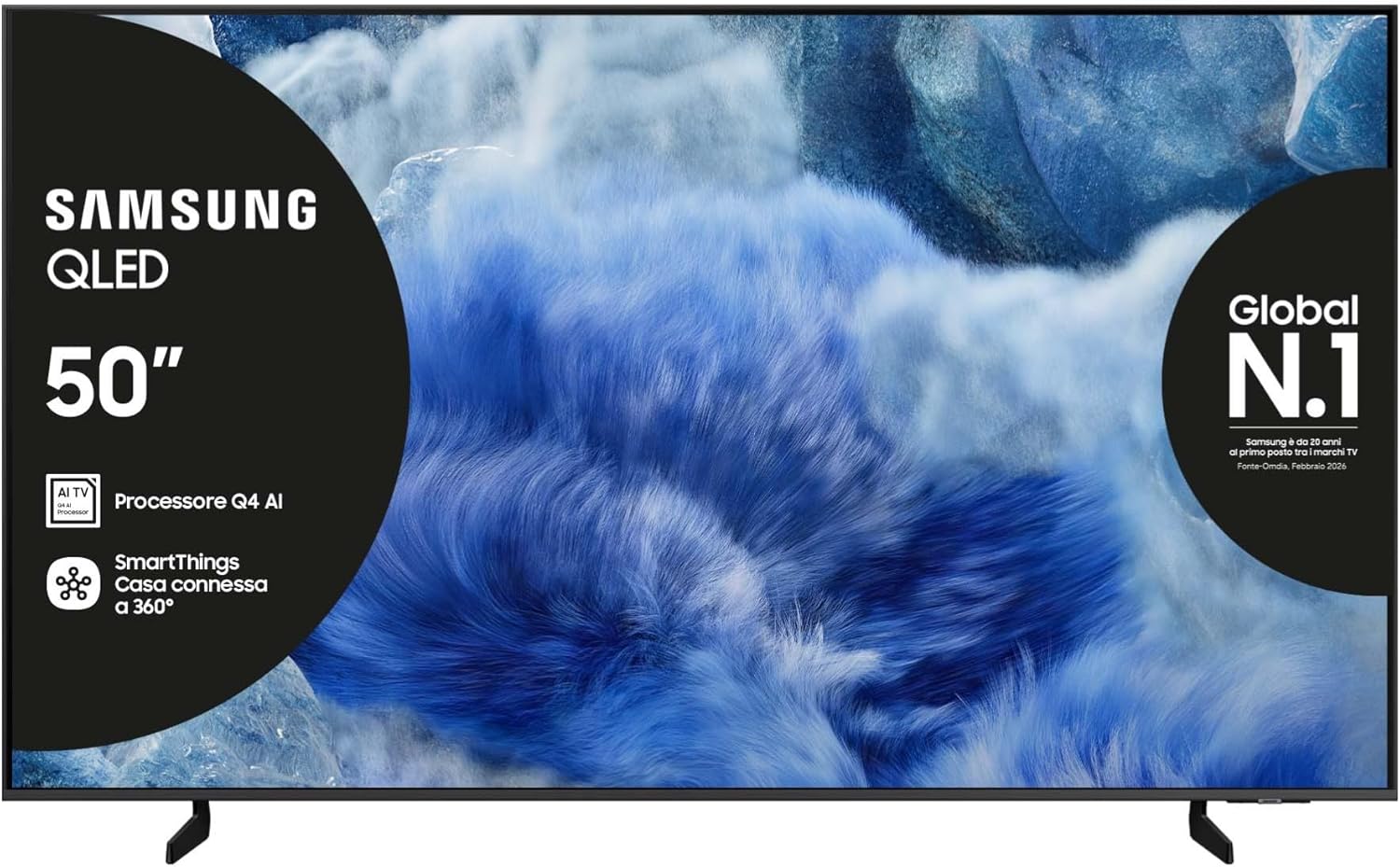
Irudia: Aurrealdea view of the Samsung QLED TV with its stand.

Irudia: Albokoa view of the Samsung QLED TV, showcasing its Air Slim Design.
Periferikoak konektatzea
Konektatu kanpoko gailuak (adibidez, kable-kutxa, Blu-ray erreproduzitzailea, joko-kontsola) telebistaren atzealdeko portu egokietara.

Image: Rear panel connections of the TV, showing HDMI, USB, LAN, and antenna ports.
- HDMI: For high-definition audio and video devices. The TV features multiple HDMI ports, including HDMI 3 with eARC support.
- USBa: USB biltegiratze gailuak konektatzeko.
- LAN: Kable bidezko internet konexiorako.
- INURRIA: Antena edo kable bat konektatzeko.
Potentzia-konexioa
Konektatu elikatze-kablea telebistaren elikatze-sarrerara eta gero hormako entxufe batera.
Hasierako konfigurazio morroia
Upon first power-on, the TV will guide you through the initial setup process, including language selection, network connection, and channel scanning.
Telebista funtzionatzea
Urruneko Kontrol Funtzioak
Your TV comes with two remote controls. The solar-powered remote offers convenience and reduces battery waste. Familiarize yourself with the buttons for power, volume, channel, navigation, and smart features.

Image: The Samsung Vision AI Companion interface displayed on the TV screen, alongside a remote control, illustrating voice command capabilities.
Smart Hub and AI Features
Access the Smart Hub for applications, streaming services, and connected devices. The Q4 AI Processor enhances picture and sound quality through 4K Upscaling and AI Mode. Utilize Vision AI for personalized entertainment and real-time suggestions.

Irudia: Xehetasun zehatza view of the Samsung Q4 AI Processor chip, emphasizing its role in 4K upscaling and optimizing visual and audio experience.

Image: Icons representing Samsung Knox Security, SmartThings, Samsung Vision AI, and Endless Free Content, highlighting key features of the TV's ecosystem.
Irudi eta soinu ezarpenak
Adjust picture modes (e.g., Standard, Dynamic, Movie) and sound settings (e.g., Standard, Adaptive Sound, OTS Lite) to suit your preferences. OTS Lite provides 3D surround sound, and Q-Symphony synchronizes TV speakers with a compatible soundbar.

Image: A vibrant image on the QLED screen, illustrating the 100% Color Volume with Quantum Dot technology for optimal viewing.
Gaming Hub
Access the Gaming Hub to play games from various platforms directly on your TV, enhanced by Motion Xcelerator for smooth visuals.
Mantentzea
Telebista garbitzea
Gently wipe the screen and frame with a soft, dry, lint-free cloth. Do not use abrasive cleaners or solvents. For stubborn marks, lightly dampeu zapi urarekin.
Software eguneraketak
Ensure your TV's software is up to date for optimal performance and security. Updates can be performed via the TV's settings menu or automatically when connected to the internet.
Arazoak konpontzea
Botererik ez
- Egiaztatu kablea telebistara eta hormako entxufera ondo konektatuta dagoen.
- Egiaztatu hormako entxufea funtzionatzen duela beste gailu bat konektatuz.
Ez dago irudirik edo soinurik
- Ziurtatu sarrera-iturri zuzena hautatuta dagoela.
- Egiaztatu kable-konexio guztiak (HDMI, antena, etab.) solteak dauden.
- Berrabiarazi telebista eta konektatutako gailuak.
Urruneko kontrola ez dabil
- For the solar-powered remote, ensure it has sufficient light exposure to charge.
- For the standard remote, replace the batteries if necessary.
- Ziurtatu urrutiko agintearen eta telebistaren artean oztoporik ez dagoela.
Sareko konexio arazoak
- Berrabiarazi zure bideratzailea eta modema.
- Haririk gabe konektatzen bazara, egiaztatu Wi-Fi pasahitza.
- If using a wired connection, ensure the LAN cable is properly connected.
Zehaztapenak
| Ezaugarri | Zehaztapena |
|---|---|
| Pantailaren tamaina | 50 hazbete |
| Bistaratzeko Teknologia | QLED |
| Ebazpena | 4K (3840 x 2160) |
| Freskatze tasa | 50 Hz |
| Prozesadorea | Q4 AI prozesadorea |
| Konektibitatea | Bluetooth, Ethernet, HDMI (multiple, including eARC), USB, Wi-Fi |
| Ezaugarri bereziak | Built-in Speaker, Multi-voice Assistant, Browser, Parental Controls, Flat Panel |
| Aspektu-erlazioa | 16:9 |
| Produktuaren neurriak (WxDxH) | 111.8 cm x 23.9 cm x 70.2 cm (euskarriarekin) |

Image: Energy label for the Samsung QE50Q8FAAU, indicating an energy class of E and power consumption details. More details can be found at eprel.ec.europa.eu/qr/2204814.

Image: Detailed product information sheet, including supplier name, model identification, energy efficiency classes, power consumption, display technology, screen dimensions, and other technical data.
Bermea eta Laguntza
Your Samsung TV is covered by a manufacturer's warranty. Please refer to the warranty card included in your package for specific terms and conditions. For technical support, service, or warranty claims, please contact Samsung Customer Service.
Harremanetarako informazioa:
- Hornitzailea: Samsung
- Hornitzailearen helbidea: Public Contact, Samsung PO Box 12987, Blackrock, Co Dublin Ireland
- Webgunea: www.samsung.com (general webgunea, laguntza-esteka espezifikoa eskualdearen arabera alda daiteke)
- Posta elektronikoa: eprel@samsung.com (for EPREL related inquiries)
The product information sheet indicates a minimum availability of spare parts for 7 years and minimum support for product software for 7 years.