
XIXIMENG 128G
XIXIMENG M15 Retro Game Stick User Manual
Eredua: 128G
Sarrera
The XIXIMENG M15 Retro Game Stick is a compact and powerful gaming console designed to bring classic gaming experiences to your TV. Featuring a vast library of over 50,000 pre-loaded games and support for 28 different emulators, it offers extensive entertainment. This manual provides essential information on setting up, operating, maintaining, and troubleshooting your M15 Retro Game Stick.
It includes dual 2.4GHz wireless controllers for comfortable gameplay and supports 4K Ultra HD TV video output for crisp visuals. The plug-and-play design ensures easy setup, allowing you to dive into gaming quickly.
Paketearen edukia
Before you begin, please ensure all items listed below are included in your package:
- M15 Game console (Game Stick)
- 2 x Wireless Gamepads
- HD cable (HDMI cable)
- Power cable (USB power cable)
- USB hargailua
- Argibide eskuliburua
- TF Card (pre-installed in the console)

Figure 1: Contents of the M15 Retro Game Stick package.
Konfigurazio Gida
Follow these steps to connect your M15 Retro Game Stick to your TV or display:
- Txertatu TF txartela: Ensure the TF card is properly inserted into the game stick's card slot. (It usually comes pre-installed).
- Connect Wireless Adapter: Plug the USB receiver for the wireless controllers into the USB port on the game stick.
- Konektatu korronte kablea: Connect the USB power cable to the game stick's power input, and the other end to a 5V/1A USB power source (e.g., a wall adapter, not included, or a TV's USB port).
- Telebistara konektatu: Plug the game stick directly into an HDMI port on your TV or display using the provided HD cable.
- Hautatu Sarrera: On your TV, switch the input source to the corresponding HDMI channel where the game stick is connected.
- Insert Controller Batteries: Insert 2 AAA batteries (not included) into each wireless controller.

Figure 2: Step-by-step connection guide for the M15 Retro Game Stick.
Ohar garrantzitsua: The console's system and game files are stored on the TF card. Do not remove or format the TF card unless instructed by support, as this may damage the system and render the console unusable.
Funtzionamendu-argibideak
Game Library and Emulators
The M15 Retro Game Stick comes pre-loaded with over 50,000 classic games and supports 28 types of game emulators, offering a wide variety of gaming experiences.
- To return to the main menu from a game, press the AUKERATU eta HASI buttons simultaneously on your controller.
- The system supports game collections. You can use the HASI button for three seconds to add or remove games from your favorites.
Haririk gabeko kontrolagailuak
The console includes two 2.4GHz wireless joysticks, enabling comfortable two-player gaming. The wireless control range is up to 8 meters (approximately 26 feet).

Figure 3: The M15 Game Stick supports various display platforms.
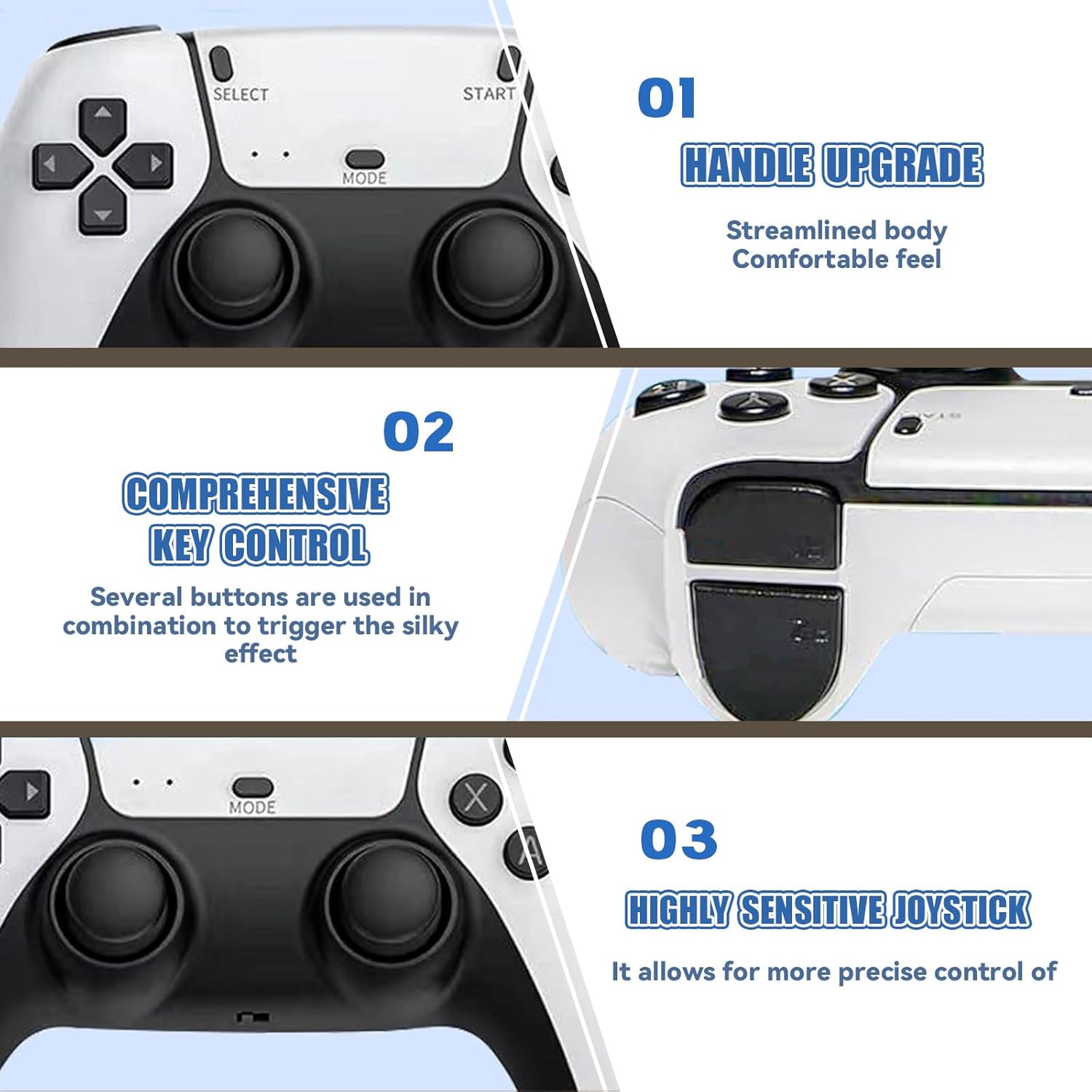
Figure 4: Wireless control range of up to 8 meters.
The controllers feature a streamlined design for comfortable grip and highly sensitive joysticks for precise control. Several buttons can be used in combination for specific in-game actions.
Figure 5: Controller features including handle design and button layout.
HDMI Output and Display
The M15 Game Stick supports 4K Ultra HD TV video output (1080p/720p), providing clear and vibrant visuals. It is compatible with various devices that have an HDMI input port, such as TVs, monitors, computers, and projectors.
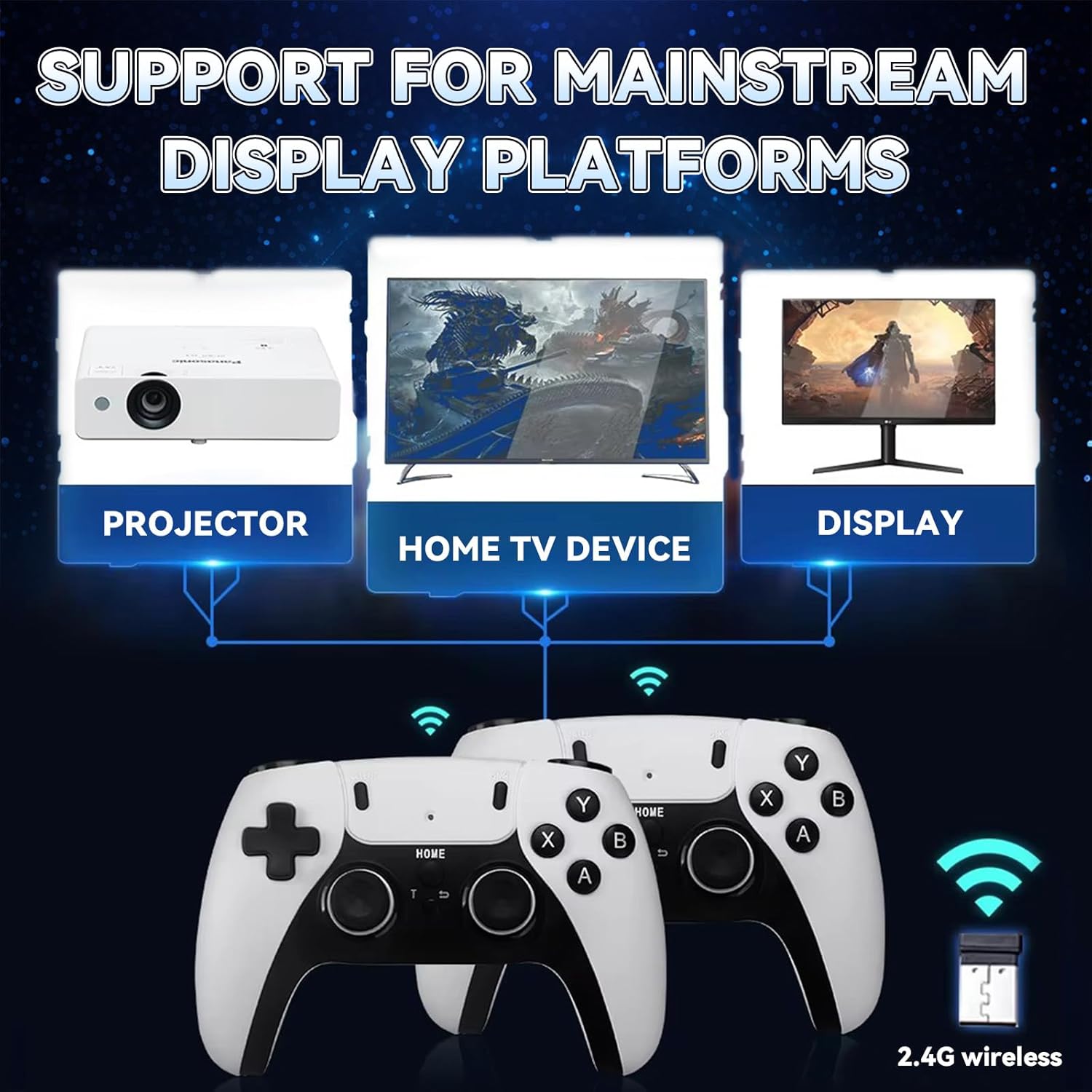
Figure 6: Experience 4K HD TV video output.
Mantentzea
Proper care and maintenance will extend the lifespan of your M15 Retro Game Stick:
- Tenperatura: Avoid exposing the console to extreme temperatures or direct sunlight for long periods, as this can affect performance and lifespan.
- Kargatzen: When powering the device, use the original USB power cable or a high-quality compatible cable to ensure safe and efficient operation.
- Garbiketa: Keep the console clean by using a soft, dry cloth. Avoid using harsh chemicals that may damage the screen or body of the console.
- TF txartela: Do not simply remove the TF card while the device is powered on. Do not format the SD card, as game and system files are stored on it. Damage to the card will render the host unusable.
Arazoak konpontzea
If you encounter issues with your M15 Retro Game Stick, refer to the following common solutions:
- Ez da telebistan agertzen:
- Ensure the game stick is properly plugged into the TV's HDMI port.
- Verify that the TV's input source is set to the correct HDMI channel.
- Check if the USB power cable is securely connected and receiving sufficient power (rated voltage of the power plug should be 5V and current 1A or above). Insufficient power can prevent the screen from displaying.
- If the issue persists, try unplugging the TF card, cleaning its metal contacts with a dry cloth, and reinserting it.
- Controller Fails to Connect:
- Ziurtatu bateriak behar bezala sartuta daudela eta nahikoa karga dutela.
- Unplug the USB receiver from the game stick, wait a few seconds, and plug it back in.
- Turn off the controller's power and then turn it back on.
- If problems persist, contact customer support for controller reset or operation guidance.
- Game Freezes or Lags:
- Ensure the TF card is not damaged or corrupted.
- Restart the game stick by unplugging and re-plugging the power cable.
If you encounter any problems during use that are not covered here, please contact us at any time for assistance. We are committed to providing the fastest possible solution.
Zehaztapenak
| Ezaugarri | Xehetasuna |
|---|---|
| Modelo zenbakia | 128G |
| Produktuaren neurriak | 6.5 x 4.7 x 4.3 hazbete |
| Aurrez kargatutako jokoak | 50,000+ |
| Onartutako emuladoreak | 28 mota |
| Bideo Irteera | 4K Ultra HD (1080p/720p) |
| Kontrolagailu mota | Dual 2.4GHz Wireless |
| Wireless Range | Gehienez 8 metro |
| Fabrikatzailea | XIXIMENG |
Bermea eta Laguntza
XIXIMENG offers comprehensive support for your M15 Retro Game Stick:
- Itzultzeko Zerbitzua: We offer a one-month return service. You may request a refund at any time if you are not satisfied with the product.
- Bermea: Enjoy a lifetime worry-free warranty.
- Bezeroarentzako laguntza: For any issues or inquiries, please contact our customer service. We aim to respond and resolve problems within 12 hours.
For the latest support information and contact details, please refer to the official XIXIMENG store page or the product listing where you purchased the item.
Ask a question about this manual
Ask about setup, troubleshooting, compatibility, parts, safety, or missing instructions. Manuals+ will review the question and use this page’s manual context to help answer it.