
DOMO SLP9
DOMO Slate SLP9 OS12 T310 Tablet PC User Manual
Modeloa: SLP9
Sarrera
This manual provides essential information for the proper use and maintenance of your DOMO Slate SLP9 OS12 T310 Tablet PC. Please read it thoroughly before operating the device to ensure optimal performance and longevity.
Kutxan dagoena
- 1 Pc DOMO Slate SLP9 OS12 T310 Tablet PC
- 1 Pc Charging Power Adapter
- 1 Pc Type-C USB Cable
- 1 Pc Type-C OTG Cable
- 1 Sim Card Tray Eject Pin
- Erabiltzailearen eskuliburua (dokumentu hau)
Produktua amaituview
Familiarize yourself with the physical components of your DOMO Slate SLP9 OS12 T310 Tablet PC.
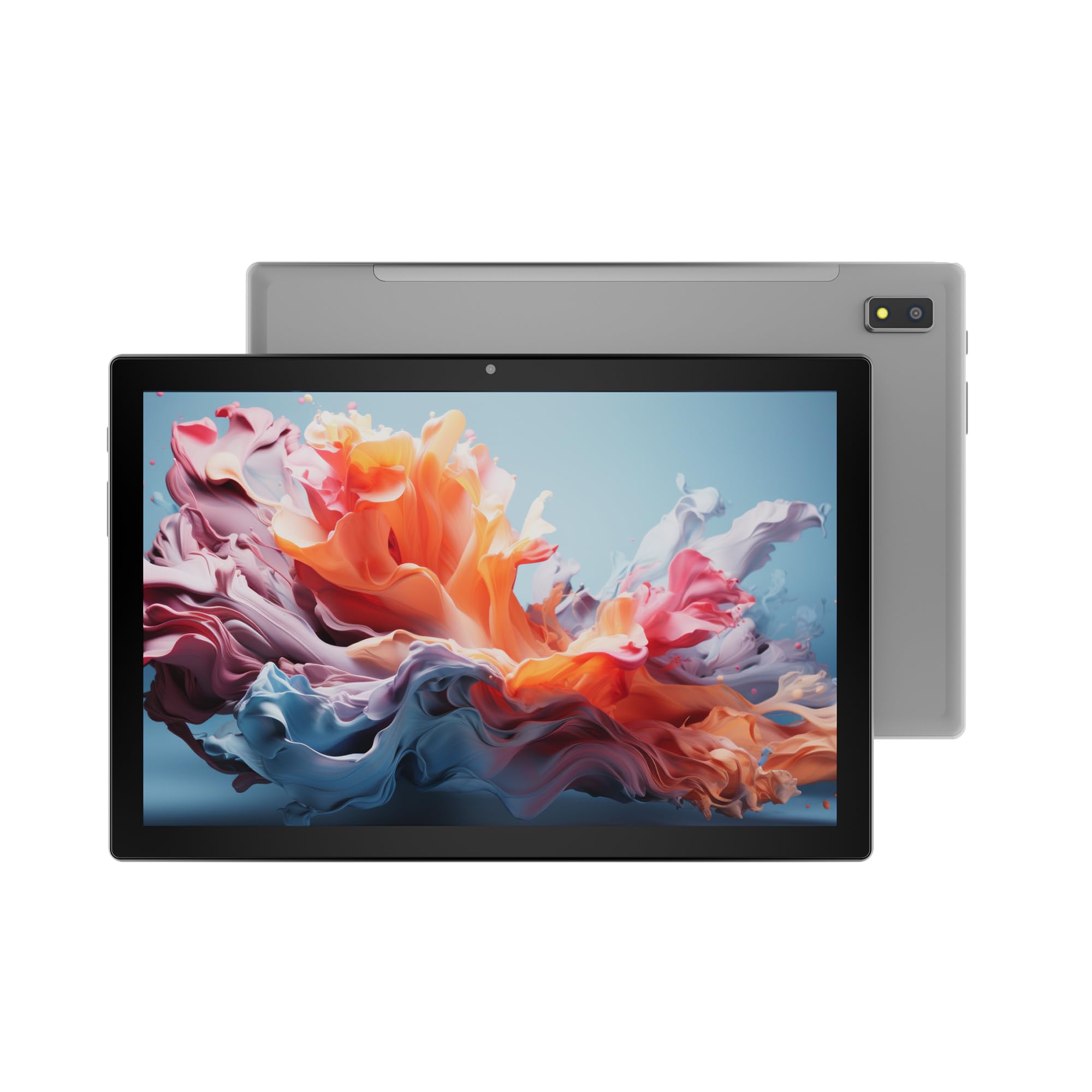
1. irudia: Aurrealdea view of the DOMO Slate SLP9 OS12 T310 Tablet PC, showcasing the 10.1-inch IPS LCD display.

2. irudia: Angelukoa view of the tablet, highlighting its slim profile eta pantaila.

3. irudia: Aldea view of the tablet, showing the placement of buttons and ports.

4. irudia: Atzekoa view of the tablet, displaying the camera module and branding.
Funtsezko osagaiak
- 10.1-inch IPS HD LCD Display: Bereizmen handiko pantaila, ikusmen garbiak lortzeko.
- Aurrealdeko kamera: Located above the screen for video calls and selfies.
- Rear Camera with LED Flash: Argazkiak eta bideoak ateratzeko.
- Pizteko botoia: Gailua pizteko/itzaltzeko edo lo moduan jartzeko.
- Bolumen-botoiak: To adjust audio levels.
- C motako USB ataka: Kargatzeko eta datuak transferitzeko.
- Dual SIM Slot: Supports 4G, 3G, and 2G SIM cards for cellular connectivity and voice calling.
- MicroSD txartelaren zirrikitua: 1 TB-rainoko biltegiratze zabalgarrirako.
- Dual Box Type Speakers: Audio irteerarako.
Konfigurazioa
1. Tableta kargatzea
Before first use, fully charge your tablet. Connect the provided Type-C USB cable to the tablet's Type-C port and the other end to the charging power adapter. Plug the adapter into a wall outlet. The battery indicator on the screen will show charging status.
2. SIM eta MicroSD txartelak sartzea
- Bilatu SIM/MicroSD txartelaren erretilua tabletaren alboan.
- Insert the provided SIM eject pin into the small hole next to the tray to open it.
- Carefully place your 4G/3G/2G SIM card(s) and/or MicroSD card into the designated slots on the tray. Ensure correct orientation as indicated on the tray.
- Sartu erretilua tabletaren barrura astiro-astiro, klik egin arte.
3. Hasierako piztea eta konfigurazioa
- Eduki sakatuta Pizteko botoia until the DOMO logo appears on the screen.
- Follow the on-screen prompts to select your language, connect to a Wi-Fi network, set up your Google account, and configure other initial settings.
- Once setup is complete, your tablet is ready for use.
Funtzionamendu-argibideak
Oinarrizko Nabigazioa
- Ukitu: Sakatu ikono bat aplikazio bat irekitzeko edo elementu bat hautatzeko.
- Eduki sakatuta: Eduki sakatuta elementu bat testuinguru-menuetara sartzeko edo ikonoak mugitzeko.
- Pasatu hatza: Arrastatu hatza pantailan zehar orrialdeetan edo zerrendetan zehar mugitzeko.
- Pixka bat: Erabili bi hatz argazkiak handitu edo txikitzeko eta web orrialdeak.
Sareetara konektatzea
Wi-Fi konexioa
- Joan zaitez Ezarpenak > Sarea eta Internet > Wi-Fi.
- Wi-Fia aktibatu/desaktibatu On.
- Hautatu nahi duzun sarea zerrendatik eta idatzi pasahitza eskatzen bazaizu.
Bluetooth parekatzea
- Joan zaitez Ezarpenak > Konektatutako gailuak > Bluetootha.
- Aktibatu Bluetooth-a On.
- Select the device you wish to pair with from the list of available devices. Confirm the pairing code if prompted.
Cellular Data and Voice Calling (4G)
With a valid SIM card inserted, your tablet supports 4G cellular data and voice calling (VoLTE). Ensure your SIM card is activated for these services.
- To enable/disable mobile data, go to Ezarpenak > Sarea eta Internet > Sare mugikorra.
- Dei bat egiteko, ireki Telefonoa app and dial the number.
Kameraren funtzionamendua
Ireki Kamera app from your home screen or app drawer.
- Sakatu Pertsiana argazkia ateratzeko botoia.
- Sakatu Bideoa icon to switch to video recording mode.
- Erabili Kamera aldatu icon to toggle between the front and rear cameras.
GPSaren funtzionaltasuna
The tablet has an inbuilt GPS chip and antenna. To use location services, ensure GPS is enabled in Ezarpenak > Kokapena. You can then use navigation apps or other location-based services.
Mantentzea
Gailua garbitzea
- Erabili zapi leun eta lihorik gabeko bat tabletaren pantaila eta gorputza garbitzeko.
- Saihestu produktu kimiko gogorrak, garbitzaile urratzaileak edo aerosolak erabiltzea.
- Ez utzi hezetasuna irekiduretan sartzen.
Bateria zaintzea
- Saihestu tenperatura muturrekoak, bateriaren iraupena murriztu baitezakete.
- Erabili emandako kargagailua eta kablea soilik.
- Ez utzi tableta denbora luzez kargatzen guztiz kargatu ondoren.
Software eguneraketak
Aldian-aldian egiaztatu sistemaren eguneraketak zure tabletak azken funtzioak eta segurtasun hobekuntzak dituela ziurtatzeko. Joan honera Ezarpenak > Sistema > Sistema eguneratzea.
Arazoak konpontzea
| Arazoa | Irtenbide posiblea |
|---|---|
| Tableta ez da pizten. | Ziurtatu bateria kargatuta dagoela. Konektatu kargagailua eta saiatu berriro. Erantzuten ez badu, sakatu eta eutsi pizteko botoia 10-15 segundoz berrabiarazteko. |
| Ezin da wifira konektatu. | Check if Wi-Fi is enabled in settings. Ensure the Wi-Fi password is correct. Restart your router and the tablet. |
| SIM txartela ez da detektatu. | Ensure the SIM card is correctly inserted into the tray. Restart the tablet. Check if the SIM card is active with your service provider. |
| Errendimendu motela. | Close unused applications. Clear cache. Consider uninstalling unnecessary apps. Perform a factory reset as a last resort (backup data first). |
| Kamera ez dabil. | Ensure the camera app has necessary permissions. Restart the tablet. |
Zehaztapenak
| Ezaugarri | Xehetasuna |
|---|---|
| Marka | DOMO |
| Ereduaren izena | Slate SLP9 OS12 T310 |
| Bistaratzea | 10.1-inch IPS HD LCD, 1920 x 1200 Pixels, 400 NITS Brightness, 2.5D Corning Glass Touch Screen |
| Prozesadorea | UNISOC Tiger T310 - 64-bit Quadcore @ 3.8Ghz |
| RAM | 4 GB LPDDR4 |
| Barne Biltegiratzea | 64 GB |
| Biltegiratze zabalgarria | Gehienez 1 TB MicroSD txartelaren bidez |
| Sistema eragilea | Android 12 |
| Atzeko kamera | 13MP with LED Flash |
| Aurrealdeko kamera | 5MP |
| Bateria | 5020 mAh rechargeable polymer battery |
| Konektibitatea | Dual SIM (4G VoLTE, 3G, 2G), DualBand Wi-Fi (2.4GHz & 5GHz), Bluetooth 5.0, GPS, FM Radio |
| Portuak | Type-C USB Port, POGO Connector |
| Dimensions (L x W x Thickness) | 24.4L x 16.2W x 1Th Centimeters |
| Pisua | 505 gramo |
| Etxebizitza | Metala |
| Jatorrizko Herrialdea | India |
Bermea eta Laguntza
Bermearen informazioa
The DOMO Slate SLP9 OS12 T310 Tablet PC comes with a 1 urteko bermea for the device and 3 hilabeteko bermea for accessories. The warranty type is Onsite, which includes free pickups and deliveries for service.
Bermearen salbuespenak: Physical damages, water damages, moisture damages, seal tampering, and burnout cases are not covered under warranty.
Bezeroarentzako Arreta
For technical assistance, troubleshooting, or warranty claims, please contact DOMO customer support. Support options include an online knowledge base, support tickets, and phone support. Post-warranty services are available as paid onsite services.
Informazio gehiagorako, bisitatu ofiziala DOMO Store on Amazon.
Ask a question about this manual
Ask about setup, troubleshooting, compatibility, parts, safety, or missing instructions. Manuals+ will review the question and use this page’s manual context to help answer it.