
1. Sarrera eta Overview
The DOOGEE Blade 20 Ultra is a rugged smartphone designed for durability and performance in challenging environments. It features a robust build, a large battery, and advanced camera capabilities, making it suitable for outdoor activities and demanding work conditions.
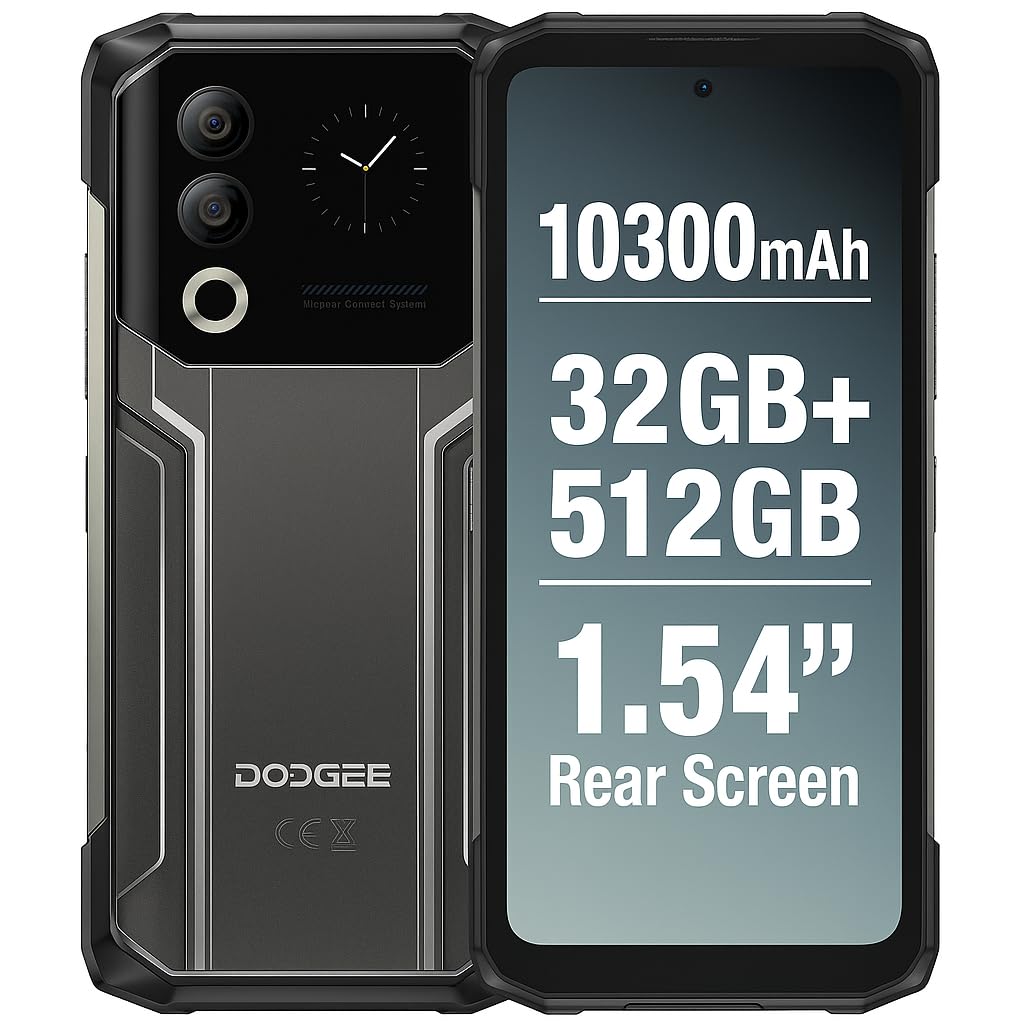
Figure 1: DOOGEE Blade 20 Ultra device overview.
Ezaugarri nagusiak:
- Diseinu ultra-sendoa: IP68/IP69K and MIL-STD-810H certified for water, dust, and shock resistance.
- Errendimendu indartsua: Unisoc T7250 Octa-Core processor with 8GB RAM (expandable to 32GB virtual RAM) and 512GB internal storage (expandable up to 2TB).
- Pantaila bikoitza: 6.6-inch FHD+ 90Hz main display and an innovative 1.54-inch smart rear display for quick access and customization.
- Iraupen luzeko bateria: 10300 mAh battery with 18W fast charging and OTG reverse charging capability.
- Kamera Sistema Aurreratua: 50MP AI main camera and 8MP front camera with multiple shooting modes.
- Segurtasun hobetua: Side-mounted fingerprint sensor and facial recognition.
- Konektibitatea: NFC with Google Pay support, GPS, Glonass, Galileo, Beidou for accurate navigation.
2. Konfigurazioa
2.1 Paketearen edukia
Hasi aurretik, ziurtatu elementu guztiak daudela kutxan:
- 1 x DOOGEE Blade 20 Ultra Smartphone
- 1 x Screen Protector Film (pre-applied or separate)
- 1 x USB kablea (C motakoa)
- 1 x babes-zorroa
- 1 x Kargagailua
2.2 SIM txartelaren eta MicroSD txartelaren instalazioa
The device supports a triple slot system for two Nano SIM cards and one MicroSD card.
- Aurkitu SIM txartelaren erretilua telefonoaren alboan.
- Erabili SIM txartelaren kanporatzeko tresna erretilua irekitzeko.
- Carefully place your Nano SIM cards and/or MicroSD card into the designated slots. Ensure the gold contacts face downwards.
- Sartu erretilua telefonoan astiro-astiro, bere lekuan klik egin arte.

Figure 2: Illustration of SIM and MicroSD card installation.
2.3 Hasierako karga
Before first use, it is recommended to fully charge the device. Connect the USB cable to the phone's Type-C port and the charger, then plug the charger into a power outlet. The phone supports 18W fast charging.
2.4 Piztu/Itzaltzea
- Pizteko: Sakatu eta eutsi pizteko botoiari (normalean alboan dago) DOOGEE logotipoa agertu arte.
- Itzaltzeko: Sakatu eta eutsi pizteko botoiari, eta ondoren hautatu 'Itzali' pantailan agertzen diren aukeren artean.
- Berrabiarazteko: Sakatu eta eutsi pizteko botoiari, eta ondoren hautatu 'Berrabiarazi' aukeren artean.
3. Gailuaren funtzionamendua
3.1 Main Display (6.6" HD+ 90Hz)
The 6.6-inch HD+ display offers a smooth visual experience with a 90Hz refresh rate. Navigate through apps, menus, and content using touch gestures.
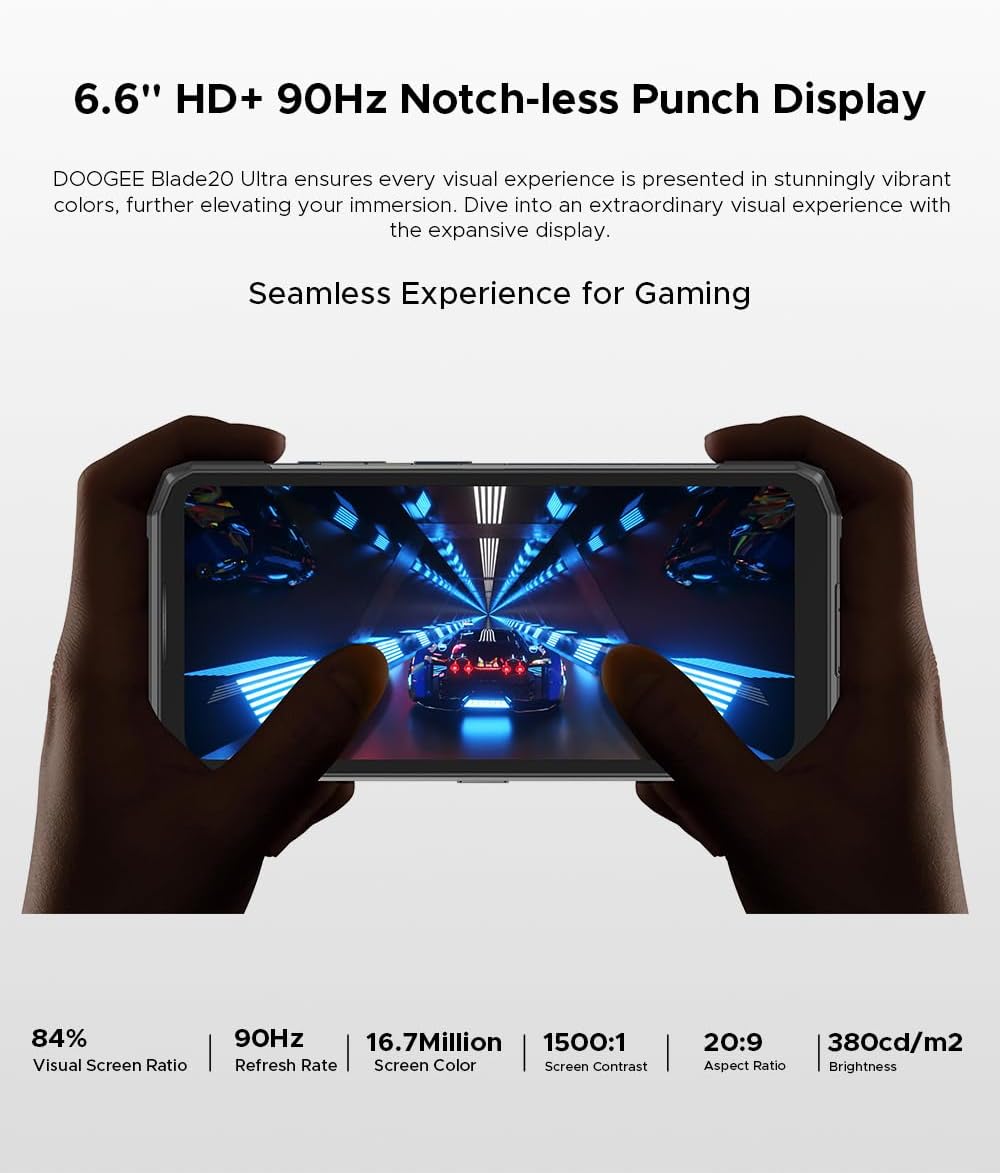
Figure 3: The 6.6-inch HD+ 90Hz main display provides a seamless viewesperientzia.
3.2 1.54" Smart Rear Display
The innovative 1.54-inch rear display provides quick access to essential functions and customizable backgrounds. Double-tap to activate it.
- Sarbide azkarra: Control music, view notifications, check the calendar, and answer calls without opening the main screen.
- Selfieak: Use the rear display to frame selfies with the main camera.
- Pertsonalizazioa: Choose from over 16 customizable wallpapers, including dynamic, business, and personalized photo settings.

Figure 4: The 1.54-inch smart rear display offers quick functions and personalization.
3.3 Kameraren funtzioak
The DOOGEE Blade 20 Ultra features a 50MP AI main camera and an 8MP front camera. It supports Google Intelligent Camera features.
- Kamera nagusia: 50MP (OV50C40 sensor, F/1.8 aperture) with autofocus and LED flash.
- Aurrealdeko kamera: 8MP (Hi-842 sensor, F/2.2 aperture).
- Moduak: Underwater mode, Night Vision, Professional Photography, Beauty Mode, Time-lapse, Portrait Mode, HDR, Panoramic Mode, Filter, Pro Mode.
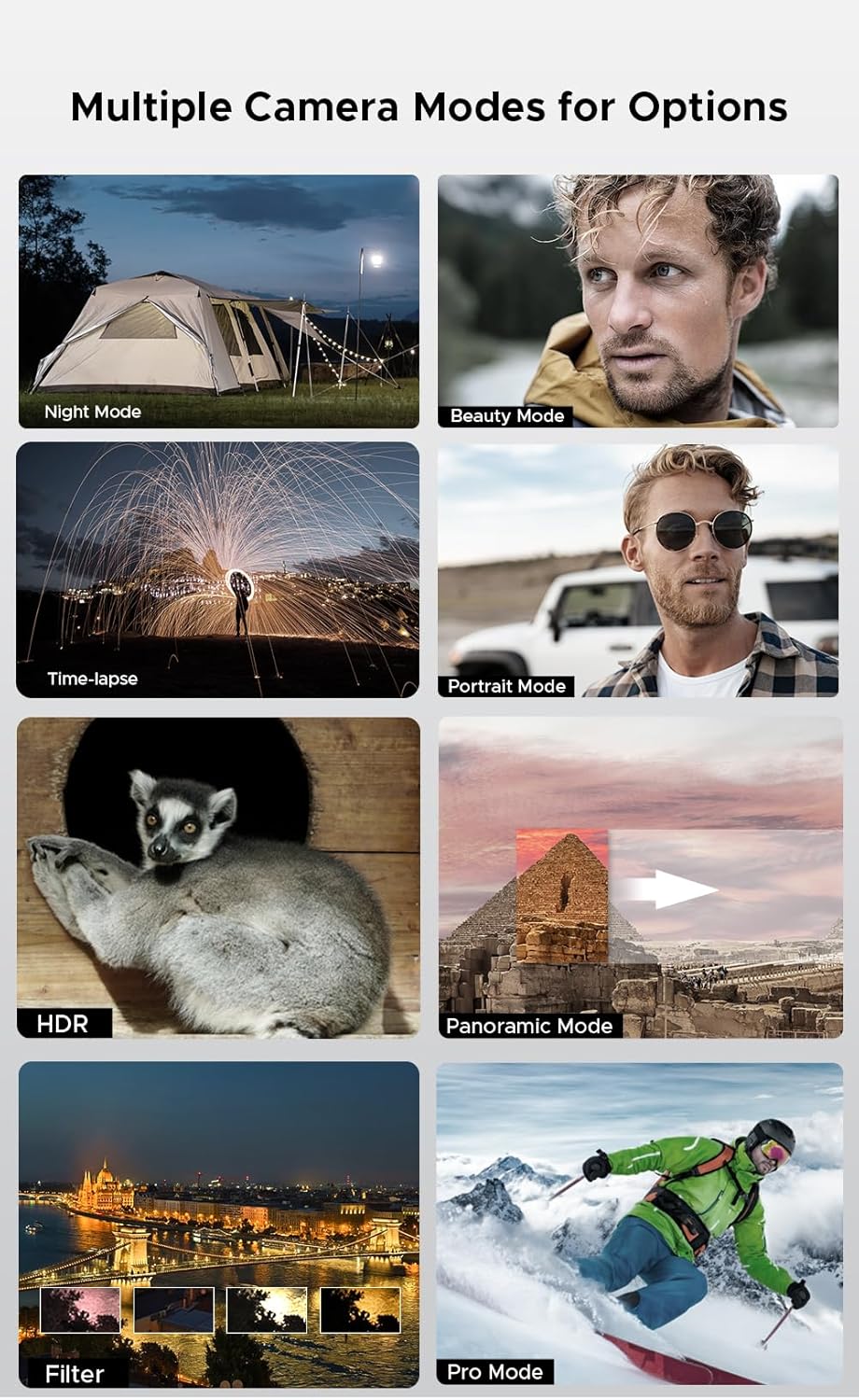
Figure 5: Various camera modes available on the Blade 20 Ultra.
3.4 Bateriaren kudeaketa
The device is equipped with a 10300 mAh battery, providing extended usage times.
- Karga azkarra: Supports 18W fast charging to quickly replenish battery life.
- Power Bank Function (OTG Reverse Charging): Use your phone to charge other devices.
- Erabilera: Gehienez 35 orduko hitzaldia.
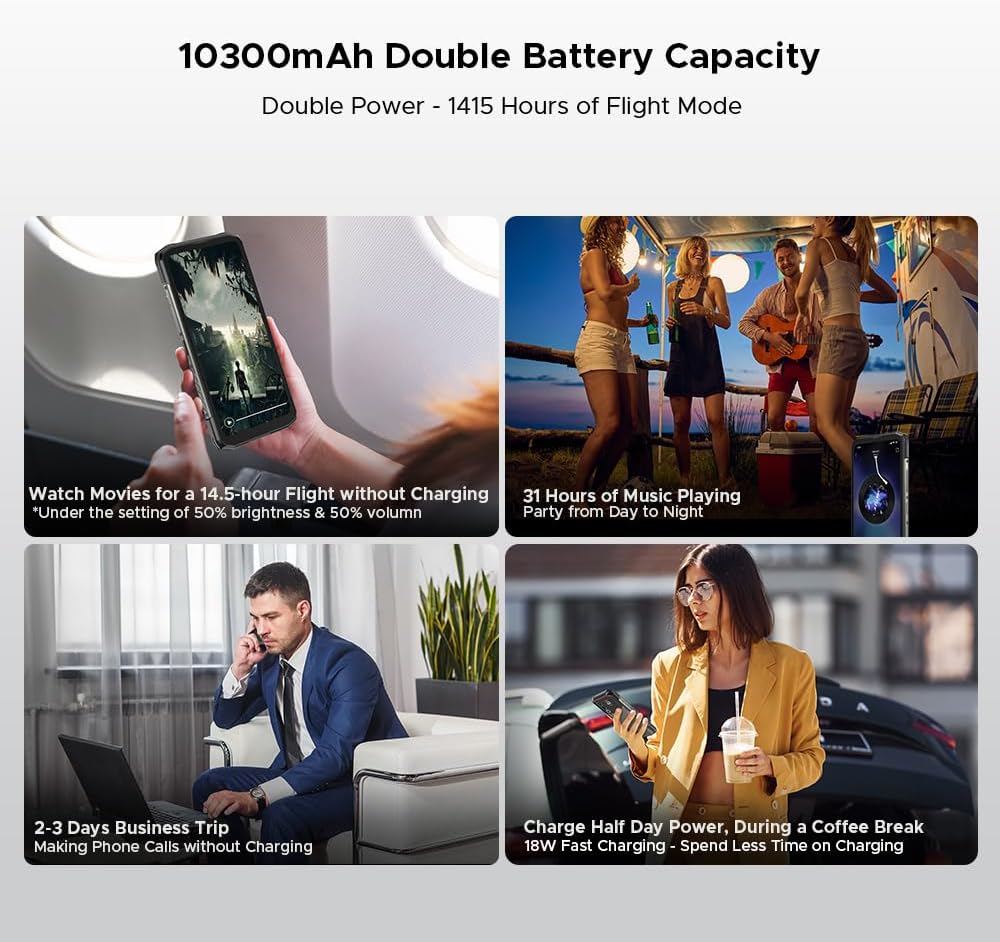
6. irudia: Adibamples of extended battery life for various activities.
3.5 Segurtasun Ezaugarriak
- Alboko hatz-marken sentsorea: Unlock your device quickly and securely using the side-mounted fingerprint sensor.
- Aurpegi-ezagutza: Erabili aurpegia telefonoa desblokeatzeko.
3.6 Konexioa eta nabigazioa
The Blade 20 Ultra supports various connectivity options and global navigation systems.
- NFC: Supports Near Field Communication for contactless payments (Google Pay) and data transfer.
- Haririk gabekoa: GSM, 3G, 4G, Bluetooth, Wi-Fi.
- Nabigazioa: Integrated GPS, Glonass, Galileo, and Beidou for accurate positioning.

Figure 7: The phone supports multiple global navigation satellite systems.
4. Mantentzea
4.1 Gailua garbitzea
To maintain the device's appearance and functionality:
- Garbitu pantaila eta gorputza zapi leun eta lihorik gabeko batekin.
- Zikinkeria egoskorrerako, apur bat lehortuampGarbitu oihal bat urarekin edo pantaila-garbitzaile batekin.
- Saihestu produktu kimiko gogorrak edo material urratzaileak erabiltzea.
- Ziurtatu ataka guztien estalkiak ondo itxita daudela gailua uretan edo hautsetan jarri aurretik.
4.2 Bateria zaintzea
- Saihestu tenperatura muturrekoak, bateriaren iraupena murriztu baitezakete.
- Ez utzi telefonoa denbora luzez guztiz kargatuta edo deskargatuta.
- Use only the original charger and cable or certified compatible accessories.
4.3 Software eguneraketak
The DOOGEE Blade 20 Ultra runs on Android 14. Regularly check for and install software updates to ensure optimal performance, security, and access to new features. You can usually find this option in the phone's Settings menu under 'System' or 'About phone'.
4.4 Biltegiratze kudeaketa
With 512GB of internal storage and support for up to 2TB MicroSD, you have ampespazioa. Aldian-aldian berriroview zure files and applications to free up space if needed. Uninstall unused apps and transfer large media files to external storage or cloud services.
5. Arazoak
This section addresses common issues you might encounter with your DOOGEE Blade 20 Ultra.
5.1 Gailua ez da pizten
- Ziurtatu bateria kargatuta dagoela. Konektatu kargagailua eta itxaron minutu batzuk pizten saiatu aurretik.
- Berrabiarazteko, sakatu eta eutsi pizteko botoia gutxienez 10-15 segundoz.
5.2 Kargatzeko arazoak
- Check if the charger and USB cable are properly connected and undamaged.
- Saiatu beste korronte bat erabiltzen.
- Ziurtatu kargatzeko ataka garbia eta hondakinik gabe dagoela.
5.3 Sarearen konexio arazoak
- Check if your SIM card is correctly inserted and activated.
- Ensure 'Airplane mode' is off.
- Berrabiarazi gailua.
- Go to Settings > Network & internet > Mobile network and check network settings.
5.4 Aplikazioak kraskatzen edo izozten dira
- Itxi eta berriro ireki aplikazioa.
- Garbitu aplikazioaren cachea eta datuak (Ezarpenak > Aplikazioak > [Aplikazioaren izena] > Biltegiratzea eta cachea).
- Ziurtatu aplikazioa azken bertsiora eguneratuta dagoela.
- Arazoak jarraitzen badu, desinstalatu eta berriro instalatu aplikazioa.
5.5 Fabrika berrezarri
Software arazo iraunkorrak badituzu, fabrika berrezartzeak konpondu ditzake. Abisua: Honek telefonoko datu guztiak ezabatuko ditu. Jarraitu aurretik, egin datu garrantzitsuen babeskopia.
- Joan Ezarpenak > Sistema > Berrezarri aukerak atalera.
- Hautatu 'Ezabatu datu guztiak (fabrika berrezartzea)'.
- Berretsi zure erabakia eta idatzi zure PINa/pasahitza eskatzen bazaizu.
6. Zehaztapenak
| Ezaugarri | Zehaztapena |
|---|---|
| Modelo zenbakia | Pala 20 Ultra |
| Neurriak | 174 x 81.2 x 15.8 mm |
| Pisua | 326 g |
| Sistema eragilea | Android 14 |
| Prozesadorea | Unisoc T7250 Octa-Core, 1.8 GHz (12 nm) |
| RAM | 8 GB (32 GB-ko RAM birtualera zabaldu daiteke) |
| Barne Biltegiratzea | 512 GB (UFS), expandable up to 2 TB via MicroSD |
| Pantaila nagusia | 6.6 inches IPS HD+, 90 Hz refresh rate, 1920 x 1080 resolution, 367 PPI |
| Rear Smart Display | 1.54 inches IPS, 240 x 240 pixels |
| Atzeko kamera | 50 MP AI (OV50C40 sensor, F/1.8 aperture) |
| Aurrealdeko kamera | 8 MP (Hi-842 sensor, F/2.2 aperture) |
| Bateria Edukiera | 10300 mAh |
| Kargatzen | 18W-ko karga azkarra, OTG alderantzizko karga |
| SIM txartelaren zirrikituak | Dual Nano SIM + 1 MicroSD (Triple Slot) |
| Konektibitatea | 4G, 3G, GSM, Wi-Fi, Bluetooth, GPS, NFC (Google Pay) |
| Nabigazioa | GPS, Glonass, Galileo, Beidou |
| Segurtasuna | Side Fingerprint Sensor, Facial Recognition |
| Iraunkortasuna | IP68/IP69K, MIL-STD-810H (Waterproof, Dustproof, Shockproof) |
| Aurikularretarako Jack | No 3.5mm jack |
7. Bermea eta Laguntza
7.1 Bermearen informazioa
Your DOOGEE Blade 20 Ultra is covered by a standard manufacturer's warranty. The specific terms and duration of the warranty may vary by region and retailer. Please refer to the warranty card included in your product packaging or contact your point of purchase for detailed information.
7.2 Bezeroarentzako laguntza
For technical assistance, troubleshooting beyond this manual, or warranty claims, please contact DOOGEE customer support or the retailer from whom you purchased the device. Keep your proof of purchase handy when contacting support.
Information regarding spare parts availability is not provided at this time.