
Sarrera
Thank you for choosing the HWWR T25T Portable Bluetooth Karaoke Speaker. This manual provides essential information for the safe and efficient operation of your device. Please read it thoroughly before use and retain it for future reference.
The HWWR T25T is designed to deliver a powerful and immersive audio experience with its dual 5.25-inch full-range drivers and 360-degree sound projection. It includes two wireless microphones for enhanced vocal performance and dynamic lighting effects to complement your audio.
Paketearen edukia
Mesedez, egiaztatu behean zerrendatutako elementu guztiak zure paketean daudela:
- 1 x HWWR T25T Karaoke Machine
- 2 x Haririk gabeko mikrofonoak
- 1 x USB kargatzeko kablea
- 1 x AUX kablea

Image: The HWWR T25T Karaoke Machine with its two accompanying wireless microphones, USB charging cable, and AUX cable.
Produktua amaituview
Unitate nagusia
The main unit features a control panel on the top for easy access to functions, a speaker grille on the front, and dynamic RGB lighting. It includes various input ports for versatile connectivity.

Irudia: Xehetasun zehatza view of the HWWR T25T's control panel and various connection methods including Bluetooth, USB, TF Card, and AUX In.
Haririk gabeko mikrofonoak
The two included wireless microphones utilize 2.4G Bluetooth technology with APTX HD decoders for clear, low-latency sound transmission. They are designed for comfortable handling and reliable performance.

Image: A close-up of one of the wireless microphones, highlighting its design and controls.
Konfigurazioa
1. Charging the Main Unit
- Connect the provided USB charging cable to the USB Type-C port on the karaoke machine and to a compatible USB power adapter (not included).
- Kargatzeko adierazlea piztuko da. Karga oso batek 2 ordu inguru behar ditu.
- The unit provides over 12 hours of playback time on a full charge.
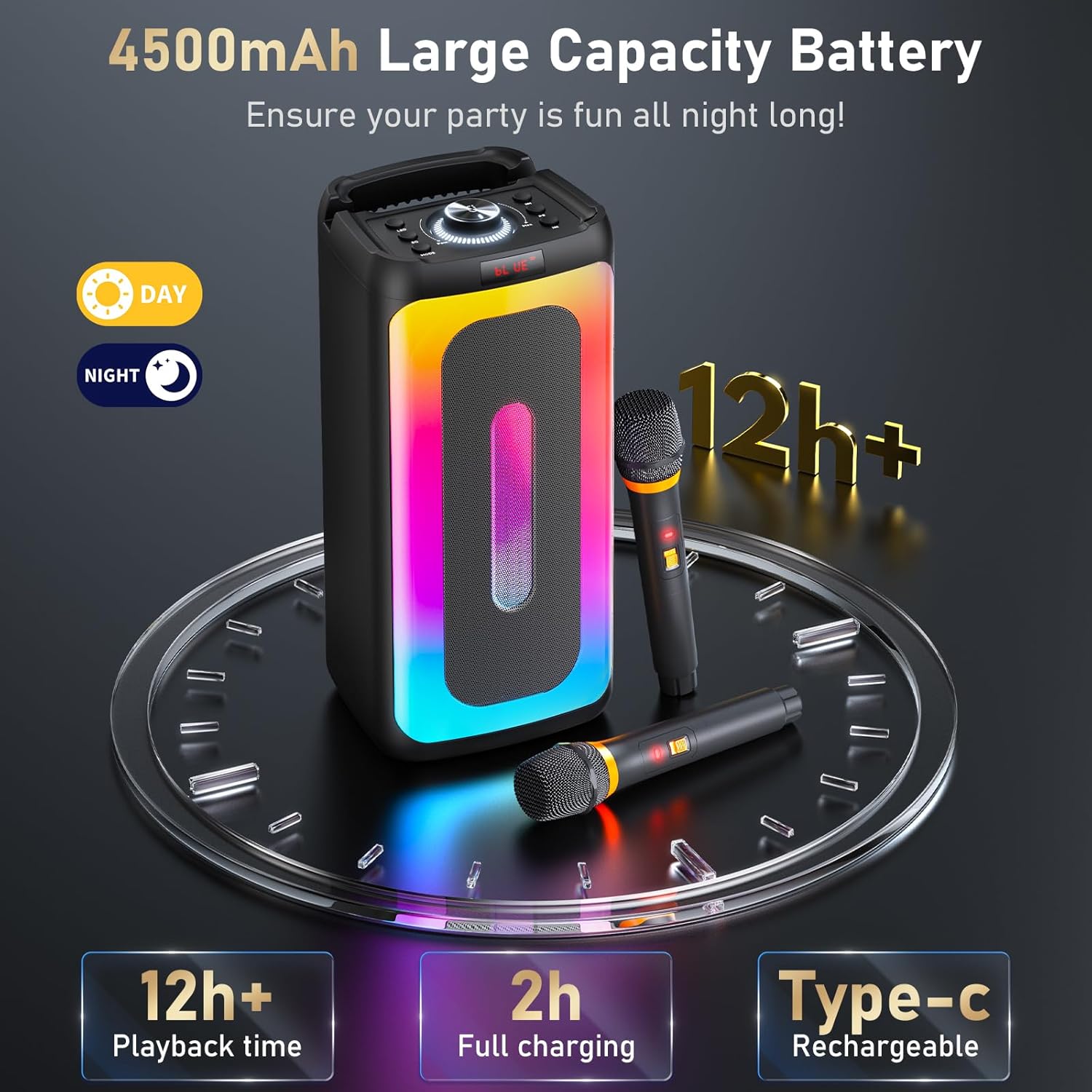
Image: Illustration of the 4500mAh large capacity battery, showing 2 hours for full charging and 12+ hours of playback time.
2. Mikrofonoaren bateriak instalatzea
- The wireless microphones do not come with batteries installed. Open the battery compartment on each microphone.
- Insert two AA batteries (not included) into each microphone, ensuring correct polarity.
- Itxi bateriaren konpartimendua ongi.
3. Piztea
- Press and hold the Power button on the main unit to turn it on.
- Press the power button on each wireless microphone to turn them on. They will automatically pair with the main unit.
Funtzionamendu-argibideak
Bluetooth konexioa
- Ensure the karaoke machine is powered on and in Bluetooth mode (indicated by 'BLUE' on the display). If not, press the 'MODE' button to switch modes.
- Gaitu Bluetooth-a zure telefonoan, tabletan edo ordenagailuan.
- Bilatu 'HWWR T25T' in the list of available devices and select it to pair.
- Behin konektatuta, zure gailuko audioa erreproduzitu dezakezu karaoke makinaren bidez.
USB/TF txartelaren erreprodukzioa
- Insert a USB drive or TF card containing audio files into the respective port on the main unit.
- The machine will automatically switch to USB or TF card mode and begin playing audio. If not, press the 'MODE' button to select the correct input.
- Use the control panel buttons to play, pause, skip tracks, and adjust volume.
AUX sarrera
- Connect one end of the provided AUX cable to the AUX In port on the karaoke machine.
- Connect the other end to the audio output jack of your external device (e.g., TV, MP3 player).
- Press the 'MODE' button to select AUX input. Audio from your external device will now play through the speaker.
Mikrofonoaren erabilera
- Ensure microphones are powered on and paired with the main unit.
- Adjust microphone volume using the dedicated controls on the main unit.
- The microphones feature intelligent noise reduction for clear vocal pickup.
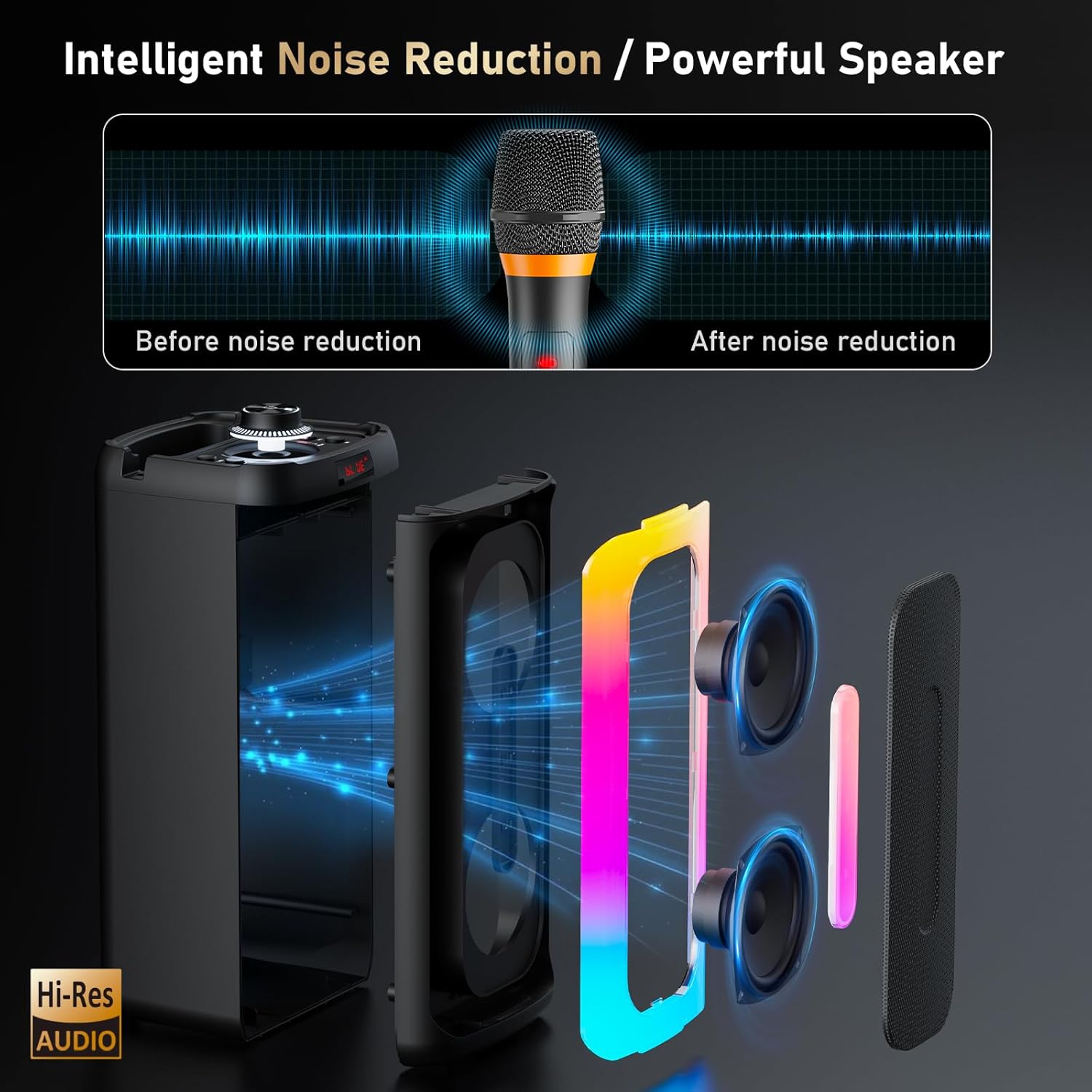
Image: A visual representation of the intelligent noise reduction feature, illustrating sound before and after processing by the microphone.
Argiztapen efektu dinamikoak
- The karaoke machine features open passive light and a vibrant gradient light ring that syncs with your music.
- Press the 'LED' button on the control panel to cycle through different light modes or turn the lights off.

Image: Several HWWR T25T units showcasing different multicolor light patterns, demonstrating the dynamic lighting feature.
Mantentzea
- Garbiketa: Use a soft, dry cloth to clean the exterior of the karaoke machine and microphones. Do not use liquid cleaners or abrasive materials.
- Biltegiratzea: Denbora luzez erabiltzen ez baduzu, gorde gailua leku fresko eta lehor batean, eguzki-argitik eta muturreko tenperaturetatik babestuta.
- Bateria zaintzea: For optimal battery life, fully charge the unit before long-term storage and recharge it every 3 months. Remove batteries from microphones if not used for a long time.
- Saihestu ura: Mantendu gailua uretatik eta hezetasunetik urrun, kalteak saihesteko.
Arazoak konpontzea
| Arazoa | Kausa posiblea | Irtenbidea |
|---|---|---|
| Botererik ez | Battery drained; Power button not pressed | Charge the unit; Press and hold the Power button |
| Bozgorailutik soinurik ez | Bolumena baxuegia; Sarrera modu okerra; Gailua ez dago konektatuta | Increase volume; Select correct input mode (Bluetooth, USB, TF, AUX); Reconnect device |
| Mikrofonoak ez dute funtzionatzen | Microphone batteries low/dead; Microphones not powered on; Not paired | Replace microphone batteries; Power on microphones; Ensure microphones are within range and paired |
| Bluetooth konexioa ezegonkorra | Device too far; Interference | Move device closer to speaker; Avoid obstacles; Turn off other Bluetooth devices |
Zehaztapenak
- Eredua: T25T
- Elementuaren pisua: 5.29 kilo
- Produktuaren neurriak: 8.5 x 8 x 16 hazbete
- Potentzia irteera: 80W
- Konektibitatea: Bluetooth, USB, TF Card, AUX In
- Mikrofono mota: 2.4G Haririk gabekoa
- Bateriaren edukiera: 4500mAh
- Kargatzeko denbora: 2 ordu gutxi gorabehera
- Erreprodukzio-denbora: 12 ordu baino gehiago
- Gailu bateragarriak: Smartphones, Tablets, Computers, Bluetooth-enabled devices, Musical instruments with a 6.35 mm cable
- Dakarten osagaiak: Karaoke machine, 2 Wireless microphones, USB Cable, AUX Cable
Bermea eta Laguntza
Bermearen informazioa
HWWR provides a 12-month warranty for any quality-related problems from the date of purchase. Please retain your proof of purchase for warranty claims.
Bezeroarentzako Arreta
Should you encounter any questions or problems with your HWWR T25T Karaoke Machine, please do not hesitate to contact our support team. We are dedicated to assisting you.
- Telefonoa: 757-943-7037
- Posta elektronikoa: service@hwwr.net
Image: A graphic illustrating customer support contact information, including phone and email.