
1. Sarrera
This manual provides detailed instructions for the installation, operation, and maintenance of your REOLINK Duo 3 PoE Security Camera and Junction Box B10. This system is designed for both outdoor and indoor home security, offering advanced features for comprehensive surveillance.
The REOLINK Duo 3 PoE camera features a 16MP resolution with a 180° panoramic view, enhanced color night vision, and intelligent detection capabilities. The included Junction Box B10 ensures a clean and secure installation, protecting cable connections from environmental elements.

Image: The REOLINK Duo 3 PoE camera and the Junction Box B10, illustrating the two main components of this security system bundle.
2. Zer dago kutxan
Upon unpacking your REOLINK Duo 3 PoE Camera and Junction Box B10 bundle, please verify that all the following items are included:
- 1 x REOLINK Junction Box B10
- 1 x REOLINK Duo 3 PoE Camera
- Necessary accessories for installation (screws, mounting template, etc.)
- 1 x 1-meter Network Cable (for testing purposes)
3. Produktua amaitu daview
The REOLINK Duo 3 PoE camera is an advanced security solution offering superior image quality and intelligent monitoring features. Its Power over Ethernet (PoE) capability simplifies installation by allowing both power and data transmission over a single network cable.
3.1 Ezaugarri nagusiak
- 16MP Ultra-Clear Details: Captures highly detailed images, providing exceptional clarity for surveillance.
- 180º-ko panoramika View: Dual-lens design offers a wide field of view, covering a larger area with a single camera.
- Motion Track: Advanced algorithms track detected motion within the camera's view.
- F1.6 Color Night Vision: Provides clear, full-color video even in low-light conditions.
- Smart Person/Vehicle/Animal Detection: Reduces false alarms by accurately identifying specific objects.
- Biltegiratze aukera malguak: Supports up to 256GB microSD card (not included) and 24/7 recording with Reolink NVR/FTP.

Image: Visual comparison demonstrating the superior detail captured by 16MP resolution compared to 4K, highlighting the clarity of the REOLINK Duo 3 PoE camera.

Image: Illustration of the 180-degree super coverage provided by the dual-lens camera, showing how it secures every corner with a wide panoramic view.

Image: Depiction of the motion tracking feature, showing how the camera captures a sequence of movements to provide a full motion overview.

Image: Comparison of night vision modes, demonstrating the effectiveness of F1.6 aperture and 6500K spotlight for clear color night vision.

Irudia: Adibample of smart detection, showing the camera accurately identifying a person and a vehicle, with options for siren, push notifications, and email alerts.

Image: Illustration of the camera's flexible storage options, including support for up to 256GB microSD card and 24/7 recording with a Reolink NVR/FTP.
3.2 Junction Box B10 Compatibility
The Junction Box B10 is specifically designed to provide a secure and weather-resistant housing for cable connections, ensuring a neat and protected installation for various REOLINK bullet cameras, including the Duo 3 PoE.

Image: Diagram showing the REOLINK Junction Box B10 and its compatibility with various REOLINK camera models, including the Duo 3 PoE.
4. Konfigurazioa eta instalazioa
Proper installation is crucial for optimal performance and longevity of your security system. The REOLINK Duo 3 PoE camera and Junction Box B10 are suitable for both indoor and outdoor environments.
4.1 Konexio-kutxa muntatzea
- Aukeratu kokapena: Select a suitable mounting location that provides the desired camera view and is within reach of your network cable. Ensure the surface is sturdy enough to support the camera and junction box.
- Markatu zuloak: Use the provided mounting template to mark the positions for drilling holes on the wall or ceiling.
- Zulatzeko zuloak: Drill the marked holes and insert wall anchors if necessary (for masonry or drywall).
- Lotu konexio-kutxa: Secure the Junction Box B10 to the mounting surface using the provided screws.
4.2 Kamera konektatzea
- Ibilbide kableak: Pass the network cable through the cable entry point of the junction box.
- Konektatu PoE kablea: Connect one end of the network cable to the PoE port on the camera and the other end to your PoE switch or NVR.
- Secure Camera to Junction Box: Attach the REOLINK Duo 3 PoE camera to the Junction Box B10, ensuring a tight and secure fit.
- Zigilu-konexioak: Ensure all cable connections within the junction box are properly sealed to prevent water ingress, especially for outdoor installations.
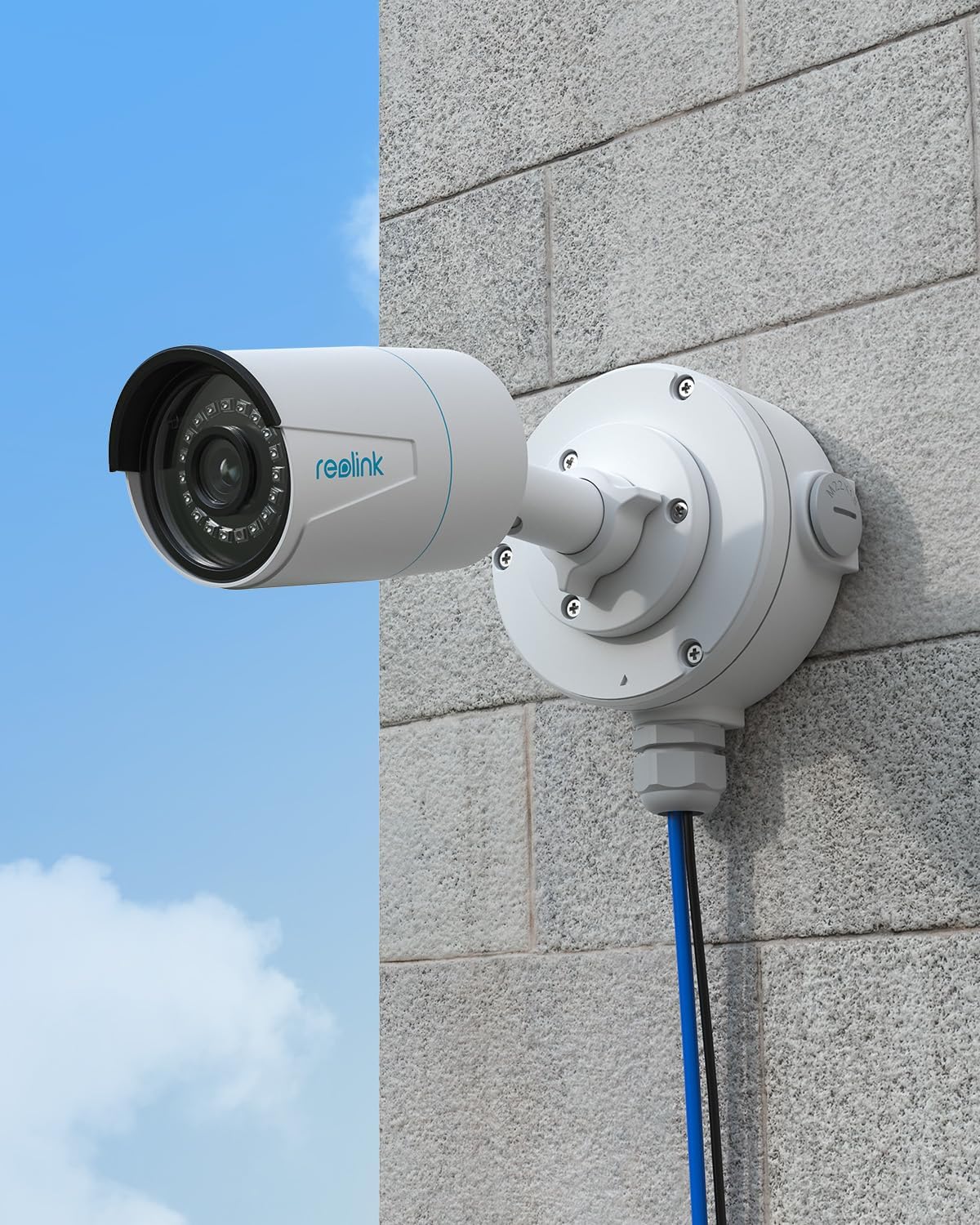
Image: A REOLINK camera securely mounted on a wall using the Junction Box B10, demonstrating a clean and protected installation with cables routed through the box.
5. Kameraren funtzionamendua
Once installed and powered, your REOLINK Duo 3 PoE camera can be accessed and configured using the REOLINK App on your smartphone or the REOLINK Client software on your computer.
5.1 Initial Setup via App/Client
- Download App/Client: Download the official REOLINK App from your mobile app store or the REOLINK Client software from the official REOLINK webgunea.
- Gehitu gailua: Open the app/client and follow the on-screen instructions to add your camera. You may need to scan the QR code on the camera or manually enter its UID.
- Konfiguratu ezarpenak: Adjust camera settings such as resolution, motion detection sensitivity, recording schedules, and notification preferences.
5.2 Funtzionamendu Ezaugarri Nagusiak
- Zuzenean View: Access real-time video streams from your camera.
- Erreprodukzioa: Review foo grabatuatage stored on the microSD card or NVR.
- Mugimendu alertak: Receive push notifications, emails, or siren alerts upon detection of persons, vehicles, or animals.
- Bi norabideko audioa: Utilize the built-in microphone and speaker for two-way communication (if supported by your specific camera model).
- Gaueko ikusmen moduak: Switch between different night vision modes (e.g., black & white, color) based on lighting conditions.
6. Mantentzea
Regular maintenance helps ensure the optimal performance and longevity of your REOLINK security system.
- Lenteen garbiketa: Periodically clean the camera lens with a soft, dry cloth to remove dust or smudges that may affect image quality. Avoid abrasive cleaners.
- Kableen ikuskapena: For outdoor installations, regularly inspect the network cable and connections within the junction box for any signs of wear, damage, or water ingress.
- Firmware eguneraketak: Check for and install the latest firmware updates for your camera via the REOLINK App or Client. Firmware updates often include performance improvements and security enhancements.
- Software eguneraketak: Keep your REOLINK App and Client software updated to the latest versions.
7. Arazoak
If you encounter issues with your REOLINK Duo 3 PoE camera, refer to the following common troubleshooting steps:
- Energiarik ez/Irudirik ez:
- Ensure the PoE switch or NVR is powered on and functioning correctly.
- Verify the network cable is securely connected at both ends.
- Try a different network cable to rule out cable issues.
- Irudiaren kalitate eskasa:
- Garbitu kameraren lentea.
- Check your network bandwidth. Insufficient bandwidth can affect streaming quality.
- Ensure the camera's resolution settings are appropriate for your network and viewgailua.
- Mugimendu-detekzioa ez dabil:
- Check the motion detection settings in the REOLINK App/Client, including sensitivity and detection zones.
- Ensure the camera's time and date are correctly synchronized.
- Cannot Access Camera Remotely:
- Verify your internet connection is stable.
- Ensure the camera is connected to the internet and has a valid IP address.
- Check firewall settings on your router or network that might be blocking access.
For more detailed troubleshooting or persistent issues, please refer to the REOLINK official support webgunera edo jarri harremanetan haien laguntza teknikoarekin.
8. Zehaztapenak
Key technical specifications for the REOLINK Duo 3 PoE Camera and Junction Box B10 bundle:
| Ezaugarri | Deskribapena |
|---|---|
| Eredua | REOLINK Duo 3 PoE Camera, Junction Box B10 |
| ASIN | B0F8MS77VD |
| Ebazpena | 16 megapixelekoa |
| ren eremua View | 180º-ko panoramika View |
| Gaueko Ikusmena | F1.6 Color Night Vision |
| Detekzioa | Pertsona/Ibilgailua/Animalien detekzioa |
| Boterea | Power Ethernet bidez (PoE) |
| Biltegiratzea | Supports up to 256GB microSD card (not included), 24/7 recording with Reolink NVR/FTP |
| Instalazio-ingurunea | Kanpoan/Barruan |
| Eskuragarri dagoen lehen data | 19ko otsailaren 2024a |
9. Bermea eta Laguntza
REOLINK is committed to providing high-quality products and excellent customer service.
- Bermea: Your REOLINK Duo 3 PoE Camera and Junction Box B10 bundle comes with a 2-year warranty provided directly by the manufacturer.
- Laguntza teknikoa: Enjoy peace of mind with REOLINK's lifetime technical support. For assistance, please visit the official REOLINK support webwebgunean edo jarri harremanetan bezeroarentzako arreta-taldearekin.
For more information and product updates, visit the official REOLINK Store: REOLINK denda Amazonen