
1. Produktua amaitu daview
iTagPro GPS Tracker is a compact, lightweight device designed to help you keep track of your valuable belongings. It works seamlessly with Apple's Find My network, allowing you to locate items such as keys, pets, luggage, and backpacks directly from your iOS device.
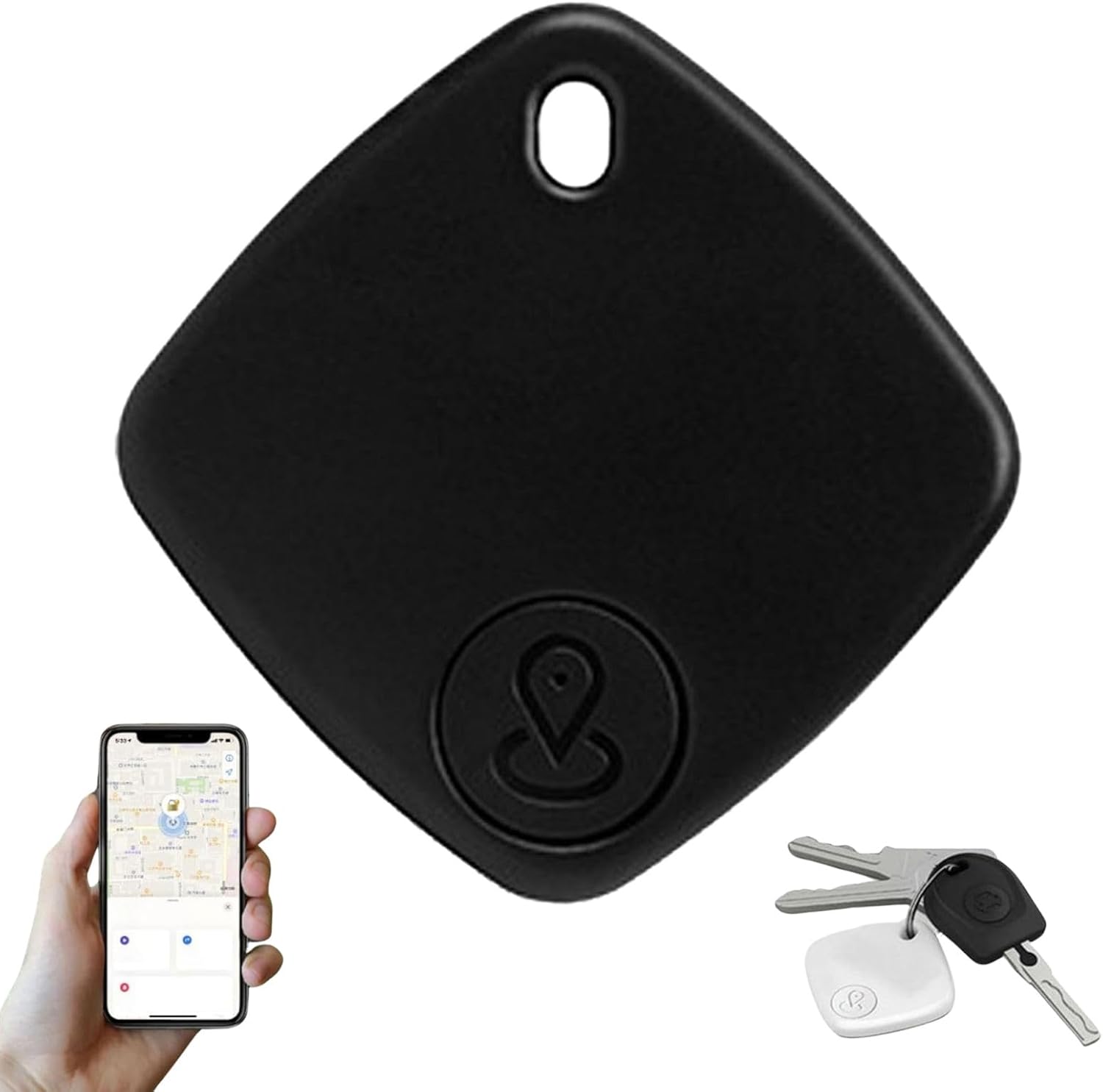
This image shows the iTagPro GPS Tracker, a small black square device with a loop for attachment. Below it, a hand holds a smartphone displaying the Apple Find My app interface, and to the right, a set of keys with an attached iTagPro tracker is visible.
2. Segurtasun informazio garrantzitsua
- Mantendu gailua haur txikien eta animalien eskura ez dagoen leku batean, pieza txikiak, batez ere bateria, ustekabean irenstea saihesteko.
- Ez saiatu gailua desmuntatzen, aldatzen edo konpontzen zeuk. Honek bermea baliogabetu eta kalteak eragin ditzake.
- Saihestu gailua tenperatura altuetan (beroan edo hotzean) edo eguzki-argitan denbora luzez jartzea.
- Dispose of the device and its battery according to local regulations. Do not dispose of with household waste.
- Use only the specified battery type for replacement.
3. Paketearen edukia
- 1 xiTagPro GPS Tracker
- 1 x Erabiltzailearen eskuliburua
4. Konfigurazioa eta parekatzea
4.1. Piztea
To power on your iTagPro GPS Tracker, long-press the device button. You should hear a confirmation sound.

This diagram illustrates the first step of setup: long-pressing the button on the iTagPro device to power it on.
4.2. Apple Find My-rekin parekatzea
iTagPro GPS Tracker is compatible with iOS 14.5+ devices. Ensure your iOS device's Bluetooth is enabled.
- Open the "Find My" app on your iPhone or iPad.
- Navigate to the "Items" tab.
- Tap the "+" icon and select "Add Other Item".
- Follow the on-screen prompts to connect your iTagPro.
This image shows the process of opening the "Find" app on an iPhone and selecting the option to "Add New Item" or "Add Other Support Items" to pair the iTagPro.
4.3. Naming Your Item
After successful pairing, you will be prompted to name your iTagPro and assign an emoji. This helps in easily identifying your tracked items within the Find My app.
This diagram illustrates the final step of setup: naming your iTagPro device within the Find My app, such as "Key," before starting to use it.
5. Operating Your iTagPro GPS Tracker
5.1. Denbora errealeko jarraipena
Behin parekatuta, egin dezakezu view the real-time location of your iTagPro on the map within the Apple Find My app. The vast Find My network, comprising millions of iPhones, iPads, and Macs, helps pinpoint the location of your iTagPro, even if it's far away.

This image displays a map interface with several circular icons representing various Apple devices, and a central icon indicating the location of an iTagPro tracker, demonstrating its remote precise positioning capability.
5.2. Finding Nearby Items
If your item is nearby, you can use the "Play Sound" feature in the Find My app to make your iTagPro emit an audible alert, helping you locate it quickly.

This image shows a hand holding a smartphone displaying the Find My app, with blue sound wave icons emanating from the phone, indicating the use of the "Play Sound" feature to locate a nearby iTagPro.
5.3. Geofencing Alerts
Set up custom "safe zones" within the Find My app. You will receive an instant notification on your iOS device if your iTagPro leaves or enters these designated areas. This feature is ideal for preventing loss or theft.
5.4. Anti-Theft Notifications
iTagPro is designed to send immediate alerts to your iOS device if your tagged item moves unexpectedly without you, allowing for quick action to prevent theft.
5.5. Product Application
iTagPro GPS Tracker is versatile and can be used for a variety of items, including keys, car keys, wallets, bags, luggage, and even pets.

This image illustrates the practical applications of the iTagPro, showing the tracker attached to a backpack zipper and to the handle of a suitcase, highlighting its use for various outdoor products.
6. Bateriaren informazioa
iTagPro GPS Tracker uses a replaceable button battery (210mAh) that can last for approximately 8-12 months, depending on usage.
6.1. Bateria ordezkatzea
When the battery needs replacement, open the battery compartment (refer to device markings for access), remove the old battery, and insert a new CR2032 button battery with the correct polarity. Close the compartment securely.

This image highlights key features of the iTagPro, including that it does not require a SIM card and uses a button battery with an estimated life of 8-12 months, alongside a smartphone displaying the Find My app.
7. Zainketa eta Mantentzea
- Garbiketa: Wipe the device with a soft, dry cloth. Avoid harsh chemicals, solvents, or abrasive cleaners.
- Uraren erresistentzia: iTagPro has an IPX6 rating, meaning it is resistant to heavy rain, spills, and high-pressure water jets. However, it is ez uretan murgiltzeko diseinatua.
- Biltegiratzea: Gorde gailua leku fresko eta lehor batean erabiltzen ez duzunean.
8. Arazoak
8.1. Parekatze arazoak
If pairing fails or the device is not detected:
- Ensure your iOS device's Bluetooth is on and the iTagPro is powered on.
- In the Find My app, try selecting "Add Other Device" if "Add Item" doesn't work.
- Resetting the iTagPro: Quickly press the device button four times, then press and hold on the fifth press until you hear a "Di" sound. This will reset the device, allowing you to attempt pairing again.
8.2. Inaccurate Location
Ensure your iTagPro is within range of an Apple device connected to the Find My network. Location accuracy can vary based on environmental factors and network density.
9. Produktuaren zehaztapenak
| Ezaugarri | Zehaztapena |
|---|---|
| Produktuaren izena | iTagPro GPS Tracker |
| Plataforma bateragarria | iOS 14.5+ (Apple Find My network) |
| Materiala | Akrilonitrilo Butadieno Estirenoa (ABS) |
| Produktuaren pisua | 9 g (0.32 oz) |
| Bateria Edukiera | 210mAh (Button Battery) |
| Bateriaren iraupena | 8-12 hilabete (gutxi gorabehera) |
| Uraren Erresistentzia | IPX6 |
| Konektibitatea | Bluetootha |
| Paketearen neurriak | 5.91 x 5.51 x 5.12 hazbete |
| Elementuaren pisua (paketea) | 1.76 ontza |
10. Bermea eta bezeroarentzako laguntza
For warranty information or technical support, please refer to the retailer's policy or contact the manufacturer directly. Keep your purchase receipt for warranty claims.


