
WMZXJ001
I3 4K Thumb Action Camera User Manual
Model: WMZXJ001 (BK-64G-1)
Sarrera
This user manual provides comprehensive instructions for the operation, maintenance, and troubleshooting of your I3 4K Thumb Action Camera. Please read this manual carefully before using the product to ensure proper functionality and to maximize your user experience. This camera is designed for capturing high-quality video and photos in various environments, from outdoor adventures to daily vlogging.
Segurtasun Informazioa
- Ez jarri kamera tenperatura altuen, eguzki-argiaren eraginpean denbora luzez edo hezetasun handiaren eraginpean.
- Saihestu kamera erortzea edo kolpe gogorren eraginpean jartzea.
- Gorde kamera eta haren osagarriak haurren eskura ez dauden lekuetan.
- Erabili emandako edo gomendatutako kargatzeko kableak eta egokigailuak soilik.
- Ez saiatu kamera desmuntatzen edo aldatzen. Horrek bermea baliogabetuko du.
- Clean the lens and screen with a soft, lint-free cloth. Avoid abrasive materials.
Kutxan dagoena

Image: Contents of the I3 4K Thumb Action Camera package, including the camera, various clips, a 64GB SD card, and charging cables.
The following items are included in your I3 4K Thumb Action Camera package:
- 1 x I3 4K Thumb Sports Camera
- 1 x Data Cable (USB Cable)
- 1 x OTG egokigailua
- 1 x Itzuli klipa
- 1 x Screw Base
- 1 x Silikonazko babes-estalkia
- 1 x Silicone Coil
- 1 x 64GB SD Card (pre-installed or separate)
- 1 x Maleta garraiatzeko
Produktua amaituview
The I3 4K Thumb Action Camera is a compact and versatile device designed for capturing high-definition footage. Key features include:
- HD Lens & 0.96-Inch IPS Screen: Equipped with a high-definition lens and a 0.96-inch IPS color screen for real-time preview and vivid playback.
- 120° Ultra-Wide Angle: Captures a broader field of view, allowing more scene elements in a single frame.
- Electronic Image Stabilization: Built-in technology to reduce blur from movement or shaking, ensuring stable and smooth footage.
- Iraupen luzeko bateria: Up to 240 minutes of continuous recording on a full charge.
- Diseinu eramangarria: Lightweight and thumb-sized, with a back clip for easy attachment to clothing or backpacks.

Image: Close-up of the I3 4K Thumb Action Camera's 0.96-inch high-definition color screen, displaying a captured image.

Image: Visual representation of the camera's 120-degree ultra-wide angle lens, showing an expanded field of view over a mountain landscape.

Image: Diagram showing the physical dimensions of the I3 4K Thumb Action Camera: 1.1 inches (2.8 cm) width, 2.5 inches (6.3 cm) length, and 0.7 inches (1.8 cm) thickness.
Konfigurazioa
1. Bateria kargatzea
Before first use, fully charge the camera's built-in battery. Connect the provided USB data cable to the camera's charging port and the other end to a USB power adapter (not included) or a computer's USB port. The charging indicator light will show the charging status and turn off when fully charged. A full charge provides approximately 240 minutes of continuous recording.
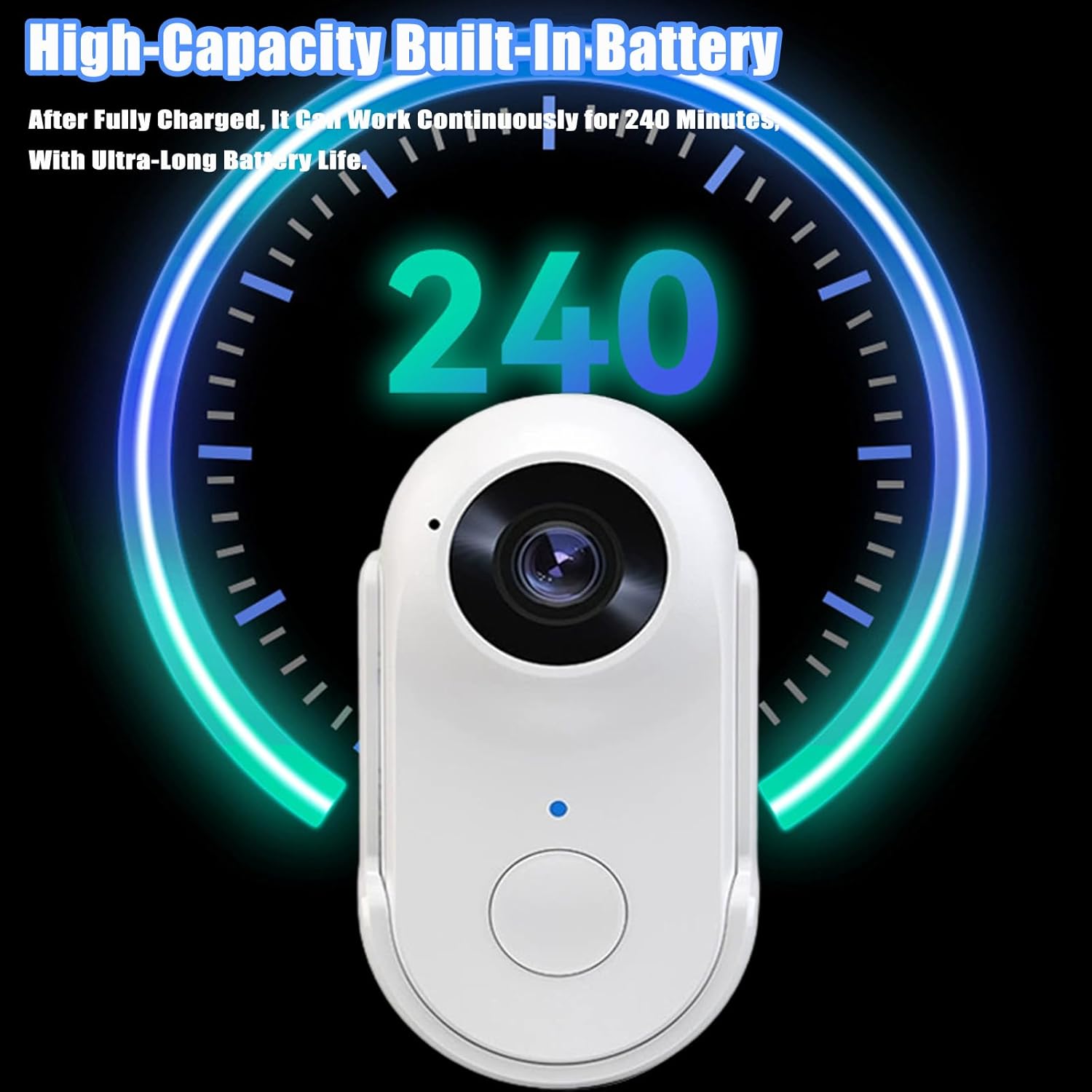
Image: Graphic illustrating the camera's high-capacity built-in battery, capable of 240 minutes of continuous operation after a full charge.
2. SD txartela sartzea
Locate the SD card slot on the camera. Gently insert the provided 64GB SD card into the slot until it clicks into place. Ensure the card is inserted in the correct orientation. To remove, gently push the card in again until it springs out.
3. Osagarriak jartzea
The camera comes with various accessories for versatile mounting:
- Atzeko klipa: Attach the back clip to the camera to easily clip it onto collars, backpack straps, or pockets for hands-free recording.
- Screw Base: Use the screw base for mounting the camera onto tripods or other compatible mounts.
- Silicone Protective Cover & Coil: Provides protection and additional mounting options, especially for pet perspectives.
Funtzionamendu-argibideak
1. Piztu/Itzali
- Piztu: Press and hold the power button for a few seconds until the screen lights up.
- Itzali: Press and hold the power button again until the screen turns off.
2. Bideoa grabatzea
- From the main screen, press the record button (usually indicated by a red dot or camera icon) to start video recording.
- The recording indicator will flash, and a timer will appear on the screen.
- Press the record button again to stop recording. The video file SD txartelean gordeko da.
- The camera supports loop recording, automatically overwriting the oldest fileSD txartela beteta dagoenean.
3. Argazkiak ateratzea
- Switch to photo mode (if applicable, refer to on-screen icons).
- Press the shutter button (often the same as the record button in photo mode) to take a picture.
- The photo will be saved to the SD card.
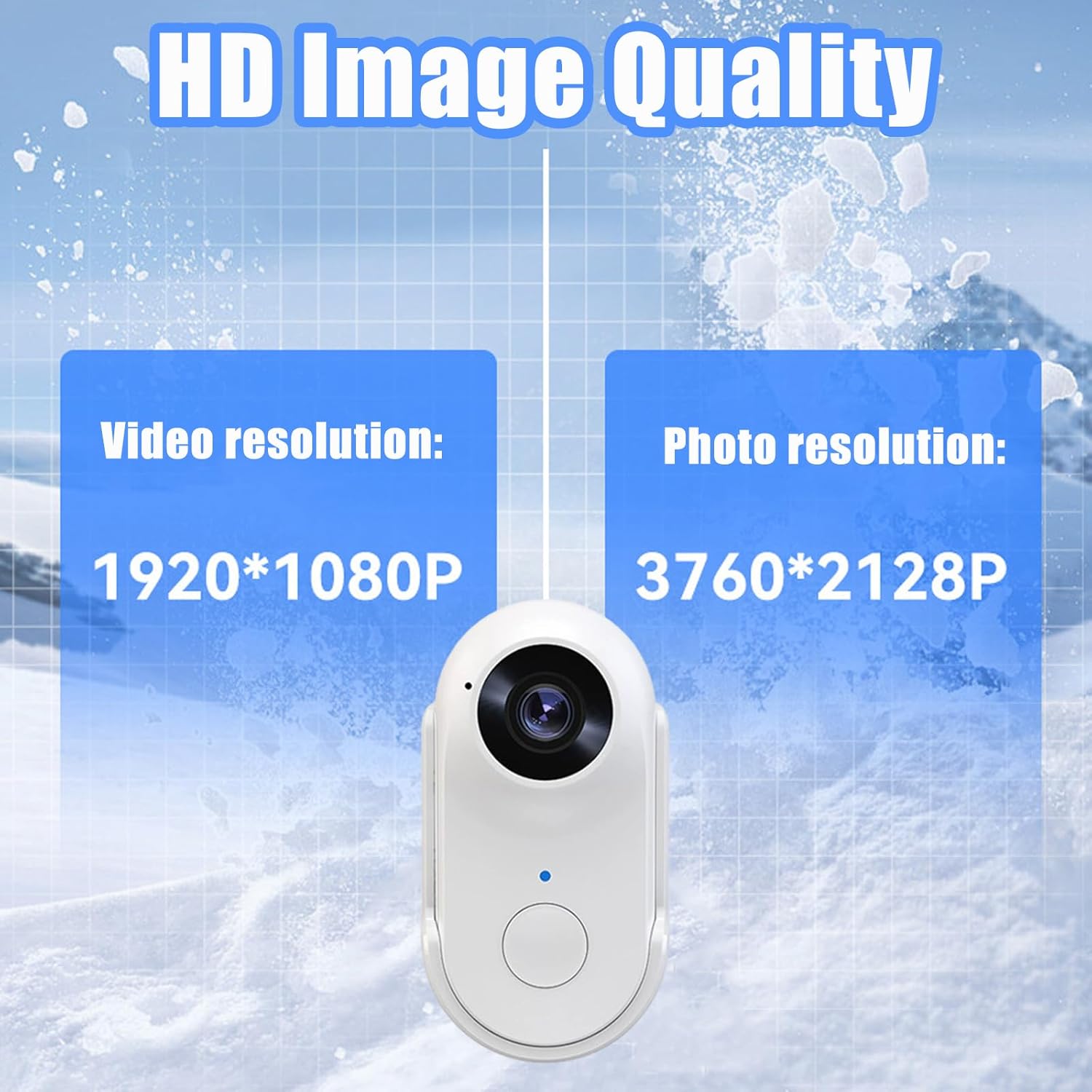
Image: Comparison graphic showing the camera's video resolution at 1920*1080P and photo resolution at 3760*2128P, highlighting HD image quality.
4. Erreprodukzioa eta File Transferentzia
- Kameraren erreprodukzioa: Use the navigation buttons to browse and play back recorded videos and photos directly on the 0.96-inch IPS screen.
- Ordenagailura transferitu: Connect the camera to your computer using the provided USB cable. The camera will appear as a removable disk. You can then drag and drop files zure ordenagailura.
- OTG Adapter: Use the OTG adapter to connect the camera directly to compatible Android smartphones or tablets for file transferentzia.
5. Erabilera-eszenatokiak
The compact design and versatile mounting options make this camera suitable for various activities:
- Travel/Vlogging: Capture your journeys and daily life from a first-person perspective.
- Work Record: Document work processes or inspections.
- Pet Perspective: Attach to your pet for unique animal point-of-view footage.
- Outdoor/Adventure: Record hiking, cycling, or other outdoor activities.

Image: Collage depicting various applications of the camera: Travel/VLOG, Work Record, Pet Perspective, and Outdoor/Adventure.
Mantentzea
- Garbiketa: Use a soft, dry, lint-free cloth to clean the camera body. For the lens and screen, use a specialized lens cleaning cloth and solution if necessary. Do not use harsh chemicals or abrasive materials.
- Biltegiratzea: When not in use for extended periods, store the camera in a cool, dry place, away from direct sunlight and extreme temperatures. Ensure the battery is partially charged (around 50%) before long-term storage to preserve battery health.
- Bateria zaintzea: Avoid fully discharging the battery frequently. Charge the camera regularly, even if not in use, to maintain battery performance.
- Firmware eguneraketak: Egiaztatu fabrikatzailearena webwebgunea aldian-aldian bisitatu errendimendua hobetzeko edo funtzio berriak gehitzeko firmware eguneratze eskuragarri dauden ikusteko.
Arazoak konpontzea
| Arazoa | Kausa posiblea | Irtenbidea |
|---|---|---|
| Kamera ez da pizten. | Bateria gutxi; Pizteko botoia ez da behar bezainbeste sakatu. | Charge the battery fully. Press and hold the power button for 3-5 seconds. |
| Ezin da bideoa grabatu/argazkiak atera. | SD card full or not inserted correctly; SD card error. | Check SD card insertion. Format or replace SD card. Delete old files to free space. |
| Irudi/bideo kalitate eskasa. | Dirty lens; Low light conditions; Excessive shaking. | Clean the lens. Ensure adequate lighting. Utilize electronic image stabilization. |
| Kamera blokeatu egiten da edo ez du erantzuten. | Software glitch; Battery issue. | Perform a soft reset by holding the power button until it forces off. Recharge battery. |
| Files not transferring to computer. | Faulty USB cable; Driver issue; Incorrect connection mode. | Try a different USB cable or port. Ensure camera is in data transfer mode. Try using an SD card reader. |
Zehaztapenak
| Parametroa | Balioa |
|---|---|
| Produktuaren izena | Erpuruzko kirol kamera |
| Modelo zenbakia | WMZXJ001 |
| Kolorea | BK-64G-1 (Black) |
| Bistaratzeko pantaila | 0.96 Inches IPS HD Color Screen |
| Pixel eraginkorrak | 2 milioi |
| Bideo Ebazpena | 1080p (1920*1080P) |
| Bideoaren fotograma-tasa | 25 FPS |
| Argazki Ebazpena | 3760*2128p |
| Bideo formatua | AVI |
| Argazki formatua | JPG |
| Loop Grabaketa | Onartua |
| Video Memory per Minute | 120MB |
| Lentearen angelua | 120°-ko angelu ultrazabala |
| Irudi Egonkortzea | Irudi Egonkortze Elektronikoa |
| Bateriaren iraupena | Up to 240 Minutes (continuous recording) |
| Biltegiratze mota | SD txartela (64 GB barne) |
| Pisu garbia | Gutxi gorabehera 55 gramo |
| Neurriak (gutxi gorabehera) | 2.5 x 1.1 x 0.7 hazbete (6.3 x 2.8 x 1.8 cm) |
Bermea eta Laguntza
Bermeari buruzko informazioa eta bezeroarentzako laguntza lortzeko, kontsultatu erosketarekin batera emandako dokumentazioa edo jarri harremanetan saltzailearekin zuzenean. Gorde erosketaren frogagiria bermearen erreklamazioetarako.
Ask a question about this manual
Ask about setup, troubleshooting, compatibility, parts, safety, or missing instructions. Manuals+ will review the question and use this page’s manual context to help answer it.