
1. Sarrera
Thank you for choosing the MINISO Vanity Mirror with Lights. This manual provides important information regarding the safe operation, setup, and maintenance of your new mirror. Please read it thoroughly before use and retain it for future reference.
This LED makeup mirror features adjustable lighting with three color modes, touch controls for brightness, a 10X magnifying glass, and 360° rotation for optimal viewangeluak.
2. Segurtasun informazioa
- Ensure the mirror is placed on a stable, flat surface to prevent tipping.
- Keep the mirror away from water or excessive humidity to avoid electrical hazards.
- Do not expose the mirror to direct sunlight for prolonged periods, as this may damage the LED lights or mirror surface.
- Use only the provided power adapter or one with identical specifications.
- Mantendu haurren eskura.
- Do not attempt to disassemble or repair the mirror yourself. Contact customer support for assistance.
- Clean the mirror surface with a soft, dry cloth. Avoid abrasive cleaners.
3. Paketearen edukia
Mesedez, egiaztatu paketea elementu hauek dituen:
- MINISO Vanity Mirror with Lights
- 10X Magnifying Glass (detachable)
- Elikatze-moldagailua
- Erabiltzailearen eskuliburua (dokumentu hau)
4. Konfigurazioa
4.1 Desontziratzea eta kokatzea
- Kontu handiz kendu osagai guztiak ontzitik.
- Place the mirror on a clean, stable, and flat surface such as a dresser or desk.
- Ensure there is adequate space around the mirror for rotation and access to controls.
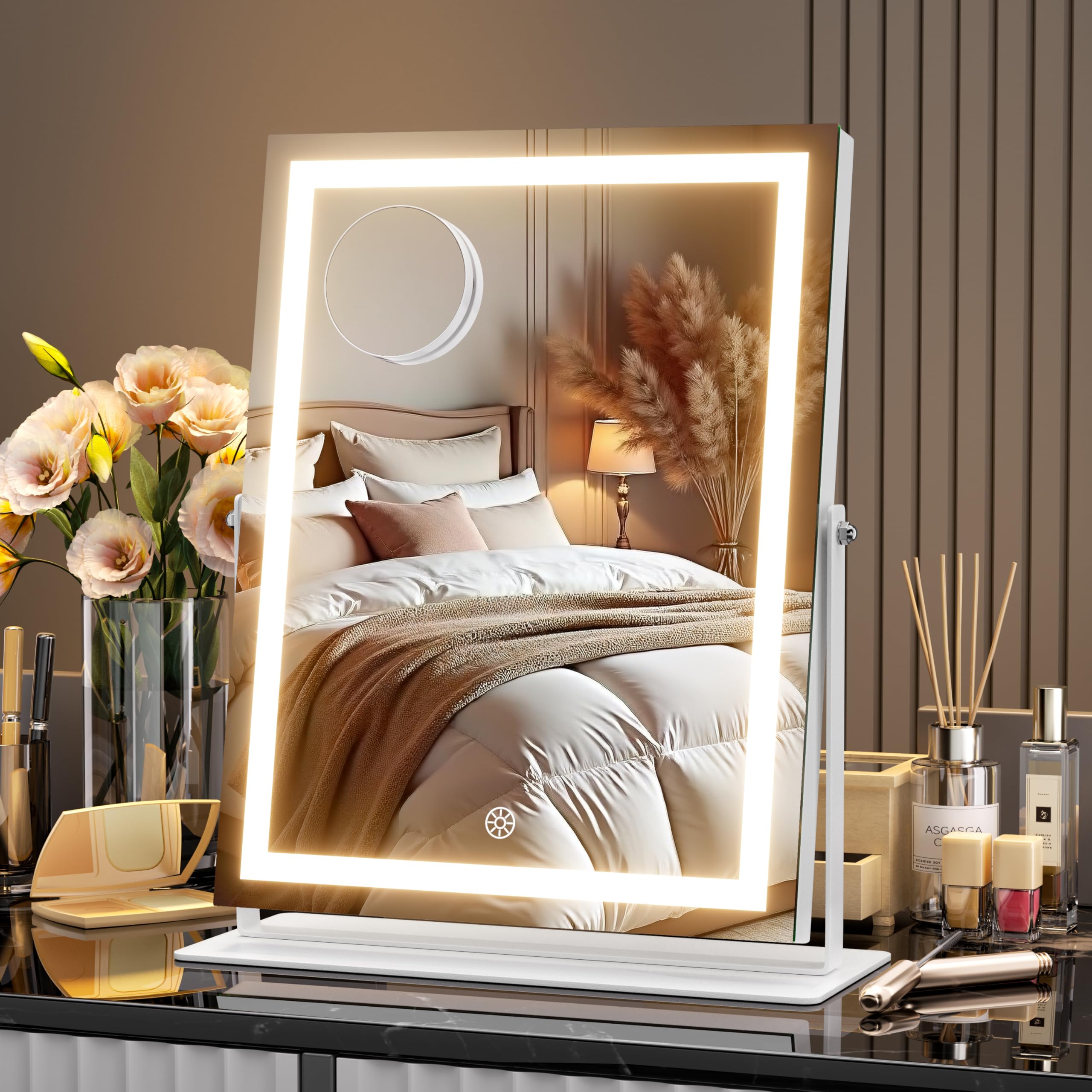
Image: The MINISO Vanity Mirror with Lights placed on a dresser, showcasing its design and size (10.6" L x 13.8" W).
4.2 Energia-konexioa
- Connect the power adapter to the DC port on the back or side of the mirror.
- Konektatu egokitzailea entxufe elektriko estandar batera.
5. Funtzionamendu-argibideak
5.1 Piztea/Itzaltzea eta Argiaren Kontrola
The mirror is equipped with smart touch controls located on the mirror surface.
- Piztu/Itzali: Lightly touch the power icon (usually a circle or lightbulb symbol) on the mirror surface to turn the LED lights on or off.
5.2 Distira doitzea
The mirror offers stepless dimming from 20% to 100% brightness.
- Distira doitzea: With the lights on, press and hold the power icon. The brightness will gradually increase or decrease. Release your finger when the desired brightness level is reached.

Image: A hand interacting with the touch control on the mirror to adjust brightness, with an overlay showing brightness levels from 20% to 100%.
5.3 Changing Color Modes
The mirror features three color temperature modes: Cool Light, Warm Light, and Natural Light.
- Kolore Moduaren Hautaketa: With the lights on, short press the power icon to cycle through the three color modes.

Image: Three different lighting scenarios (Cool, Warm, Natural) demonstrated on a person's reflection in the mirror, illustrating the three color modes.
5.4 360°-ko biraketa
The mirror can be rotated 360 degrees to achieve your preferred viewangelua.
- Angelua doitzea: Gently hold the sides of the mirror frame and rotate it to the desired vertical or horizontal position. The sturdy base will keep it stable.

Image: A diagram illustrating the 360-degree rotation capability of the mirror, showing various angles it can be adjusted to.
5.5 Using the 10X Magnifying Glass
The detachable 10X magnifying glass is ideal for detailed tasks like eyeliner application or tweezing.
- Eranskina: The magnifying glass typically attaches to the main mirror surface via suction cups. Press it firmly onto the main mirror at your desired height.
- Kentzea: Gently lift the edge of the suction cup to release the magnifying glass.

Image: A woman applying makeup, with a close-up inset showing the use of a magnifying mirror for detailed tasks like eyeliner.
5.6 Produktua gainditzeaview Bideoa
Video: An official product video from MinisoDirect demonstrating the features of the MINISO Vanity Mirror with Lights, including its 360° rotation, brightness control, and light color modes.
6. Mantentzea
6.1 Ispilua garbitzea
- Ensure the mirror is unplugged before cleaning.
- Wipe the mirror surface with a soft, lint-free cloth. For stubborn smudges, slightly dampen the cloth with water or a mild, non-abrasive glass cleaner.
- Avoid spraying cleaning solutions directly onto the mirror or into the frame openings.
- Do not use abrasive cleaners, alcohol, or solvents, as these can damage the mirror's finish or electronic components.
6.2 Biltegiratzea
- When not in use for extended periods, store the mirror in a cool, dry place, away from direct sunlight and extreme temperatures.
- Keep the mirror covered to protect it from dust.
7. Arazoak
| Arazoa | Kausa posiblea | Irtenbidea |
|---|---|---|
| Argiak ez dira pizten. | Ez dago energia konexiorik. | Ziurtatu korronte-egokitzailea ispilura eta funtzionatzen duen entxufe elektriko batera ondo konektatuta dagoela. |
| Argiak keinuka edo ilun daude. | Low power or faulty connection. | Check power connections. Try a different outlet. Ensure the brightness is not set to the lowest level. |
| Ukipen-kontrolek ez dute erantzuten. | Dirty sensor or temporary malfunction. | Clean the touch sensor area with a dry, soft cloth. Unplug the mirror for 30 seconds and plug it back in to reset. |
| Ispilua ez da leunki biratzen. | Obstruction or dirty hinge. | Check for any obstructions around the base or hinge. Ensure the mirror is on a flat surface. |
8. Zehaztapenak
| Ezaugarri | Xehetasuna |
|---|---|
| Marka | MINISO |
| Modelo zenbakia | HZ2735S-W-BB |
| Produktuaren neurriak | 10.6 cm-ko luzera x 13.8 cm-ko zabalera |
| Markoaren materiala | Aluminioa |
| Ispiluko materiala | Glass (3mm True-View HD Glass) |
| Argiztapen moduak | 3 Color Modes (Warm, Natural, Cool) |
| Distira doitzea | Stepless Dimming (20%-100%) |
| Errotazioa | 360°-ko pibota |
| Handitzea | 10X (detachable magnifying glass) |
| Kontrol mota | Smart Touch |
| Elementuaren pisua | 5.86 kilo |
9. Bermea eta Laguntza
MINISO products are designed for quality and reliability. For specific warranty information, please refer to the documentation included with your purchase or contact MINISO customer support.
If you encounter any issues or have questions regarding your MINISO Vanity Mirror, please contact our customer service team for assistance. We offer 24/7 customer care to ensure your satisfaction.
Bezeroarentzako arreta: Please visit the official MINISO website or your retailer's support page for contact details.