
1. Sarrera
Thank you for choosing the iScooter X-02 4-Wheel Mobility Scooter. This manual provides essential information for the safe operation, maintenance, and troubleshooting of your new mobility device. Please read it thoroughly before first use to ensure optimal performance and safety.
The iScooter X-02 is designed for adults and seniors, offering a lightweight and powered electric wheelchair experience with a comfortable seat, detachable basket, and LED headlight. It boasts a capacity of 300 lbs, a range of 12.4 miles, and a top speed of 5 MPH.

Image: The iScooter X-02 Mobility Scooter, showcasing its sapphire blue finish, front basket, LED headlight, and comfortable seating.
2. Segurtasun informazioa
Zure segurtasuna da garrantzitsuena. Jarraitu beti jarraibide hauek:
- Read and understand this entire manual before operating the scooter.
- Ensure the scooter is fully charged before each use, especially for longer journeys.
- The scooter is equipped with LED faroak for visibility in low-light conditions. Always use them when necessary.
- A reverse safety warning bell is integrated to alert others when moving backward.
- Anti-roll wheels are designed above the rear wheels to prevent tipping.
- Ez gainditu gehienezko pisu-ahalmena 300 kilo.
- Statements regarding dietary supplements have not been evaluated by the FDA and are not intended to diagnose, treat, cure, or prevent any disease or health condition. This product is a mobility device.

Image: An elderly man comfortably riding the iScooter X-02, with callouts for the bumper bar and anti-skid pedal, emphasizing safety.
3. Konfigurazioa eta Muntaketa
The iScooter X-02 is designed for easy assembly and disassembly for transport and storage.
3.1 Hasierako konfigurazioa
- Despaketatzea: Kontu handiz kendu osagai guztiak ontzitik.
- Eserlekuaren instalazioa: Insert the seat tube into the designated slot on the scooter base. Ensure it clicks securely into place. The seat can swivel for easy access.
- Tileraren doikuntza: Adjust the tiller angle using the adjustment knob to a comfortable position.
- Saskiaren eranskina: Secure the front storage basket to the tiller.
- Hasierako karga: Fully charge the battery before the first ride for optimal performance. The battery can be charged directly on the scooter or detached for charging.

Image: A four-panel diagram illustrating how to adjust the tiller, insert/withdraw the seat tube, adjust the seat height, and adjust the front basket for easy removal and installation.
3.2 Foldable Design for Transport
The scooter features a folding joystick and a body that is easy to disassemble and assemble, allowing for convenient storage in a car trunk or other compact spaces.

Image: The iScooter X-02 Mobility Scooter in its folded state, positioned inside a car trunk, with key dimensions (41.7 inches length, 19.7 inches height, 23.6 inches width) indicated.
4. Funtzionamendu-argibideak
The iScooter X-02 offers intuitive controls for a smooth riding experience.

Irudia: Gertutik view of the iScooter X-02 control panel, clearly labeling the battery indicator, speed dial, left throttle control lever, horn switch, key switch, and headlight switch.
4.1 Kontrolakview
- Tekla etengailua: Turn the key to the "ON" position to power on the scooter.
- Markaketa bizkorra: Adjust the maximum speed from 0 to 5 MPH.
- Left Throttle Control Lever: Use to engage forward or reverse motion.
- Adar-etengailua: Activate the horn for alerts.
- Buruko etengailua: Turn the LED headlight on or off.
- Bateria adierazlea: Uneko bateriaren maila bistaratzen du.
4.2 Gidatzeko moduak
The scooter has two modes: Freewheel Mode and Drive Mode.
- Gurpil libreko modua: In this mode, the scooter can be pushed manually, but it cannot be driven. If the key is inserted to start the scooter in this mode, it will beep.
- Gidatzeko modua: Move the position of the lever to switch to drive mode. In this mode, the scooter can be driven.

Image: The iScooter X-02 Mobility Scooter demonstrating its capability on an incline, with a visual representation of a 20-degree slope and an inset showing the freewheel/drive mode lever.
5. Mantentzea
Regular maintenance ensures the longevity and safe operation of your iScooter X-02.
5.1 Bateria zaintzea
- Erabili bakoitzaren ondoren bateria guztiz kargatu.
- If storing the scooter for an extended period, charge the battery at least once a month.
- The removable battery allows for convenient charging on or off the scooter.

Image: The iScooter X-02 Mobility Scooter in an outdoor setting, emphasizing its long range (12.4 miles), maximum load capacity (300 lbs), and top speed (5 MPH).
5.2 Wheel Replacement
Should you need to replace a wheel, follow these steps:
Video: This video demonstrates the process of replacing the front wheel of the X02 Mobility Scooter, showing how to remove the old wheel and install a new one using basic tools.
5.3 Arreta orokorra
- Keep the scooter clean by wiping it with a damp oihal. Saihestu produktu kimiko gogorrak erabiltzea.
- Regularly check all nuts and bolts for tightness.
- Store the scooter in a dry, cool place when not in use.
6. Arazoak
If you encounter issues with your iScooter X-02, consider the following common solutions:
| Arazoa | Kausa posiblea | Irtenbidea |
|---|---|---|
| Scooterrak ez du pizten. | Battery is low or not connected; Key not fully inserted. | Charge the battery; Ensure battery is properly connected; Insert key fully and turn to ON. |
| Scooterra poliki edo modu irregularrean mugitzen da. | Low battery; Speed dial set too low; Freewheel mode engaged. | Charge the battery; Adjust speed dial; Switch to Drive Mode. |
| Funtzionamenduan zehar ezohiko zaratak. | Loose components; Obstruction in wheels. | Check all visible connections and tighten; Inspect wheels for debris. |
If the problem persists, please contact iScooter customer support.
7. Zehaztapenak
- Ereduaren izena: X-02
- Marka: iScooter
- Kolorea: Zafiro Urdina
- Gurpilen Tamaina: 7.76 hazbete
- Gehienezko Karga Edukiera: 300 kilo
- Abiadura handiena: 5 MPH
- Tartea: 12.4 Miles (with option for extended range with additional battery)
- Ezaugarriak: 4-Wheel Foldable Mobility Scooter, Power Motor, LED Headlight, Detachable Basket, Cup Holder, Comfortable Swivel Seat, Anti-Skid Pedal, Bumper Bar.
- Fabrikatzailea: WUYI AICHI INDUSTRY AND TRADE CO., LTD
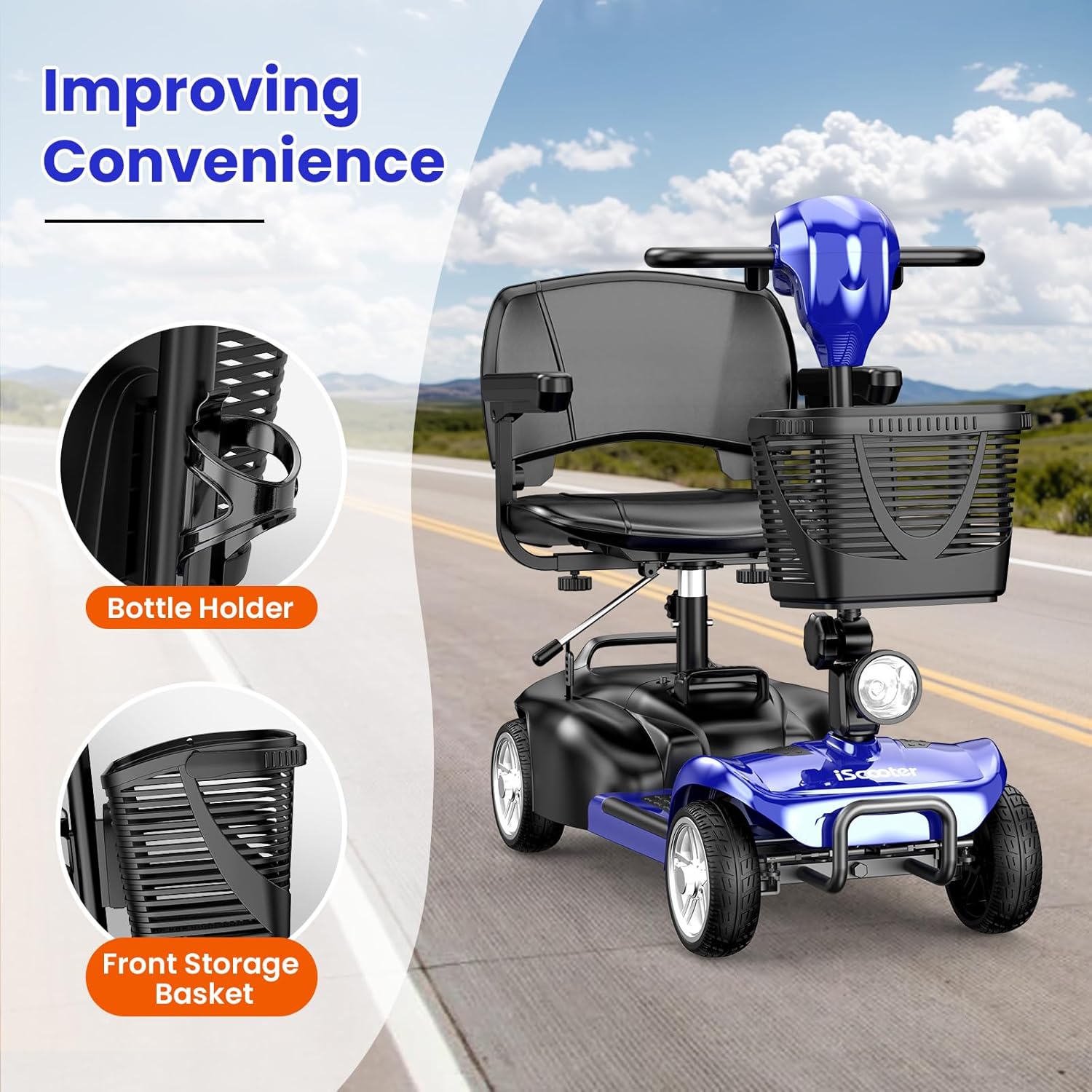
Image: The iScooter X-02 Mobility Scooter showcasing its convenience features: a stable bottle holder and a spacious front storage basket.
8. Bermea eta Laguntza
iScooter is committed to quality and customer satisfaction. We offer a comprehensive warranty on different parts of your scooter:
- 360 eguneko bermea on certain parts.
- 180 eguneko bermea on other parts.
For fast and professional service, or any inquiries, please contact iScooter customer support:
- Call Center: +1 (855) 916-2366
- Zuzeneko txata/posta elektroniko bidezko laguntza: support@iscooterglobal.com
Zure gogobetetasuna da gure lehentasun nagusia.

Image: iScooter customer service team ready to provide support, with contact details for call center and email.