
1. Sarrera
This manual provides essential information for setting up, operating, and maintaining your KOOSMILE Mini Laptop P8. The P8 is an 8-inch 2-in-1 convertible laptop featuring Windows 11 Pro, an Intel N150 processor, 12GB LPDDR5 RAM, and a 512GB SSD. Its compact design and versatile modes make it suitable for various tasks and environments.
2. Paketearen edukia
Mesedez, egiaztatu paketea elementu hauek dituen:
- KOOSMILE Mini Laptop P8 x1
- PD Adapter x1
- Active Stylus x1
- HDMI kablea x1
- USB Hub x1
- Erabiltzailearen eskuliburua x1
3. Produktua amaitu daview
Familiarize yourself with the physical components and ports of your KOOSMILE Mini Laptop P8.
3.1. Ezaugarri nagusiak
Irudia: Gainetikview of the KOOSMILE P8 Mini Laptop highlighting its key features including Intel N150 CPU, 12GB LPDDR5 RAM, SSD storage, 0.78kg weight, 2MP camera, and 8-inch HD IPS screen.
3.2. Portuak eta Botoiak
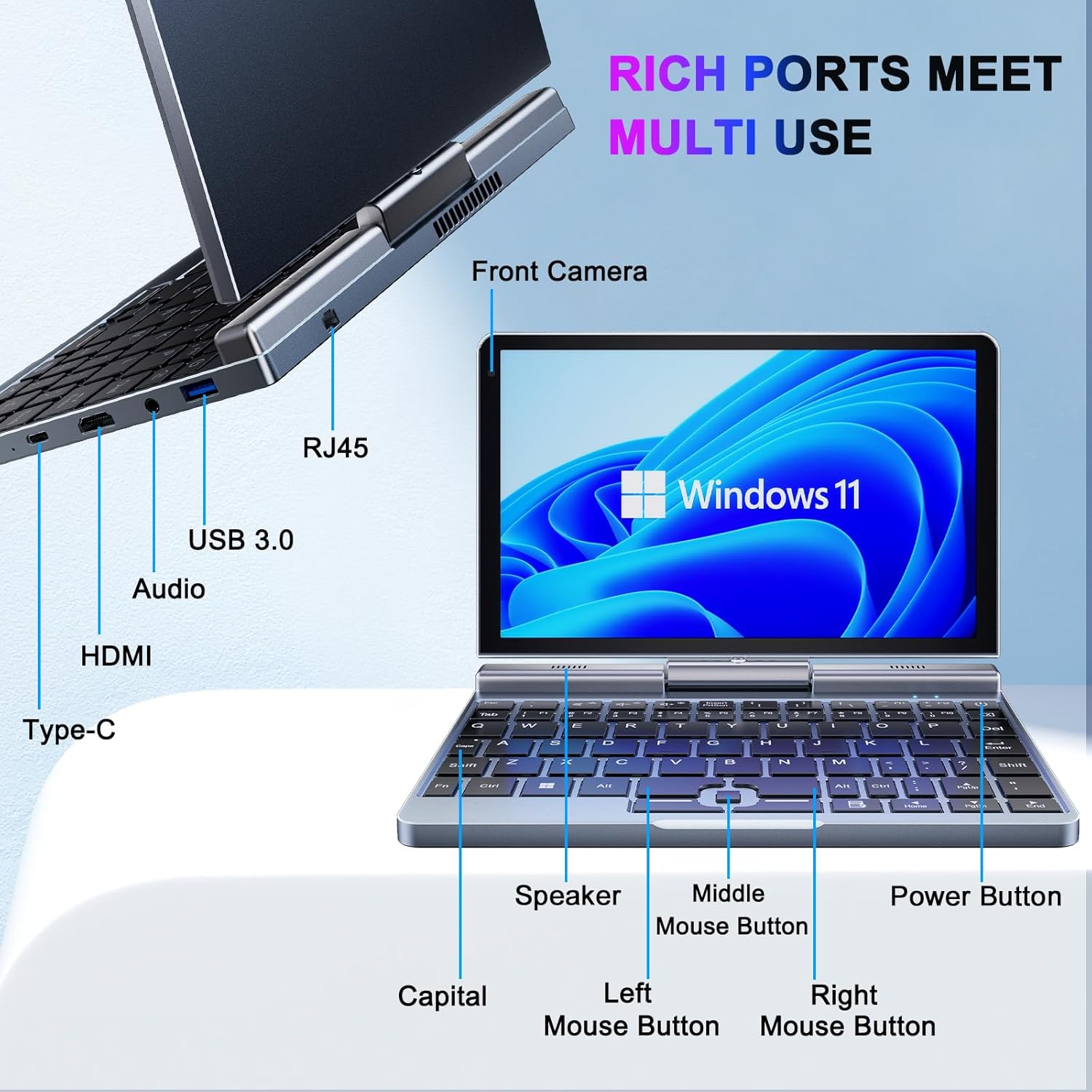
Irudia: Xehetasun handikoa view of the KOOSMILE P8 Mini Laptop's side ports and keyboard layout, labeling the RJ45 Ethernet port, USB 3.0, Audio jack, HDMI, Type-C port, Front Camera, Speaker, Middle Mouse Button, Left Mouse Button, Right Mouse Button, Power Button, and Capital key.
- USB 3.0 ataka: USB gailuak konektatzeko.
- USB C motako ataka: For data transfer, charging, and DisplayPort (DP) video output.
- HDMI ataka: Kanpoko pantailetara konektatzeko.
- Audio Jack: Entzungailuetarako edo kanpoko bozgorailuetarako.
- RJ45 Ethernet ataka: Kable bidezko sare konexiorako.
- Pizteko botoia: Gailua pizteko/itzaltzeko edo lo moduan jartzeko.
- Aurrealdeko kamera: 2MP camera for video calls and conferencing.
4. Konfigurazioa
Follow these steps for initial setup of your KOOSMILE Mini Laptop P8.
- Gailua kargatu: Connect the PD Adapter to the USB Type-C port on the laptop and plug it into a power outlet. Allow the device to charge fully before first use.
- Piztu: Sakatu eta eutsi pizteko botoia pantaila piztu arte.
- Windows 11 Pro konfigurazioa: Jarraitu pantailan agertzen diren argibideei Windows 11 Pro-ren hasierako konfigurazioa osatzeko, hizkuntza hautatzea, sareko konexioa eta erabiltzaile kontua sortzea barne.
- Konektatu periferikoak: If desired, connect the included USB Hub, external mouse, or other peripherals to the available USB ports.
5. Funtzionamendu-argibideak
This section covers basic operation and usage modes of your device.
5.1. Piztu/Itzali eta Lo Modua
- Piztu: Sakatu pizteko botoia.
- Lo egiteko modua: Briefly press the Power Button while the device is on. Press again to wake.
- Itzali: From the Windows desktop, click the Start button, then Power, and select 'Shut down'.
- Berrabiarazi: From the Windows desktop, click the Start button, then Power, and select 'Restart'.
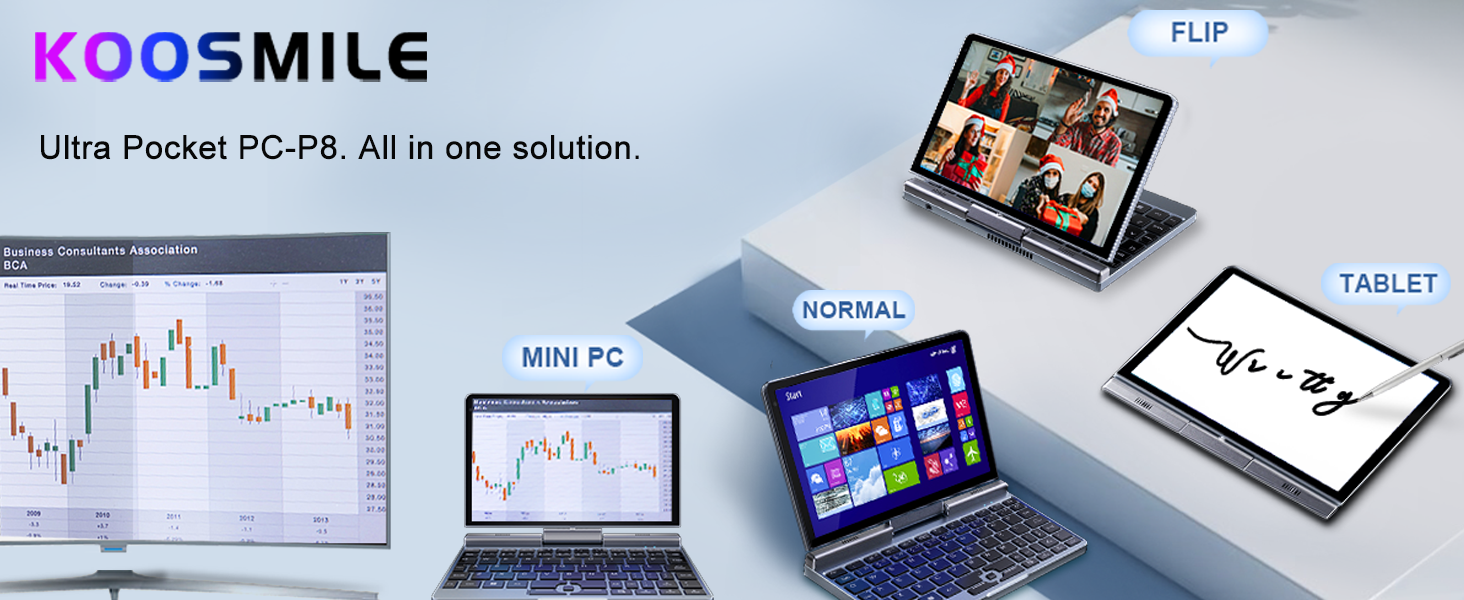
5.2. 2-in-1 Bihurgarri Moduak
The KOOSMILE P8 features a 180° rotating screen, allowing it to transform into multiple modes:
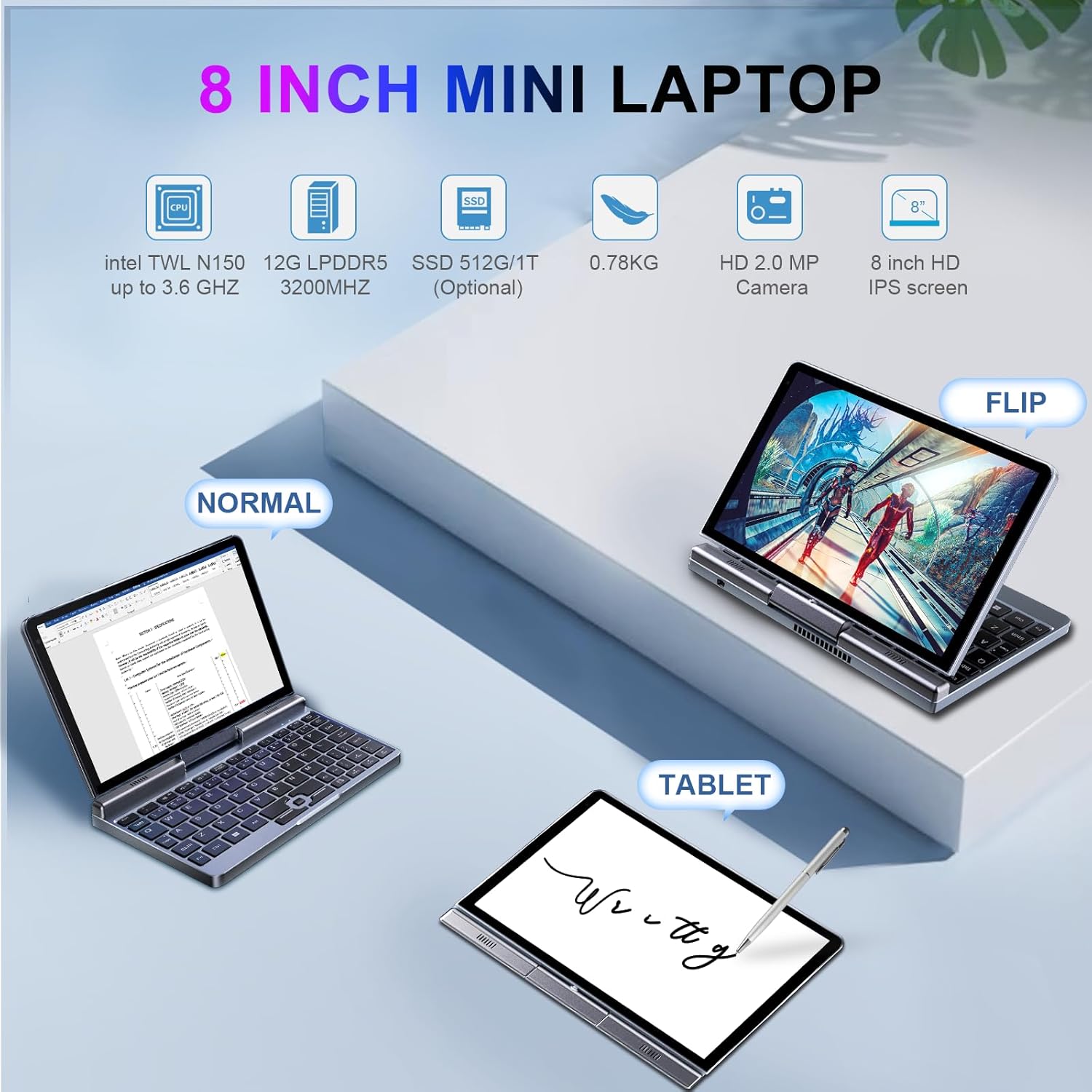
Image: The KOOSMILE P8 Mini Laptop shown in three different modes: Normal (laptop), Flip (tent/stand), and Tablet mode, demonstrating its 180-degree screen rotation capability.
- Ordenagailu eramangarriaren modua: Standard configuration for typing and traditional computing.
- Tablet modua: Rotate the screen 180° and fold it back against the keyboard for a full touchscreen experience. Windows will automatically switch to tablet interface.
- Tent/Stand Mode: Position the device in an inverted 'V' shape or with the keyboard facing down for media consumption or presentations.
5.3. Touchscreen and Stylus Use
The 8-inch HD touch screen supports multi-touch gestures and input from the included active stylus.
- Ukipen-keinuak: Erabili Windows-en ukipen-keinu estandarrak nabigatzeko, zooma egiteko eta korritzeko.
- Stylus aktiboa: The stylus allows for precise input, drawing, and note-taking. Ensure the stylus is charged if it requires power.
5.4. External Display Connection
Connect your laptop to an external monitor or TV using the HDMI or USB Type-C (DisplayPort Alt Mode) ports.

Image: The KOOSMILE P8 Mini Laptop connected to an external monitor via HDMI, illustrating its Type-C DisplayPort (DP) out and HDMI DisplayPort (DP) out capabilities for extended display.
- HDMI: Use the included HDMI cable to connect to an HDMI-compatible display.
- USB C mota: If your external display supports DisplayPort over USB-C, you can use a compatible USB-C to DisplayPort cable.
- Pantailaren ezarpenak: After connecting, press Windows tekla + P to select your preferred display mode (Duplicate, Extend, Second screen only).
6. Konektibitatea
The KOOSMILE P8 offers various connectivity options.
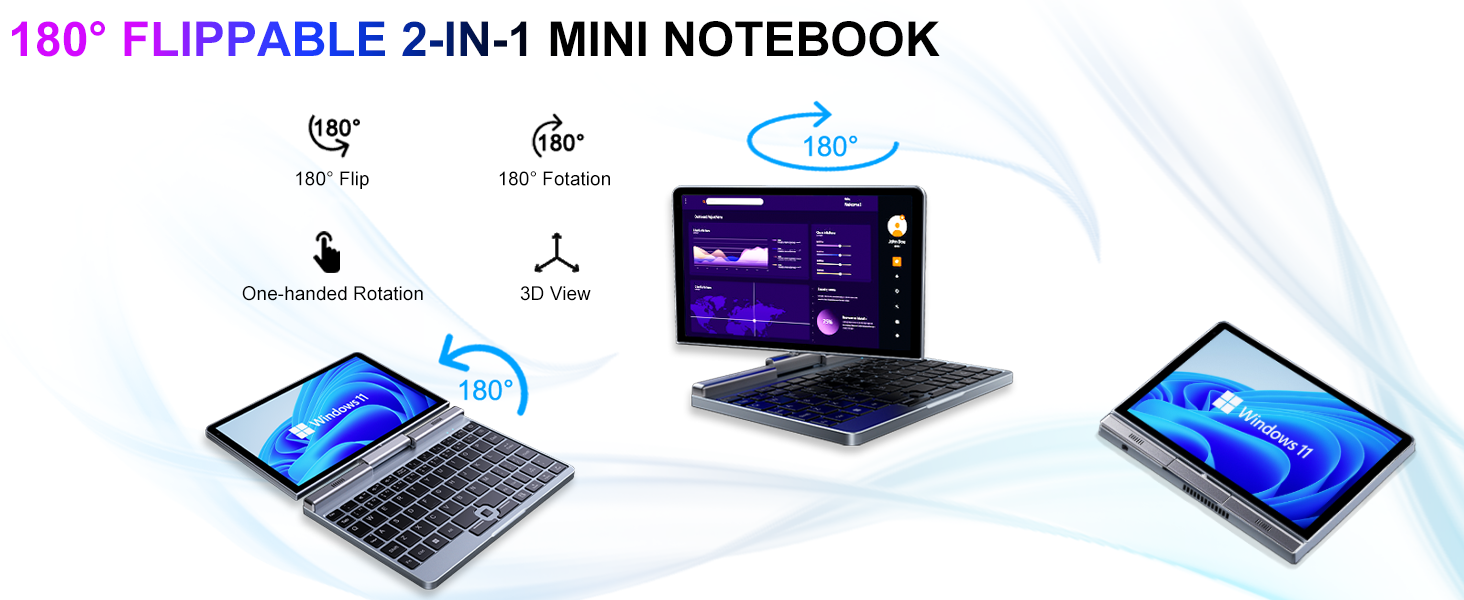
Image: Graphic illustrating the high-speed connectivity of the KOOSMILE P8 Mini Laptop, featuring Wi-Fi 6 and Bluetooth 5.2, with comparison bars showing improved speed, capacity, and reduced delay compared to Wi-Fi 5.
6.1. Wi-Fi konexioa
- Egin klik ataza-barran dagoen Wi-Fi ikonoan.
- Hautatu nahi duzun sarea eta idatzi pasahitza eskatzen bazaizu.
- The device supports Wi-Fi 6 for faster and more stable wireless connections.
6.2. Bluetooth parekatzea
- Joan zaitez Settings > Bluetooth & devices > Bluetooth.
- Turn on Bluetooth and select 'Add device'.
- Choose the device you wish to pair and follow the on-screen instructions.
- The device supports Bluetooth 5.2 for efficient wireless accessory connections.
6.3. Wired Ethernet
- Connect an Ethernet cable to the RJ45 port on the laptop for a stable wired network connection.
7. Mantentzea
Proper care ensures the longevity and performance of your device.
- Garbiketa: Use a soft, lint-free cloth to clean the screen and chassis. For stubborn marks, dampGarbitu oihal pixka bat urarekin edo pantaila-garbitzaile batekin. Saihestu produktu kimiko gogorrak.
- Aireztapena: Ziurtatu aireztapen-zuloak ez daudela blokeatuta, gehiegi berotzea saihesteko.
- Bateria zaintzea: For optimal battery life, avoid fully discharging the battery frequently. Store the device in a cool, dry place if not used for extended periods.
- Software eguneraketak: Regularly update Windows and drivers to ensure system stability and security.
8. Arazoak
Atal honek aurki ditzakezun arazo ohikoenei heltzen die.
8.1. Screen Orientation Issues
- Errotazio automatikoa: When switching between laptop and tablet modes, the screen should automatically adjust its orientation.
- Eskuzko errotazioa: If the screen does not rotate automatically or is stuck in an incorrect orientation, press Windows Key + A to open the Quick Settings panel. Look for the 'Rotation lock' tile and ensure it is off. You can also go to Ezarpenak > Sistema > Pantaila and manually change the 'Display orientation'.
8.2. Gailua ez da pizten
- Egiaztatu potentzia: Ensure the PD adapter is securely connected to the laptop and a working power outlet.
- Bateria maila: Bateria guztiz agortuta badago, baliteke gailua piztu aurretik kargatzeko minutu batzuk behar izatea.
- Berrezarri gogorra: Disconnect the charger, then press and hold the Power Button for 15-20 seconds. Reconnect the charger and attempt to power on again.
8.3. Wi-Fi konexio arazoak
- Wi-Fia aktibatu/desaktibatu: Turn Wi-Fi off and on again from the Quick Settings or Windows Settings.
- Berrabiarazi bideratzailea: Berrabiarazi zure Wi-Fi bideratzailea eta modema.
- Ahaztu Sarea: In Windows Settings, forget the problematic Wi-Fi network and reconnect.
9. Zehaztapenak
Detailed technical specifications for the KOOSMILE Mini Laptop P8.
| Ezaugarri | Zehaztapena |
|---|---|
| Prozesadorea | Intel N150 (4 Cores/4 Threads, up to 3.6 GHz) |
| RAM | 12 GB LPDDR5 3200 MHz |
| Biltegiratzea | 512GB SSD (Expandable up to 2TB) |
| Bistaratzea | 8-inch HD Touch Screen, 1280x800 pixels |
| Sistema eragilea | Windows 11 Pro |
| Grafikoak | Intel UHD grafikoak (integratuak) |
| Haririk gabeko konexioa | Wi-Fi 6, Bluetooth 5.2 |
| Portuak | 1x USB 3.0, 1x USB Type-C (DP Out), 1x HDMI (DP Out), 1x Headphone Jack, 1x RJ45 Ethernet |
| Kamera | 2MP aurreko kamera |
| Pisua | 0.78 kg (1.72 libra) |
| Neurriak (LxWxH) | 7.87 x 5.51 x 0.79 hazbete |
| Bateria | 36.5 WH, PD 30W Charging |
9.1. Performance Overview
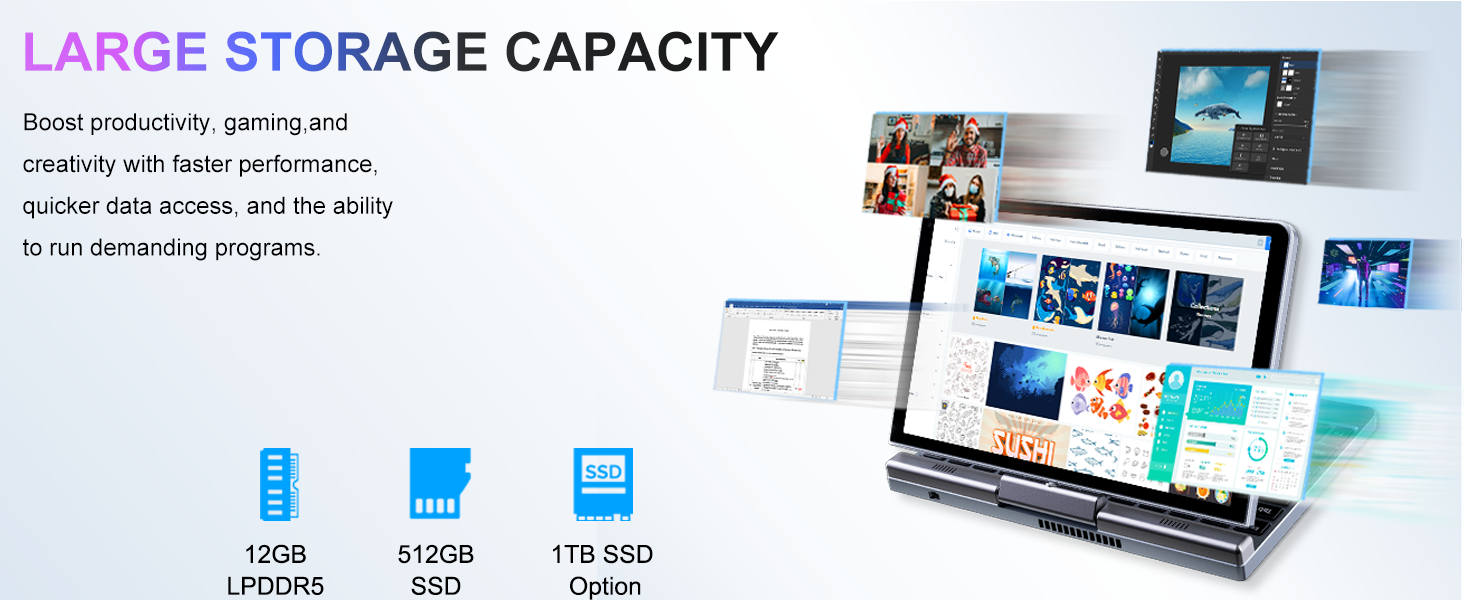
Image: Graphic detailing the performance aspects of the KOOSMILE P8 Mini Laptop, highlighting the Intel TwinLake N150 processor (4 cores, 4 threads, 3.6GHz turbo frequency, 10nm process) and Intel UHD Graphics for smooth content streaming and immersive experiences.
9.2. Biltegiratze-ahalmena
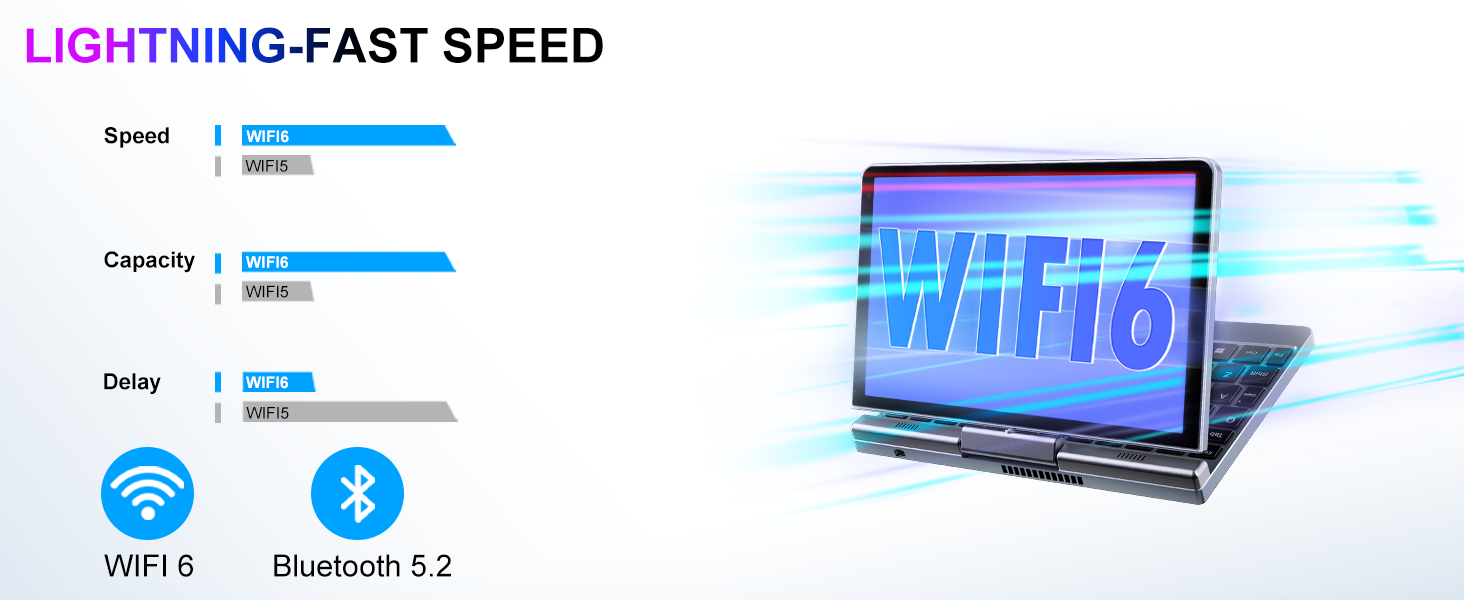
Image: Graphic illustrating the large storage capacity of the KOOSMILE P8 Mini Laptop, featuring 12GB LPDDR5 RAM, 512GB SSD, and an option for 1TB SSD, designed to boost productivity and handle demanding programs.
9.3. Compact Size and Weight
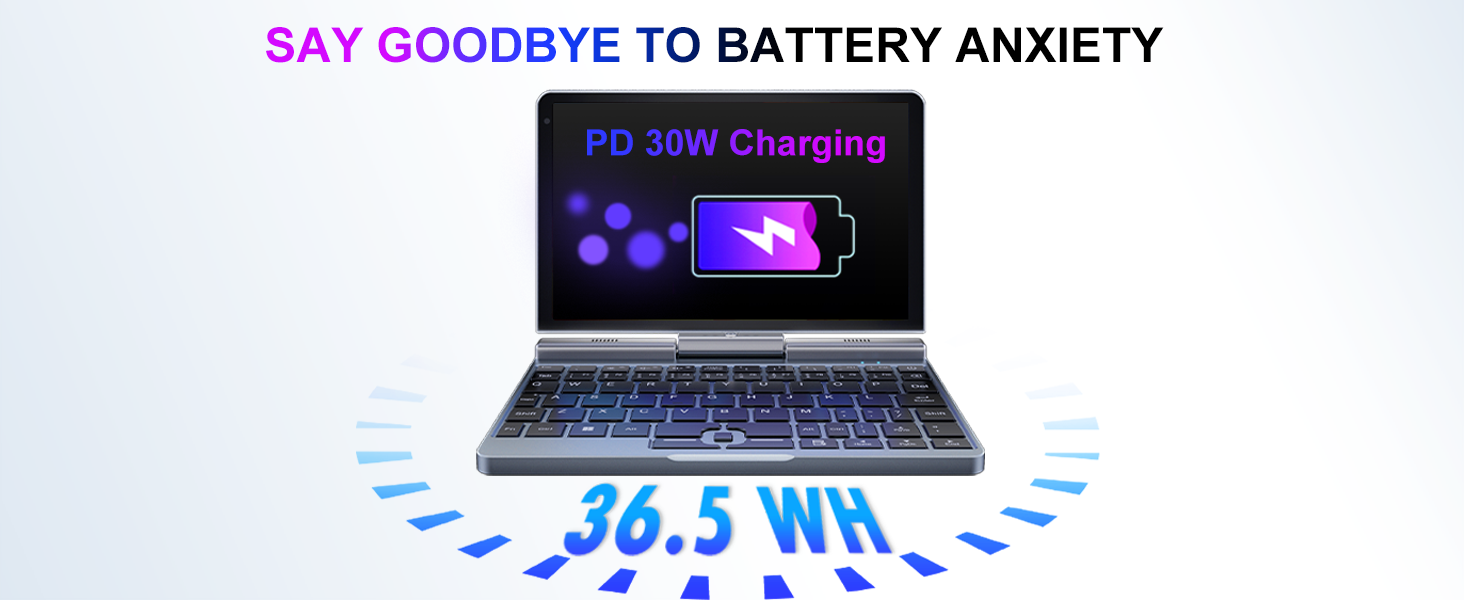
Image: Graphic demonstrating the ultra-compact size and light weight of the KOOSMILE P8 Mini Laptop, showing its 8.0-inch portable screen, 0.78-inch thin profile, and 0.78kg weight, compared to a smartphone for scale.
9.4. Bateriaren informazioa
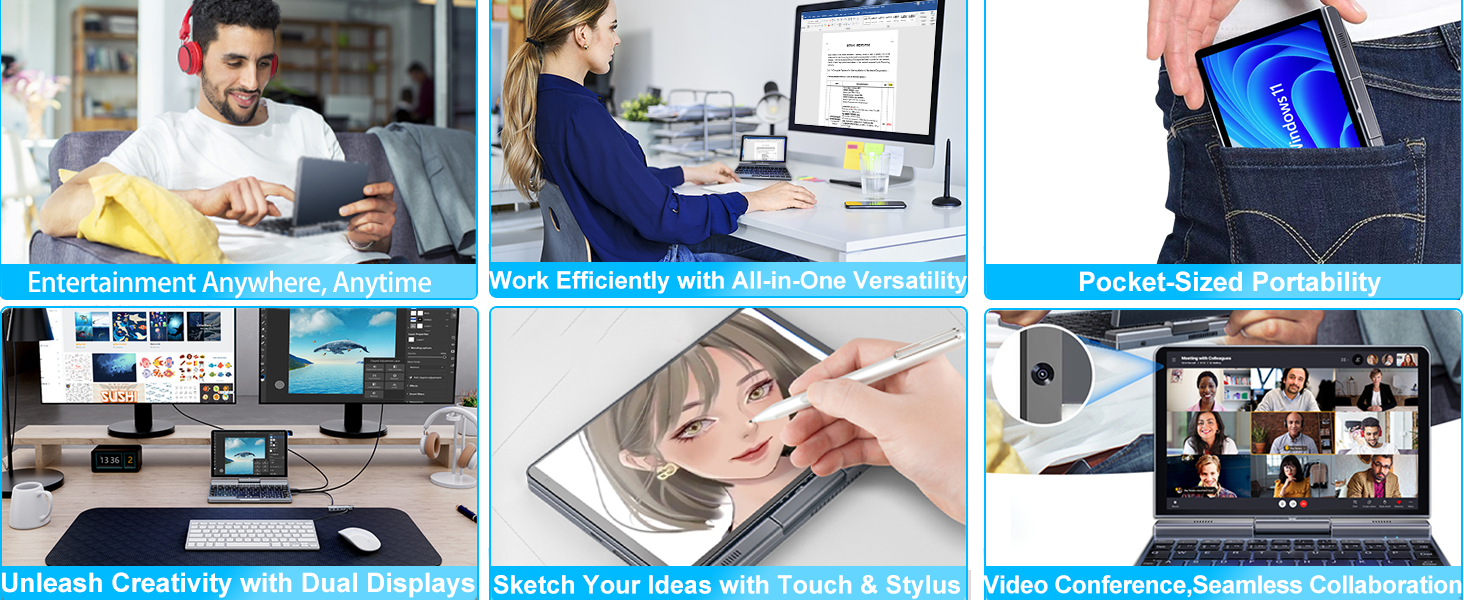
Image: Graphic highlighting the battery features of the KOOSMILE P8 Mini Laptop, indicating 36.5 WH battery capacity and PD 30W charging support to alleviate battery anxiety.
10. Bermea eta Laguntza
Your KOOSMILE Mini Laptop P8 comes with a 1-year warranty. For technical assistance, troubleshooting, or warranty claims, please contact our customer support team. We provide 24-hour customer support to ensure a worry-free experience.
Please refer to the warranty card included in your package for detailed terms and conditions.