
1. Sarrera
This manual provides comprehensive instructions for the safe and efficient operation of your SINGMOOD s63 Portable Karaoke Machine. Please read this manual thoroughly before using the product and retain it for future reference.

Figure 1: The SINGMOOD s63 Portable Karaoke Machine, featuring its integrated screen and two wireless microphones.
2. Produktua amaitu daview
Ezaugarri nagusiak:
- Integrated 14.1-inch Touch Screen: For lyrics display, video streaming, and settings adjustment.
- Haririk gabeko UHF mikrofono bikoitzak: Deliver crystal-clear sound with stable and fast connection.
- Audio irteera indartsua: Up to 1000W peak power for immersive sound.
- Konektibitate polifazetikoa: Supports Bluetooth, HDMI, USB, TF Card, Live 3.5mm, Headset, and Live OTG.
- Android sistema eragilea: Access to YouTube, Spotify, Apple Music, Chrome, and Google Play Store for various applications.
- Diseinu eramangarria: Built-in handle and wheels for easy transport.
- 32-bit Digital Audio Decoder Chip: Ensures high-quality, clear, and full-bodied sound.
Zer dago barne:
- SINGMOOD s63 Karaoke Machine
- 2x UHF haririk gabeko mikrofonoak
- Elikatze-moldagailua
- Erabiltzailearen eskuliburua
- 1x 12V Battery (pre-installed)

Figure 2: Package contents for the SINGMOOD s63 Karaoke Machine.
3. Konfigurazioa
3.1 Kutxatik ateratzea eta hasierako ikuskapena
Carefully remove all components from the packaging. Inspect the karaoke machine and accessories for any signs of damage. Ensure all listed items in the 'What's Included' section are present.
3.2 Hasierako karga
Before first use, fully charge the karaoke machine using the provided power adapter. Connect the adapter to the DC 12V IN port on the control panel and plug it into a power outlet. The charging indicator will illuminate.
3.3 Mikrofonoaren konfigurazioa
The wireless UHF microphones come with rechargeable batteries. To activate a microphone, press and hold the power button on the microphone. The microphone will automatically pair with the karaoke machine. Ensure microphones are charged via their Type-C ports when low on battery.
3.4 Sarearen konexioa
To access online content, connect the machine to a Wi-Fi network. Navigate to 'Settings' on the touch screen, then 'Network & Internet', and select your preferred Wi-Fi network. The device supports both 2.4GHz and 5GHz Wi-Fi for stable streaming.
4. Funtzionamendu-argibideak
4.1 Piztu/Itzali
To power on the machine, locate the red 'POWER' switch on the control panel and toggle it to the 'ON' position. To power off, toggle the switch to 'OFF'.
4.2 Ukipen-pantaila erabiltzea
The 14.1-inch full-touch display operates on an Android OS. You can navigate through applications like YouTube, Spotify, Apple Music, and Chrome directly from the home screen. Use the 'Play Store' to download additional apps.
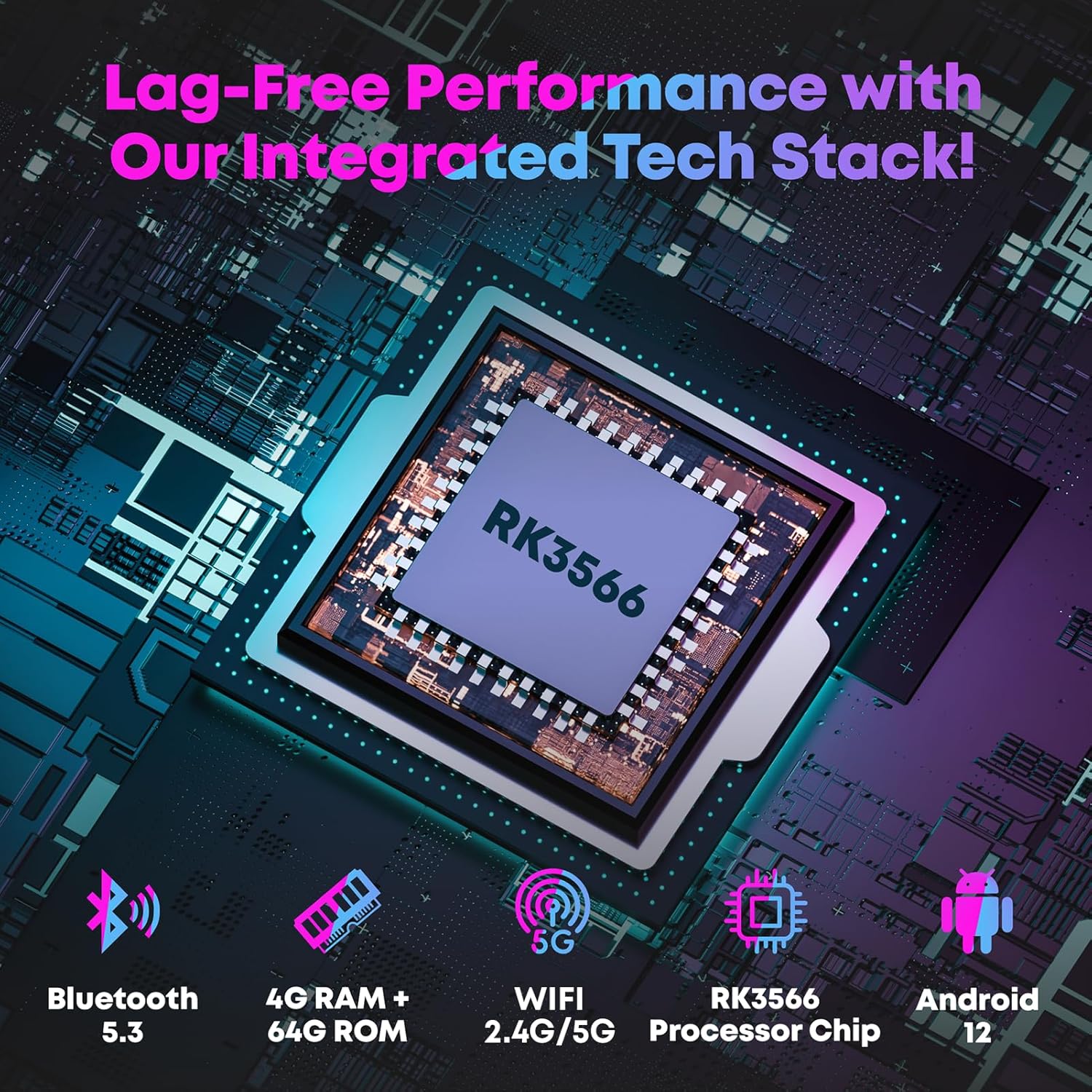
Figure 3: The intuitive touch screen interface of the SINGMOOD s63.
4.3 Microphone Functions
The control panel features dedicated knobs for microphone volume, bass, treble, echo, and delay. Adjust these to customize your vocal output. The 'Magic' button allows for voice effects (e.g., chipmunk, monster voice).

4. irudia: Xehetasuna view of the control panel with microphone and music adjustment knobs.
4.4 Multimedia erreprodukzioa
Utilize the pre-installed apps like YouTube and Spotify for streaming karaoke songs and music. Local media files can be played via the 'MediaPlayer' app, supporting USB drives or TF cards inserted into the respective ports.

Figure 5: Accessing endless karaoke songs through YouTube on the integrated screen.
4.5 Kanpoko konexioak
The machine supports HDMI output for screen projection to an external TV or monitor. Connect external devices like guitars via the GT.IN port or headphones via the HEADSET port for private monitoring.
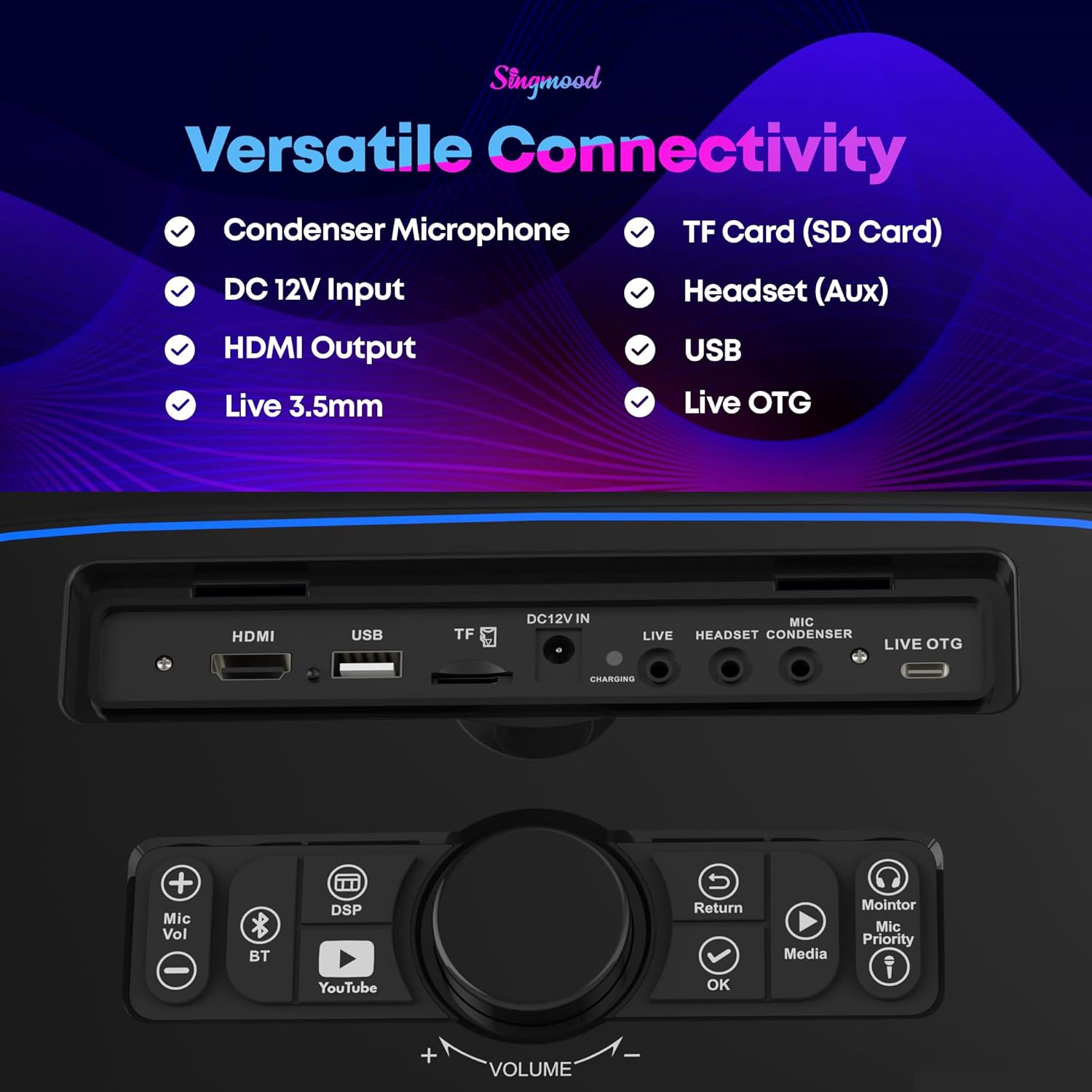
Figure 6: Screen projection to an external display via HDMI.
Video 1: Demonstration of playing songs from YouTube on the karaoke machine.
5. Mantentzea
5.1 Garbiketa
Wipe the exterior of the machine and screen with a soft, dry cloth. Avoid using abrasive cleaners or solvents. For the microphone grilles, use a soft brush to gently remove any debris.
5.2 Bateria zaintzea
To prolong battery life, avoid fully discharging the machine frequently. Store the machine in a cool, dry place when not in use for extended periods. Recharge the battery periodically if stored for a long time.
6. Arazoak
6.1 Soinurik ez
- Check if the master volume is turned up.
- Ziurtatu mikrofonoak piztuta eta parekatuta daudela.
- Verify external audio sources are correctly connected and playing.
6.2 Microphone Feedback
- Lower the microphone volume.
- Adjust the mic treble, echo, and delay settings on the control panel.
- Ensure microphones are not too close to the speaker.
6.3 Wi-Fi konexio arazoak
- Check if the Wi-Fi is enabled in the settings.
- Ensure the machine is within range of your Wi-Fi router.
- Restart the machine and your Wi-Fi router.
7. Zehaztapenak
| Ezaugarri | Xehetasuna |
|---|---|
| Modelo zenbakia | s63 |
| Elementuaren pisua | 23 kilo |
| Produktuaren neurriak | 12 x 7 x 16 hazbete |
| Pantailaren tamaina | 14.1 hazbetekoa |
| Potentzia gailurra | 1000W |
| RAM | 4 GB |
| ROM | 64 GB |
| Prozesadore Txipa | RK3566 |
| Bluetooth bertsioa | 5.3 |
| Wi-Fi euskarria | 2.4G/5G |
| Pilak | 12V-ko bateria (barne) |
| Gailu bateragarriak | Headphones, Microphones, Smartphone/Tablet, Television |
| Konektore mota | HDMI |
8. Bermea eta Laguntza
For warranty information and customer support, please refer to the documentation provided with your purchase or contact SINGMOOD customer service directly. Protection plans are available for purchase separately.


