
1. Sarrera
This manual provides essential information for the safe and efficient use of your Azeyou A733 Android 15 Tablet. Please read this manual thoroughly before operating the device to ensure proper functionality and to prevent damage. Keep this manual for future reference.

Image: The Azeyou A733 Android 15 Tablet, showcasing its 12-inch display and core specifications.
2. Segurtasun informazioa
- Ez jarri tableta tenperatura altuen, eguzki-argiaren eraginpean edo hezetasun handiaren eraginpean.
- Saihestu tableta erortzea edo kolpe gogorren eraginpean jartzea.
- Erabili fabrikatzaileak onartutako kargagailuak eta osagarriak soilik.
- Do not attempt to disassemble or repair the tablet yourself. Refer to authorized service personnel.
- Keep the tablet away from children and pets to prevent accidental damage or injury.
3. Paketearen edukia
Egiaztatu elementu guztiak zure produktuaren paketean daudela:
- Azeyou A733 Android 15 Tablet
- USB motako C kargatzeko kablea
- Energia egokitzailea (20W-ko kargagailu azkarra)
- Erabiltzailearen eskuliburua (dokumentu hau)
- SIM Ejector Tool (if applicable for models with cellular support)
4. Gailua amaitu daview
Ohitu zaitez zure tabletaren osagai fisikoekin.

Irudia: Albokoa view of the Azeyou A733 tablet, illustrating the placement of buttons and ports.
- Pizteko botoia: Alboan kokatuta, tableta pizteko/itzaltzeko edo pantaila esnatzeko/lo hartzeko erabiltzen da.
- Bolumen-botoiak: Doitu audioaren bolumena.
- USB C motako ataka: Kargatzeko eta datuak transferitzeko.
- Bozgorailuak: Located on the sides for audio output.
- Aurrealdeko kamera: For video calls and selfies (5MP).
- Atzeko kamera: For taking photos and videos (13MP).
- Mikrofonoa: Ahotsaren sarrerarako.
- TF txartelaren zirrikitua: 1 TB-rainoko biltegiratze zabalgarrirako.
5. Konfigurazioa
5.1 Hasierako karga
Before first use, fully charge your tablet. Connect the provided USB Type-C cable to the tablet's Type-C port and the power adapter, then plug the adapter into a wall outlet. The tablet supports 20W fast charging.
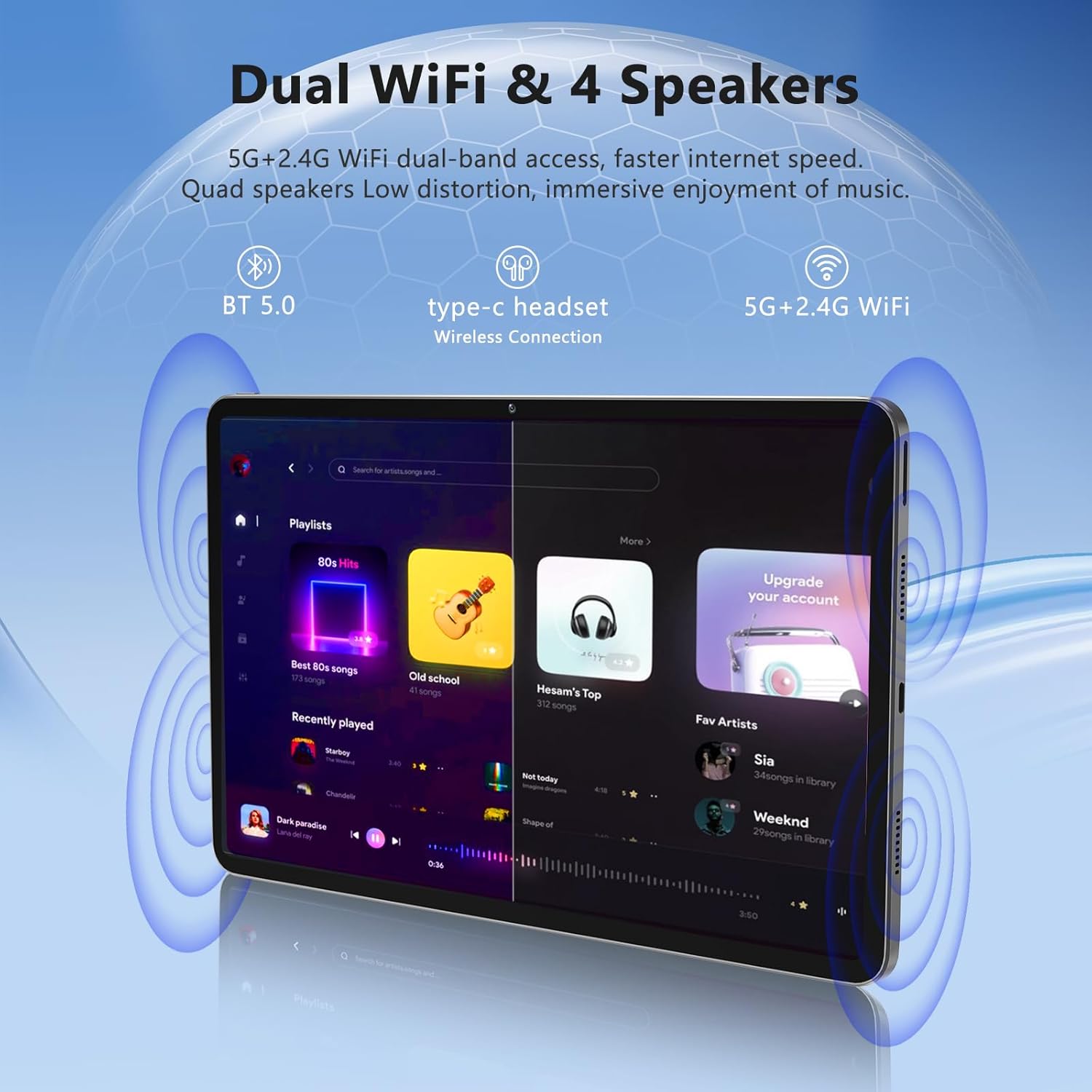
Image: The Azeyou A733 tablet connected to a charger, illustrating its fast charging feature.
5.2 Piztu/Itzali
- Pizteko: Press and hold the Power button until the Azeyou logo appears.
- Itzaltzeko: Press and hold the Power button until the power options appear on screen, then select "Power off."
- Berrabiarazteko: Press and hold the Power button until the power options appear, then select "Restart."
5.3 Hasierako konfigurazio-morroia
Upon first power-on, the tablet will guide you through an initial setup process:
- Aukeratu nahi duzun hizkuntza.
- Konektatu Wi-Fi sare batera.
- Hasi saioa zure Google kontuarekin edo sortu berri bat.
- Review eta baldintzak eta zehaztapenak onartu.
- Konfiguratu pantailaren blokeoa (PINa, eredua edo pasahitza).
5.4 Expandable Storage
To expand storage, insert a TF (microSD) card into the designated slot. The tablet supports up to 1TB expansion.

Image: Visual representation of the tablet's memory configuration, including 20GB RAM, 128GB ROM, and 1TB expandable storage.
6. Tabletaren erabilera
6.1 Oinarrizko nabigazioa
The Azeyou A733 tablet uses touch gestures for navigation:
- Sakatu: Hautatu elementu bat edo ireki aplikazio bat.
- Pasatu hatza: Pantailetan edo zerrendetan zehar joan.
- Pixka bat: Irudiak handitu edo txikitu eta web orrialdeak.
- Prentsa luzea: Sartu testuinguru-menuetara edo mugitu ikonoak.
6.2 Wi-Fi konexioa
Wi-Fi sare batera konektatzeko:
- Joan zaitez Ezarpenak > Sarea eta Internet > Wi-Fi.
- Wi-Fia aktibatu/desaktibatu On.
- Hautatu nahi duzun sarea zerrendatik.
- Eskatzen bazaizu, idatzi pasahitza eta, ondoren, sakatu Konektatu.
The tablet supports Wi-Fi 6 for faster and more stable connections.

Irudia: Tabletaren erakustaldiaasing its dual Wi-Fi capabilities and quad speakers for enhanced audio experience.
6.3 Bluetooth konexioa
To pair with a Bluetooth device (e.g., headphones, keyboard, mouse):
- Joan zaitez Ezarpenak > Konektatutako gailuak > Bluetootha.
- Aktibatu Bluetooth-a On.
- Ziurtatu zure Bluetooth gailua parekatze moduan dagoela.
- Hautatu gailua zerrendatik eta jarraitu pantailan agertzen diren argibideei parekatzea osatzeko.
6.4 Aplikazioen kudeaketa
Your Azeyou A733 tablet is GMS certified, allowing full access to the Google Play Store for downloading and managing applications.
- Instalatu aplikazioak: Open the Play Store app, search for your desired app, and tap Instalatu.
- Desinstalatu aplikazioak: Long-press an app icon on the home screen or app drawer, then drag it to "Uninstall" or select "App info" and choose "Uninstall."
6.5 Kameraren erabilera
Tabletak 5MP-ko aurrealdeko kamera eta 13MP-ko atzeko kamera ditu.
- Ireki Kamera aplikazioa.
- Sakatu kameraren etengailuaren ikonoa aurreko eta atzeko kameren artean txandakatzeko.
- Sakatu obturadorearen botoia argazki bat ateratzeko edo bideo grabaketa hasteko/gelditzeko.
Irudia: Xehetasun handikoa view of the tablet's 13MP rear camera and 5MP front camera, illustrating their positions and use.
6.6 Split-Screen Function
Bi aplikazio aldi berean erabiltzeko:
- Ireki lehenengo aplikazioa.
- Tap the recent apps button (usually a square icon).
- Long-press the icon of the first app at the top of its card.
- Select "Split screen."
- Choose the second app from the recent apps list or app drawer.
6.7 AI Air Gesture
The tablet supports AI Air Gesture for hands-free control. Specific gestures and their functions can be configured in Ezarpenak > Kontrol adimendunak (or similar menu name).
6.8 Sitting Posture Detection
This feature helps users maintain a healthy sitting posture by providing alerts or guidance. Access and configure this feature in Ezarpenak > Ongizate digitala eta gurasoen kontrola or a dedicated health/posture app.

Image: Demonstrations of AI air gesture for tablet control and the sitting posture detection system.
6.9 Media Playback (Widevine L1)
The tablet is Widevine L1 certified, enabling high-definition (HD) content streaming on platforms such as Netflix, Amazon Prime Video, Hulu, and HBO.

Image: The tablet displaying logos of popular streaming services, signifying its Widevine L1 certification for HD playback.
7. Mantentzea
7.1 Garbiketa
Use a soft, lint-free cloth to clean the tablet screen and body. Avoid using harsh chemicals or abrasive materials.
7.2 Bateria zaintzea
8000 mAh-ko bateriak erabilera luzeagoa eskaintzen du. Bateriaren iraupena luzatzeko:
- Saihestu bateria maiz erabat deskargatzea.
- Ez utzi tableta kargatzen denbora luzez bete ondoren.
- Keep the tablet within a moderate temperature range.

Image: An infographic detailing the 8000mAh battery and its estimated performance across various activities.
7.3 Software eguneraketak
Egiaztatu eta instalatu software eguneraketak aldizka errendimendu eta segurtasun optimoa bermatzeko. Joan honera Ezarpenak > Sistema > Sistema eguneratzea.
7.4 Biltegiratze kudeaketa
To manage your 128GB internal storage (expandable to 1TB):
- Joan zaitez Ezarpenak > Biltegiratzea to view erabilera eta espazioa askatzea.
- Garbitu aldizka aplikazioetako cache datuak.
- Mugitu handia files to an inserted TF card.
8. Arazoak
8.1 Gai arruntak
- Tableta ez da pizten: Ziurtatu bateria kargatuta dagoela. Konektatu kargagailua gutxienez 30 minutuz pizten saiatu aurretik.
- Aplikazioak huts egiten edo blokeatzen: Close and reopen the app. If the issue persists, clear the app's cache (Settings > Apps > [App Name] > Storage & cache > Clear cache). Restart the tablet.
- Wi-Fi konexio arazoak: Berrabiarazi Wi-Fi bideratzailea eta tableta. Ahaztu sarea tabletaren ezarpenetan eta konektatu berriro.
- Errendimendu motela: Itxi beharrezkoak ez diren atzeko planoan dauden aplikazioak. Garbitu cachea eta aldi baterakoak files. Consider performing a factory reset if performance issues persist after other troubleshooting steps.
8.2 Fabrika berrezarri
A factory reset will erase all data from your tablet and restore it to its original factory settings. Back up important data before proceeding.
- Joan zaitez Ezarpenak > Sistema > Berrezarri aukerak.
- Hautatu Ezabatu datu guztiak (fabrika berrezarri).
- Berretsi zure erabakia eta jarraitu pantailan agertzen diren argibideei.
9. Zehaztapenak

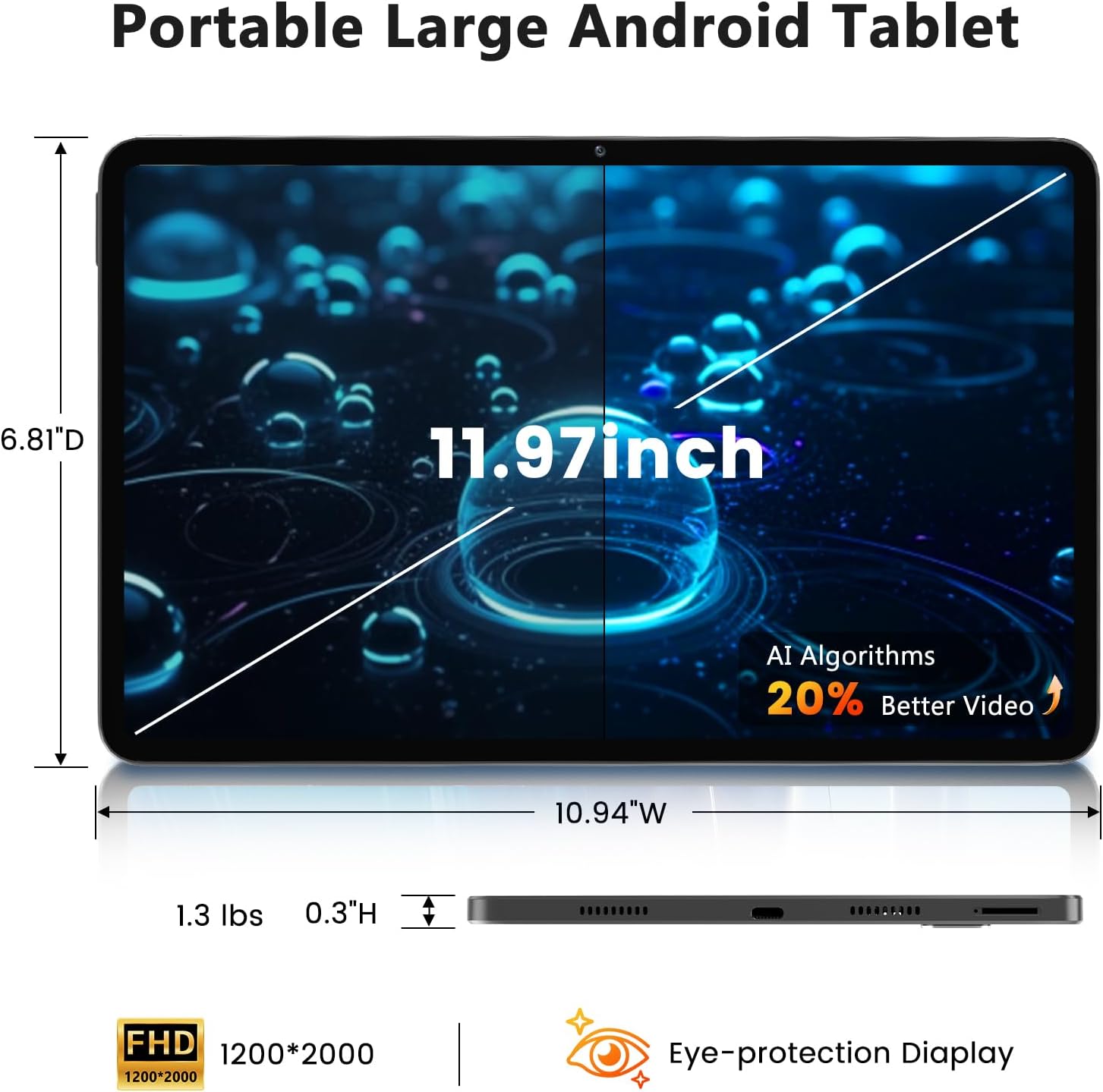
Image: A visual representation of the tablet's physical dimensions and weight.
| Ezaugarri | Zehaztapena |
|---|---|
| Marka | Azeyou |
| Eredua | A733 |
| Sistema eragilea | Android 15 |
| Prozesadorea | A733 Octa-Core |
| RAM | 20 GB (6 GB fisikoa + 14 GB birtuala) |
| Barne biltegiratzea (ROM) | 128 GB |
| Biltegiratze zabalgarria | Up to 1TB via TF card (not included) |
| Pantailaren tamaina | 11.97 hazbete |
| Pantailaren bereizmena | 1200 x 2000 Pixels (2K Display) |
| Atzeko kamera | 13 MP |
| Aurrealdeko kamera | 5 MP |
| Bateria Edukiera | 8000mAh |
| Kargatzen | 20W Fast Charge, Type-C Port |
| Haririk gabeko konexioa | WiFi 6 (802.11ax), Bluetooth 5.0 |
| Neurriak (LxWxH) | 11.97 x 6.81 x 0.3 hazbete |
| Elementuaren pisua | 3.15 kilo |
| Ezaugarri bereziak | GMS Certified, Widevine L1, Dual Speakers, AI Air Gesture, Sitting Posture Detection, Split-screen function |
10. Bermea eta Laguntza
Your Azeyou A733 Tablet comes with a standard manufacturer's warranty. Please refer to the warranty card included in your package for specific terms and conditions, including warranty duration and coverage details.
For technical support, troubleshooting assistance, or warranty claims, please contact Azeyou customer service through the retailer where the product was purchased or visit the official Azeyou support webgunea (eskuragarri badago).
Please have your product model number (A733) and purchase information ready when contacting support.