
Sarrera
This manual provides detailed instructions for the setup, operation, maintenance, and troubleshooting of your Azeyou 12 Inch Android 15 Tablet, model T12. Please read this manual thoroughly to ensure proper use and to maximize your device's performance and longevity.
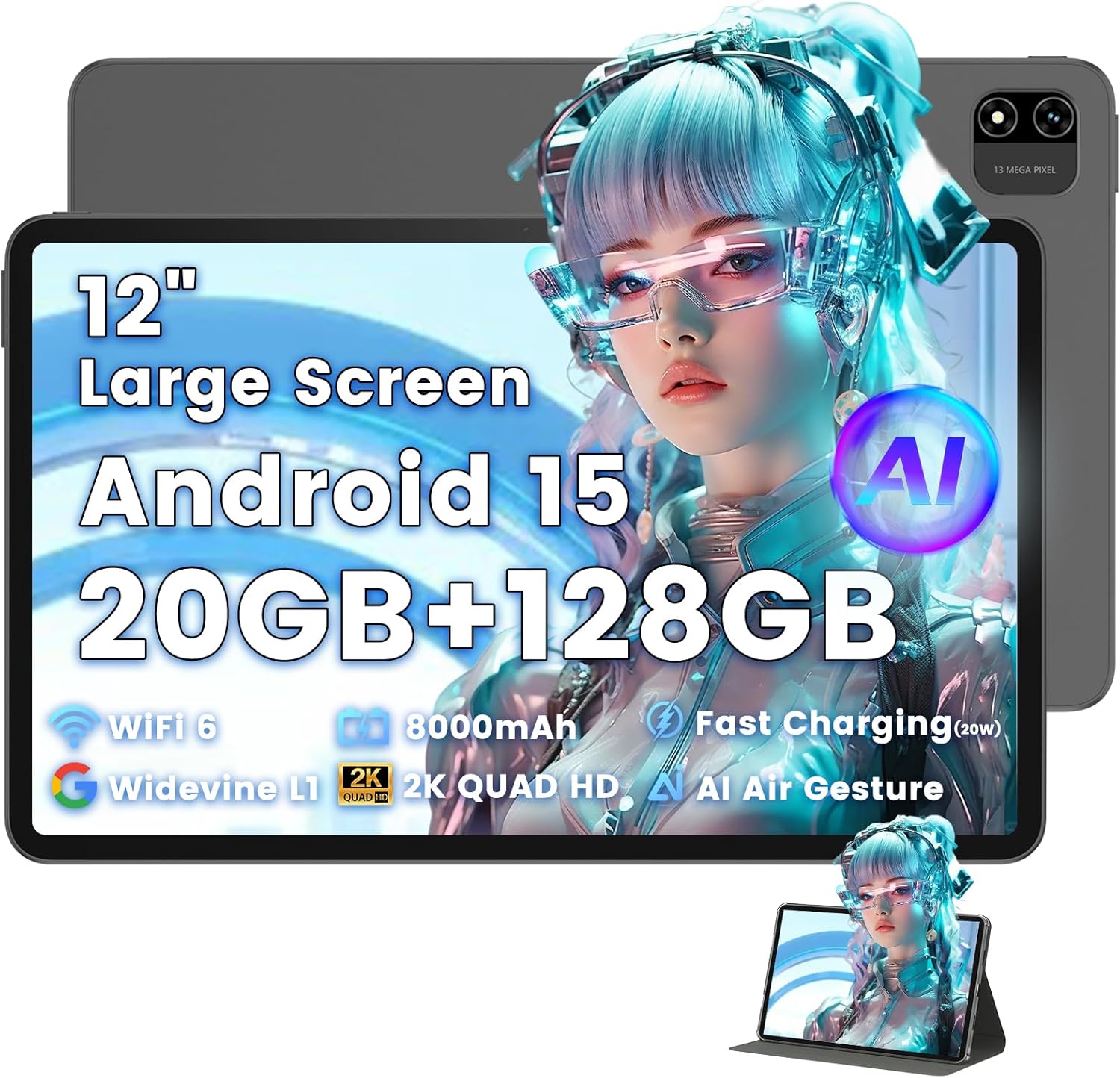
Image: The Azeyou T12 tablet, shown with its protective case, highlighting its large display and sleek design.
Kutxan dagoena
Egiaztatu elementu guztiak paketean daudela:
- 1x Azeyou Tablet (T12)
- 1x Kargatzeko kablea (C motakoa)
- 1x Erabiltzailearen eskuliburua
- 1x tabletaren zorroa
Konfigurazioa
1. Hasierako kargatzea
Before first use, fully charge the tablet. Connect the provided Type-C charging cable to the tablet's charging port and the other end to a compatible 20W Power Delivery (PD) charger. The battery indicator on the screen will show charging status.

Image: An infographic detailing key features of the Azeyou T12 tablet, including its Android 15 operating system, AI octa-core processor, Wi-Fi 6, Bluetooth 5.0, dual cameras, storage capacity, Widevine L1 support, parental control, split-screen function, and 8000mAh battery.
2. Piztu eta itzaltzea
- Pizteko: Press and hold the Power button located on the side of the tablet until the Azeyou logo appears.
- Itzaltzeko: Sakatu eta eutsi pizteko botoiari pizteko aukerak pantailan agertu arte, eta ondoren hautatu "Itzali".
- Berrabiarazteko: Sakatu eta eutsi pizteko botoia energia-aukerak agertu arte, eta ondoren hautatu "Berrabiarazi".
3. Hasierako konfigurazio morroia
Upon first power-on, the tablet will guide you through an initial setup process:
- Hizkuntza hautaketa: Aukeratu zure hizkuntza hobetsia.
- Wi-Fi konexioa: Hautatu zure Wi-Fi sarea eta idatzi pasahitza internetera konektatzeko.
- Google kontua: Hasi saioa zure Google kontuarekin edo sortu berri bat. Hau beharrezkoa da Google Play Store-tik aplikazioak deskargatzeko eta datuak sinkronizatzeko.
- Data eta ordua: Ezarri data eta ordu zuzena, edo utzi sareari automatikoki ezartzen.
- Segurtasuna: Set up a screen lock (PIN, pattern, password, or face unlock).
4. TF txartel bat sartzea (aukerakoa)
The tablet supports storage expansion up to 1TB via a TF (microSD) card. Locate the TF card slot, gently insert the card until it clicks into place. Ensure the tablet is powered off before inserting or removing the TF card.

Image: A visual representation of the tablet's memory and storage, indicating 20GB RAM (6GB physical + 14GB virtual), 128GB internal storage, and support for up to 1TB TF card expansion, alongside popular application icons.
Funtzionamendu-argibideak
1. Basic Navigation and Gestures
- Sakatu: Hautatu elementu bat edo ireki aplikazio bat.
- Eduki ukituta: Sartu testuinguru-menuetara edo mugitu ikonoak.
- Pasatu hatza: Pantailetan edo zerrendetan zehar joan.
- Zoom egiteko apur bat egin: Irudiak handitu edo txikitu eta web orrialdeak.
2. Pantailaren ezaugarriak
The Azeyou T12 features an 11.97-inch 2K FHD (2000x1200) display with a 90Hz refresh rate for smooth visuals.
- Distira doitzea: Swipe down from the top of the screen to access the Quick Settings panel and adjust the brightness slider.
- Argi urdinaren iragazkia: The tablet includes a built-in blue light filter that automatically adjusts brightness to reduce eye strain. This can be managed in Display Settings.
- Widevine L1: Enjoy high-definition content from streaming services like Netflix and Prime Video due to Widevine L1 certification.

Image: A visual representation of the tablet's display specifications, emphasizing its 12-inch screen, 16:10 aspect ratio, 2000x1200 resolution, and 90Hz refresh rate, with a child watching content on the screen.

Image: An illustration demonstrating the tablet's Widevine L1 certification for HD streaming and its quad-speaker system for rich, immersive audio, surrounded by logos of popular streaming services.
3. Errendimendua eta zeregin anitzak
The tablet is equipped with an A733 octa-core processor and 20GB RAM (6GB physical + 14GB virtual) for smooth operation.
- Pantaila zatituaren modua: To use two apps simultaneously, open one app, then swipe up from the bottom of the screen and hold to access recent apps. Tap the app icon at the top of the window and select "Split screen". Choose a second app to open in the other half of the screen.
- Aplikazioen kudeaketa: Close background apps from the recent apps menu to optimize performance.
4. AI Smart Features
The A733 octa-core processor includes an AI chip that enables several intelligent functions:
- AI Posture Reminder: The tablet can monitor your sitting posture and provide gentle reminders to encourage better habits, especially useful for online learning or extended use.
- AI Gesture Control: Navigate the tablet without touching the screen. Use simple hand movements in front of the camera to flip pages, pause videos, or browse content.
- AI irudiaren hobekuntza: The AI engine can enhance low-resolution photos and videos in real-time, improving clarity, detail, and overall visual quality.

Image: A collage demonstrating the tablet's AI capabilities, including an AI Posture Reminder for healthy habits, AI Gesture Control for touch-free navigation, and AI Image Enhancement for improved photo and video quality.
5. Kamerak
The tablet features a 5MP front camera and a 13MP rear camera with autofocus and flash.
- Aurrealdeko kamera: Ideal for video calls, online classes, and selfies.
- Atzeko kamera: Suitable for capturing photos and videos. Features autofocus and flash for improved image quality.
- Aurpegia desblokeatzea: Utilize the front camera for quick and secure access to your device.

Image: A graphic highlighting the tablet's 5MP front camera and 13MP AI rear camera, showcasing features like AI-enhanced photos and Face Unlock for secure access.
6. Konektibitatea
- Wi-Fi 6: Connect to high-speed Wi-Fi networks for stable streaming and low-latency online activities. Access Wi-Fi settings via the Quick Settings panel or the Settings app.
- Bluetooth 5.0: Pair with wireless keyboards, headphones, and other Bluetooth accessories. Enable Bluetooth in Quick Settings or the Settings app.
- C motako ataka: Used for charging, fast data transfer, and audio output with compatible Type-C headphones.

Image: A visual representation of the tablet's connectivity features, including Wi-Fi 6, Bluetooth 5.0, and support for Type-C headsets, illustrating seamless integration with various devices and networks.
7. Baterien kudeaketa
8000 mAh-ko bateriak erabilera luzeagoa eskaintzen du. Bateriaren iraupena optimizatzeko:
- Murriztu pantailaren distira.
- Desgaitu Wi-Fia eta Bluetooth erabiltzen ez dituzunean.
- Itxi behar ez diren atzeko planoko aplikazioak.
- Use power-saving modes available in Battery Settings.
8. Gurasoen kontrola
The tablet includes a parental control mode to manage screen time, restrict content, and control app access for children. This feature can be configured in the tablet's settings under 'Digital Wellbeing & parental controls'.

Image: A screenshot of the Android 15 interface on the tablet, highlighting features such as HD streaming, parental control, and split-screen functionality, with various app icons visible.
Mantentzea
1. Tableta garbitzea
- Erabili zapi leun eta lihorik gabeko bat tabletaren pantaila eta gorputza garbitzeko.
- Orban egoskorretarako, apur bat dampGarbitu oihal bat urarekin edo elektronikarako diseinatutako pantaila-garbitzaile batekin.
- Saihestu produktu kimiko gogorrak, material urratzaileak edo gehiegizko hezetasuna erabiltzea.
2. Software eguneraketak
Egiaztatu eta instalatu software eguneraketak aldizka errendimendu, segurtasun eta funtzio berrietarako sarbidea optimoa bermatzeko. Joan honera Ezarpenak > Sistema > Sistemaren eguneraketa.
3. Biltegiratze kudeaketa
To maintain performance, periodically manage your tablet's storage:
- Delete unnecessary apps and files.
- Garbitu aplikazioen cache datuak hemen: Ezarpenak > Aplikazioak eta jakinarazpenak > [Aplikazioaren izena] > Biltegiratzea eta cachea.
- Utilize cloud storage or transfer large files to an external TF card or computer.
Arazoak konpontzea
If you encounter issues with your Azeyou T12 tablet, refer to the following common solutions:
- Tableta ez da pizten:
- Ziurtatu bateria kargatuta dagoela. Konektatu kargagailua eta itxaron minutu batzuk pizten saiatu aurretik.
- Berrabiarazi behartu bat egin pizteko botoia 10-15 segundoz sakatuta edukiz.
- Errendimendu motela edo izoztea:
- Itxi behar ez diren atzeko planoko aplikazioak.
- Clear app cache and data.
- Berrabiarazi tableta.
- Egiaztatu eskuragarri dauden sistemaren eguneraketak.
- Wi-Fi konexioaren arazoak:
- Ensure Wi-Fi is enabled on the tablet.
- Berrabiarazi zure Wi-Fi bideratzailea.
- Ahaztu sarea Wi-Fi ezarpenetan eta konektatu berriro.
- Aplikazioak kraskatzen edo erantzuten ez dutenak:
- Aplikazioa behartu itxiera (Settings > Apps & notifications > [App Name] > Force stop).
- Garbitu aplikazioaren cachea eta datuak.
- Desinstalatu eta berriro instalatu aplikazioa.
- Ziurtatu aplikazioa azken bertsiora eguneratuta dagoela.
- Pantailak ez du erantzuten:
- Perform a forced restart.
- Ziurtatu pantaila garbi eta hondakinik gabe dagoela.
Zehaztapenak
- Ereduaren izena:
- T12 tableta
- Sistema eragilea:
- Android 15
- Prozesadorea:
- A733 Octa-Core Processor (Unisoc)
- RAM:
- 20 GB (6 GB fisikoa + 14 GB birtuala)
- Barne Biltegiratzea (ROM):
- 128 GB
- Biltegiratze zabalgarria:
- Gehienez 1 TB TF txartelaren bidez
- Pantailaren tamaina:
- 11.97 hazbete
- Pantailaren bereizmena:
- 2000x1200 FHD
- Freskatze-tasa:
- 90Hz
- Koprozesadore grafikoa:
- Imagination Technologies BXM-4-64 MC1
- Atzeko kamera:
- 13MP autofokuarekin eta flasharekin
- Aurrealdeko kamera:
- 5MP
- Bateriaren edukiera:
- 8000mAh
- Kargatzen:
- 20W Power Delivery (PD) Fast Charging via Type-C
- Haririk gabeko konektagarritasuna:
- Wi-Fi 6 (802.11a/b/g/n/ac), Bluetooth 5.0
- Audioa:
- Quad-Speakers, Type-C Audio Output
- Neurriak (LxWxH):
- 11 x 7 x 0.3 hazbete
- Elementuaren pisua:
- 3.1 kilo
- Kolorea:
- Grisa
- Ezaugarri bereziak:
- AI Posture Reminder, AI Gesture Control, AI Image Enhancement, Widevine L1, Parental Control, Split-Screen Mode, Face Unlock
Bermea eta Laguntza
Bermearen informazioa
Azeyou products typically come with a standard manufacturer's warranty. Please refer to the warranty card included in your product packaging or visit the official Azeyou website for specific warranty terms and conditions. The warranty generally covers manufacturing defects but does not cover damage caused by misuse, accidents, or unauthorized modifications.
Bezeroarentzako Arreta
For technical assistance, troubleshooting beyond this manual, or warranty claims, please contact Azeyou customer support. Contact details can usually be found on the official Azeyou website or on the product packaging. When contacting support, please have your tablet's model number (T12) and purchase information ready.
Bisita dezakezu Azeyou Store on Amazon produktuari buruzko informazio gehiago eta laguntza-baliabideak lortzeko.