
1. Sarrera
The FIREBAT X3 Wired RGB Gaming Mouse is designed for precision and comfort, suitable for various computing tasks including gaming, office work, and general use. This manual provides detailed instructions for setting up, operating, and maintaining your mouse.

Amaituview of the FIREBAT X3 Wired RGB Gaming Mouse highlighting its main features.
2. Konfigurazioa
2.1 Sagua konektatzea
The FIREBAT X3 Gaming Mouse features a simple plug-and-play design for easy setup.
- Locate an available USB-A port on your computer or laptop.
- Insert the USB connector of the mouse into the USB-A port.
- Zure sistema eragileak automatikoki detektatu eta instalatuko ditu beharrezko kontrolatzaileak. Ez da software gehigarririk instalatu behar oinarrizko funtzionalitaterako.

The FIREBAT X3 mouse connects via a standard USB-A port for immediate use.
3. Funtzionamendua
3.1 Botoien funtzioak
The FIREBAT X3 Gaming Mouse is equipped with 6 programmable buttons for enhanced control.
- Ezkerreko botoia: Klik egiteko funtzio estandarra.
- Eskuineko botoia: Eskuineko botoiarekin klik egiteko funtzio estandarra.
- Korritzeko gurpila: Scrolls up and down. Can also be pressed for a middle-click function.
- DPI doikuntza tekla: Changes the mouse sensitivity (DPI).
- Aurrera egiteko botoia: Aurrera nabigatzen du web nabigatzaileak edo file esploratzaileak.
- Atzera botoia: Atzeraka nabigatzen du web nabigatzaileak edo file esploratzaileak.

Illustration of the 6-button layout on the FIREBAT X3 Gaming Mouse.
3.2 DPI (Sentsibilitatea) doitzea
The mouse features 4 adjustable DPI levels to suit different tasks and preferences.
- Sakatu DPI Adjustment Key (located behind the scroll wheel) to cycle through the preset DPI settings.
- The default DPI levels are 1200, 1800, 2400, and 3600.
- Each press will switch to the next DPI level, allowing you to find the optimal sensitivity for your current activity.

The DPI adjustment key allows for quick changes in mouse sensitivity.
3.3 RGB argiztapen modu
The FIREBAT X3 mouse features 7 dynamic RGB backlit modes to enhance your setup.
- The RGB lighting automatically cycles through its 7 distinct modes.
- There is no manual button to change the RGB mode; the mouse will continuously display various lighting effects.
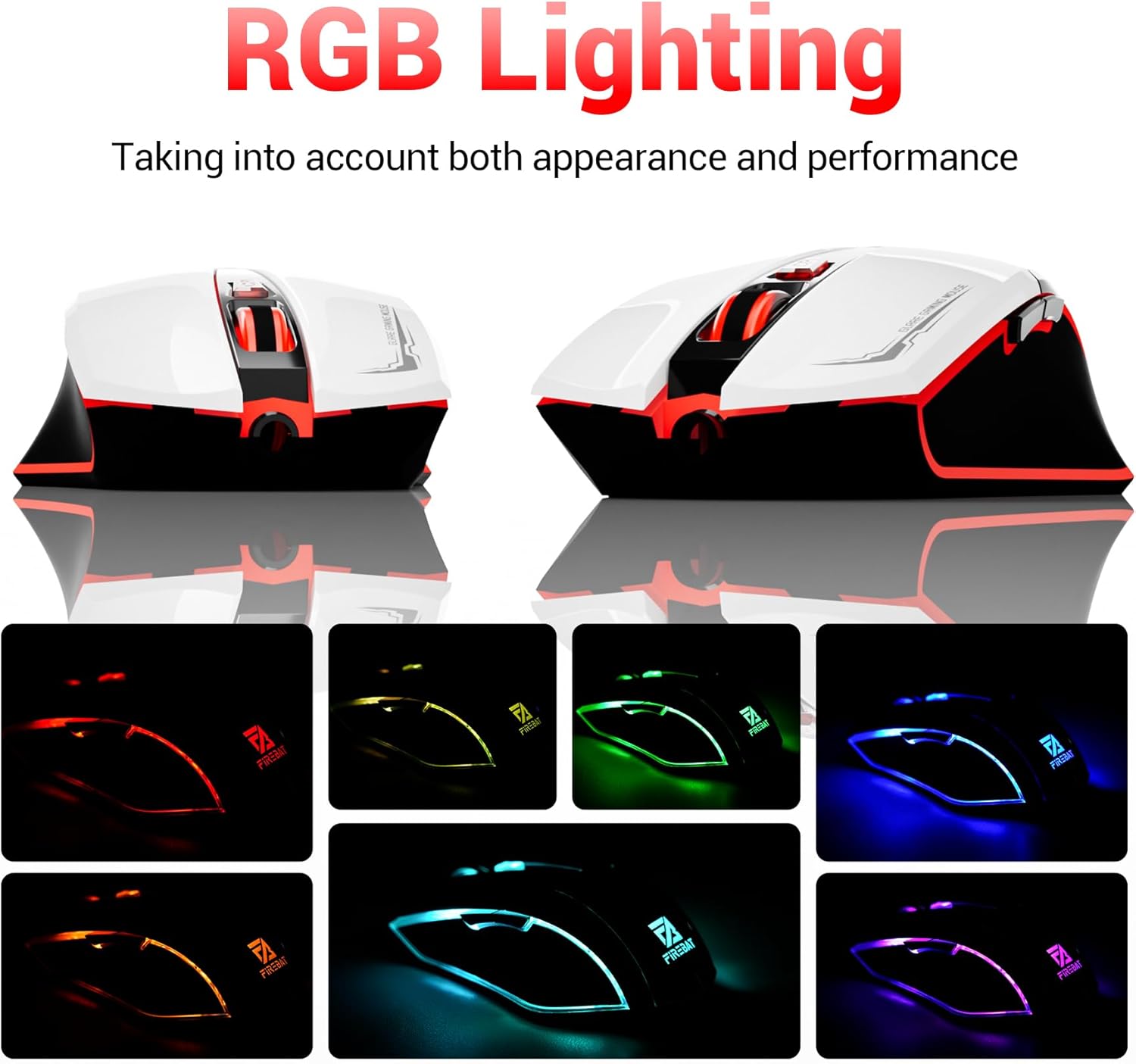
The mouse features vibrant RGB lighting with multiple dynamic modes.
3.4 Diseinu ergonomikoa eta erosotasuna
The mouse is designed with an ergonomic shape to provide a comfortable grip and reduce hand fatigue during extended use, suitable for both right and left-hand users.

The ergonomic design ensures comfort during prolonged use.
3.5 Quiet Click Feature
The mouse incorporates a 'Heavy Bass Design' for its key sounds, ensuring soft clicks without excessive noise, which is beneficial in quiet environments.

The mouse features quiet clicks, minimizing noise during use.
4. Mantentzea
4.1 Garbiketa
To ensure optimal performance and longevity, keep your mouse clean.
- Deskonektatu sagua ordenagailutik garbitu aurretik.
- Erabili lipurrik gabeko zapi leun bat dampSaguaren gainazala urarekin edo garbiketa-soluzio leun batekin garbitu.
- Saihestu produktu kimiko gogorrak, garbitzaile urratzaileak edo gehiegizko hezetasuna erabiltzea, hauek sagua kaltetu baitezakete.
- For the optical sensor, use a cotton swab to gently remove any dust or debris.
4.2 Biltegiratzea
Erabiltzen ez duzunean, gorde sagua leku garbi eta lehor batean, muturreko tenperaturetatik eta eguzki-argitik babestuta.
5. Arazoak
5.1 Saguak ez du erantzuten
- Egiaztatu USB konexioa: Ziurtatu USB kablea ondo konektatuta dagoela ordenagailuko USB ataka funtzional batean. Saiatu beste USB ataka batekin.
- Berrabiarazi ordenagailua: Batzuetan, berrabiarazte soil batek konpon ditzake konexio arazoak.
- Proba beste ordenagailu batean: Ahal bada, probatu sagua beste ordenagailu batean arazoa saguarekin edo ordenagailuaren konfigurazioarekin dagoen zehazteko.
5.2 Cursor Movement is Erratic or Jumpy
- Clean Optical Sensor: Dust or debris on the optical sensor can cause erratic movement. Refer to the cleaning instructions in the Maintenance section.
- Use a Mouse Pad: Ensure you are using the mouse on a suitable surface. Reflective, transparent, or uneven surfaces can interfere with the optical sensor.
5.3 RGB argiztapena ez dabil
- Egiaztatu USB energia: Ensure the mouse is receiving sufficient power through the USB connection.
- No Manual Control: Remember that the RGB lighting cycles automatically and does not have a manual control button. If the mouse is functioning otherwise, the lighting should be active.
6. Zehaztapenak
| Ezaugarri | Xehetasuna |
|---|---|
| Modelo zenbakia | X3 Gaming Mouse |
| Marka | FIREBAT |
| Konektibitate Teknologia | USB kableduna |
| Mugimenduen detekzioa | Optikoa |
| DPI mailak | 1200 / 1800 / 2400 / 3600 |
| Botoi kopurua | 6 (Programagarria) |
| Atzeko argia | 7 RGB moduak |
| Produktuaren neurriak | 5 x 3 x 0.1 hazbete (12.7 x 7.6 x 0.25 cm) |
| Elementuaren pisua | 5.1 ontza (144.6 gramo) |
| Ergonomia | Right or Left Hand Use |
| Fabrikatzailea | FIREBAT |
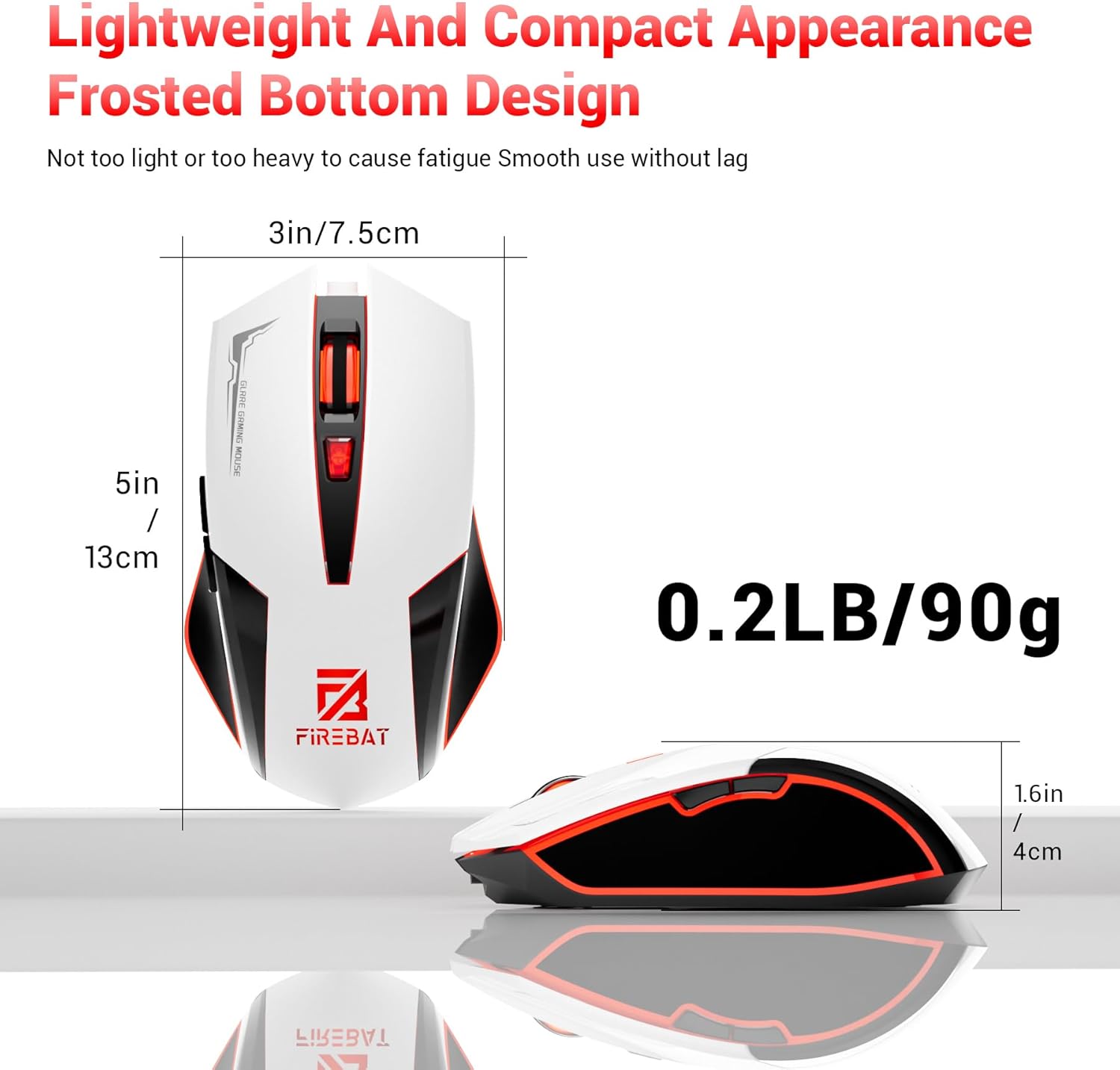
Physical dimensions and weight of the FIREBAT X3 Gaming Mouse.
7. Bermea eta Laguntza
7.1 Bermearen informazioa
FIREBAT products are manufactured to high-quality standards. For specific warranty details, please refer to the warranty card included with your product or visit the official FIREBAT website. Typically, products come with a limited warranty covering manufacturing defects.
7.2 Bezeroarentzako laguntza
If you encounter any issues or have questions regarding your FIREBAT X3 Gaming Mouse, please contact our customer support team:
- Posta elektronikoa: laguntza@firebatpc.com
- Webgunea: www.firebatpc.com
Please provide your product model number (X3 Gaming Mouse) and a detailed description of your issue when contacting support for faster assistance.