
1. Sarrera
Thank you for choosing the TCL Gaming Monitor 25G54. This monitor is designed to provide an immersive gaming experience with its advanced display technology and high performance. This manual will guide you through the setup, operation, and maintenance of your new monitor.
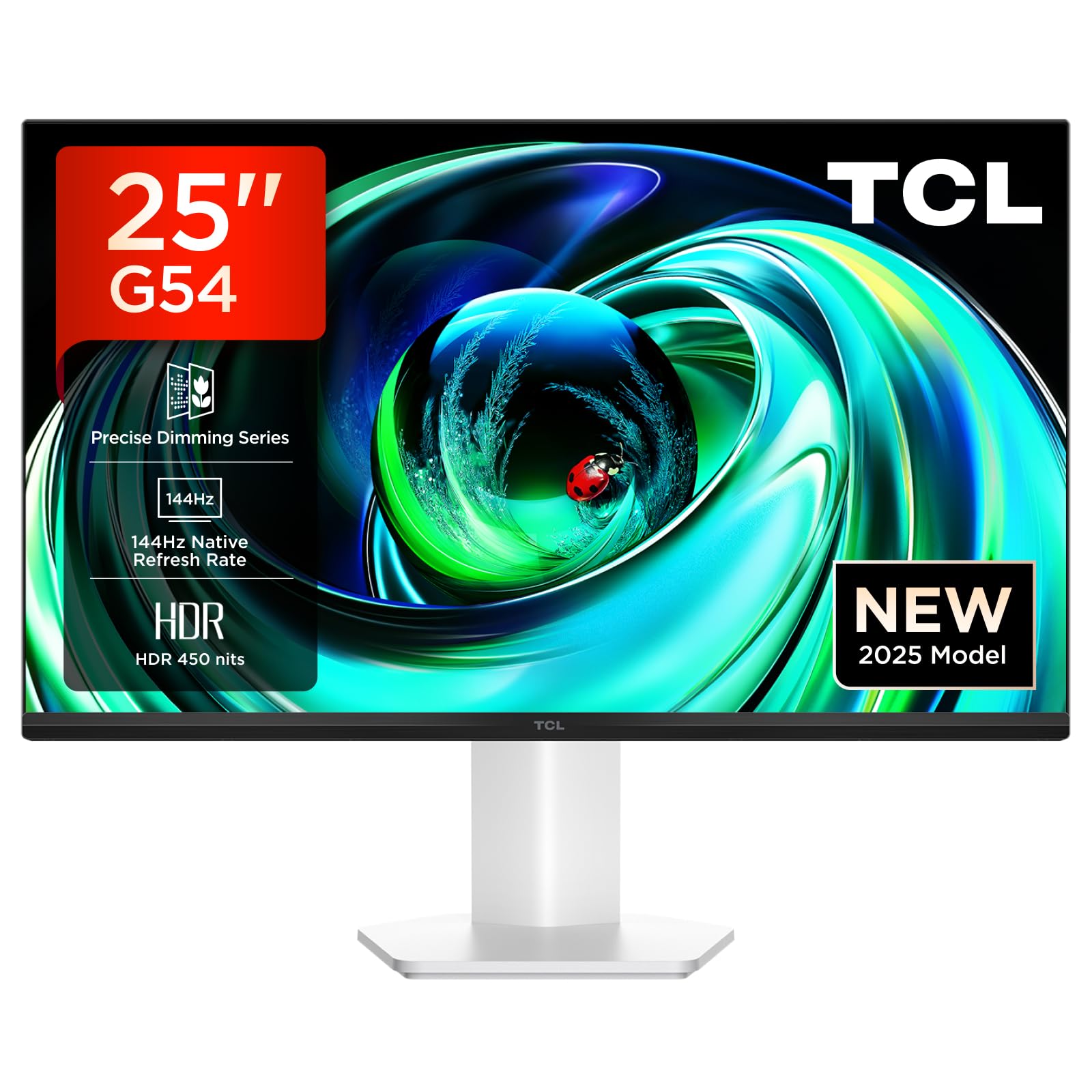
1. irudia: Aurrealdea view of the TCL Gaming Monitor 25G54.
2. Segurtasun informazioa
Mesedez, irakurri arretaz argibide guztiak monitore erabili aurretik. Gorde eskuliburu hau etorkizunean erreferentzia gisa.
- Ez jarri monitoreari euri edo hezetasun eraginpean suteak edo deskarga elektrikoak saihesteko.
- Ez ireki monitorearen casing. Ez dago erabiltzaileak konpondu beharreko piezarik barruan. Konponketa guztiak langile kualifikatuen esku utzi.
- Jarri monitoreak gainazal egonkor eta lau batean, eror ez dadin.
- Ziurtatu monitorearen inguruan behar bezala aireztatuta dagoela. Ez blokeatu aireztapen-irekidurak.
- Erabili fabrikatzaileak emandako korronte-egokigailua eta kableak soilik.
- Deskonektatu entxufea entxufetik monitoreak denbora luzez erabiliko ez badu.
3. Paketearen edukia
Egiaztatu elementu guztiak zure paketean daudela:
- TCL Gaming Monitor 25G54
- Monitorearen euskarria (oinarria eta lepoa)
- Elikatze-kablea
- HDMI kablea
- Erabiltzailearen eskuliburua eta berme txartela
Note: Specific cable types (e.g., DisplayPort) may vary by region or package.
4. Konfigurazioa
4.1 Standa muntatzea
- Kontu handiz atera monitorearen eta euskarriaren osagaiak paketetik.
- Lotu euskarriaren lepoa monitorearen panelari. Ziurtatu ondo sartzen dela klik eginez edo torlojuekin lotuta dagoela hasiera azkarreko gida adierazten den bezala.
- Lotu euskarriaren oinarria euskarriaren lepoari, emandako torlojuarekin finkatuz.
- Jarri muntatutako monitorea mahai egonkor batean.
4.2 Monitorea konektatzea
The monitor supports various input options. Connect the appropriate cable from your computer or gaming console to the monitor.
- HDMI konexioa: Use an HDMI cable to connect your device to the monitor's HDMI port.
- DisplayPort konexioa: Use a DisplayPort cable to connect your device to the monitor's DisplayPort.
- USB konexioak: Erabili USB atakak periferikoak konektatzeko.

2. Irudia: Atzealdea view showing the monitor's connectivity ports including HDMI, DisplayPort, and USB.
4.3 Piztea
- Konektatu elikatze-kablea monitorearen elikatze-sarrerara eta gero entxufe batera.
- Press the power button, usually located on the back or bottom of the monitor, to turn it on.
5. Funtzionamendu-argibideak
5.1 Pantailan bistaratzeko (OSD) menua
The OSD menu allows you to adjust various monitor settings. Access it using the joystick button, typically located on the back of the monitor.

Figure 3: Illustration of the joystick button for OSD menu navigation.
OSD ezarpen arruntak:
- Distira/Kontrastea: Doitu pantailaren luminantzia eta kontraste mailak.
- Kolore ezarpenak: Modify color temperature, gamma, and color space (e.g., DCI-P3, sRGB).
- Sarrera iturria: Manually select the active input (HDMI, DisplayPort).
- Jokoen Ezaugarriak: Enable/disable FreeSync, adjust response time, and other gaming-specific enhancements.
- Irudi modua: Select preset display modes for different content types (e.g., Standard, Game, Movie).
5.2 Doikuntza ergonomikoak
Monitorearen euskarriak doikuntza ergonomikoak eskaintzen ditu, modu optimoan viewerosotasuna.
- okertu: Doitu pantailaren angelu bertikala.
- Birakaria: Biratu pantaila horizontalki.
- Altuera doitzea: Raise or lower the screen to eye level.
- Pibota: Biratu pantaila bertikalki edo horizontalki orientatzeko.

Figure 4: Illustration of the monitor's ergonomic stand, showing tilt and height adjustment capabilities.
6. Ezaugarriak
The TCL Gaming Monitor 25G54 incorporates several key technologies for superior performance:
- Mini LED Technology: Combines QLED and OLED advantages for precise, pixel-level illumination, offering sharp contrast and a wide color gamut.
- Precise Dimming Series: Enhances overall image quality by optimizing light and shadow, providing a high-quality visual experience.
- HDR 400 nit Brightness: With a peak brightness of 450 nits and a contrast ratio of 4,500,000:1, it delivers extended dynamic range and vivid details in both dark and bright areas.
- 144 Hz freskatze-abiadura: Ensures smooth and fluid images in all gaming scenes and actions, minimizing motion blur.
- 1ms (GTG) Response Time: An extremely fast response time reduces ghosting and blurring, allowing for quick target acquisition.
- 93% DCI-P3 Wide Color Gamut: Displays vibrant colors with professional-level accuracy, revealing an immersive world of color.
- TÜV Rheinland Flicker-Free & Low Blue Light: Certified for eye protection, this mode blocks harmful blue light and eliminates flicker for prolonged viewerosotasuna.

5 Irudia: Gainetikview of the TCL 25G54 Mini LED Monitor's key features.
7. Mantentzea
Mantentze egokiak zure monitorearen iraupena eta errendimendu optimoa bermatzen ditu.
- Pantaila garbitzea: Garbitu pantaila astiro-astiro zapi leun eta pelusik gabeko batekin. Orban egoskorrak izanez gero, erabili monitorearentzako garbiketa-soluzio espezifikoa zapian aplikatuta, ez zuzenean pantailan.
- C garbiketaasing: Erabili zapi leun eta lehor bat monitorearen c garbitzeko.asing. Saihestu garbitzaile urratzaileak.
- Aireztapena: Ensure the ventilation openings are clear of dust and debris. Use compressed air to clean if necessary.
- Itzali: Itzali eta deskonektatu beti monitorearen entxufea garbitu aurretik edo denbora luzez erabili gabe geratuko bada.
8. Arazoak
Monitorearekin arazoak badituzu, jo ezazu ohiko irtenbide hauetara:
| Arazoa | Kausa posiblea | Irtenbidea |
|---|---|---|
| Ez dago irudirik pantailan | Power cable disconnected, input cable loose, incorrect input source selected. | Check power and input cable connections. Select correct input source via OSD. |
| Irudia lausoa edo distortsionatua dago | Incorrect resolution, faulty cable, graphics driver issue. | Set display resolution to 1920x1080. Try a different cable. Update graphics drivers. |
| Pantaila keinukaria | Refresh rate mismatch, faulty cable, external interference. | Ensure refresh rate is set to 144Hz. Try a different cable. Check for nearby electronic devices. |
| Soinurik ez | Audio cable not connected, volume too low, incorrect audio output selected. | Connect headphones to the monitor's audio output. Adjust volume. Select monitor as audio output on your device. |
Irtenbide hauek probatu ondoren arazoa konpontzen ez bada, jarri harremanetan TCL bezeroarentzako arreta-zerbitzuarekin.
9. Zehaztapenak
| Ezaugarri | Zehaztapena |
|---|---|
| Marka | TCL |
| Modelo zenbakia | 25G54 |
| Pantailaren tamaina | 25 hazbete |
| Ebazpena | 1920x1080 (FHD) |
| Panel mota | IPS |
| Freskatze tasa | 144 Hz |
| Erantzun Denbora | 1 ms (GTG) |
| Distira | 450 nit |
| Kontraste-erlazioa | 4,500,000:1 |
| HDR euskarria | VESA Display HDR 400 |
| Kolore gama | % 93 DCI-P3 |
| Viewangelua | 178 gradu |
| Konektibitatea | 1x HDMI, 1x DisplayPort, 4x USB, Headphone Output |
| Sinkronizazio egokitzailea | FreeSync |
| Neurriak (LxWxH) | 18.2 x 55.6 x 43.9 cm |
| Pisua | 4.39 kg |
| Ezaugarri bereziak | Mini LED, Flicker-Free, Low Blue Light |
10. Bermea eta Laguntza
Your TCL Gaming Monitor 25G54 comes with a 2-year manufacturer's warranty. For warranty claims, technical support, or service inquiries, please visit the official TCL support webgunea edo jarri harremanetan zure tokiko saltzailearekin.
Informazio gehiagorako, bisitatu TCL denda Amazonen.
11. Birziklapenari buruzko informazioa
Please dispose of this product responsibly. Electronic waste should not be disposed of with household waste. Follow local regulations for the proper disposal of electronic devices. This helps protect the environment and human health.