
1. Sarrera
The EARU Automatic Voltage Protector (Model EARU-1005) is an advanced electrical safety device designed to protect your valuable home and office appliances from damaging power fluctuations. This device offers comprehensive protection against over-voltage, bolumen azpikoatage, and overcurrent conditions, ensuring the longevity and safe operation of your electrical equipment. It features adjustable thresholds and an auto-reconnect function for convenience and continuous protection.
2. Ezaugarri nagusiak
- All-in-One Protection: Safeguards appliances from power surges, over-voltage (above 275V), under-voltage (below 175V), and adjustable overcurrent (1A-63A).
- Doitasun doikuntza: Customizable cut-off thresholds for over-voltage (200V-275V) eta bolumen baxuatage (175V-200V) to suit specific grid conditions and appliance needs.
- Berrezarri automatikoko funtzioa: Automatically restores power within 60-300 seconds once grid voltage stabilizes within the set safe range, eliminating manual intervention.
- Eroankortasun handiagoa: Constructed with 100% pure copper conductors for minimal resistance, efficient operation, and enhanced long-term reliability under heavy 63A loads.
- DIN errailaren instalazioa: Designed for easy and secure integration into standard 2-Pole, 36mm width DIN Rail electrical panels.
- Segurtasun osoa: Provides robust protection for an entire household against unpredictable voltage gorabeherak eta gorakadak.
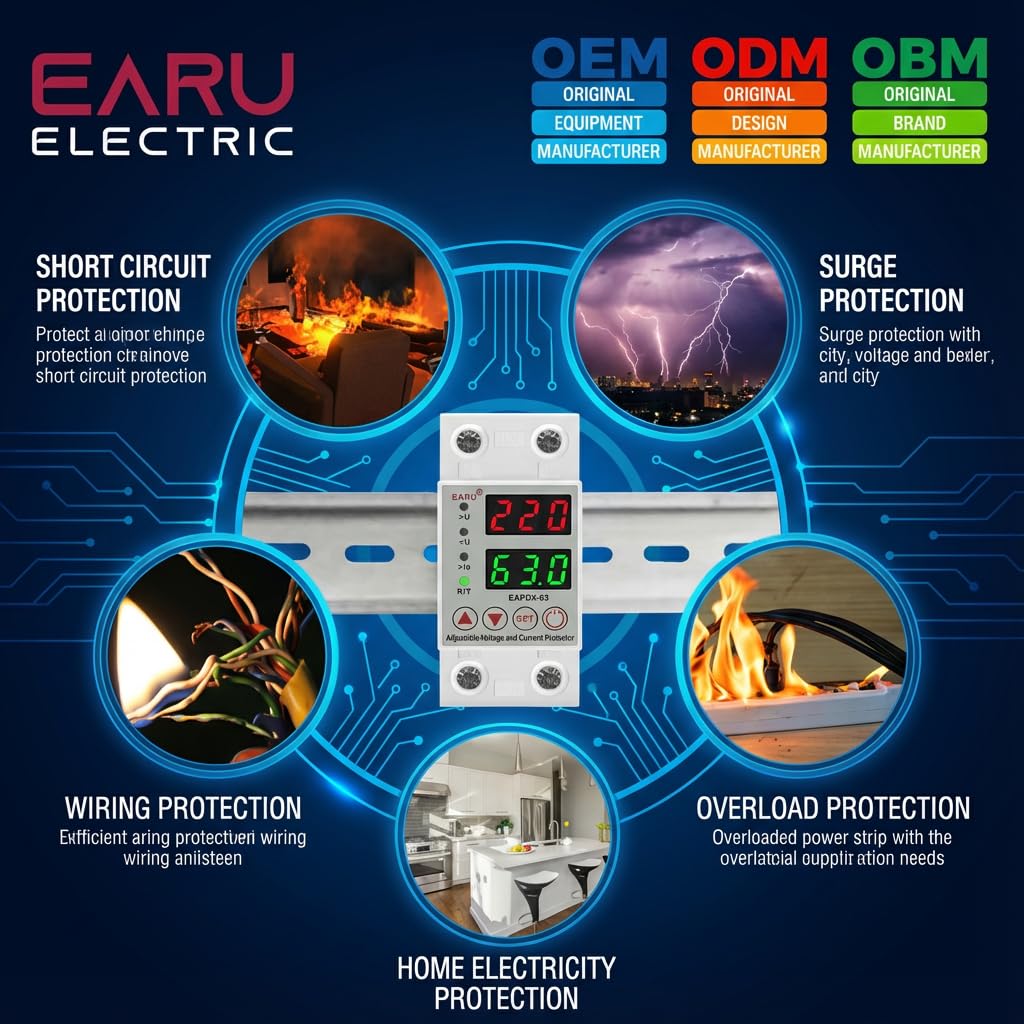
2.1. irudia: Amaituview of the protection capabilities of the EARU Automatic Voltage Babeslea.
3. Segurtasun informazioa
Please read and understand all safety instructions before installing or operating the device. Failure to do so may result in electric shock, fire, or serious injury.
- Instalazioa elektrizista kualifikatu batek bakarrik egin behar du, tokiko araudi eta araudi elektrikoen arabera.
- Ensure the main power supply is disconnected before any installation or maintenance work.
- Do not operate the device if it appears damaged or has been exposed to moisture.
- Verify correct wiring connections (Line and Neutral) to prevent malfunction or damage.
- Gailua barrualdean erabiltzeko diseinatuta dago soilik.
- Ez gainditu 63A-ko gehienezko korronte-indarra.
4. Produktua amaitu daview
4.1. Osagaiak eta pantaila
The EARU Automatic Voltage Protector features a clear digital display and intuitive control buttons for easy monitoring and adjustment.
- liburukiatage Pantaila: Shows the current line voltage.
- Uneko pantaila: Shows the current load in Amperes.
- Adierazle argiak:
>U: Gehiegizko boltage adierazlea.<U: beheko boltage adierazlea.>Ie: Overcurrent indicator.R/T: Reset/Time indicator.
- Kontrol-botoiak:
- Up Arrow (▲) / Down Arrow (▼): Parametroen balioak doitzeko erabiltzen da.
- SET botoia: Press and hold for 3 seconds to enter setting mode.
- Pizteko / itzaltzeko botoia: Toggles power to the protected circuit.
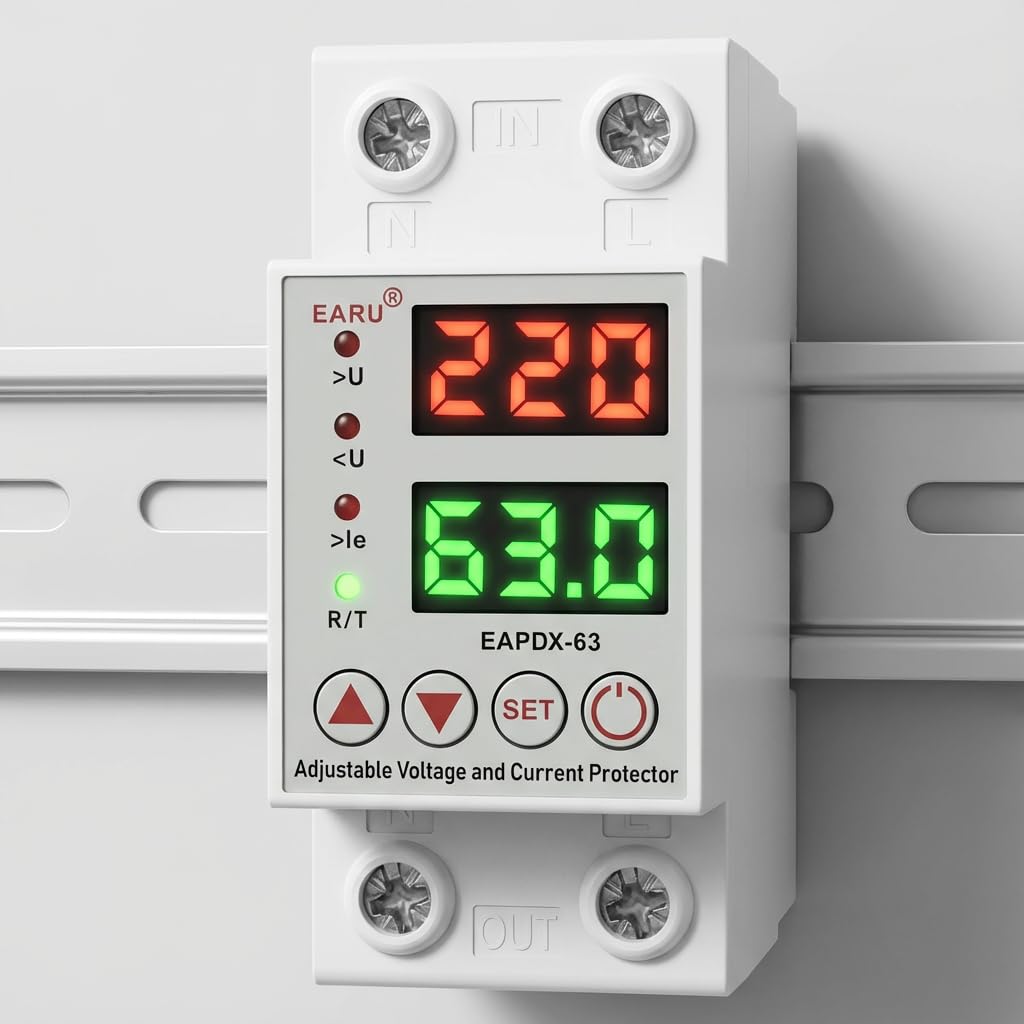
4.1. irudia: Aurrealdea view of the EARU Automatic Voltage Protector, highlighting its digital display and control buttons.
5. Konfigurazioa eta instalazioa
The EARU Automatic Voltage Protector is designed for DIN Rail mounting. Ensure proper wiring and secure installation.
5.1. Muntaketa
Mount the device onto a standard 36mm width DIN Rail within your electrical panel. Ensure it is securely clipped into place.
5.2. Kableatuen Diagrama
Connect the incoming power supply (Line and Neutral) to the "IN" terminals and the outgoing load to the "OUT" terminals. Refer to the diagram below for correct wiring.

5.1 irudia: Adibideaample wiring configuration for DIN Rail installation.

Image 5.2: Device dimensions for installation planning.
6. Funtzionamendu-argibideak
The device allows for precise adjustment of protection parameters. Follow these steps to configure your voltage babeslea.
6.1. Parameter Setting Mode
- Ziurtatu gailua piztuta dagoela.
- Eduki sakatuta EZARTU button for approximately 3 seconds until the display changes to show "P-1" or a similar setting indicator. This indicates you are in parameter setting mode.
- Erabili Gora gezia (▲) eta Beheko gezia (▼) buttons to navigate through the different parameters (P-1 to P-6).
- Once you have selected a parameter, press the EZARTU button briefly to enter its adjustment mode.
- Erabili Gora gezia (▲) eta Beheko gezia (▼) botoiak balioa aldatzeko.
- Sakatu EZARTU button again to confirm the value and move to the next parameter, or wait a few seconds for the device to automatically save and exit the setting mode.
6.2. Parametroen deskribapenak
| Parametroa | Deskribapena | Range ajustable |
|---|---|---|
| P-1 | Bolumen gehiegitagezarpena | 240V - 300V (or OFF) |
| P-2 | Bolumen azpikoatagezarpena | 140V - 200V (or OFF) |
| P-3 | Overcurrent setting | 1A - 40A / 63A / 80A (depending on model) |
| P-4 | Reset/start delay | 1s - 300s |
| P-5 | Relay recovery delay | 1s - 300s |
| P-6 | Overcurrent recovery delay | 1s - 300s |
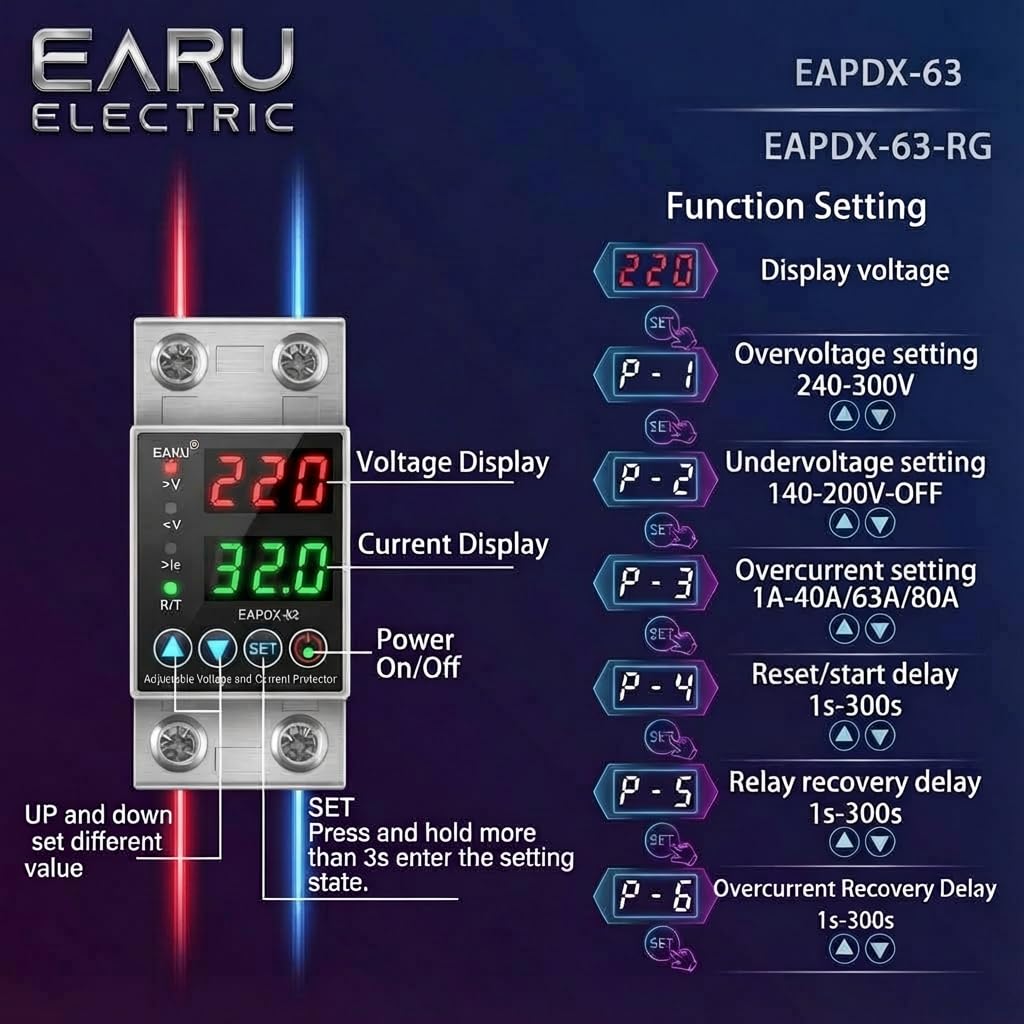
Image 6.1: Function setting guide for the device.
6.3. Video Guide: Setting Parameters
Video 6.1: This video demonstrates how to adjust the over-voltage, bolumen azpikoatage, overcurrent, and recovery delay settings on the EARU Automatic Voltage Protector. It shows the step-by-step process of entering the setting mode and modifying each parameter.
7. Mantentzea
The EARU Automatic Voltage Protector requires minimal maintenance. Regular checks can ensure optimal performance.
- Periodically inspect the device for any visible damage or loose connections.
- Ziurtatu aireztapen-zirrikituak hautsik eta hondakinik gabe daudela gehiegi berotzea saihesteko.
- Clean the exterior with a dry, soft cloth. Do not use liquid cleaners or solvents.
- Do not attempt to open or repair the device yourself. Refer to qualified personnel for servicing.
8. Arazoak
If you encounter issues with your EARU Automatic Voltage Protector, refer to the following common troubleshooting steps:
| Arazoa | Kausa posiblea | Irtenbidea |
|---|---|---|
| Gailua ez da pizten | No input power; incorrect wiring; internal fault. | Check main power supply. Verify wiring connections. If problem persists, contact support. |
| Power cuts off frequently | liburukiatage/current outside set thresholds; unstable grid. | Check current voltage/current readings. Adjust P-1, P-2, P-3 settings if necessary. Monitor grid stability. |
| Device does not auto-reconnect | Recovery delay (P-4, P-5, P-6) set too long; persistent fault. | Verify recovery delay settings. Ensure grid conditions have stabilized. Manually reset if safe to do so. |
| Vol. okerratage/uneko irakurketa | Calibration issue; faulty sensor. | Jarri harremanetan bezeroarentzako laguntza eskatzeko. |
9. Zehaztapenak
| Ezaugarri | Xehetasuna |
|---|---|
| Marka | EARU |
| Eredua | EARU-1005 |
| Produktuaren neurriak (LxWxH) | 7.7 x 3.5 x 6.5 cm |
| Elementuaren pisua | 450 g |
| Sarrera boltage | 230 Volt AC |
| Max Wattage | 13800 Watt |
| Korronte maximoa | 63 Amperes |
| Bolumen gehiegitage Babes-eremua | Adjustable 200V-275V (Cut-off above 275V default) |
| Bolumen azpikoatage Babes-eremua | Adjustable 175V-200V (Cut-off below 175V default) |
| Auto-Reconnect Delay | 60-300 segundo erregulagarria |
| Muntatze Mota | DIN Rail (2-Pole, 36mm width) |
| Material eroalea | 100% Pure Copper |
| Jatorrizko Herrialdea | India |
10. Bermea eta Laguntza
The EARU Automatic Voltage Protector (Model EARU-1005) is backed by a 1-Year Manufacturer Warranty. This warranty covers defects in materials and workmanship under normal use.
- For warranty claims or technical support, please contact EARU customer service.
- Gorde erosketa-agiria erosketaren frogagiri gisa, bermea balioztatzeko.
- Baimendu gabeko konponketak edo aldaketak bermea baliogabetuko du.