
Sarrera
This manual provides essential information for setting up, operating, maintaining, and troubleshooting your HP 15-fd series laptop. Please read this guide thoroughly to ensure optimal performance and longevity of your device.
The HP 15-fd laptop is equipped with a 13th Gen Intel Core i3-1315U processor, 15.6-inch HD touchscreen display, 8GB DDR4 RAM, and a 512GB SSD, running on Windows 11 Pro. It is designed for productivity and includes various connectivity options and accessories.
1. Konfigurazioa
1.1 Desontziratzea eta hasierako ikuskapena
Kontu handiz atera osagai guztiak ontzitik. Egiaztatu ontziratze-zerrendan zerrendatutako elementu guztiak daudela eta kalterik gabe daudela. Elementuren bat falta bada edo kaltetuta badago, jarri harremanetan zure saltzailearekin berehala.
1.2 Potentziara konektatzea
- Konektatu korronte-egokitzailea ordenagailu eramangarriaren elikatze-konektorera.
- Entxufatu korronte-egokitzailea lurrera konektatutako entxufe elektriko batera.
- Allow the battery to charge for at least 30 minutes before initial use, or until the battery indicator shows a full charge.
1.3 Initial Power On and Windows 11 Pro Setup
- Press the power button located on the keyboard deck to turn on the laptop.
- Jarraitu pantailan agertzen diren argibideei Windows 11 Pro konfigurazio prozesua osatzeko. Horrek eskualdea eta hizkuntza hautatzea, Wi-Fi sare batera konektatzea eta erabiltzaile kontu bat sortzea barne hartzen ditu.
- Ensure you have an active internet connection for Windows updates and software activation.
1.4 Osagarriak
Your laptop package includes the following accessories to enhance your experience:
- 5-in-1 kargatzeko estazioa: Provides additional ports including HDMI video output, USB 3.0, USB Type-C/PD, and RJ45 Ethernet.
- HDMI kablea: Kanpoko pantailetara konektatzeko.
- 128GB Portable SSD: For additional storage and data transfer.
- Lifetime Office: Pre-installed or provided with activation instructions for Microsoft Office suite.

Figure 1: Included accessories, including the 5-in-1 docking station, HDMI cable, 128GB portable SSD, Windows 11 Pro, and Lifetime Office.
2. Zure ordenagailu eramangarria erabiltzea
2.1 Piztea/Itzaltzea eta lo modua
- Piztu: Sakatu pizteko botoia.
- Itzali: Egin klik Hasi botoian, eta ondoren Pizteko > Itzali aukeran.
- Lo egiteko modua: Itxi tapa edo egin klik Hasi botoian, eta ondoren Pizteko > Lo egiteko.
2.2 Ukipen-pantaila erabiltzea
Your HP 15-fd laptop features a responsive 15.6-inch multi-touch display. You can interact with the system using various touch gestures:
- Sakatu: Saguaren klik baten baliokidea.
- Sakatu birritan: Aplikazioak irekitzen ditu edo elementuak hautatzen ditu.
- Zoom egiteko apur bat egin: Erabili bi hatz zooma handitzeko edo txikitzeko.
- Pasatu hatza: Navigate through content or switch between applications.
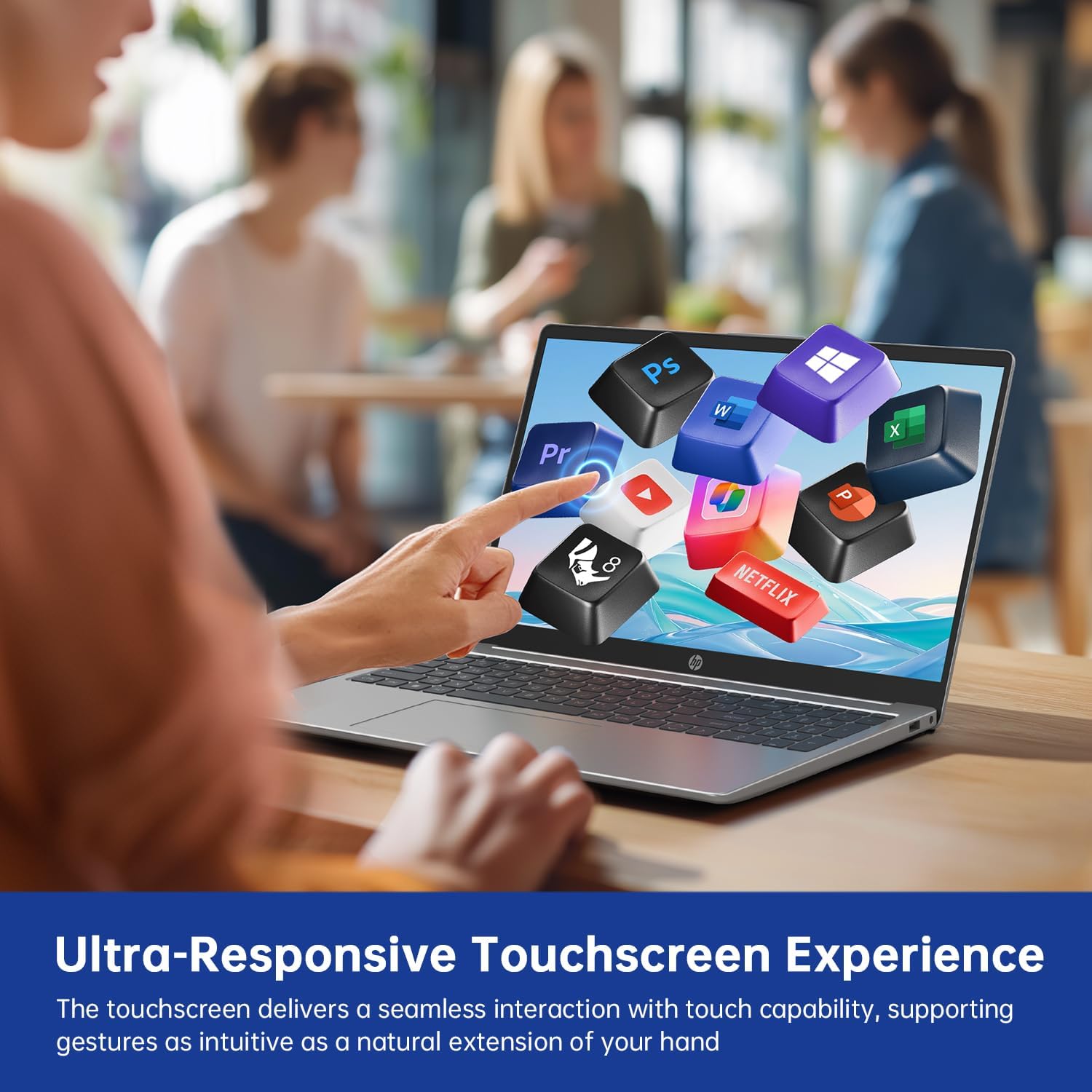
Figure 2: Demonstrating the ultra-responsive touchscreen experience with various application icons.
2.3 Keyboard and Numeric Keypad
The full-size keyboard includes a dedicated numeric keypad for efficient data entry. Function keys (F1-F12) provide quick access to system controls when pressed in combination with the Fn key.
2.4 Portuak eta Konexioa
Ordenagailu eramangarriak kanpoko gailuak konektatzeko hainbat ataka eskaintzen ditu:
- USB-A 3.0 atakak (x2): USB gailuak konektatzeko, hala nola saguak, teklatuak edo kanpoko unitateak.
- USB-C 3.0 ataka (x1): Versatile port for data transfer, charging, or connecting compatible peripherals.
- HDMI ataka (x1): Kanpoko monitore edo proiektoreetara konektatzeko.
- 3.5mm Audio Jack (x1): Entzungailuetarako edo kanpoko bozgorailuetarako.
- DC-in Port (x1): Ordenagailu eramangarria kargatzeko korronte-egokitzailea konektatzeko.
Wireless connectivity includes Wi-Fi 6E for high-speed internet access and Bluetooth 5.0 for connecting wireless accessories.

3 Irudia: Gainetikview of multiple available ports on the HP 15-fd laptop.
2.5 Camera Privacy Switch
Your laptop features a 720p HD webcam with a built-in privacy switch. To ensure your privacy, slide the physical switch to cover the camera lens when not in use. Slide it back to uncover the lens when you need to use the camera for video calls or other applications.

Figure 4: The camera privacy switch provides control over webcam access.
2.6 AI Copilot Functionality
The integrated AI Copilot assists in automating tasks, generating insights, and streamlining workflows. It learns from your actions to provide smarter suggestions, enhancing productivity for tasks such as coding, writing, or data analysis.
3. Mantentzea
3.1 Ordenagailu eramangarria garbitzea
- Pantaila: Erabili lipurrik gabeko zapi leun bat dampUrarekin edo pantaila-garbitzaile batekin garbitu. Ez ihinztatu likidoa zuzenean pantailan.
- Teklatua eta txasisa: Erabili zapi leun eta lehor bat. Zikinkeria egoskorra bada, ukitu apur batamp xaboi leunarekin bustitako oihal bat erabil daiteke, likidorik irekiduretan sartzen ez dela ziurtatuz.
- Portuak: Erabili aire konprimatua portuetako hautsa astiro kentzeko.
3.2 Bateria zaintzea
- Saihestu bateria maiz erabat deskargatzea.
- Denbora luzez erabiltzen ez baduzu, gorde ordenagailu eramangarria leku fresko eta lehor batean.
- Ez jarri ordenagailu eramangarria tenperatura altuetan.
3.3 Software eguneraketak
Regularly check for and install updates for Windows 11 Pro and HP drivers to ensure optimal performance, security, and compatibility. You can typically find these updates through Windows Update settings and the HP Support Assistant application.
4. Arazoak
This section addresses common issues you might encounter with your HP 15-fd laptop.
4.1 Energia arazoak
- Ordenagailu eramangarria ez da pizten: Ensure the AC adapter is securely connected to both the laptop and a working power outlet. Check if the battery is charged. Try a different power outlet.
- Bateria ez da kargatzen: Verify the AC adapter is functioning correctly. Check the power cable for damage.
4.2 Bistaratzeko arazoak
- Screen is blank or dark: Ensure the laptop is powered on. Adjust screen brightness using function keys. Connect an external monitor via HDMI to check if the issue is with the laptop's display.
- Ukipen-pantailak ez du erantzuten: Restart the laptop. Ensure display drivers are up to date.
4.3 Konexio arazoak
- Wi-Fia ez da konektatzen: Check if Wi-Fi is enabled in Windows settings. Restart your router and laptop. Ensure correct Wi-Fi password is entered.
- Bluetooth gailua ez da parekatzen: Ensure Bluetooth is enabled on both devices. Place devices close to each other. Check device compatibility.
4.4 Errendimendu Orokorreko Arazoak
- Errendimendu motela: Close unnecessary applications. Check for malware. Ensure sufficient free space on the SSD. Update drivers and Windows.
- System freezes or crashes: Perform a system restart. Check for recent software installations that might be causing conflicts.
If you are unable to resolve an issue using these steps, please refer to the Support section for further assistance.
5. Zehaztapenak

Figure 5: Key display and physical dimensions of the HP 15-fd laptop.
| Ezaugarri | Zehaztapena |
|---|---|
| Ereduaren izena | 15-fd |
| Prozesadorea | 13th Gen Intel Core i3-1315U (up to 4.5 GHz) |
| Grafikoak | Intel UHD grafikoak (integratuak) |
| Bistaratzea | 15.6-inch HD (1366 x 768) Touchscreen |
| RAM | 8 GB DDR4 |
| Biltegiratzea | 512 GB SSD |
| Sistema eragilea | Windows 11 Pro |
| Haririk gabeko konexioa | Wi-Fi 6E, Bluetooth 5.0 |
| Portuak | 2x USB-A 3.0, 1x USB-C 3.0, 1x HDMI, 1x 3.5mm Audio Jack, 1x DC-in |
| Neurriak (LxWxH) | 14.17 x 9.29 x 0.73 hazbete |
| Pisua | Gutxi gorabehera 3.52 lb (1.6 kg) |
| Kolorea | Zilar Naturala |
| Ezaugarri bereziak | Numeric Keypad, Fingerprint Reader, HD Audio, Camera Privacy Switch |
6. Bermearen informazioa
Your HP 15-fd laptop comes with a 12 hilabeteko bermea from the date of purchase. This warranty covers manufacturing defects and hardware malfunctions under normal use. Please retain your proof of purchase for warranty claims.
The warranty does not cover damage caused by misuse, accidents, unauthorized modifications, or external factors. For detailed warranty terms and conditions, please refer to the documentation included with your product or visit the official HP support webgunea.
7. Laguntza
For technical assistance, troubleshooting beyond this manual, or warranty service, please contact HP Customer Support.
- Lineako laguntza: Visit the official HP Support webgidariak, eskuliburuak eta arazoak konpontzeko gidak biltzen dituen webgunea.
- Telefono-laguntza: Refer to the contact information provided in your product packaging or on the HP Support webzure eskualderako gunea.
When contacting support, please have your laptop's serial number and model number (15-fd) ready. This information can usually be found on a label on the bottom of your laptop.


