
Insignia NS-24F201CA26
Insignia NS-24F201CA26 24-inch 720p HD HDR LED Fire TV Smart TV User Manual
Model: NS-24F201CA26
Sarrera
Eskerrik asko erosketagatik.asing the Insignia NS-24F201CA26 24-inch 720p HD HDR LED Fire TV Smart TV. This manual provides essential information for the safe and efficient use of your television. Please read these instructions thoroughly before operating your new TV and retain them for future reference.
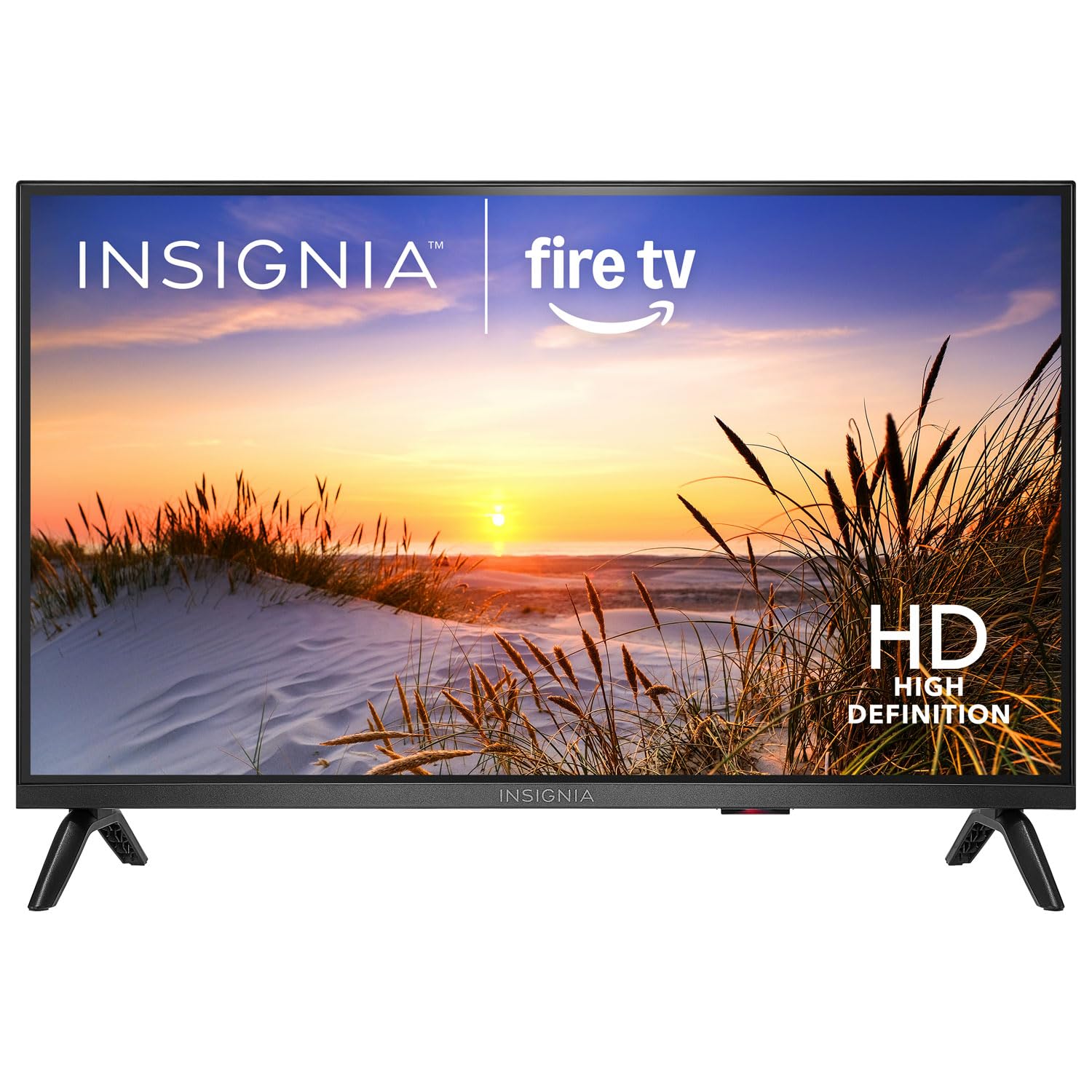
Irudia: Aurrealdea view of the Insignia NS-24F201CA26 24-inch Fire TV Smart TV, showcasing its slim bezel and screen.
Segurtasun informazio garrantzitsua
Jarraitu beti oinarrizko segurtasun neurri hauek telebista erabiltzean sute, deskarga elektriko eta lesio arriskua murrizteko:
- Ez jarri telebista euri edo hezetasunera.
- Do not open the TV cabinet. Refer all servicing to qualified service personnel.
- Ziurtatu aireztapen egokia dagoela. Ez blokeatu aireztapen-irekidurak.
- Babestu korronte-kablea ibiltzeko edo atximur ez dadin.
- Deskonektatu telebista tximista-ekaitzetan edo denbora luzez erabili gabe dagoenean.
- Keep the TV away from heat sources such as radiators, heat registers, stoves, or other apparatus that produce heat.
- Erabili fabrikatzaileak zehaztutako eranskinak/osagarriak soilik.
Kutxan dagoena
Carefully unpack your new product and ensure all items are present:
- Insignia NS-24F201CA26 24-inch Fire TV Smart TV
- Ahots urruneko Alexa-rekin
- AAA bateriak (2)
- Elikatze kablea
- Telebista-euskarria (2 pieza)
- Telebista-euskarrirako torlojuak
- Ezarpen azkarrerako gida
- Important Safety Information Sheet
Konfigurazioa
1. Euskarria edo hormako muntaketa lotzea
You can either attach the included stand or mount the TV to a wall. If wall mounting, refer to the instructions provided with your wall mount kit. For stand attachment:
- Place the TV face-down on a clean, cushioned surface to prevent screen damage.
- Lerrokatu euskarri-piezak telebistaren behealdeko torloju-zuloekin.
- Lotu euskarri pieza bakoitza emandako torlojuekin. Ziurtatu ondo estututa daudela.
Image Description: An illustration showing the process of attaching the two stand feet to the bottom of the television using screws. (Specific image not available in provided data)
2. Gailuak konektatzea
Connect your external devices (e.g., cable box, Blu-ray player, gaming console) to the TV's HDMI ports. The TV has 2 HDMI ports.
- HDMI: Definizio handiko bideo eta audiorako.
- USBa: USB biltegiratze gailuak konektatzeko.
- Antena/Kablea: Antena edo kable bidezko telebistarako konexioa egiteko.
- Audio Irteera Digital Optikoa: Soinu-barra edo audio-hargailu batera konektatzeko.
- Potentzia: Konektatu elikatze-kablea telebistara eta gero hormako entxufe batera.
Image Description: A diagram illustrating the various input/output ports on the back of the television, including HDMI, USB, and power connections. (Specific image not available in provided data)
3. Hasierako piztea eta lehen konfigurazioa
- Entxufatu korronte-kablea entxufe elektriko batean.
- Sakatu BOTEREA urrutiko aginteko botoia.
- Follow the on-screen instructions to complete the initial setup, which includes selecting your language, connecting to a Wi-Fi network, and signing in to your Amazon account for Fire TV features.
Telebista erabiltzea
Urruneko kontrola amaitu daview
The included Voice Remote with Alexa allows you to navigate the Fire TV interface, control playback, and use voice commands.
Image Description: A detailed diagram of the Voice Remote with Alexa, highlighting each button and its function. (Specific image not available in provided data)
- Pizteko botoia: Telebista pizten edo itzaltzen du.
- Ahots botoia (Alexa): Sakatu eta eutsi Alexa ahots-komandoak aktibatzeko.
- Nabigazio eraztuna: Erabili menuetan zehar mugitzeko eta elementuak hautatzeko.
- Hasierako botoia: Fire TV-ren hasierako pantailara itzultzen da.
- Atzera botoia: Aurreko pantailara itzultzen da.
- Bolumena igo/behera: Telebistaren bolumena doitzen du.
- Mututu botoia: Soinua desaktibatu edo aktibatzen du.
- Aplikazioaren botoiak: Streaming aplikazio ezagunetarako sarbide azkarra.
Oinarrizko Funtzioak
- Piztu/Itzali: Sakatu BOTEREA urruneko botoia.
- Bolumen kontrola: Erabili VOL+ or BOLUMENA - botoiak.
- Sarrera hautatzea: From the Fire TV home screen, navigate to the "Inputs" section to switch between HDMI inputs, live TV, or other sources.
Smart TV Features (Fire TV)
Your Insignia Fire TV provides access to a vast library of streaming content, apps, and live TV options.
- Hasierako pantaila: Displays recommended content, recently used apps, and input options.
- Aplikazioak: Download and manage streaming applications from the Amazon Appstore.
- Alexa Ahots Kontrola: Press and hold the Voice button on your remote and speak commands to search for content, launch apps, control smart home devices, and more.
Gurasoen Kontrolak
To manage content access for children, you can set up parental controls:
- From the Fire TV home screen, navigate to Ezarpenak.
- Hautatu Hobespenak, orduan Gurasoen Kontrolak.
- Follow the on-screen prompts to enable parental controls and set a PIN. You can restrict purchases, app launches, and content based on ratings.
Mantentzea
Pantaila garbitzea
- Deskonektatu beti telebista garbitu aurretik.
- Erabili lipurrik gabeko zapi leun bat dampUrarekin edo pantaila-garbitzaile espezializatu batekin garbitu.
- Wipe the screen gently. Do not apply excessive pressure.
- Never use abrasive cleaners, waxes, or solvents.
Zaintza Orokorra
- Keep the TV in a well-ventilated area.
- Saihestu objektuak telebistaren gainean jartzea.
- Do not expose the TV to direct sunlight or extreme temperatures.
Arazoak konpontzea
Before contacting support, try these common solutions:
| Arazoa | Irtenbide posiblea |
|---|---|
| Botererik ez | Ziurtatu kablea telebistara eta funtzionatzen duen entxufe batera ondo konektatuta dagoela. Saiatu beste entxufe batekin. |
| Ez dago irudirik, baina soinua badago | Egiaztatu sarrera-iturria. Ziurtatu konektatutako gailua piztuta dagoela eta behar bezala funtzionatzen duela. |
| Soinurik ez, baina irudia badago | Check the volume level and ensure the TV is not muted. Verify audio cables are connected correctly. |
| Urruneko kontrola ez dabil | Replace the batteries (2 AAA batteries). Ensure there are no obstructions between the remote and the TV. |
| Ezin da wifira konektatu | Ziurtatu zure Wi-Fi bideratzailea piztuta dagoela eta irismen-eremuan dagoela. Idatzi berriro Wi-Fi pasahitza. Berrabiarazi telebista eta bideratzailea. |
Zehaztapenak
| Ezaugarri | Xehetasuna |
|---|---|
| Modelo zenbakia | NS-24F201CA26 |
| Pantailaren tamaina | 24 inches (Display Size Class) |
| Ebazpena | 720p HD |
| Bistaratzeko Teknologia | LED |
| Freskatze tasa | 60 Hz |
| Picture Quality Enhancement | HDR |
| Sistema eragilea | FireOS |
| Konektibitate Teknologia | Wi-Fi |
| HDMI portuak guztira | 2 |
| Produktuaren neurriak (L x W x H) | 17.7D x 53.7W x 36.3H cm (with stand) |
| Wattage | 35 W |
| Beharrezko bateriak | 2 AAA (urrutiko aginterako barne) |
| Ezaugarri bereziak | Parental Controls, Smart Home Compatible |
Bermea eta Laguntza
This Insignia product is covered by a limited warranty. For specific warranty terms and conditions, please refer to the warranty card included with your product or visit the official Insignia webgunea.
For technical support, troubleshooting assistance, or service inquiries, please contact Insignia Customer Support. Contact information can typically be found on the manufacturer's website or in the quick setup guide.
- Lineako laguntza: Bisitatu www.insigniaproducts.com/support (adibampesteka, benetako esteka alda daiteke).
- Telefono-laguntza: Refer to your product documentation for regional phone numbers.
Ask a question about this manual
Ask about setup, troubleshooting, compatibility, parts, safety, or missing instructions. Manuals+ will review the question and use this page’s manual context to help answer it.