
BNCF Bpad 11
BNCF Bpad 11 Android 15 Tablet User Manual
Model: Bpad 11
1. Sarrera
This manual provides essential information for the proper use and maintenance of your BNCF Bpad 11 Android 15 Tablet. Please read this manual thoroughly before operating the device to ensure optimal performance and longevity.
2. Zer dago kutxan
Upon opening your BNCF Bpad 11 package, verify that all items listed below are present:
- Bpad 11 Tablet
- Babes-zorroa
- Egokitzailea
- USB motako kablea
- SIM Card Ejector Pin
- Erabiltzailearen eskuliburua (dokumentu hau)

This diagram illustrates the contents of the BNCF Bpad 11 package, including the tablet, gift box, user manual, protective case, SIM card ejector pin, and Type-C charging cable.
3. Produktua amaitu daview
Familiarize yourself with the physical components and ports of your BNCF Bpad 11 tablet.

This diagram illustrates the location of the rear camera, power button, volume up/down buttons, 3.5mm headphone jack, front camera, SIM/MicroSD card slot, and speakers on the BNCF Bpad 11 tablet.
3.1 Osagai fisikoak
- Pantaila: 11-inch FHD IPS In-cell display (1920x1200 resolution, 90Hz refresh rate).
- Aurrealdeko kamera: 5MP bideo-deietarako eta selfieetarako.
- Atzeko kamera: 8MP argazkiak eta bideoak ateratzeko.
- Pizteko botoia: Located on the side for turning the device on/off and locking/unlocking the screen.
- Bolumen-botoiak: Doitu audio mailak.
- Hizlariak: Bi bozgorailu audio irteerarako.
3.2 Ports and Slots
- USB C motako ataka: Kargatzeko eta datuak transferitzeko.
- 3.5 mm aurikularretarako konektua: Kable bidezko entzungailuak konektatzeko.
- SIM/MicroSD txartelaren zirrikitua: Supports 4G LTE connectivity and expandable storage up to 1TB via MicroSD card.
4. Konfigurazioa
4.1 Hasierako piztea
- Eduki sakatuta Pizteko botoia until the BNCF logo appears on the screen.
- Jarraitu pantailan agertzen diren argibideei zure hizkuntza hautatzeko, Wi-Fi sare batera konektatzeko eta zure Google kontua konfiguratzeko.
4.2 SIM/MicroSD txartela sartzea
- Bilatu SIM/MicroSD txartelaren zirrikitua tabletaren alboan.
- Sartu SIM Card Ejector Pin erretiluaren ondoko zulo txikian kanporatzeko.
- Place your Nano-SIM card(s) and/or MicroSD card into the tray according to the diagram on the tray.
- Kontu handiz sartu erretilua tabletan berriro.
5. Funtzionamendu-argibideak
5.1 Android 15 sistema eragilea
Your Bpad 11 runs on the Android 15 operating system, offering an intuitive user interface and enhanced features.
- Secure Private Space: Utilize stricter app isolation with hidden notifications, supported by Google's security updates.
- Smarter Screen Recording: Focuses on single-app recording for enhanced privacy.
- Faster Multitasking with App Pairs: Quick split-screen functionality for efficient multitasking.
- Better Taskbar Customization: Easier pinning for faster app access.

This image highlights key features of the Android 15 operating system, including Secure Private Space, Smarter Screen Recording, Faster Multitasking with App Pairs, and Better Taskbar Customization.
5.2 Pantaila eta errendimendua
- 90 Hz freskatze-abiadura: Provides a smooth and responsive visual experience, ideal for browsing and gaming.
- Helio G100 prozesadorea: The MediaTek Helio G100 Octa-Core processor and Mali-G57 MC2 GPU ensure efficient performance for demanding applications.

The image emphasizes the 90Hz refresh rate of the tablet's display, indicating smoother visuals compared to standard 60Hz screens.
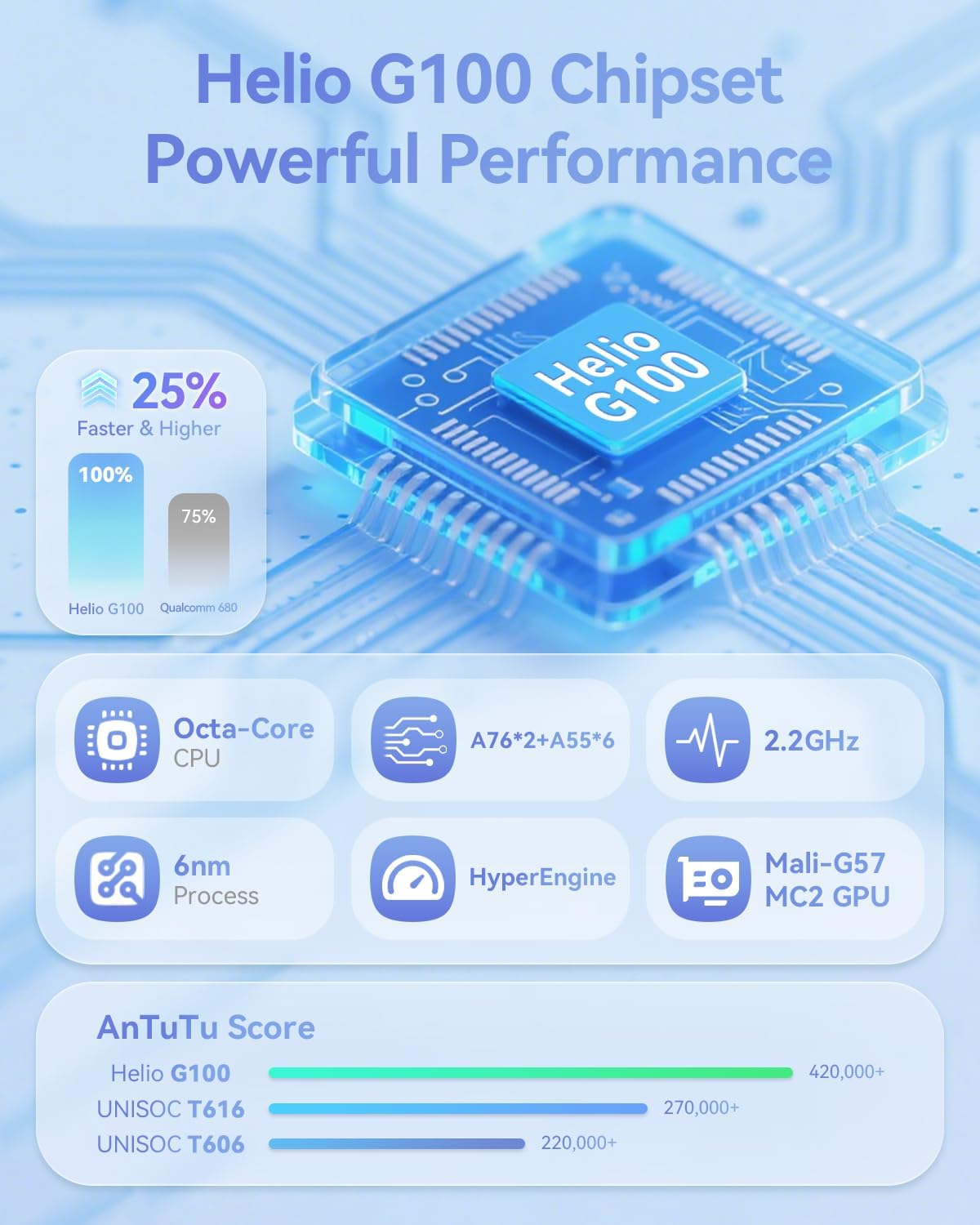
This image provides technical details about the Helio G100 chipset, including its Octa-Core CPU, 6nm process, 2.2GHz clock speed, and Mali-G57 MC2 GPU, along with AnTuTu benchmark scores.
5.3 Konektibitatea
- 4G LTE: Supports mobile network connectivity for internet access on the go.
- Dual-band Wi-Fi (2.4G & 5G): For stable and fast wireless internet connections.
- Bluetooth 5.0: For pairing with wireless accessories like headphones and keyboards.
- GPSa: Nabigazio eta kokapen zerbitzuetarako integratua.
6. Multimedia Ezaugarriak
6.1 Audioa eta bideoa
- Widevine L1 euskarria: Enables streaming of high-definition content (1080P) from platforms like Netflix, Hulu, Prime Video, and Disney+.
- Bozgorailu bikoitza: Provides immersive audio for media consumption.

The image illustrates the tablet's Widevine L1 certification for high-definition streaming and its dual speaker setup for an enhanced audio experience.
6.2 Cameras and Face Recognition
- Aurrealdeko kamera: 5MP
- Atzeko kamera: 8MP
- Aurpegi-aitorpena: Securely unlock your device using facial recognition technology.
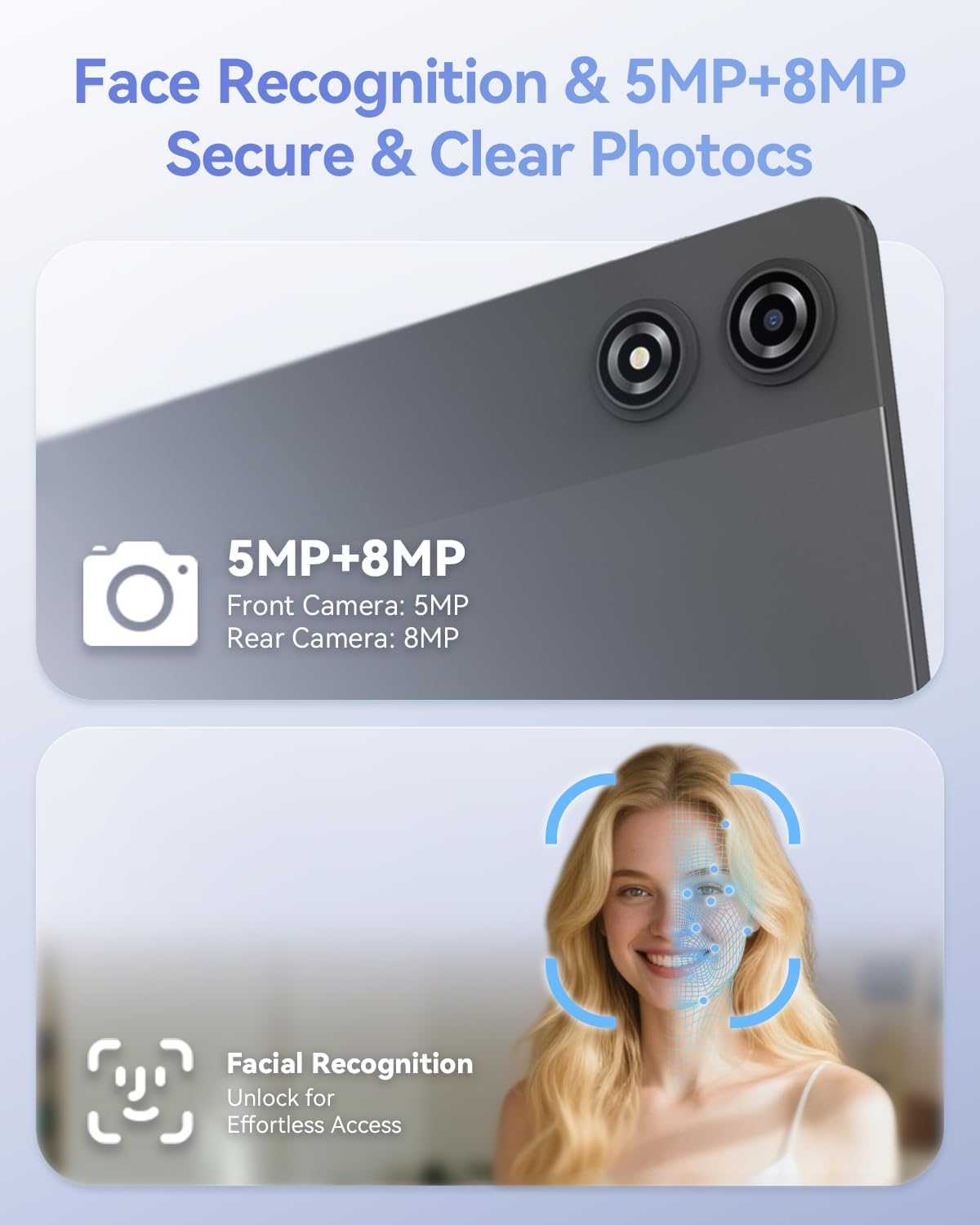
This image details the 5MP front camera and 8MP rear camera, along with the facial recognition feature for secure and effortless device access.
7. Storage and Battery
- RAM: 20GB (8GB physical + 12GB virtual) for smooth multitasking.
- Barne biltegiratzea: 128GB for apps and media.
- Biltegiratze zabalgarria: Supports up to 1TB via MicroSD card.
- Bateria: 7000mAh capacity for extended use.
- Karga azkarra: Supports PD 18W fast charging for quick recharges.

This image details the 20GB RAM (8GB physical + 12GB virtual), 128GB ROM, 1TB expandable storage, and the 7000mAh battery with PD 18W fast charging capabilities.
8. Arazoak
If you encounter issues with your BNCF Bpad 11, refer to the common solutions below. For further assistance, please contact customer support.
| Arazoa | Kausa posiblea | Irtenbidea |
|---|---|---|
| Gailua ez da pizten. | Low battery or system crash. | Charge the tablet for at least 30 minutes. If still unresponsive, press and hold the power button for 10-15 seconds to force a restart. |
| Ukipen-pantailak ez du erantzuten. | Aldi baterako software akatsa edo pantaila babeslearen interferentzia. | Restart the tablet. Ensure the screen is clean and free of debris. If a screen protector is installed, check for proper application or try removing it temporarily. |
| Wi-Fi konexio arazoak. | Incorrect password, router issue, or tablet Wi-Fi module error. | Verify Wi-Fi password. Restart your router. Toggle Wi-Fi off and on in tablet settings. Forget the network and reconnect. |
| Aplikazioak motel doaz edo huts egiten dute. | Too many apps running in the background, low storage, or outdated app versions. | Close unnecessary background apps. Clear app caches. Ensure apps are updated to their latest versions. Free up internal storage. |
9. Zehaztapenak
| Ezaugarri | Xehetasuna |
|---|---|
| Marka | BNCF |
| Ereduaren izena | Bpad 11 |
| Sistema eragilea | Android 15 |
| Pantailaren tamaina | 11 hazbete |
| Pantailaren bereizmena | 1920 x 1200 pixel (FHD IPS) |
| Freskatze tasa | 90Hz |
| Prozesadorea | MediaTek Helio G100 zortzi nukleokoa (2.2 GHz) |
| GPU | Mali-G57 MC2 |
| RAM | 20 GB (8 GB fisikoa + 12 GB birtuala) |
| Flash memoriaren tamaina | 128 GB |
| Biltegiratze zabalgarria | Gehienez 1 TB (MicroSD) |
| Bateria Edukiera | 7000mAh |
| Kargatzen | PD 18W Fast Charging (USB Type-C) |
| Atzeko kamera | 8MP |
| Aurrealdeko kamera | 5MP |
| Haririk gabeko konexioa | 4G LTE, 2.4G/5G WiFi (802.11ac, 802.11g), Bluetooth 5.0 |
| Nabigazioa | GPSa |
| Audio-portua | 3.5 mm-ko aurikularretarako konektua |
| Elementuaren pisua | 1.05 kilo (475 g inguru) |
| Produktuaren neurriak | 10.2 x 6.7 x 0.3 hazbete |
10. Bermea eta Laguntza
BNCF is committed to quality and customer satisfaction. For tablets purchased from the BNCF Official Flagship Store, a 12-month free repair warranty is provided, along with lifetime technical support.
If you have any questions, encounter a software glitch, or have a hardware concern, please contact BNCF customer service. Our team aims to respond within 24 hours to assist you with solutions, returns, or exchanges.

An icon representing customer support, indicating availability for assistance and highlighting the one-year warranty and lifetime technical support.
For more information, visit the official BNCF Store: BNCF Store on Amazon
Ask a question about this manual
Ask about setup, troubleshooting, compatibility, parts, safety, or missing instructions. Manuals+ will review the question and use this page’s manual context to help answer it.