
1. Sarrera
This manual provides essential information for setting up, operating, maintaining, and troubleshooting your FUNYET Mini Gaming PC, Model STA-CF-01. Please read this manual thoroughly before using the product to ensure optimal performance and longevity.
2. Produktua amaitu daview eta Ezaugarriak
The FUNYET Mini Gaming PC is a compact yet powerful desktop computer designed for high-performance tasks such as gaming, 3D rendering, and multitasking. It features advanced components and connectivity options to meet diverse user needs.
Ezaugarri nagusiak:
- Desktop-Level Performance: Equipped with an Intel i7-12700HK processor (up to 4.7GHz) and an NVIDIA GeForce RTX 3050 8GB GPU for demanding applications.
- Efficient Multitasking & Fast Storage: Features 32GB DDR4 RAM (expandable up to 64GB across 2 SODIMM slots) and a 1TB M.2 SSD (supporting PCIe 4.0/SATA3) for rapid boot times and smooth operation.
- Hozte sistema aurreratua: Dual built-in fans ensure optimal temperature management during intensive use, contributing to stable performance and extended hardware lifespan.
- Abiadura Handiko Konektibitatea: Includes a 2.5Gbps and a Gigabit Ethernet port for reliable wired network connections, alongside WiFi 5 and Bluetooth 5.0 for wireless convenience.
- Versatile Port Selection: Offers 4x USB 3.2 Gen2, 2x USB 2.0, 2x HDMI 2.0, 1x DisplayPort 1.4, 1x Type-C (data+DP), and a 3.5mm audio jack for extensive peripheral and multi-monitor support.
- Compact and Upgradeable Design: A space-saving form factor with easily accessible slots for RAM and storage upgrades.
Ikusizko Overview:

2.1. irudia: Aurrealdea view of the FUNYET Mini Gaming PC, highlighting its compact design and RGB lighting.
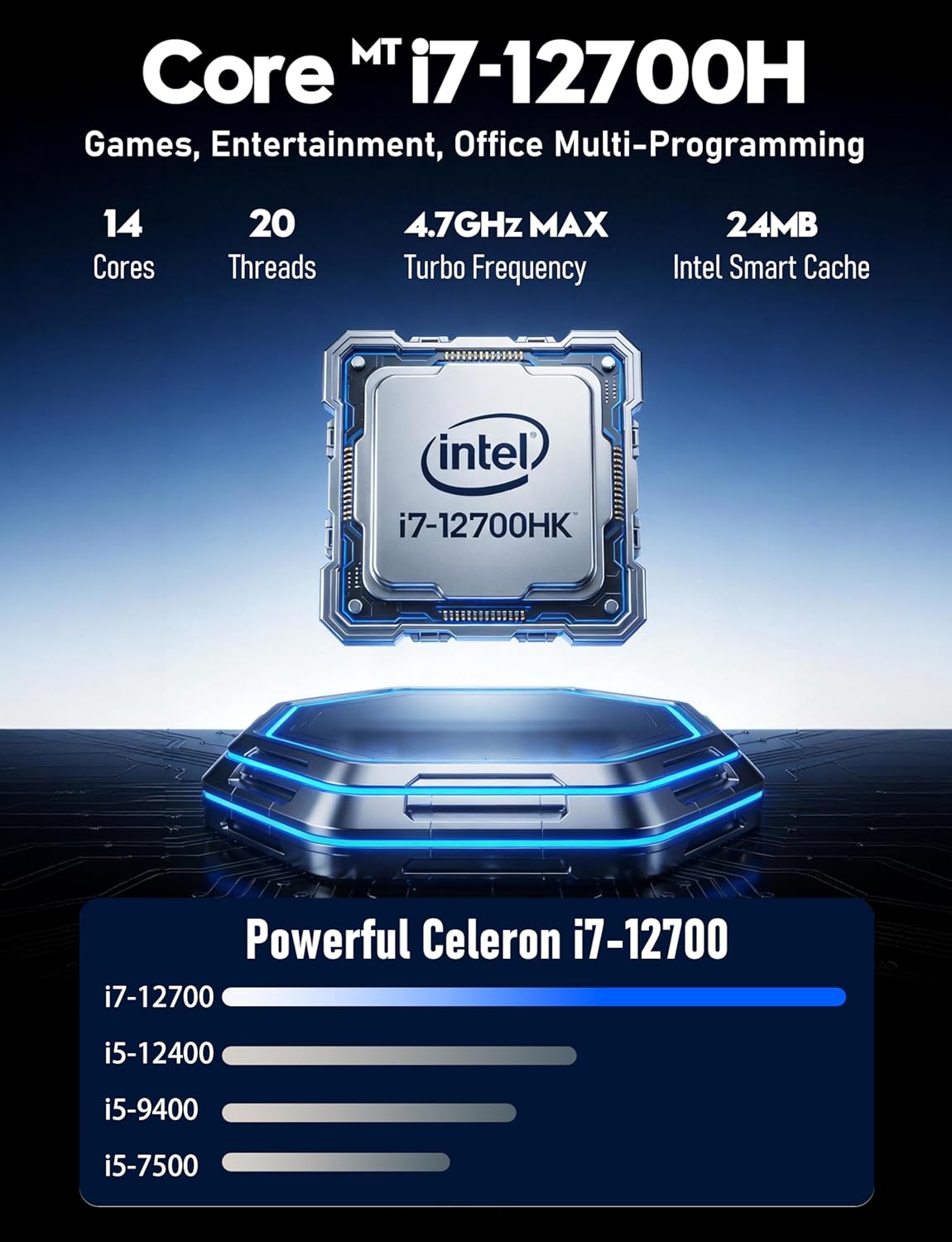
2.2. irudia: Xehetasuna view of the Intel Core i7-12700HK processor, emphasizing its core count and turbo frequency.

Figure 2.3: Illustration of the NVIDIA GeForce RTX 3050 graphics card, noting its 8GB memory and raytracing capabilities.
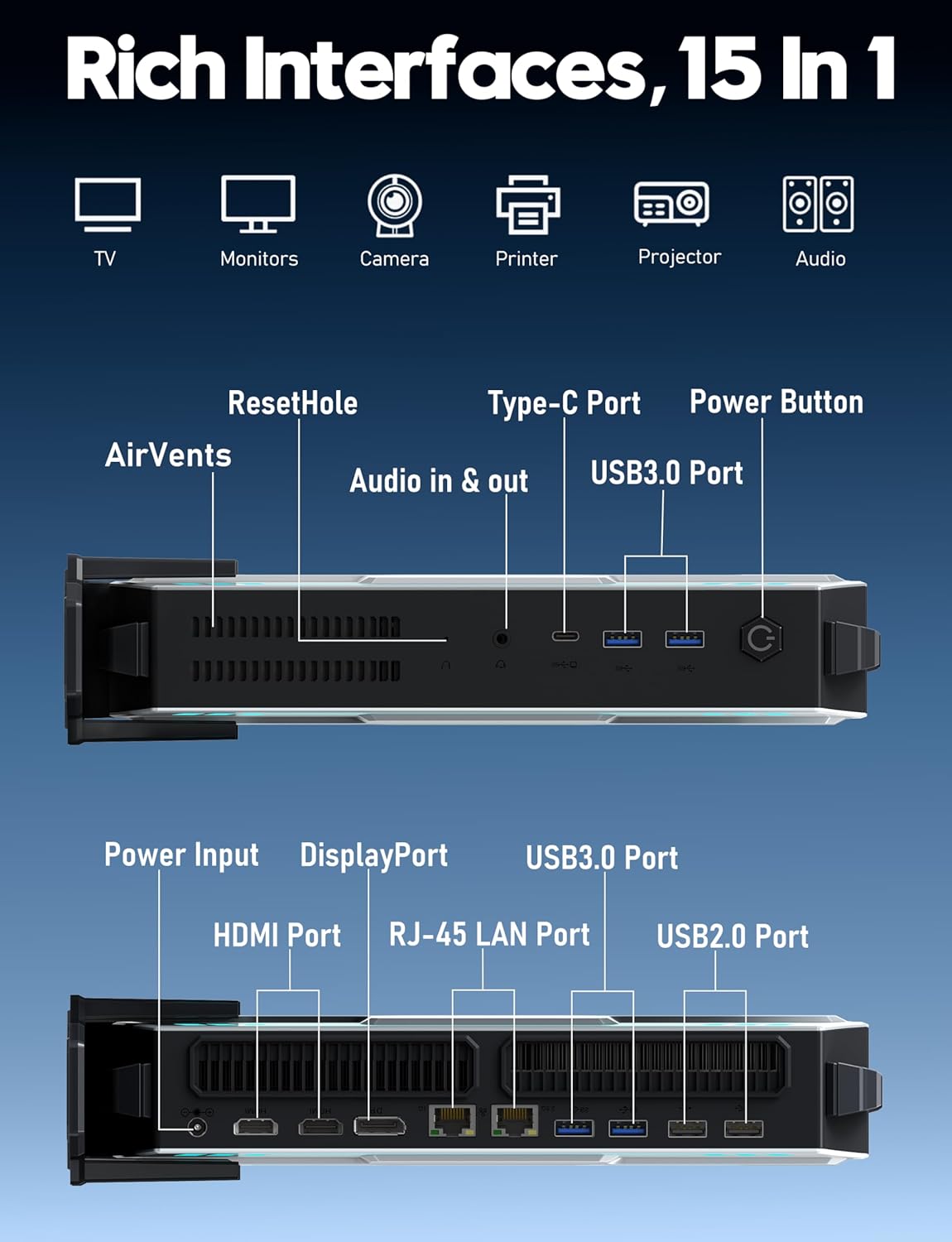
2.4 Irudia: Gainetikview of the various input/output ports available on the FUNYET Mini Gaming PC, including USB, HDMI, DisplayPort, and LAN.
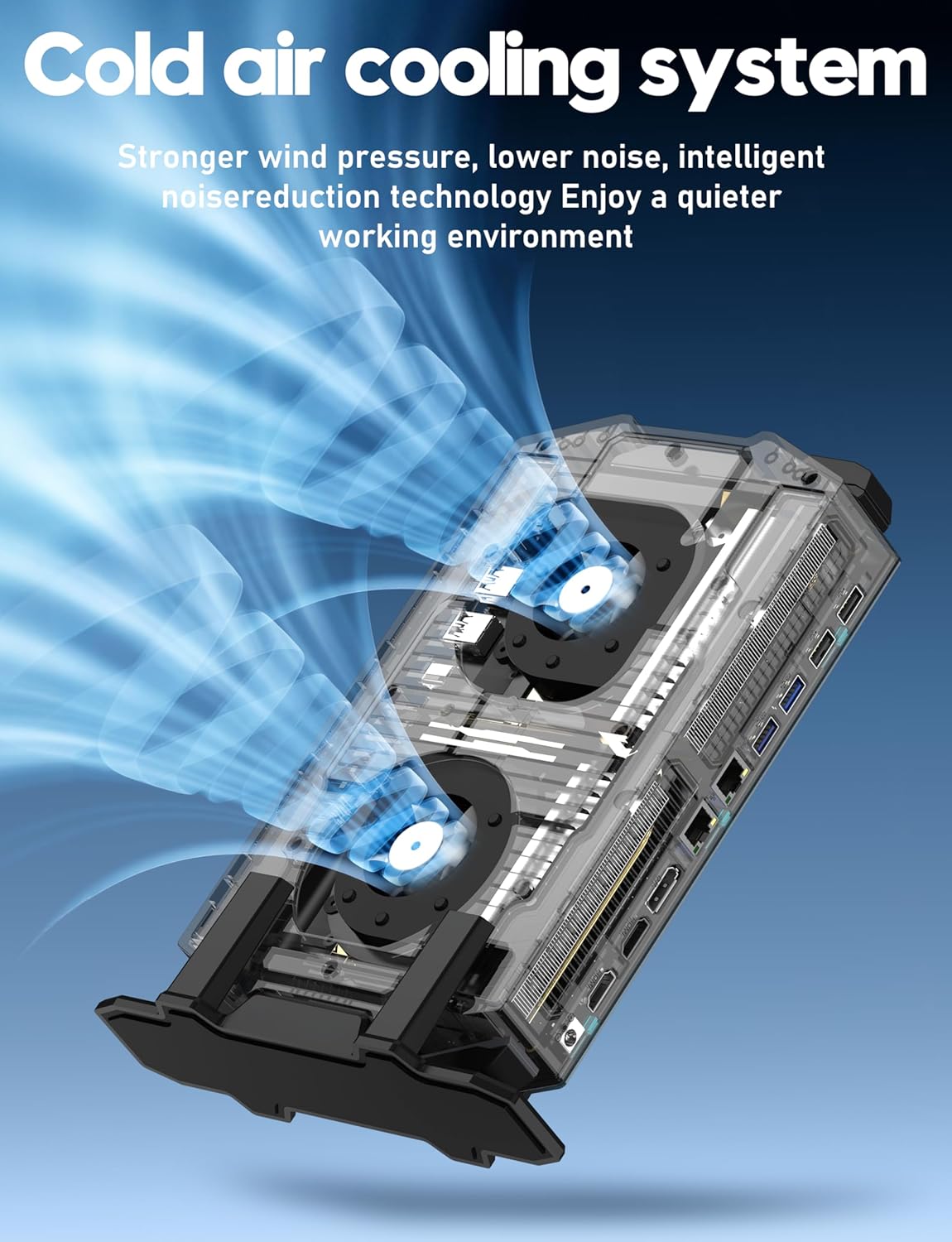
Figure 2.5: Diagram illustrating the cold air cooling system with dual fans, designed for efficient heat dissipation.
Produktuaren bideoa:
2.1 bideoa: Produktu ofizial baten bideo-erakustaldiaasing the FUNYET Mini Gaming PC's features, design, and performance capabilities.
3. Konfigurazio gida
Follow these steps to set up your FUNYET Mini Gaming PC:
- Deskonprimitu ordenagailua: Carefully remove the Mini PC and all accessories from the packaging.
- Konektatu pantaila: Connect your monitor(s) to the PC using the available HDMI, DisplayPort, or Type-C video outputs. The PC supports up to three 4K displays simultaneously.

3.1. irudia: Adibample setup with the Mini PC connected to multiple 4K displays.
- Konektatu periferikoak: Plug in your USB keyboard, mouse, and any other desired peripherals into the available USB 2.0 or USB 3.2 Gen2 ports.
- Konektatu sarera: For a wired connection, plug an Ethernet cable into one of the RJ-45 LAN ports. For wireless, ensure the WiFi antenna (if external) is connected or that the internal WiFi is enabled.
- Konektatu energia: Plug the power adapter into the DC-in port on the PC, then connect the power cord to an electrical outlet.
- Piztu: Press the power button located on the front of the Mini PC. The RGB lighting will illuminate, indicating the PC is starting.
4. Funtzionamendu-argibideak
Your FUNYET Mini Gaming PC comes with Windows 11 Pro pre-installed. Here are basic operating guidelines:
- Hasierako Windows konfigurazioa: On first boot, follow the on-screen instructions to complete the Windows 11 Pro setup, including language, region, network connection, and user account creation.
- Gidariaren instalazioa: Essential drivers are pre-installed. However, it is recommended to check for and install the latest graphics drivers from NVIDIA's official website for optimal gaming and display performance.
- Software eguneraketak: Regularly check for Windows updates via Ezarpenak > Windows eguneratzea to ensure your system has the latest security patches and features.
- WiFira konektatzea: If not connected via Ethernet, click the network icon in the taskbar, select your desired WiFi network, enter the password, and click Connect.
- Bluetooth gailuak: Bluetooth gailuak parekatzeko, joan honera Ezarpenak > Bluetooth eta gailuak, turn on Bluetooth, and select "Add device".
- Shut Down/Restart: To properly shut down or restart the PC, click the Start button, then the Power icon, and select "Shut down" or "Restart".
5. Mantentzea
Proper maintenance ensures the longevity and performance of your Mini PC:
- Garbiketa:
- Garbitu ordenagailuaren kanpoaldea aldizka zapi leun eta lehor batekin.
- Use compressed air to gently clear dust from the air vents to maintain efficient cooling. Ensure the PC is powered off before cleaning vents.
- Software eguneraketak: Keep Windows and all drivers updated. This includes graphics drivers, chipset drivers, and BIOS updates (if available from FUNYET support).
- Biltegiratze kudeaketa: Aldian-aldian garbitu beharrezkoak ez direnak files and applications to free up disk space. Consider using Windows' built-in Disk Cleanup tool.
- Datuen babeskopia: Datuen galerak saihesteko, egin aldizka datu garrantzitsuen babeskopiak kanpoko disko gogor batean edo hodeiko biltegi batean.
- Ingurumen-baldintzak: Operate the PC in a well-ventilated area, away from direct sunlight, excessive heat, humidity, and dust.
6. Arazoak
Arazoak badituzu, jo ezazu honako arazo eta irtenbide ohikoenei:
| Arazoa | Irtenbide posiblea |
|---|---|
| Botererik ez |
|
| Ez dago pantailarik monitorean |
|
| Errendimendu motela |
|
| Sarearen konexio arazoak |
|
7. Zehaztapenak
Detailed technical specifications for the FUNYET Mini Gaming PC (Model STA-CF-01):
| Osagaia | Xehetasuna |
|---|---|
| Modelo zenbakia | STA-CF-01 |
| Sistema eragilea | Windows 11 Pro |
| Prozesadorea | Intel Core i7-12700HK (14 Cores/20 Threads, up to 4.7GHz) |
| Txartel grafikoa | NVIDIA GeForce RTX 3050 (8GB GDDR6 dedikatua) |
| RAM | 32GB DDR4 (2x SODIMM slots, expandable up to 64GB) |
| Biltegiratzea | 1TB M.2 SSD (Supports PCIe 4.0/SATA 3.0) |
| Gehienezko pantailaren bereizmena | 3840 x 2160 (4K) |
| Bideo Irteerak | 2x HDMI 2.0, 1x DisplayPort 1.4, 1x Type-C (DisplayPort Alt Mode) |
| USB atakak | 4x USB 3.2 Gen2, 2x USB 2.0, 1x Type-C (Data) |
| Sarea | 2.5Gbps Ethernet, Gigabit Ethernet, WiFi 5, Bluetooth 5.0 |
| Audioa | 3.5mm Audio Jack |
| Neurriak (LxWxH) | 6 x 1.6 x 10 hazbete |
| Elementuaren pisua | 2.8 kilo |
| Kolorea | Grisa |
8. Bermea eta Laguntza
FUNYET is committed to providing quality products and customer service.
- Bermea: All FUNYET products come with a 2-year free repair warranty.
- Exchanges/Returns: A 6-month free exchange and return policy is offered.
- Jarri harremanetan laguntzarekin: For any questions or assistance with your product, please contact FUNYET support.
- Telefonoa: +1 800-986-9631 (4 AM - 10 PM PT, per business day)
- Posta elektronikoa: funyetstore@outlook.com
FUNYET support aims to reply within 24 hours.