
Sarrera
This manual provides essential information for setting up, operating, and maintaining your Sony BRAVIA 5 55-Inch 4K Mini LED Smart TV (K-55XR50, 2025 Model) and the included SU-WL905 Ultra-Slim Wall Mount Bracket. Please read this manual thoroughly before using your product to ensure proper and safe operation.

Image: The Sony BRAVIA 5 TV seamlessly integrated into a modern living room setting, showcasinbere diseinu dotorea eta pantaila bizia ditu.
Konfigurazioa
Desontziratzea eta hasierako kokapena
Carefully remove all components from the packaging. Ensure you have the TV, SU-WL905 wall mount, remote control, power cord, and any necessary screws or accessories. Place the TV on a stable, flat surface or prepare for wall mounting.
Wall Mount Installation (SU-WL905)
The SU-WL905 Ultra-Slim Wall Mount Bracket is designed for a secure and flush installation. Follow these steps:
- Muntatzeko kokapena identifikatu: Choose a suitable wall location, ensuring it can support the weight of the TV and mount. Use a stud finder to locate wall studs for secure attachment.
- Hormako plaka erantsi: Securely fasten the wall plate component of the SU-WL905 bracket to the wall studs using appropriate screws. Ensure it is level.
- Telebistako euskarriak lotu: Fasten the TV-side brackets to the back of your BRAVIA 5 TV.
- Telebista muntatu: Carefully lift the TV and hook the TV-side brackets onto the wall plate. Ensure the TV is securely latched.

Irudia: Albokoa view of the Sony BRAVIA 5 TV, illustrating its slim profile and how it sits close to the wall when mounted with the SU-WL905 bracket.
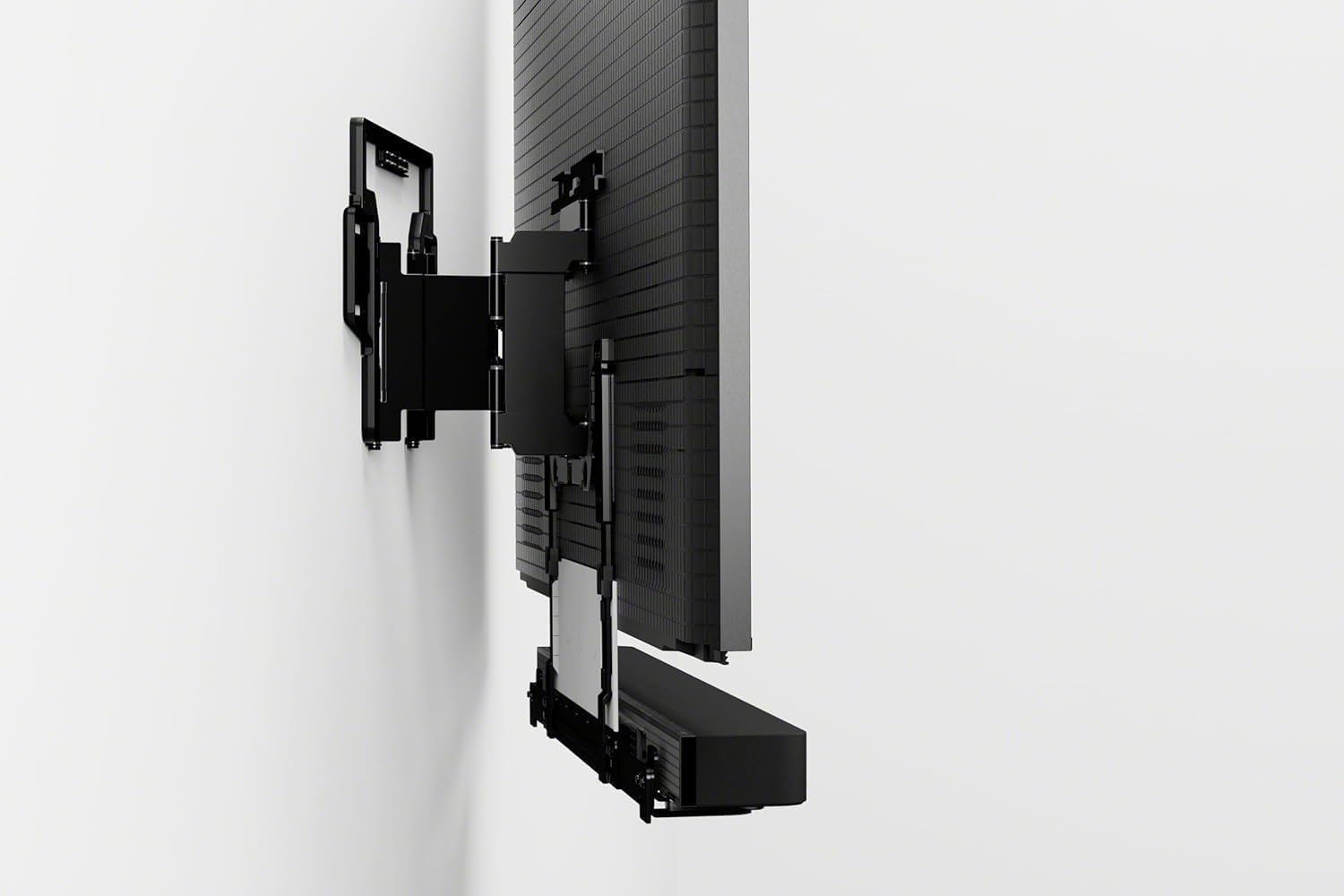
Irudia: Atzealdea view of the Sony BRAVIA 5 TV, showing the various input ports and the mounting points for the wall bracket.
Periferikoak konektatzea
- Potentzia: Konektatu elikatze-kablea telebistara eta hormako entxufe batera.
- HDMI gailuak: Connect your gaming consoles (e.g., PlayStation 5), Blu-ray players, or other HDMI devices to the available HDMI ports.
- Internet: Connect an Ethernet cable for a wired internet connection or follow on-screen instructions for Wi-Fi setup.
Operating Your Sony BRAVIA 5 TV
Initial Setup and Google TV
Upon first power-on, the TV will guide you through the initial setup process, including language selection, network connection, and Google TV account setup. Google TV organizes movies, shows, live TV, and more from your apps and subscriptions, making it easy to find what you want to watch.

Image: The Google TV home screen displayed on the BRAVIA 5, showing various streaming app icons and content recommendations.
Picture Quality Enhancements
- Mini LEDaren distira eta kontrastea: Thousands of Mini LEDs are precisely controlled by XR Backlight Master Drive to deliver captivating brightness and authentic contrast.
- XR Triluminos Pro: Access billions of accurate real-world colors with XR Triluminos Pro, ensuring a vibrant and lifelike viewesperientzia.
- XR Processor with AI: The powerful XR Processor with AI technology intelligently enhances every scene in real-time, boosting color, contrast, and clarity for optimal picture quality.

Image: A split image demonstrating the enhanced brightness and contrast on a motorcycle scene, highlighting the effect of Mini LED technology.

Image: A split image of a street scene with a car, illustrating the expanded color palette and vibrancy achieved with XR Triluminos Pro.

Image: A collage of diverse images, including landscapes and portraits, showcasing the intelligent enhancement capabilities of the XR Processor with AI.
Joko Ezaugarriak
The BRAVIA 5 is optimized for gaming, especially with PlayStation 5. It features auto HDR tone mapping and picture modes that optimize every game for an immersive experience.
Video: A short clip highlighting the Sony Bravia 5's features that make it ideal for PlayStation 5 gaming, including smooth motion and vibrant graphics.
Audio-esperientzia
Experience immersive audio with the BRAVIA 5. The TV's audio system is designed to complement the stunning visuals, providing clear dialogue and dynamic soundscapes.
Video: A demonstration of the immersive audio experience provided by the Sony BRAVIA Theater Setup, showcasing how sound enhances the viewesperientzia.
Mantentzea
Pantaila garbitzea
Garbitu pantaila astiro-astiro mikrofibrazko zapi leun eta lehor batekin. Orban egoskorrak izanez gero, garbitu astiro-astiro.ampGarbitu zapia urarekin edo pantailarentzat segurua den garbiketa-soluzio batekin. Saihestu produktu kimiko gogorrak edo material urratzaileak.
Zaintza Orokorra
Keep the TV in a well-ventilated area. Avoid blocking ventilation openings. Do not expose the TV to direct sunlight, extreme temperatures, or high humidity.
Arazoak konpontzea
Irudi/soinurik ez
- Check if the TV is properly plugged into a power outlet and turned on.
- Verify that all HDMI cables are securely connected to both the TV and the external devices.
- Ziurtatu sarrera-iturri zuzena hautatuta dagoela telebistan.
Urruneko kontrola ez dabil
- Ordeztu bateriak urrutiko agintean.
- Ziurtatu urrutiko agintearen eta telebistaren IR sentsorearen artean oztoporik ez dagoela.
Sareko konexio arazoak
- Berrabiarazi zure bideratzailea eta modema.
- Haririk gabe konektatzen bazara, egiaztatu Wi-Fi pasahitza.
- Try a wired Ethernet connection if Wi-Fi issues persist.
Zehaztapenak
| Marka Izena | Sony |
| Eredua | K-55XR50 |
| Bistaratzeko mota | 4K LED telebista adimendun txikia |
| Pantailaren tamaina | 55 hazbetekoa |
| Prozesadorea | XR Processor with AI |
| Kolore Teknologia | XR Triluminos Pro |
| Atzeko argiaren teknologia | XR Backlight Master Drive (Mini LED) |
| Sistema eragilea | Google TV |
| Horma-muntatzeko euskarria | SU-WL905 Ultra-Slim |
| Eskuragarri dagoen lehen data | 14ko apirilaren 2025a |
Bermea eta laguntza
Your Sony BRAVIA 5 TV comes with a limited manufacturer's warranty. Please refer to the warranty card included in your product packaging for specific terms and conditions. For technical support, product registration, or service inquiries, please visit the official Sony support webwebgunera edo jarri harremanetan bezeroarentzako arreta-zerbitzuko telefono-zenbakira. Gorde erosketa-agiria erosketaren frogagiri gisa berme-erreklamazioetarako.
Lineako laguntza: www.sony.com/electronics/support