
Maxfree M4
Maxfree Dual Portable Monitor M4 User Manual
Eredua: M4
Sarrera
Thank you for choosing the Maxfree Dual Portable Monitor M4. This manual provides essential information for setting up, operating, and maintaining your new dual monitor system. Please read this manual thoroughly before use to ensure optimal performance and longevity of your device.
Produktua amaituview
The Maxfree Dual Portable Monitor M4 is designed to expand your workspace with two 15.6-inch 1080P FHD IPS displays. Its folding design enhances portability, making it ideal for travel and various work environments.

Image: The Maxfree Dual Portable Monitor M4, featuring two 15.6-inch screens in an open, stacked configuration, ready for use.
Ezaugarri nagusiak:
- Dual 15.6-inch 1080P FHD IPS Displays
- Plug & Play USB-C Connectivity
- Folding Design for Portability
- Matte Screen with Anti-glare, No Flicker, and Eye Care Functions
- % 100 sRGB kolore-gama
- Multiple Display Modes and 330° Rotation
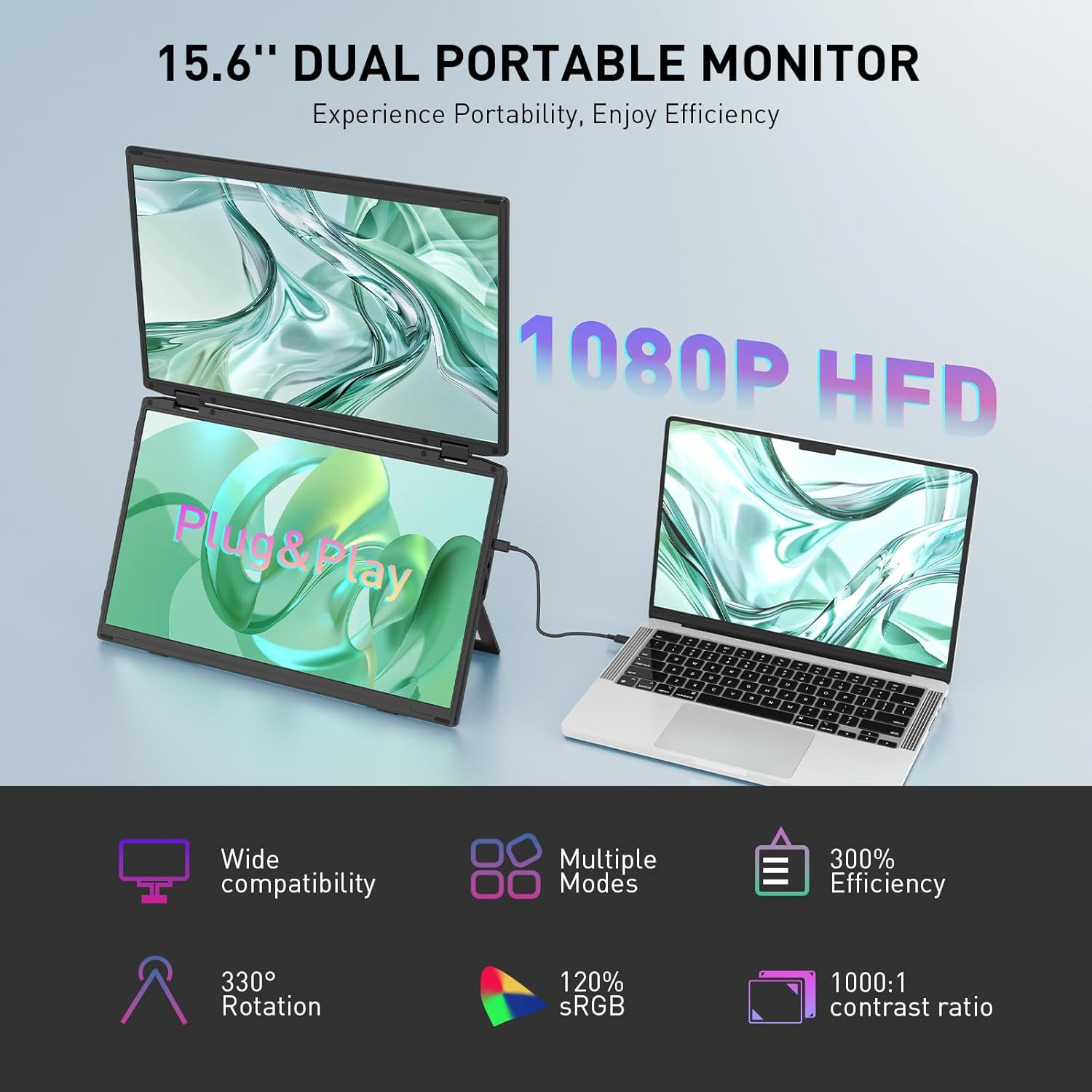
Image: The Maxfree Dual Portable Monitor M4 connected to a laptop, illustrating its plug-and-play functionality and various display modes.
Konfigurazio Argibideak
- Deskonprimitu monitorea: Kontu handiz atera monitoreak eta osagarri guztiak paketetik.
- Monitorearen kokapena: Place the monitor on a stable, flat surface. Adjust the integrated stand to your desired viewangelua.
- Connect to Power (Recommended): For optimal performance, connect the monitor to a power source using the provided USB-C power adapter (if included) or a compatible USB-C port on your device that supports power delivery.
- Konektatu gailura:
- USB-C konexioa: Connect one end of the provided USB-C cable to the monitor's USB-C port and the other end to a full-featured USB-C port on your laptop or PC. This single cable can transmit video, audio, and power.
- HDMI + USB-A Connection (if applicable): If your device does not have a full-featured USB-C port, you may need to use an HDMI cable for video and a USB-A to USB-C cable for power and touch functionality (if supported by your model). Refer to your device's manual for specific port requirements.
- Piztu: Press the power button on the monitor. Your device should automatically detect and extend the display.
- Doitu pantaila ezarpenak: On your computer, navigate to Display Settings to configure the dual monitors (e.g., extend, duplicate, arrange displays).
Funtzionamendu-argibideak
Bistaratzeko moduak:
The Maxfree Dual Portable Monitor supports various display modes to enhance productivity:
- Modu hedatua: Expands your desktop across both screens, providing a larger workspace. This is ideal for multitasking.
- Bikoiztu modua: Mirrors your primary display onto the portable monitors. Useful for presentations or sharing content.
- Diseinu bertikala: The unique vertical stacking design minimizes scrolling and page switching, reducing eye and neck fatigue, especially for document review or coding.
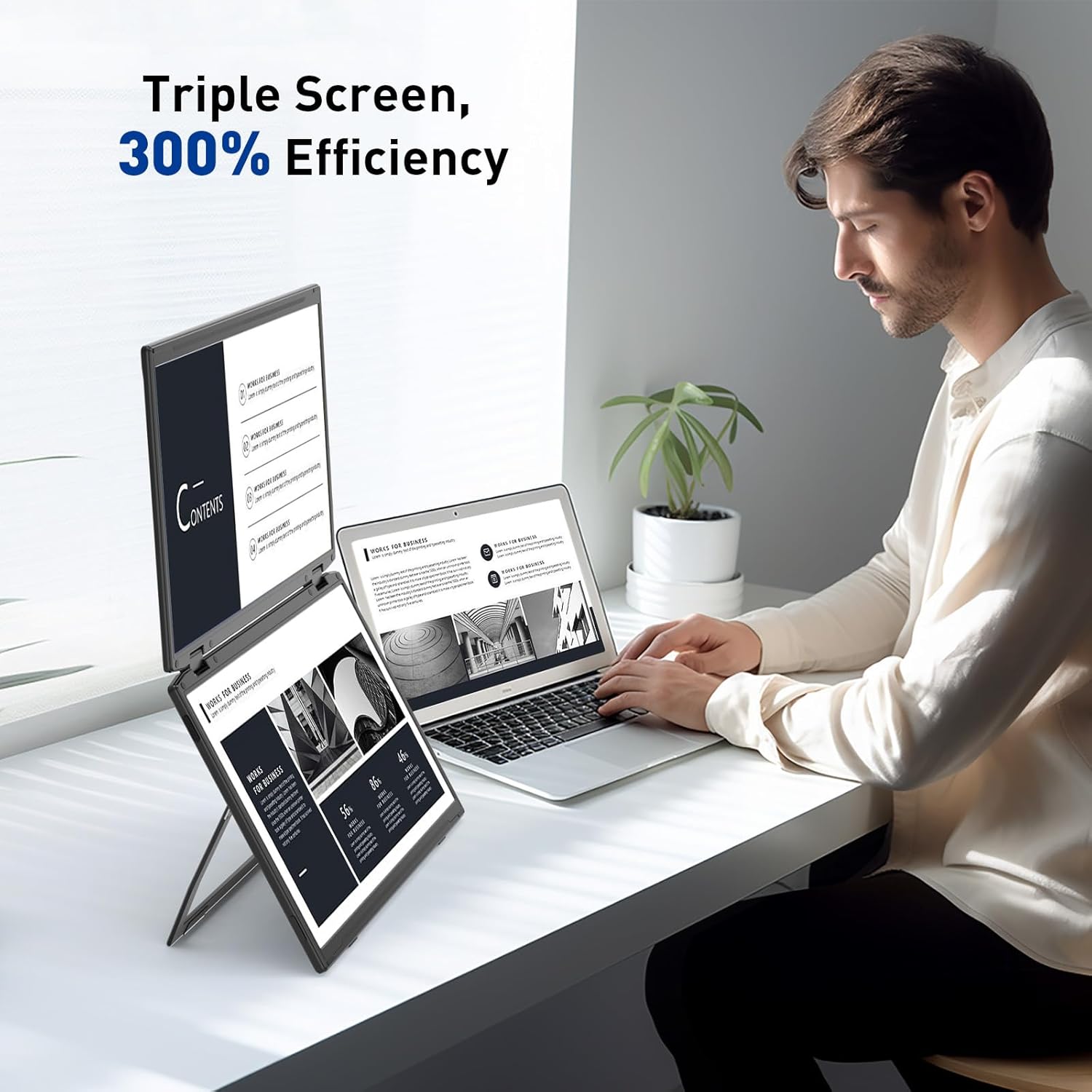
Image: A user demonstrating the Maxfree Dual Portable Monitor M4 in a vertical stacked setup, illustrating how it creates an efficient triple-screen workspace.
Pantailako pantailan (OSD) menua:
Use the buttons on the side of the monitor to access and navigate the OSD menu. This menu allows you to adjust settings such as:
- Distira eta kontrastea
- Color Settings (e.g., sRGB, color temperature)
- Sarrera-iturria hautatzea
- Aspektu-erlazioa
- Volume (if applicable)
Refer to the on-screen prompts for specific button functions (e.g., Menu, Up, Down, Exit).
Zehaztapenak
| Ezaugarri | Xehetasuna |
|---|---|
| Pantailaren tamaina | 15.6 hazbeteko bikoitza |
| Ebazpena | 1920 x 1080 (FHD 1080p) |
| Panel mota | IPS |
| Aspektu-erlazioa | 16:9 |
| Pantailaren gainazala | Matea |
| Irudiaren distira | 300 Kandela |
| Kolore gama | %100 sRGB |
| Konektibitatea | USB-C (Full-featured), HDMI (if applicable) |
| USB portuak guztira | 1 (USB-C for main connection) |
| liburukiatage | 5 Volt |
| Produktuaren neurriak | 0.5 x 14 x 9 hazbete |
| Elementuaren pisua | 3.5 kilo |
| Modelo zenbakia | M4 |
Arazoak konpontzea
- Ez dago pantailarik:
- Ziurtatu USB-C kablea ondo konektatuta dagoela monitorearekin eta gailuarekin.
- Verify that your device's USB-C port supports video output (DisplayPort Alternate Mode).
- Connect the monitor to an external power source if your device cannot provide sufficient power.
- Check your computer's display settings to ensure the external monitor is detected and enabled.
- Pantaila keinukaria:
- Ziurtatu kableen konexioak ondo daudela.
- Probatu beste USB-C kable batekin.
- Reduce the display resolution or refresh rate on your computer.
- Image Quality Issues (Blurry, Incorrect Colors):
- Adjust the brightness, contrast, and color settings via the OSD menu.
- Ensure your computer's display resolution matches the monitor's native resolution (1920x1080).
- Monitorea ez da pizten:
- Confirm the power cable is properly connected and the power outlet is functional.
- Sakatu irmo pizteko botoia.
Mantentzea
- Pantaila garbitzea: Garbitu pantaila astiro-astiro zapi leun eta pelusik gabeko batekin. Orba egoskorrak izanez gero, garbitu apur batampGarbitu zapi bat urarekin edo pantaila garbitzeko soluzio batekin. Saihestu produktu kimiko gogorrak edo material urratzaileak.
- C garbiketaasing: Erabili zapi leun eta lehor bat monitorearen gainazala garbitzeko.asing.
- Biltegiratzea: When not in use, fold the monitor and store it in a cool, dry place, preferably in its original packaging or a protective case to prevent damage.
- Saihestu muturreko baldintzak: Ez jarri monitoreari tenperatura altuen, hezetasunaren edo eguzki-argiaren eragin zuzena.
Bermea eta Laguntza
For warranty information, technical support, or service inquiries, please refer to the warranty card included with your product or visit the official Maxfree webgunea.
Fabrikatzailea: Shenzhen Baijiayoupu Technology CO., Ltd.
Ask a question about this manual
Ask about setup, troubleshooting, compatibility, parts, safety, or missing instructions. Manuals+ will review the question and use this page’s manual context to help answer it.