
Sarrera
Thank you for choosing the Electactic Commercial Ice Maker. This manual provides essential information for the safe and efficient operation, maintenance, and troubleshooting of your new ice machine. Please read these instructions thoroughly before installation and use, and retain them for future reference.
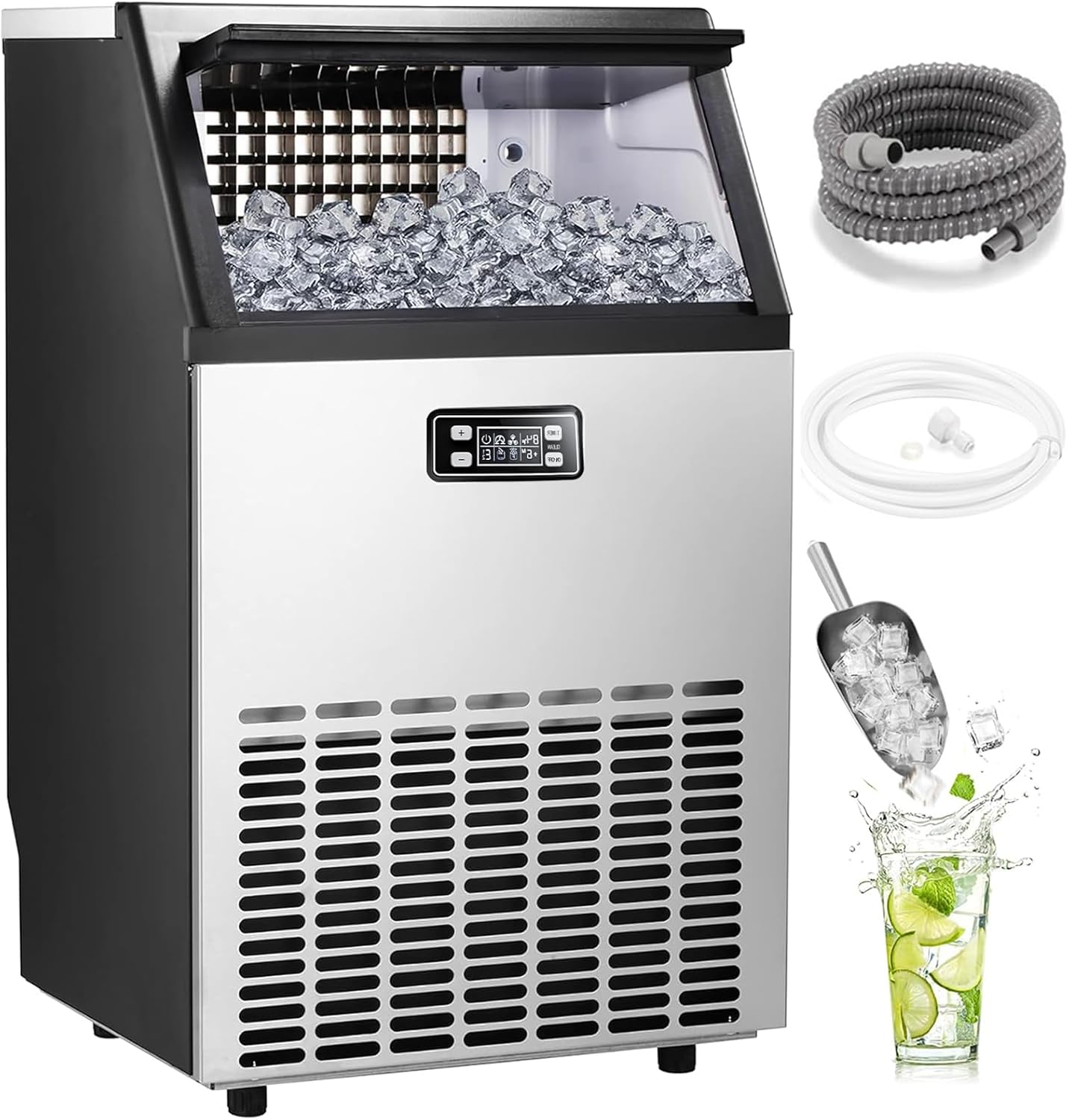
Figure 1: Electactic Commercial Ice Maker and included accessories.
Segurtasun-argibideak
- Ziurtatu gailua behar bezala lurrarekin lotuta dagoela.
- Ez erabili izotz-makina kablea edo entxufea hondatuta badago.
- Mantendu izotz-makina bero-iturrietatik eta eguzki-argitik zuzenean urrun.
- Allow the unit to stand upright for at least 24 hours before initial use to allow refrigerant to settle.
- Izotza ekoizteko, edateko ura bakarrik erabili.
- Ez gorde substantzia lehergarririk (adibidez, aerosol latak, propultsatzaile sukoi batekin) aparatu honetan.
- Tresna hau ez da gaitasun fisiko, sentsorial edo mental murriztua duten edo esperientzia eta ezagutza falta duten pertsonek (haurrak barne) erabiltzeko, baldin eta haien segurtasunaz arduratzen den pertsona batek gailuaren erabilerari buruz gainbegiratu edo jarraibiderik eman ez badu.
- Haurrak gainbegiratu behar dira aparatuarekin jolasten ez dutela ziurtatzeko.
Produktua amaituview
The Electactic Commercial Ice Maker is designed for high-efficiency ice production, featuring a durable stainless steel construction and an intuitive LED digital display. It produces up to 101 lbs of ice per 24 hours with a storage capacity of 33 lbs.
Funtsezko osagaiak:
- Ice Maker Unit (Stainless Steel Casing)
- LED Digital Control Panel
- Ice Storage Bin (33 lbs capacity)
- Izotza
- Ura sartzeko mahuka
- Drainatzeko mahuka
- Oin erregulagarriak
Konfigurazioa
1. Desontziratzea eta kokatzea:
- Kontu handiz kendu ontziratzeko material guztiak.
- Place the ice maker on a firm, level surface. Ensure there is adequate ventilation around the unit (at least 5 inches of space on all sides).
- Allow the unit to stand upright for a minimum of 24 hours before plugging it in. This allows the refrigerant to stabilize.
2. Uraren konexioa:
The ice maker supports two methods for water supply:
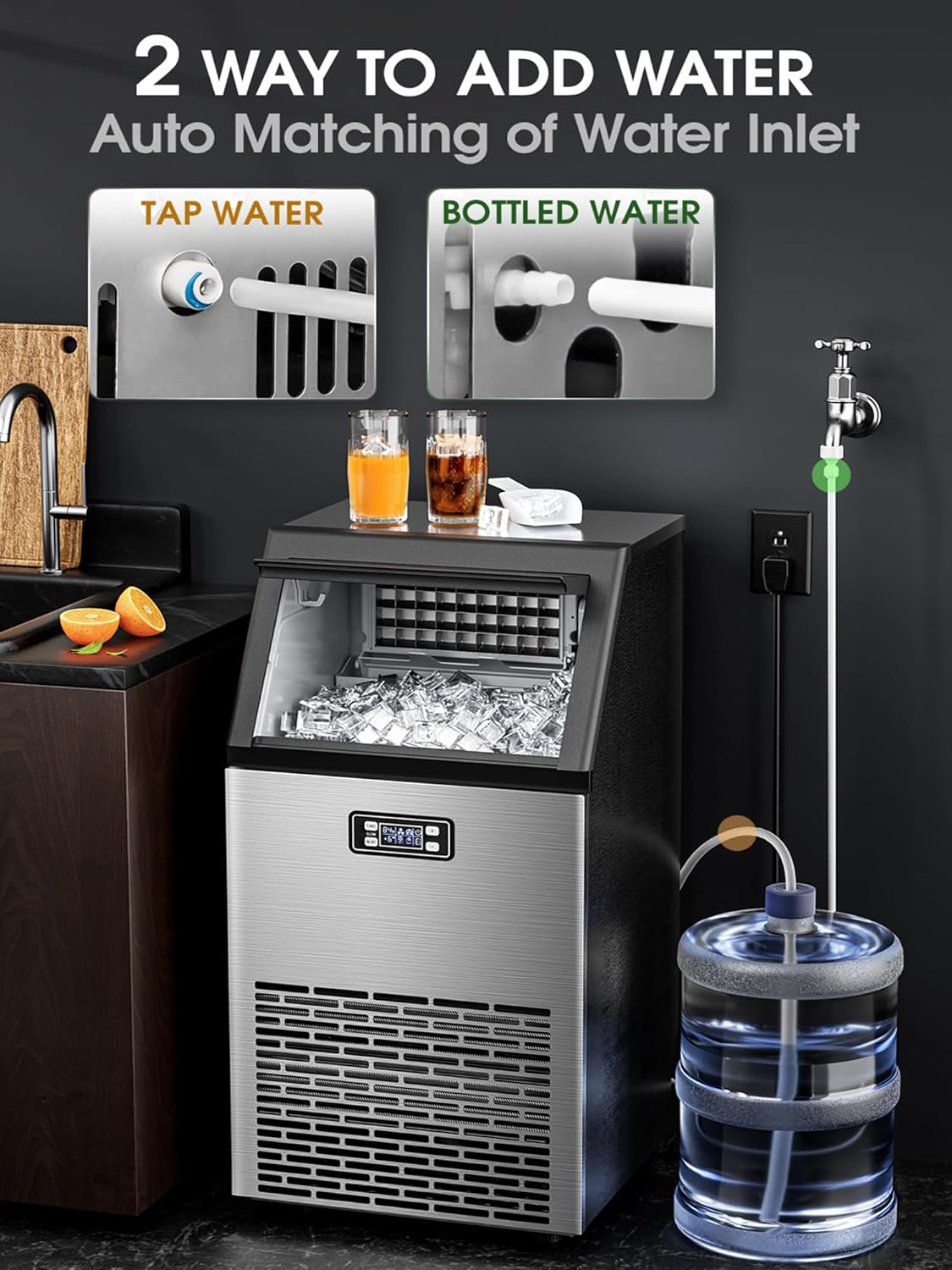
Figure 2: Water inlet options for the ice maker.
- Txorrotako uraren konexio zuzena: Connect the provided water inlet hose to a potable water supply and the designated inlet on the ice maker. Ensure all connections are secure to prevent leaks.
- Bottled Water Connection: For bottled water, connect the appropriate adapter and hose to a water bottle (e.g., 5-gallon) and the ice maker's water inlet.
3. Drainage Connection:
Connect the drainage hose to the unit's drain outlet and route it to a suitable drain or container. Ensure the drainage hose is positioned lower than the ice maker's drain outlet for proper water flow.
4. Hasierako garbiketa:
Before first use, it is recommended to clean the interior of the ice maker. Refer to the "Maintenance" section for detailed cleaning instructions. After cleaning, perform a self-cleaning cycle.
Funtzionamendu-argibideak
1. Kontrol panela baino gehiagoview:
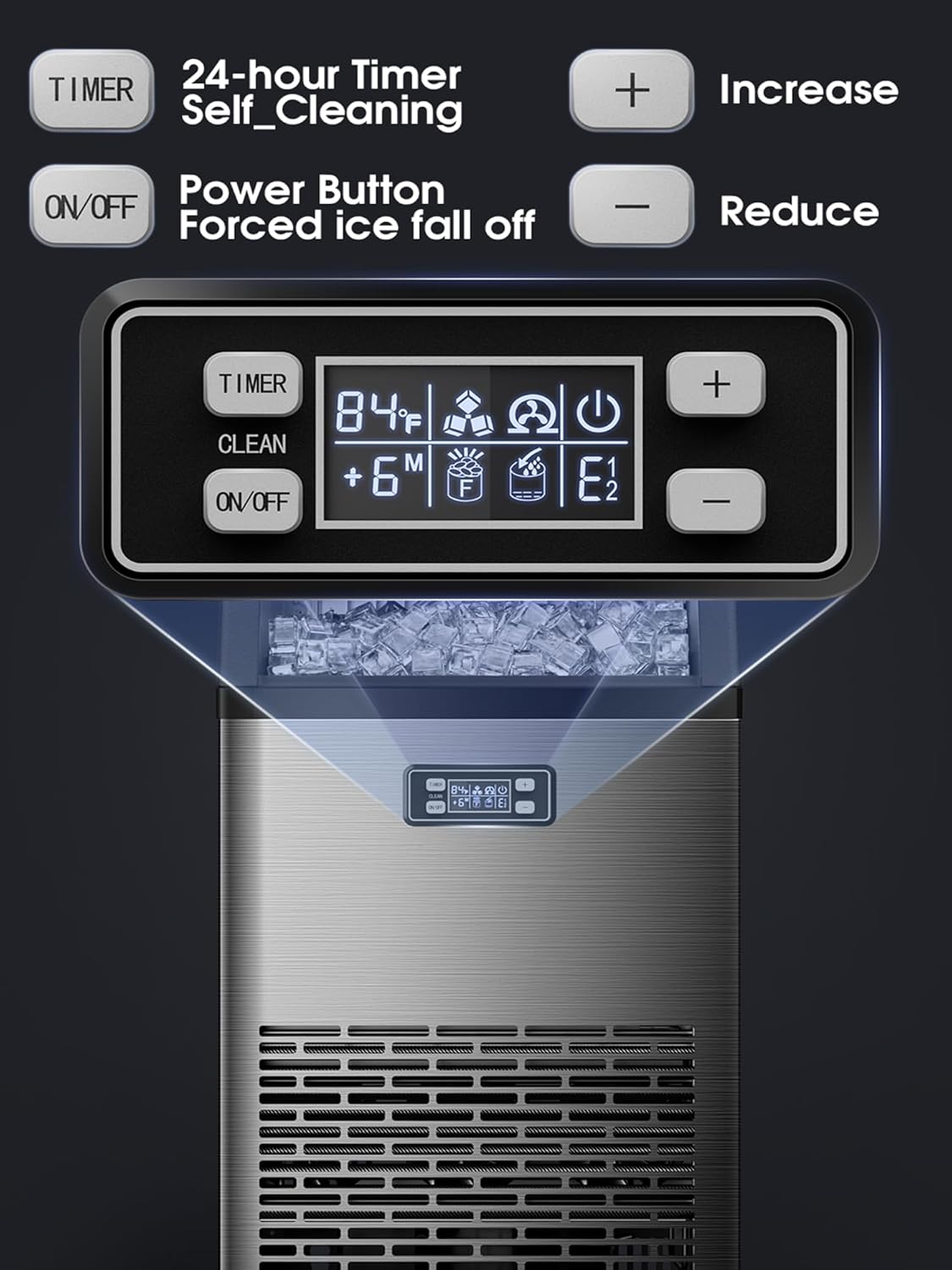
Figure 3: LED Digital Control Panel.
- ON/OFF botoia: Powers the unit on or off. Press and hold to force ice to fall off.
- TIMER/CLEAN Button: Activates the timer function or initiates the self-cleaning cycle (press and hold for 5 seconds).
- '+' botoia: Increases settings (e.g., ice thickness, timer duration).
- '-' botoia: Decreases settings (e.g., ice thickness, timer duration).
- LED pantaila: Shows current status, temperature, error codes, and timer settings.
2. Starting Ice Production:
- Ensure the water supply is connected and the drain hose is properly positioned.
- Entxufatu izotz-makina lurrera konektatutako entxufe elektriko batera.
- Sakatu ON/OFF button to start the unit. The machine will automatically begin the ice-making cycle.
- The first batch of ice may take slightly longer. The unit can produce approximately 45 ice cubes in 12-18 minutes.
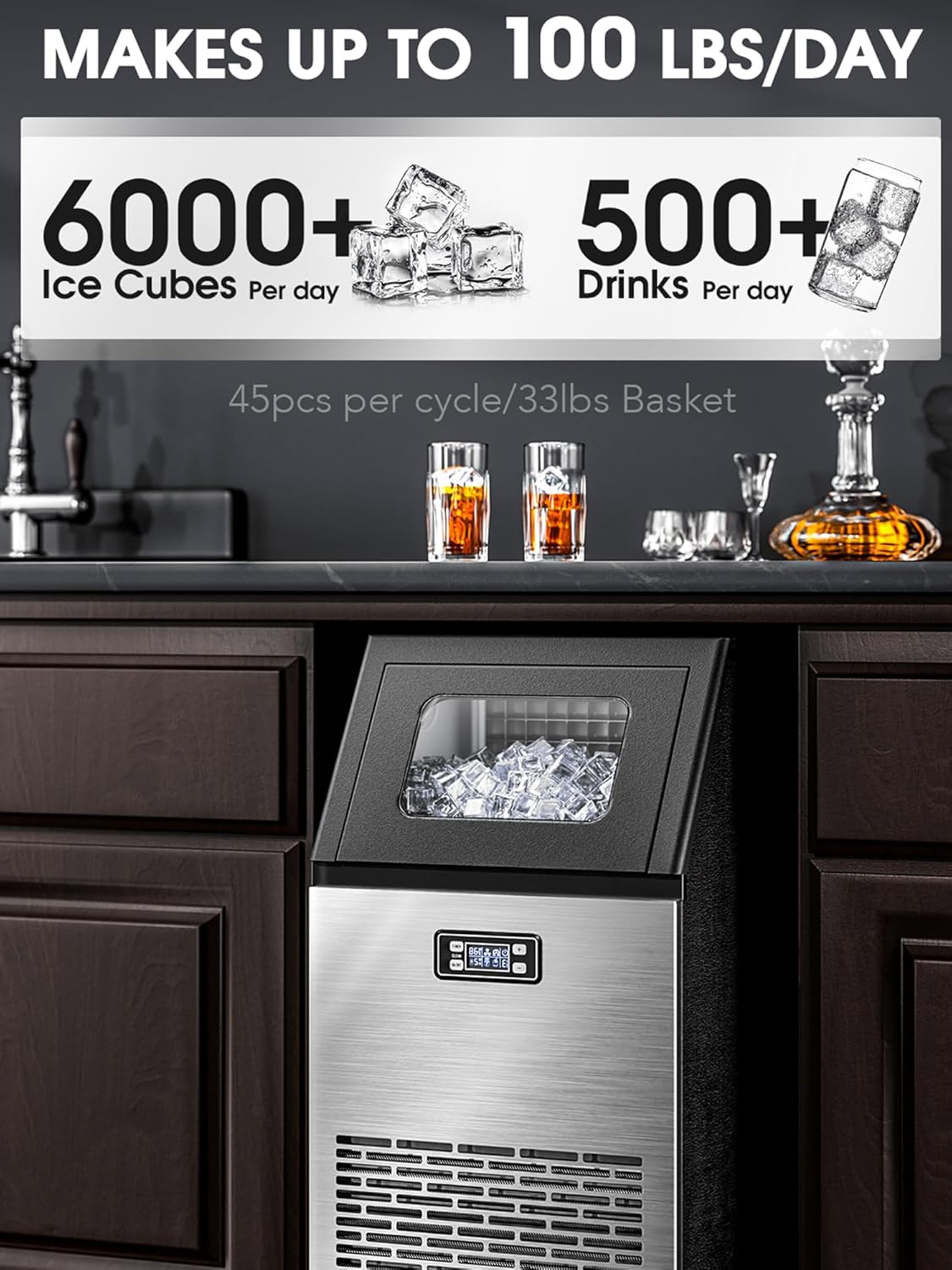
Figure 4: Ice production capacity.
3. Adjusting Ice Thickness:
You can adjust the ice cube thickness to suit your preference:

5. irudia: Izotzaren lodiera doitzeko aukerak.
- While the machine is operating, use the '+' eta '-' buttons to cycle through thickness settings.
- A shorter freezing time results in thinner ice, ideal for smoothies.
- A longer freezing time results in thicker ice, suitable for cooling drinks or retaining freshness.
4. Using the Timer Function:
The 24-hour timer allows you to schedule when the ice maker starts or stops operation.
- Sakatu TEMPORIZATORE/GARBITU button once to activate the timer setting.
- Erabili '+' eta '-' buttons to set the desired delay time (in hours) for the unit to turn on or off.
- Berretsi ezarpena sakatuz TEMPORIZATORE/GARBITU button again or waiting a few seconds for it to auto-confirm.
5. Ice Storage:
The ice storage bin is insulated to help preserve ice for a short period. For extended storage, transfer ice to a freezer, as this machine is not a refrigerator and cannot maintain ice in a frozen state indefinitely.
Mantentzea
1. Auto Self-Cleaning Function:
The ice maker features an automatic self-cleaning function to simplify maintenance.
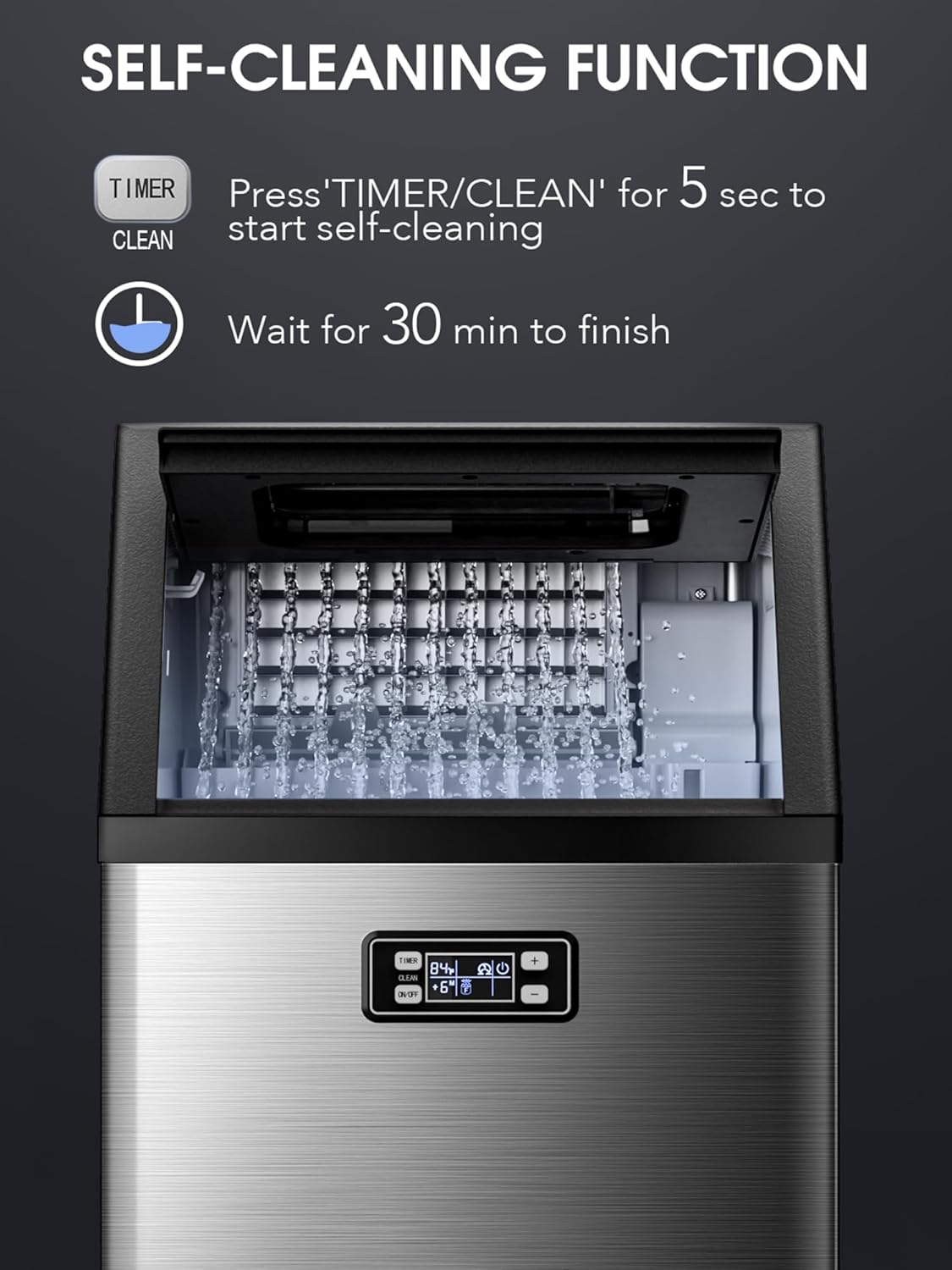
Figure 6: Self-cleaning cycle in progress.
- Ensure the unit is connected to a water supply and the drain hose is properly set up.
- Eduki sakatuta TEMPORIZATORE/GARBITU button for 5 seconds. The display will indicate the cleaning cycle has started.
- The self-cleaning process takes approximately 30 minutes. Do not interrupt the cycle.
- Once complete, the unit will automatically switch off or return to standby mode.
2. Ohiko garbiketa:
- Kanpoaldea: Garbitu altzairu herdoilgaitzezko kanpoaldea zapi leun batekin eta detergente leun batekin. Saihestu garbitzaile urratzaileak.
- Barrualdea: Periodically clean the ice storage bin and other accessible interior surfaces with a solution of warm water and mild soap. Rinse thoroughly and ensure all soap residue is removed.
- Ur-sistema: For optimal performance and hygiene, consider using a descaling solution specifically designed for ice makers every few months, especially in areas with hard water. Follow the descaling product's instructions carefully.
3. Draining the Unit:
To drain the water from the unit, locate the drain plug at the bottom of the machine. Place a container beneath it, remove the plug, and allow all water to drain. Reinsert the plug securely after draining.
Arazoak konpontzea
| Arazoa | Kausa posiblea | Irtenbidea |
|---|---|---|
| Izotz-makina ez da izotza ekoizten. | No water supply; water inlet blocked; ambient temperature too high; refrigerant issue. | Check water connection and supply. Ensure water pressure is adequate. Clean water inlet filter. Move unit to a cooler environment. Contact customer support if refrigerant is suspected. |
| Izotz kuboak txikiegiak edo bigunegiak dira. | Insufficient freezing time; water temperature too high; ambient temperature too high. | Adjust ice thickness setting to a longer freezing time. Use colder water. Ensure proper ventilation and lower ambient temperature. |
| "Ura gehitu" adierazlea piztuta dago. | Water tank is empty or water supply is interrupted. | Refill water tank or check water supply connection. |
| Unitatea zaratatsua da. | Unit not level; fan obstruction; normal operation sounds. | Ensure unit is on a level surface. Check for any obstructions around the fan. Some operational noise is normal. |
| Error codes displayed (e.g., E1, E2). | Barne-matxura espezifikoa. | Refer to the specific error code in the full product manual (if available) or contact customer support with the error code. |
Zehaztapenak

Figure 7: Product dimensions and typical applications.
| Ezaugarri | Xehetasuna |
|---|---|
| Marka | Elektaktikoa |
| Ereduaren izena | HZB-45A |
| Elementuaren eredu-zenbakia | Commercial Ice Maker-5845AS |
| Produktuaren neurriak (L x W x H) | 15.28" L x 14.57" W x 31.42" H |
| Izotza ekoizteko gaitasuna | 101 lb / 24 ordu |
| Izotza Biltegiratzeko Ahalmena | 33 kilo |
| Ice Cube Production Cycle | 45 kubo 12-18 minututan |
| Materiala | Altzairu herdoilgaitza |
| liburukiatage | 120 Volt |
| Wattage | 200 watt |
| Hozgarria | R600a |
| Elementuaren pisua | 71 kilo |
Bermea eta Laguntza
For warranty information and customer support, please refer to the warranty card included with your product or visit the official Electactic brand store. You can typically find support resources, FAQs, and contact information there.