
1. Sarrera
This manual provides essential instructions for the safe and efficient use of your OPPO A5 5G smartphone (Model CPH2751). Please read this manual thoroughly before using your device.
1.1. Zer dago kutxan
- OPPO A5 5G Smartphone
- Telefono-zorroa
- Elikatze-moldagailua
- USB kablea
- Screen Protector (pre-applied or separate)
- SIM erretiluaren kanporatzailea
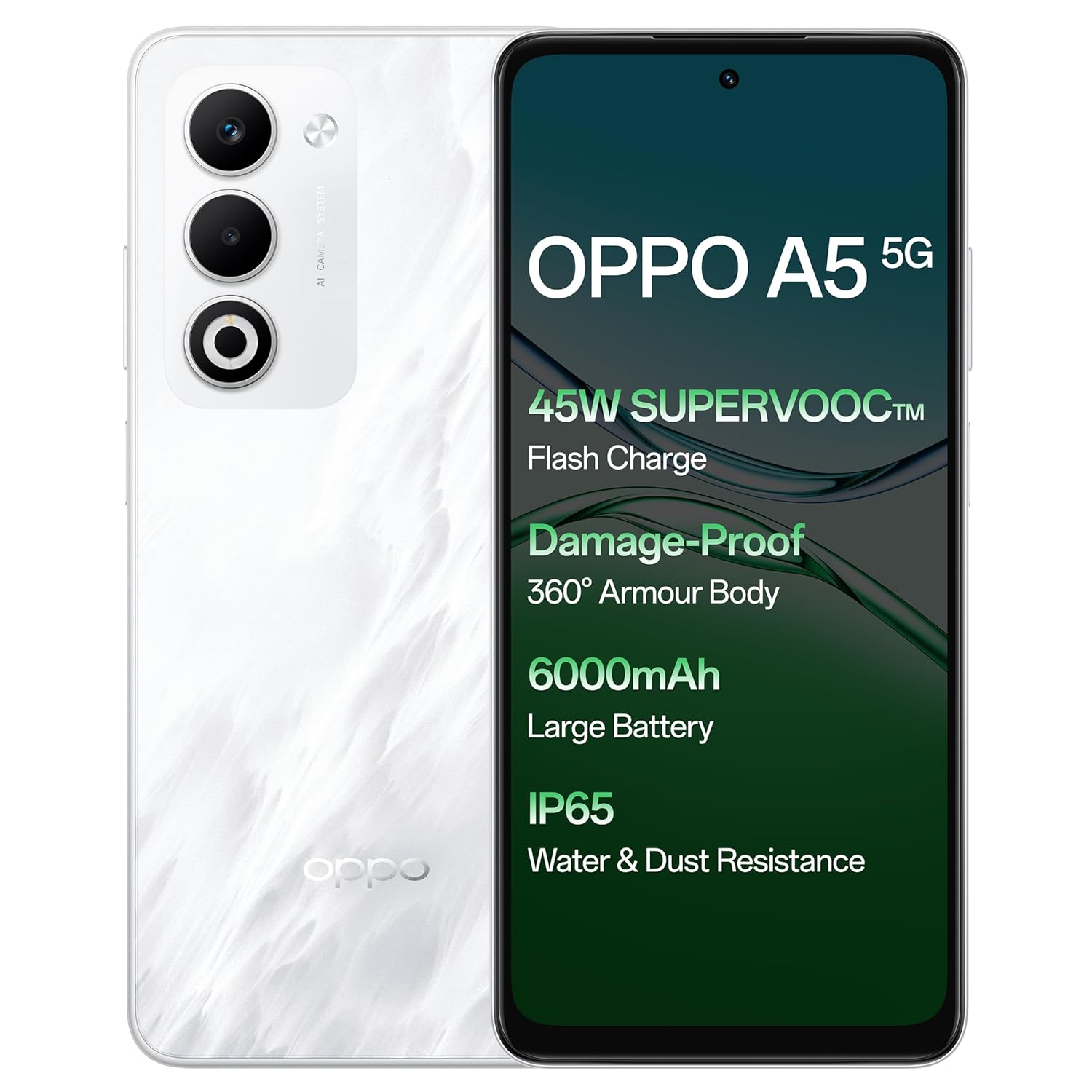
Irudia: Aurrealdea eta atzealdea view of the OPPO A5 5G smartphone, highlighting features like 45W SuperVOOC Flash Charge, Damage-Proof 360° Armour Body, 6000mAh Large Battery, and IP65 Water & Dust Resistance.
2. Hasierako konfigurazioa
2.1. SIM txartelaren instalazioa
- Bilatu SIM txartelaren erretilua zure gailuaren alboan.
- Sartu SIM txartelaren erretilua ateratzeko tresna erretiluaren ondoko zulo txikian.
- Sakatu astiro erretilua atera arte.
- Place your Nano-SIM card(s) and/or microSD card into the tray with the gold contacts facing down. The OPPO A5 5G supports Dual 5G SIM.
- Kontu handiz sartu berriro erretilua telefonoan.

Irudia: Alboko profesionalafile of the OPPO A5 5G smartphone, illustrating the location of the SIM card tray and volume buttons.
2.2. Piztu/Itzaltzea
- Pizteko: Sakatu eta eutsi pizteko botoiari (eskuineko aldean dago) OPPO logotipoa agertu arte.
- Itzaltzeko: Sakatu eta eutsi pizteko botoiari, eta ondoren hautatu "Itzali" pantailan agertzen diren aukeren artean.
- Berrabiarazi: Sakatu eta eutsi pizteko botoiari, eta ondoren hautatu "Berrabiarazi" aukeren artean.
3. Zure gailua funtzionatzea
3.1. Pantaila eta nabigazioa
The OPPO A5 5G features a 16.94 cm (6.67-inch) HD+ LCD 120Hz Ultra Bright Display. This display offers enhanced smoothness for touch interactions. It also includes a Splash Touch feature, allowing for smooth control even when the screen has water droplets, mist, or oil stains.

Image: The OPPO A5 5G display showcasing its 120Hz refresh rate for a bright, smooth, and satisfying visual experience.
3.2. Kameraren funtzioak
Your device is equipped with an AI Dual Ultra-Clear Camera system:
- Kamera nagusia: 50MP
- Portrait Camera: 2MP
- Aurrealdeko selfie kamera: 8MP
Key camera features include AI Portrait Retouching, AI Clarity Enhancer, AI Reflection Remover, and AI Studio. The Dual-View Video function allows simultaneous recording from both front and rear cameras.

Image: Close-up of the OPPO A5 5G's rear camera module, featuring the dual camera setup and AI Camera System branding.
3.3. Bateria eta kargatzea
The OPPO A5 5G has a 6000mAh large battery. It supports 45W SuperVOOC charging for fast and efficient power replenishment. The battery is designed to maintain over 80% health after 1700 charge cycles, ensuring extended durability.

Irudia: Barneko bat view of the OPPO A5 5G, highlighting the large 6000mAh battery component.
3.4. Konektibitatea
The device supports Bluetooth and Wi-Fi connectivity. It is equipped with Dual 5G SIM slots for enhanced network capabilities.
3.5. Ezaugarri bereziak
- Damage-Proof 360° Armour Protection Technology: Features a high-strength alloy framework for component safety.
- IP65 Uraren eta hautsaren erresistentzia: Provides protection against water splashes and dust ingress.
- Kanpoko modua: Boosts brightness, sound, and network performance for outdoor use.
- Glove Touch: Ensures screen responsiveness even with thick gloves or waterproof cases.

Image: The OPPO A5 5G smartphone being splashed with water, demonstrating its IP65 water and dust resistance.

Image: The OPPO A5 5G smartphone shown with a cracked ground effect, illustrating its 360° Armour Body and enhanced impact resistance.

Image: The OPPO A5 5G mounted on a motorcycle, demonstrating the Outdoor Mode for boosted performance and Glove Touch for screen responsiveness.
4. Mantentzea
4.1. Zainketa eta Garbiketa
- Erabili zapi leun eta lihorik gabeko bat telefonoaren pantaila eta gorputza garbitzeko.
- Saihestu produktu kimiko gogorrak edo material urratzaileak erabiltzea.
- Mantendu gailua muturreko tenperaturatik eta eguzki-argitik urrun.
- The device has IP65 water and dust resistance, but it is not fully waterproof. Avoid submerging it in water.
4.2. Software eguneraketak
Regularly check for and install software updates to ensure optimal performance, security, and access to new features. You can usually find this option in the phone's settings under "About Phone" or "System Updates".
5. Arazoak
If you encounter issues with your OPPO A5 5G, try the following common solutions:
- Gailuak ez du erantzuten: Berrabiarazteko, sakatu eta eutsi pizteko botoia 10-15 segundoz.
- Bateria azkar agortzen da: Egiaztatu atzeko planoan aplikazioen erabilera, murriztu pantailaren distira, desgaitu beharrezkoak ez diren funtzioak, hala nola GPSa edo Bluetooth, erabiltzen ez direnean.
- Sareko konexio arazoak: Toggle Airplane Mode on and off, restart the device, or check your SIM card installation.
- Aplikazioak huts egiten ari dira: Clear the app's cache and data in settings, or reinstall the app.
- Errendimendu motela: Itxi erabiltzen ez diren aplikazioak, garbitu cachea edo askatu biltegiratze espazioa.
For more complex issues, refer to the official OPPO support webwebgunean edo jarri harremanetan bezeroarentzako zerbitzuarekin.
6. Zehaztapenak
| Ezaugarri | Xehetasuna |
|---|---|
| Modelo zenbakia | CPH2751 |
| Sistema eragilea | Android 14 (ColorOS 15.0) |
| RAM | 8 GB |
| Barne Biltegiratzea | 128 GB |
| Pantailaren tamaina | 16.94 cm (6.67 Inches) HD+ LCD |
| Bistaratu freskatze-tasa | 120Hz |
| Prozesadorea | MediaTek Dimensity 6300 |
| Kamera Nagusia | 50MP + 2MP (Portrait) |
| Aurrealdeko kamera | 8MP |
| Bateria Edukiera | 6000mAh |
| Kargatzen | 45W SuperVOOC |
| Konektibitatea | Dual 5G SIM, Bluetooth, Wi-Fi |
| Uraren eta hautsaren erresistentzia | IP65 |
| Neurriak (LxWxH) | 16.5 x 7.6 x 0.8 cm |
| Pisua | 195 g |
| Fabrikatzailea | OPPO MOBILES INDIA PVT LTD. |
| Jatorrizko Herrialdea | India |
7. Segurtasun informazioa
7.1. Segurtasun Orokorra
- Ez saiatu gailua desmuntatzen edo aldatzen.
- Use only OPPO-approved chargers and accessories.
- Saihestu gailua tenperatura altuen, eguzki-argiaren eraginpean edo suaren eraginpean jartzea.
- Mantendu gailua gailu medikoetatik urrun, haien funtzionamenduan eragin dezakeelako.
- Tokiko araudien arabera bota gailua eta bateria arduraz.
7.2. Bateriaren segurtasuna
- Do not puncture, drop, or expose the battery to high impact.
- If the battery appears damaged or swollen, discontinue use immediately.
- Do not place the battery in direct sunlight or near heat sources.
8. Bermea eta Laguntza
For warranty information and customer support, please refer to the warranty card included with your product or visit the official OPPO website. You can also contact OPPO customer service at 18001032777.
Manufacturer: OPPO MOBILES INDIA PVT LTD., 5th FLOOR, Tower B, BUILDING, N-8, DLF Cyber City, DLF Phase 2, Gurugram, Haryana 122002.