
Sarrera
Thank you for choosing the GOBOULT Crown Smart Watch. This manual provides essential information for the proper setup, operation, and maintenance of your device. Please read it thoroughly to ensure optimal performance and longevity of your smartwatch.
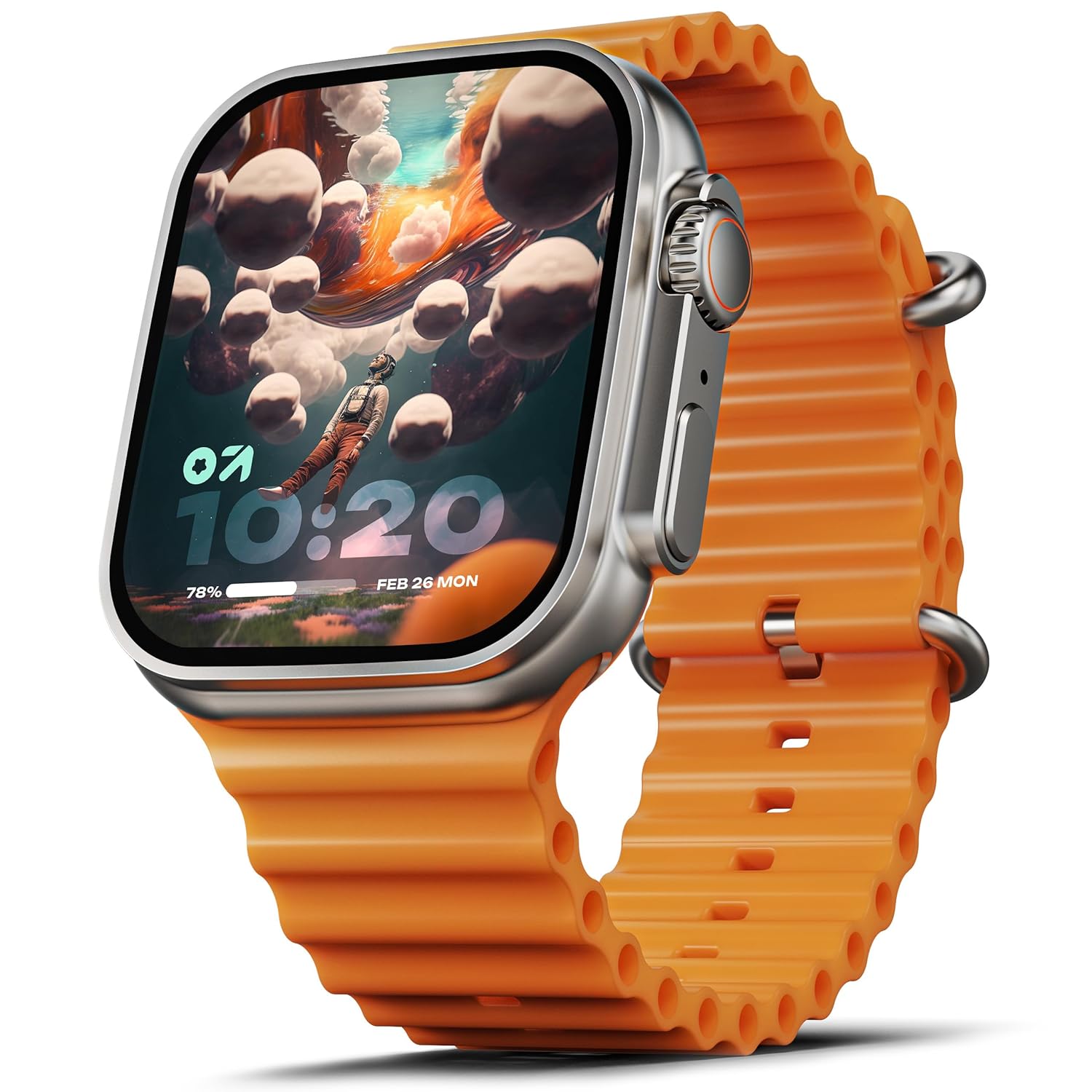
Image: The GOBOULT Crown Smart Watch, featuring a large display and an orange silicone strap.
Kutxan dagoena
Kutxa irekitzean, egiaztatu honako elementu guztiak daudela:
- GOBOULT Crown Smart Watch
- Kargatzeko kablea
- Erabiltzailearen eskuliburua
- Berme Txartela
Hasteko
1. Erloju adimenduna kargatzea
Before initial use, fully charge your GOBOULT Crown Smart Watch. Connect the provided charging cable to the charging port on the back of the watch and to a standard USB power adapter. The watch display will indicate charging status.
2. Piztu/Itzaltzea
To power on, press and hold the side button until the GOBOULT logo appears. To power off, navigate to the settings menu on the watch, select 'Power Off', and confirm.
3. Zure telefonoarekin parekatzea
- Download the official GOBOULT companion app from your smartphone's app store (available for Android and iOS).
- Ziurtatu Bluetootha gaituta dagoela zure telefonoan.
- Open the GOBOULT app and follow the on-screen instructions to search for and pair with your Crown Smart Watch.
- Berretsi parekatze eskaera bai telefonoan bai erlojuan.
Funtzionamendu-argibideak
Pantaila eta nabigazioa

Image: Close-up of the smartwatch display, highlighting its 1.95-inch size and 900 Nits brightness for clear visibility.
- 1.95 hazbeteko HD pantaila: The large, high-definition screen provides clear visuals and responsive touch interaction.
- 900 nits-eko distira: Ensures excellent visibility even in bright outdoor conditions.
- Working Rotating Crown: Use the functional rotating crown on the side of the watch to scroll through menus, zoom in/out, and switch watch faces.
Irudia: Leherketa bat view illustrating the internal mechanism of the working rotating crown, used for navigation and control.
Bluetooth bidezko deiak

Image: The smartwatch screen showing an incoming call, alongside diagrams explaining Bluetooth 5.2 calling features like call answer/reject, dial pad, and contact sync.
The GOBOULT Crown Smart Watch supports Bluetooth Calling 5.2, allowing you to make and receive calls directly from your wrist. It features a built-in speaker and microphone for clear communication.
- Deiak erantzutea/ukatzea: Tap the green icon to answer or the red icon to reject an incoming call.
- Markagailua: Access the dial pad on the watch to make outgoing calls.
- Kontaktuak sinkronizatu: Sync your phone's contacts to the watch via the companion app.
Osasunaren Jarraipena
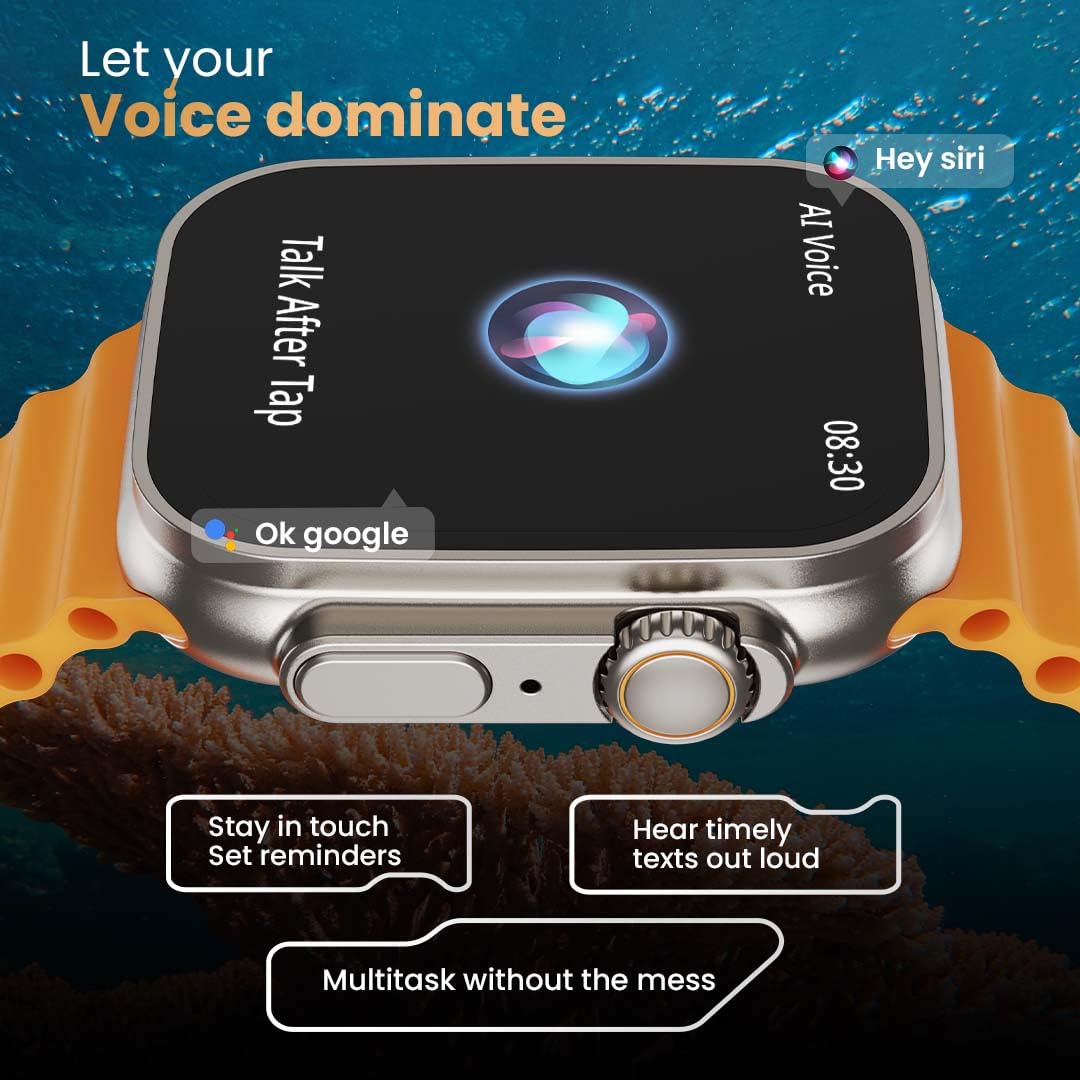
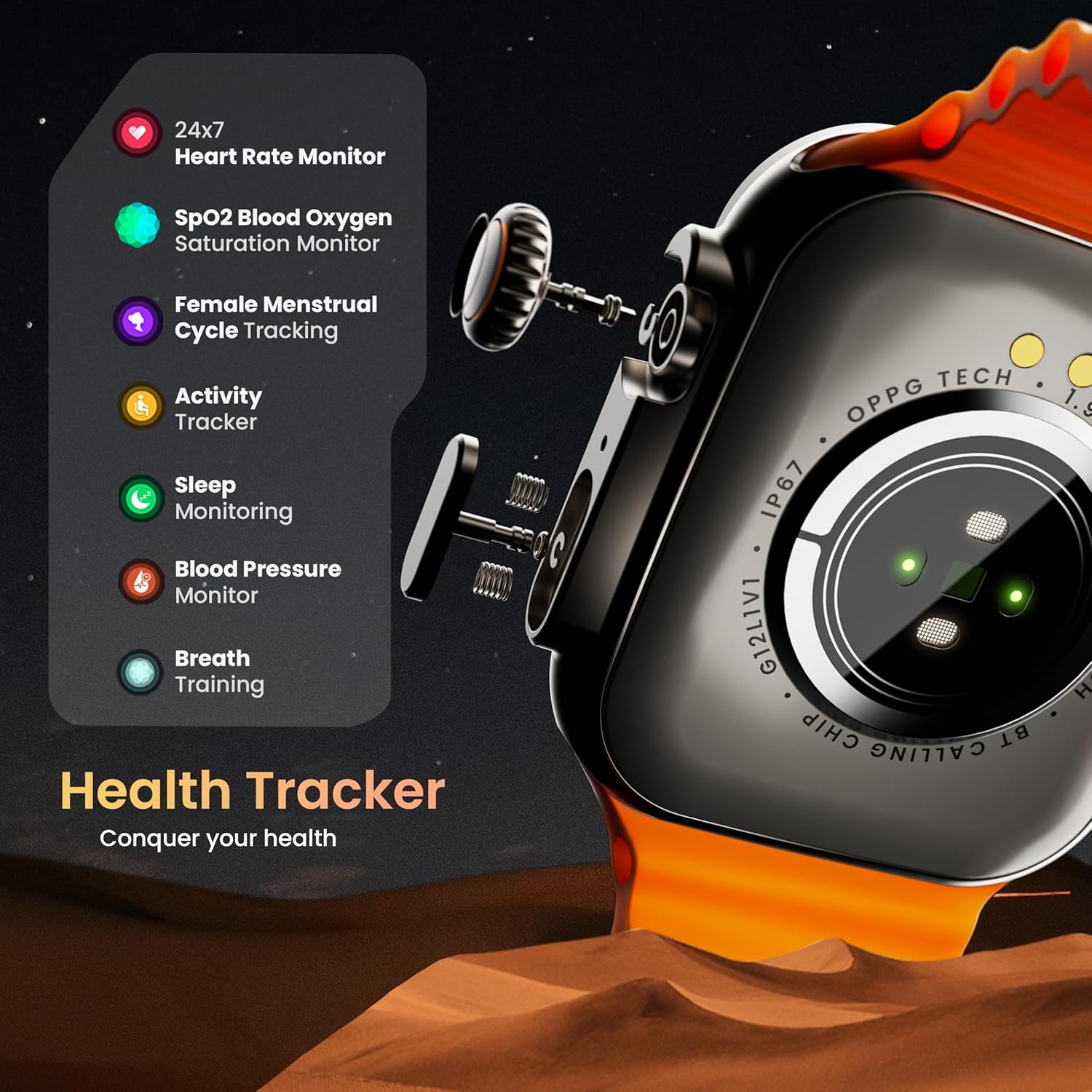
Image: The rear of the smartwatch showing its health sensors, accompanied by a list of health metrics it tracks, including heart rate, SpO2, and sleep.
The watch is equipped with an advanced health suite to help you monitor your well-being:
- 24/7 Heart Rate Monitor: Egun osoan zehar zure bihotz-maiztasuna etengabe kontrolatzen du.
- SpO2 Blood Oxygen Saturation Monitor: Zure odoleko oxigeno mailak neurtzen ditu.
- Loaren jarraipena: Zure loaren ereduak eta kalitatea aztertzen ditu.
- Jardueren jarraipena: Pausoak, distantzia eta erretako kaloriak erregistratzen ditu.
- Emakumezkoen hilekoaren zikloaren jarraipena: Provides insights and predictions for menstrual cycles.
- Arnasa entrenatzea: Erlaxaziorako arnasketa ariketa gidatuak.
Kirol modalitateak
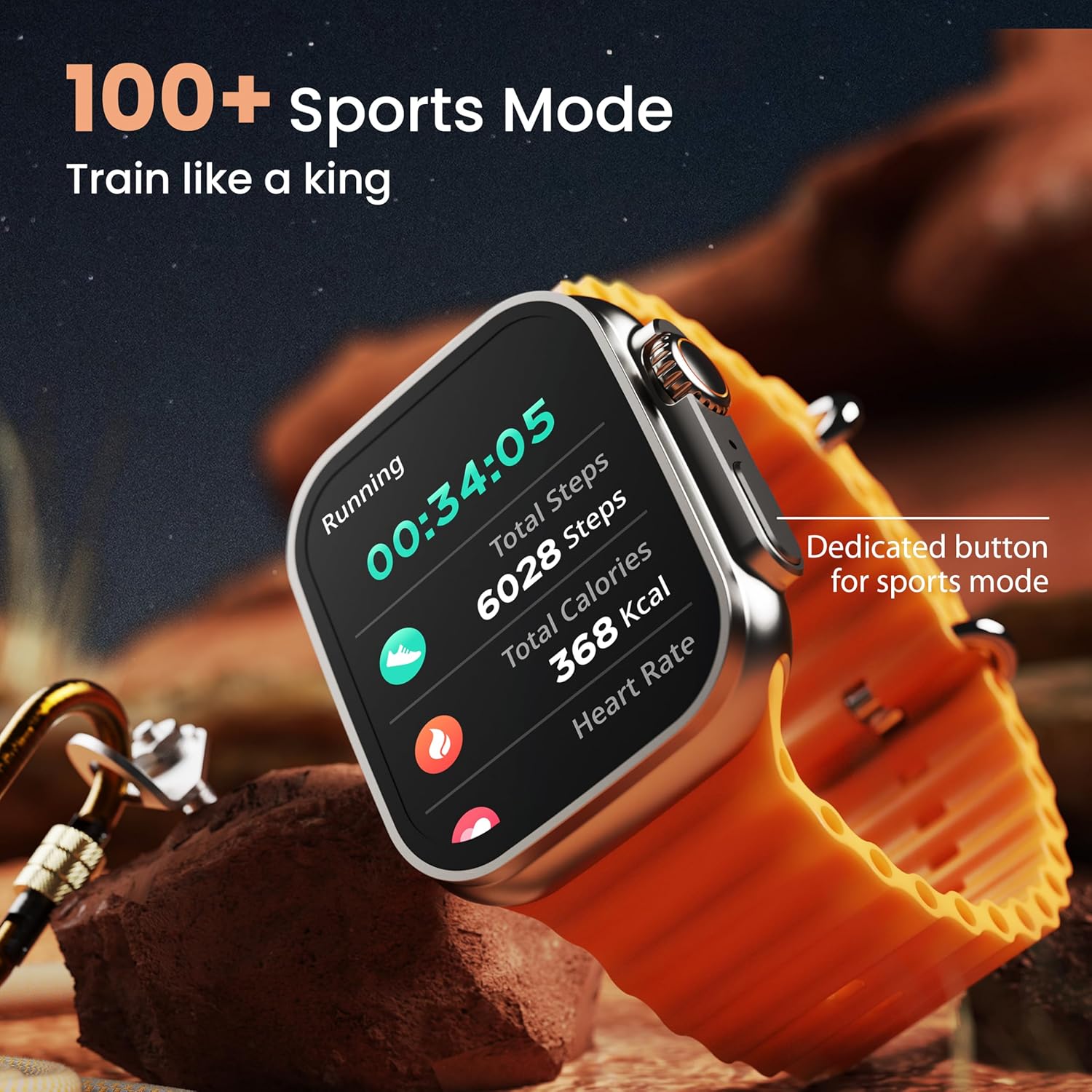
Image: The smartwatch screen showing a 'Running' sports mode with real-time metrics like duration, total steps, calories, and heart rate. A dedicated button for sports mode is also visible.
With over 120 sports modes, the GOBOULT Crown Smart Watch can track a wide range of physical activities. Select your desired sport from the watch menu to record real-time metrics, performance insights, and track your progress.
Pertsonalizazioa

Irudia: Collage erakusketa batasing various watch faces, including custom and animated options, along with different UI styles available for personalization on the smartwatch.
Pertsonalizatu zure erloju adimendunaren esperientzia:
- 100+ Cloud-Based Watch Faces: Choose from a wide selection of watch faces available through the companion app.
- Pertsonalizazio aukerak: Customize your screen with widgets, backgrounds, and layouts to match your style.
- 8 UI Styles: Select from different user interface styles for menu navigation.
Funtzio osagarriak
- AI Ahots Laguntzailea: Interact with your watch using voice commands (e.g., "Hey Siri" or "Ok Google") for tasks like setting reminders or hearing texts aloud.
- Aurkitu nire telefonoa: If your paired phone is misplaced, use this feature on your watch to make it ring/vibrate.
- Mini-jokoak: Enjoy pre-installed mini-games directly on your watch.
- Jakinarazpenak eta abisuak: Receive SMS, WhatsApp, social media, and mail notifications. Set goal achievement reminders.
- Kalkulagailua: Oinarrizko kalkulagailu funtzio bat dago eskuragarri erlojuan.
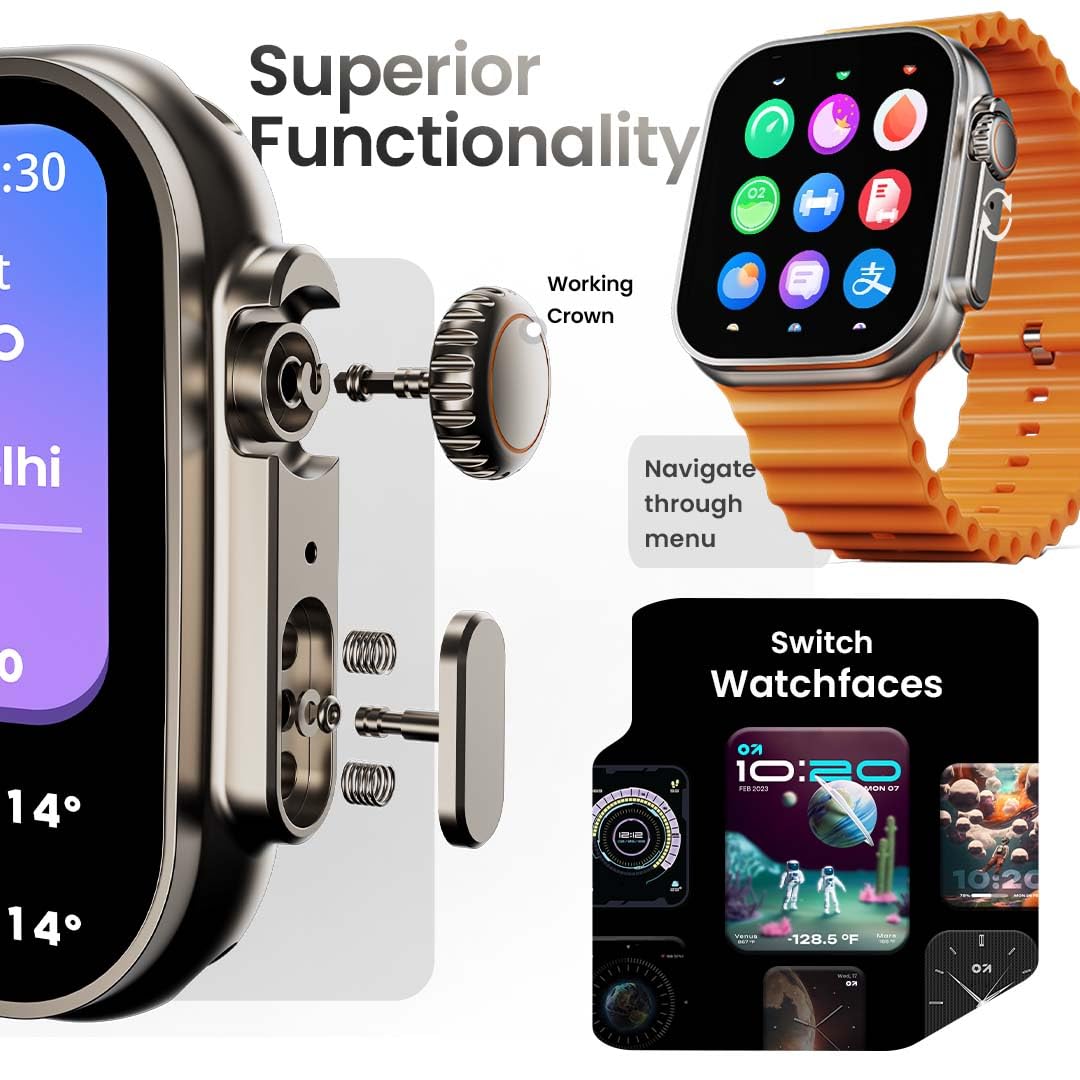
Image: The smartwatch screen showing the AI Voice Assistant interface, indicating support for voice commands like "Hey Siri" and "Ok Google".
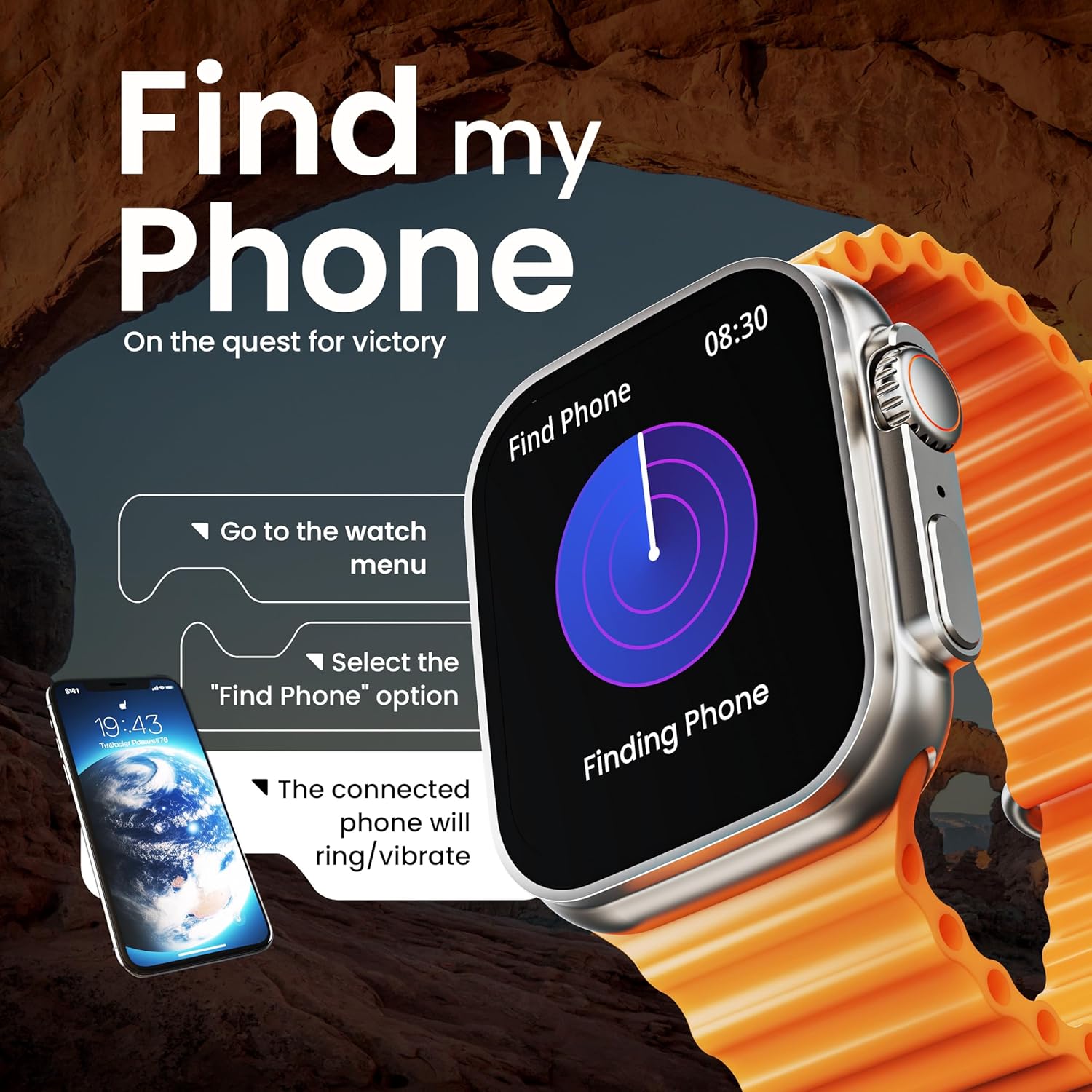
Image: The smartwatch screen illustrating the 'Find Phone' feature, with instructions on how to activate it to locate a connected smartphone.
Irudia: Erloju adimendunaren pantailaren erakustaldiaasing a selection of mini-games available on the device, such as 'Young Bird', 'Hamster', and 'Battleships'.

Image: The smartwatch screen showing a calculator interface, along with a pop-up notification and a list of reliable and robust features like sync notifications and reminders.
Mantentzea
Garbiketa
Regularly clean your smartwatch and strap to prevent skin irritation and maintain device hygiene. Use a soft, lint-free cloth. If necessary, slightly dampGarbitu oihalak urarekin. Saihestu produktu kimiko gogorrak edo material urratzaileak.
Uraren Erresistentzia
The GOBOULT Crown Smart Watch is IP67 water resistant. This means it is protected against dust and can withstand immersion in water up to 1 meter for up to 30 minutes. It is suitable for daily use and light splashes but not recommended for swimming, showering, or diving.
Uhalaren Zaintza
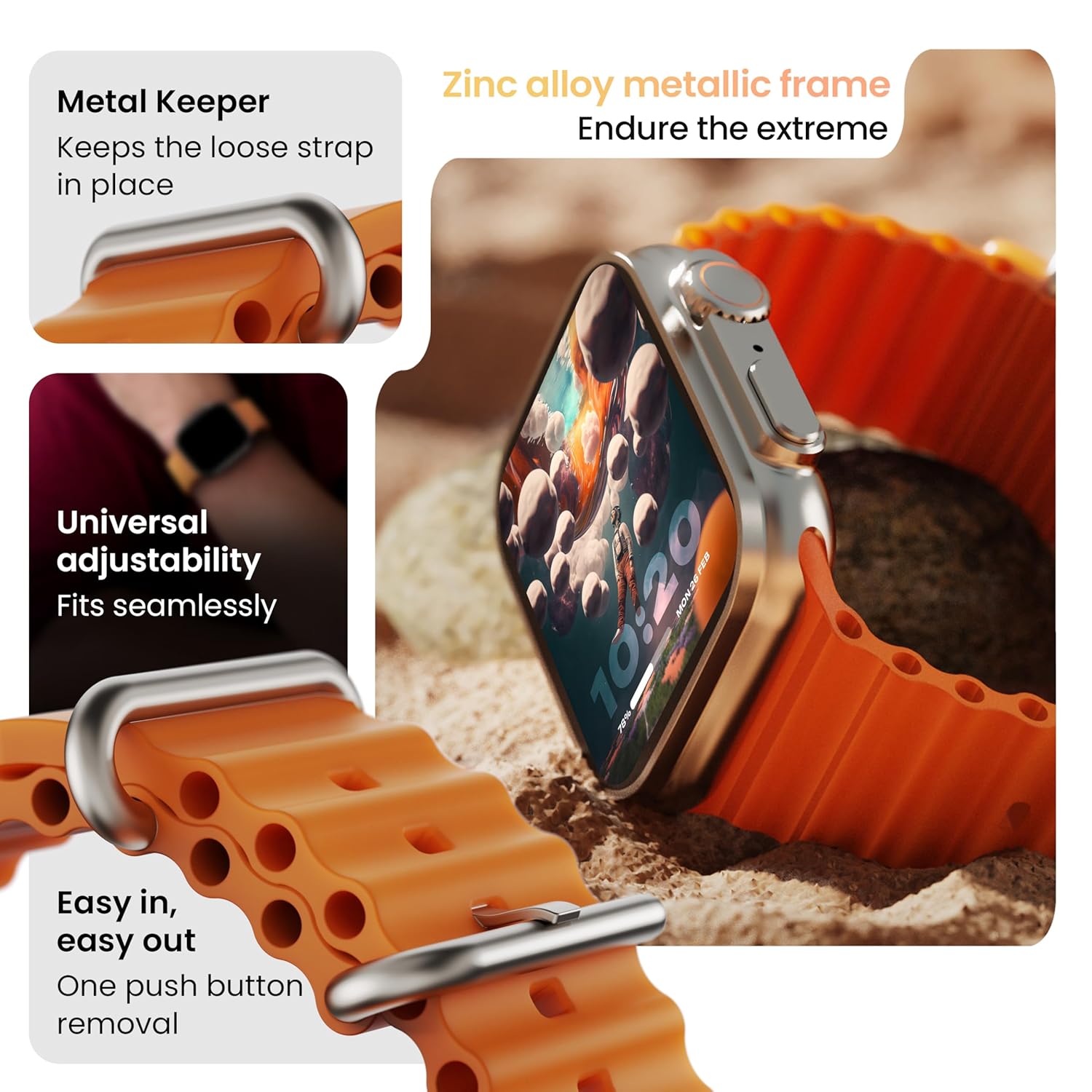
Irudia: Xehetasun handikoa view of the smartwatch strap, highlighting features such as the metal keeper for securing the loose end, universal adjustability for a seamless fit, and a push-button mechanism for easy removal.
The skin-friendly silicone strap is designed for comfort. Ensure it is not too tight or too loose for accurate health tracking. Clean the strap regularly, especially after workouts, to remove sweat and dirt.
Arazoak konpontzea
Erlojua ez da pizten
- Ziurtatu erlojua guztiz kargatuta dagoela. Konektatu kargagailura gutxienez 30 minutuz.
- Berrabiarazteko behartutako prozesua hasteko, sakatu eta eutsi alboko botoia 10-15 segundoz.
Parekatze arazoak
- Ziurtatu Bluetooth gaituta dagoela telefonoan eta erlojuan.
- Ensure the watch is within the Bluetooth range (approximately 10 meters).
- Berrabiarazi telefonoa eta erlojua.
- Clear the Bluetooth cache on your phone or forget the device and try pairing again.
Osasun-datu zehaztugabeak
- Ziurtatu erlojua eskumuturrean ondo estututa dagoela, baina ez gehiegi estututa.
- Garbitu erlojuaren atzealdeko sentsoreak.
- Avoid excessive movement during measurements for better accuracy.
Jakinarazpenak agertzen ez direnak
- Check if the watch is properly connected to your phone via Bluetooth.
- Verify notification permissions for the GOBOULT app in your phone's settings.
- Ensure 'Do Not Disturb' mode is not active on either your phone or watch.
Zehaztapenak
| Ezaugarri | Xehetasuna |
|---|---|
| Marka | GOBOULT |
| Eredua | Koroaren erloju adimenduna |
| Bistaratzeko tamaina | 1.95 hazbete |
| Pantailaren distira | 900 nit |
| Konektibitatea | Bluetooth 5.2 |
| Sistema eragilea | Android Wear 1.0, iOS compatible |
| Bateriaren iraupena (batez bestekoa) | 7 Egun |
| Bateria kargatzeko denbora | 150 minutu |
| Bateria Edukiera | 300 milioiamp Orduak |
| Uraren Erresistentzia | IP67 |
| Elementuaren pisua | 40 g |
| Dakarten osagaiak | Smartwatch, Charging Cable, User Manual, Warranty Card |
Bermea eta Laguntza
Your GOBOULT Crown Smart Watch comes with a Warranty Card included in the box. Please refer to this card for detailed information regarding warranty coverage and terms. For technical support or further assistance, please contact GOBOULT customer service through the contact information provided on the warranty card or the official GOBOULT webgunea.