
Sarrera
This manual provides comprehensive instructions for the setup, operation, and maintenance of your V7 Dual Bay Docking Station USB 3.0. This device is designed to provide convenient access to 2.5-inch and 3.5-inch SATA hard disk drives (HDDs) and solid-state drives (SSDs), offering high-speed data transfer and a standalone cloning function.
Please read this manual thoroughly before using the product to ensure proper functionality and to prevent damage.
Paketearen edukia

Image: The side of the V7 Dual Bay Docking Station packaging, detailing the included items.
Egiaztatu behean zerrendatutako elementu guztiak zure paketean daudela:
- 1x V7 Dual Bay Docking Station
- 1x USB 3.0 A to B Cable
- 1x DC 12V/3A Power Adapter
- 1x Erabiltzailearen eskuliburua (dokumentu hau)
Produktua amaituview
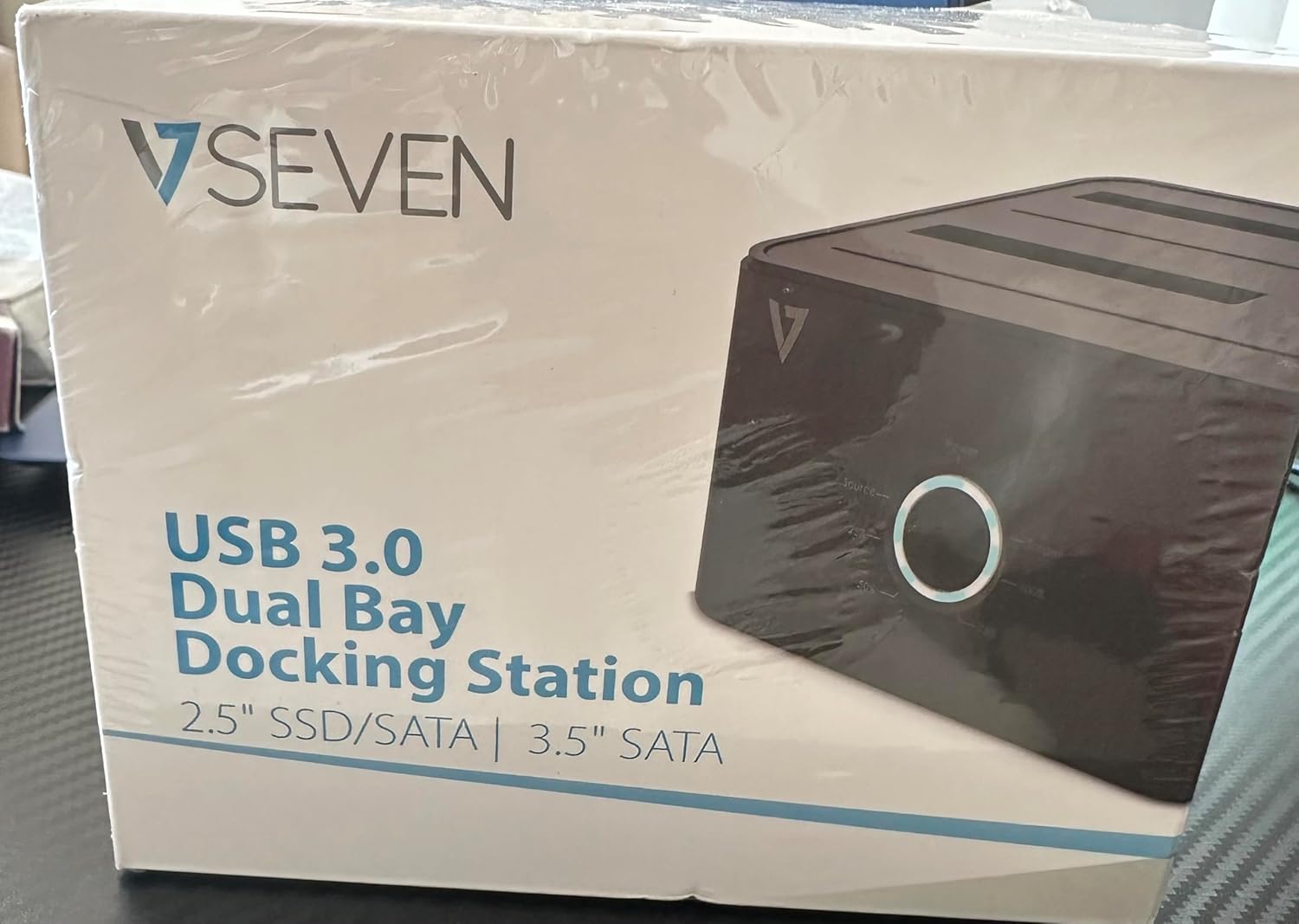
Image: The front of the V7 Dual Bay Docking Station packaging, displaying the product and its name.
The V7 Dual Bay Docking Station provides a versatile solution for managing your 2.5-inch and 3.5-inch SATA drives. Key features include:
- USB 3.0 Super-Speed Data Transfer: Achieves speeds up to 5 Gbps, significantly faster than USB 2.0.
- Badia bikoitzeko diseinua: Supports two SATA I/II/III HDDs or SSDs simultaneously.
- Standalone Clone Function: Allows direct cloning of one drive to another without requiring a computer.
- LED pantaila: Provides status indication during operation, especially for cloning.
- Birziklatutako materialak: Birziklatutako materialekin eraikia, ingurumen-iraunkortasunari lagunduz.

Image: The back of the V7 Dual Bay Docking Station packaging, illustrating key features and benefits, including the use of recycled materials.
Portuak eta adierazleak:
- USB-B Port (1x): Ainguratze-estazioa ordenagailura konektatzen du.
- SATA Drive Bays (2x): For inserting 2.5-inch or 3.5-inch SATA HDDs/SSDs.
- DC Power Input (1x): For connecting the 12V/3A power adapter.
- Power Button/LED: Controls power and indicates operational status.
- Clone Button/LEDs: Initiates the cloning process and indicates progress.
Konfigurazioa
- Konektatu energia: Insert the DC 12V/3A power adapter into the "DC Power Input" port on the docking station, then plug the adapter into a wall outlet.
- Txertatu unitateak:
- Gently slide your 2.5-inch or 3.5-inch SATA HDD/SSD into the drive bay(s) until it is securely seated. Ensure the SATA connector aligns correctly.
- For cloning, insert the source drive into Bay 1 (Source) and the target drive into Bay 2 (Target). The target drive must be equal to or larger in capacity than the source drive.
- Ordenagailura konektatu (datuak transferitzeko): If you intend to use the docking station for data transfer with a computer, connect one end of the USB 3.0 A to B cable to the USB-B port on the docking station and the other end to an available USB 3.0 port on your computer.
- Piztu: Press the power button on the docking station. The power LED should illuminate.
Funtzionamendu-argibideak
A. Data Transfer Mode (Connected to Computer)
- Ziurtatu kargatzeko estazioa piztuta dagoela eta ordenagailura konektatuta dagoela USB 3.0 kablearen bidez.
- Insert one or two SATA drives into the bays.
- Your operating system should detect the drives as external storage. You may need to initialize and format new drives through Disk Management (Windows) or Disk Utility (macOS) before use.
- You can now access, read, and write data to the inserted drives as you would with any external storage device.
- Always safely eject the drives from your operating system before powering off the docking station or removing the drives.
B. Standalone Clone Function (Without Computer)
The clone function allows you to duplicate a source drive to a target drive without a computer connection. The target drive must have a capacity equal to or greater than the source drive.
- Prestaketa:
- Ensure the docking station is disconnected from any computer.
- Sartu Iturria Drive (the drive you want to copy FROM) into badia 1.
- Sartu Helburuko unitatea (the drive you want to copy TO) into badia 2.
- Warning: All data on the target drive will be erased during the cloning process. Back up any important data on the target drive before proceeding.
- Klonazioa hasi:
- Piztu atrakalekua.
- Press and hold the "Clone" button for approximately 3-5 seconds until the clone progress LEDs begin to flash.
- Confirm Clone:
- Release the "Clone" button. The 25% progress LED should start blinking.
- Press the "Clone" button again briefly to confirm and start the cloning process.
- Jarraitu aurrerapena: The progress LEDs (25%, 50%, 75%, 100%) will illuminate sequentially to indicate the cloning status.
- Osatzea: When the 100% LED remains solid, the cloning process is complete.
- Itzali eta kendu: Power off the docking station before removing the drives.
Mantentzea
- Mantendu kargatzeko estazioa garbi eta hautsik gabe. Erabili zapi leun eta lehor bat garbitzeko.
- Saihestu gailua muturreko tenperatura, hezetasun edo eguzki-argia zuzenaren eraginpean jartzea.
- Ez saiatu gailua desmuntatzen edo konpontzen zeuk. Horrek bermea baliogabetuko du.
- Ziurtatu gailua behar bezala aireztatuta dagoela inguruan funtzionamenduan zehar.
Arazoak konpontzea
| Arazoa | Kausa posiblea | Irtenbidea |
|---|---|---|
| Gailua ez da pizten. | Energia-egokitzailea ez dago konektatuta edo akastuna. | Ensure the power adapter is securely connected to both the docking station and a working power outlet. Try a different outlet. |
| Drives not detected by computer. | USB cable not connected properly; drive not seated correctly; drive uninitialized/unformatted. | Check USB cable connection. Re-seat the drive(s). For new drives, initialize and format them via Disk Management (Windows) or Disk Utility (macOS). Try a different USB port on your computer. |
| Clone function not starting. | Incorrect drive placement; target drive too small; clone button not held long enough. | Ensure source drive is in Bay 1 and target drive in Bay 2. Verify target drive capacity is equal to or larger than source. Hold the clone button for 3-5 seconds until LEDs flash. |
| Datuen transferentzia abiadura motela. | Connected to USB 2.0 port; faulty USB cable. | Ensure the docking station is connected to a USB 3.0 port on your computer. Try a different USB 3.0 cable. |
Zehaztapenak
- Eredua: 9UDBBS-BLK
- Hardware Interfazea: USB 3.0 (atzerako bateragarria USB 2.0-rekin)
- Datuak transferitzeko abiadura: Up to 5 Gbps (USB 3.0 Super-Speed)
- Drive bateragarritasuna: 2.5" and 3.5" SATA I/II/III HDDs and SSDs
- Drive-baiak: 2
- Portuak: 1x USB-B (Host), 2x SATA (Internal), 1x DC Power Input
- Potentzia sarrera: DC 12V/3A (12 Watts)
- UPC: 662919116557
- Fabrikatzailea: Ingram Micro Inc.
- Materiala: Made from Recycled Materials
Bermea eta Laguntza
For warranty information and technical support, please refer to the official V7 webwebgunearekin edo jarri harremanetan zure saltzailearekin. Gorde erosketaren frogagiria bermearen erreklamazioetarako.
Laguntza gehiago lortzeko, mesedez bisitatu: www.v7world.com/support (Adibampesteka, benetako esteka alda daiteke)