
1. Sarrera
This manual provides detailed instructions for the safe and effective use of your ULANZI MA60 Magnetic Phone Tripod Stand. Please read this manual thoroughly before use and retain it for future reference.
2. Produktua amaitu daview
2.1 Ezaugarri nagusiak
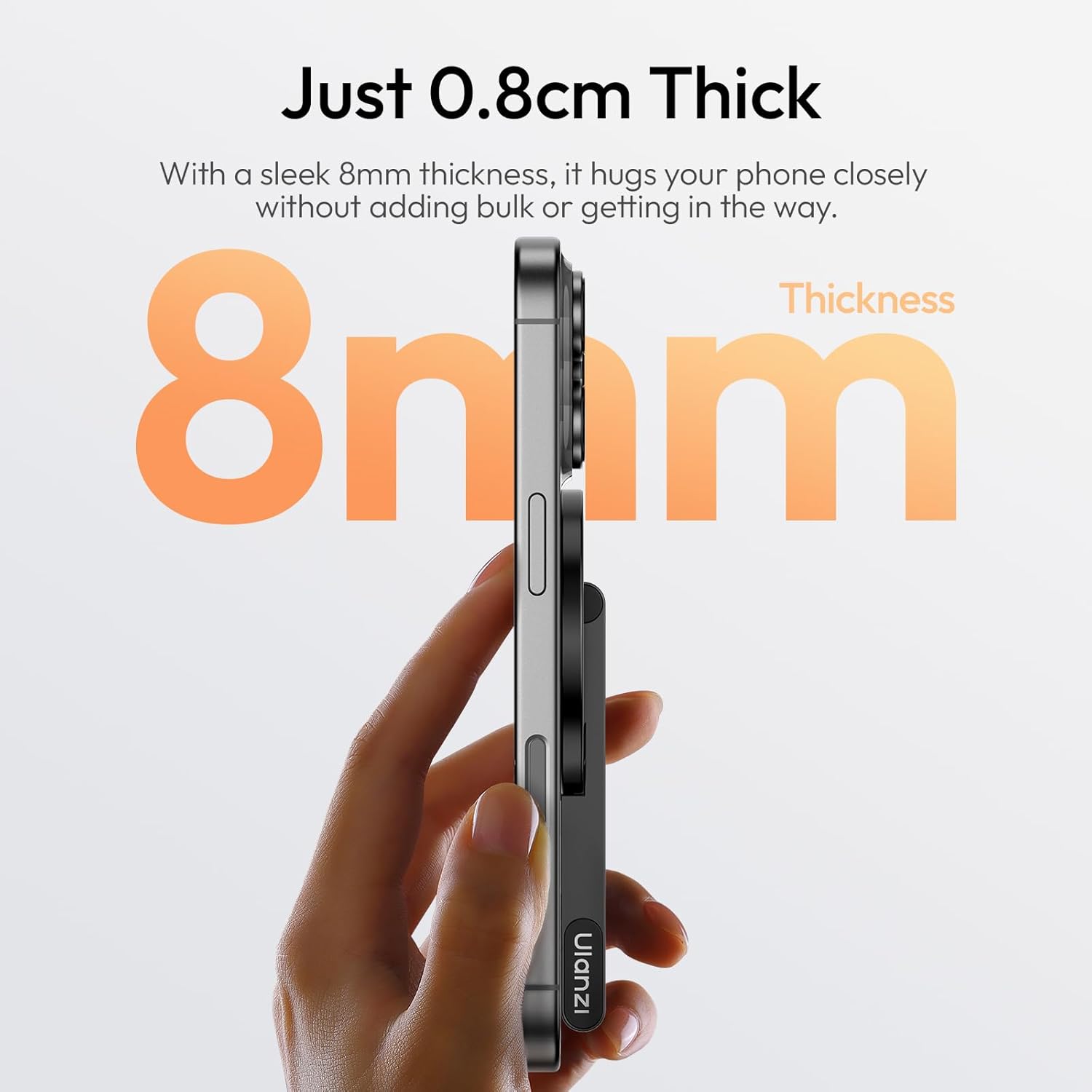
- Diseinu ultra-argala: Just 0.8cm thick, ensuring a compact fit without adding bulk or getting in the way.
- Powerful Magnetic Force: Features a strong 14N magnetic force, providing a rock-solid hold for your iPhone in both portrait and landscape orientations.
- Dual-Sided Magnetic Design: Allows you to secure your phone on one side and attach additional gear on the other, offering expanded setup possibilities.
- Angelu erregulagarria: Easily adjust the tripod to any angle for horizontal or vertical shots, ensuring smooth rotation and complete control over your framing.
- Eszenatoki polifazetikoak: Adaptable for handheld, tabletop, horizontal, vertical, or overhead shooting, making it a versatile companion for various photography needs.
2.2 Zer dago kutxan
- 1x ULANZI MA60 Magnetic Phone Tripod Stand
- 1x Magnetic Ring Sticker (for non-MagSafe compatible devices)
2.3 Produktu-diagrama
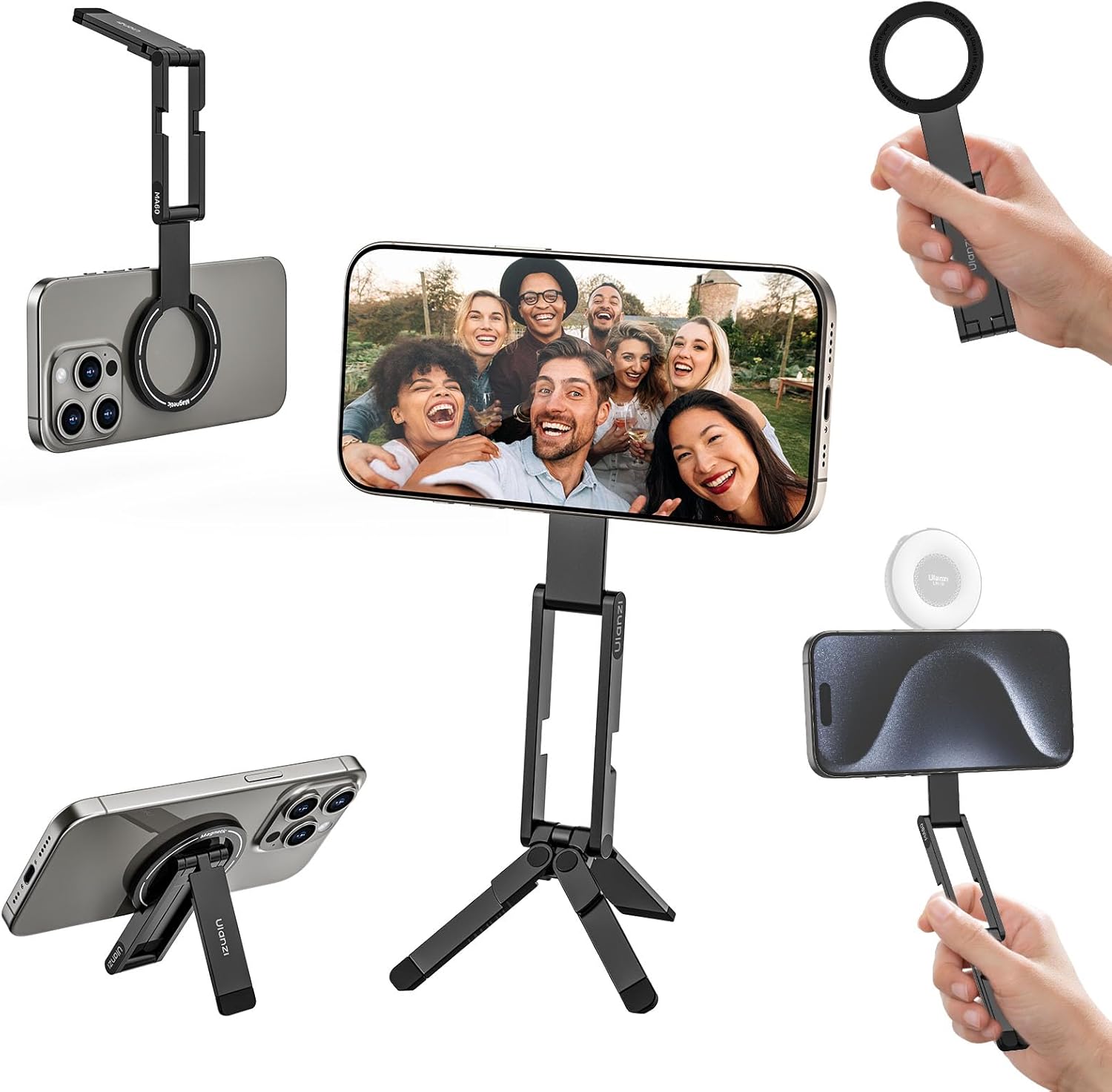
This image displays the ULANZI MA60 Magnetic Phone Tripod Stand in various configurations, including as a phone grip, a desktop stand, and a mini tripod. It highlights its compact and versatile design.

Bat baino gehiagoview of the ULANZI MA60, showcasing its foldable magnetic design and compact form factor.
3. Konfigurazioa
3.1 Attaching to Your Phone
- Ensure your phone or phone case is compatible with MagSafe technology. If not, proceed to section 3.2 for using the magnetic ring sticker.
- Align the ULANZI MA60 with the magnetic area on the back of your phone.
- The strong magnet will securely attach the stand to your device.

This image illustrates the magnetic attachment of the ULANZI MA60 to the back of a smartphone, demonstrating the secure connection.
3.2 Using the Magnetic Ring Sticker (for non-MagSafe devices)
- Clean the back surface of your phone or phone case thoroughly to ensure optimal adhesion.
- Peel off the adhesive backing from the magnetic ring sticker.
- Carefully center and apply the sticker to the desired location on your phone or case. Ensure it is flat and smooth.
- Press firmly for a few seconds to ensure strong adhesion.
- Allow the adhesive to cure for a recommended period (e.g., 24 hours) before attaching the MA60 to ensure maximum bond strength.

A close-up image of the magnetic ring sticker, used to enable magnetic attachment for non-MagSafe compatible devices.
4. Funtzionamendu-argibideak
4.1 Tolestura eta zabaltzea
The MA60 features a compact, foldable design for easy portability. Gently unfold the stand to deploy the tripod legs or extend the arm for use. To store, fold the components back into their compact form.
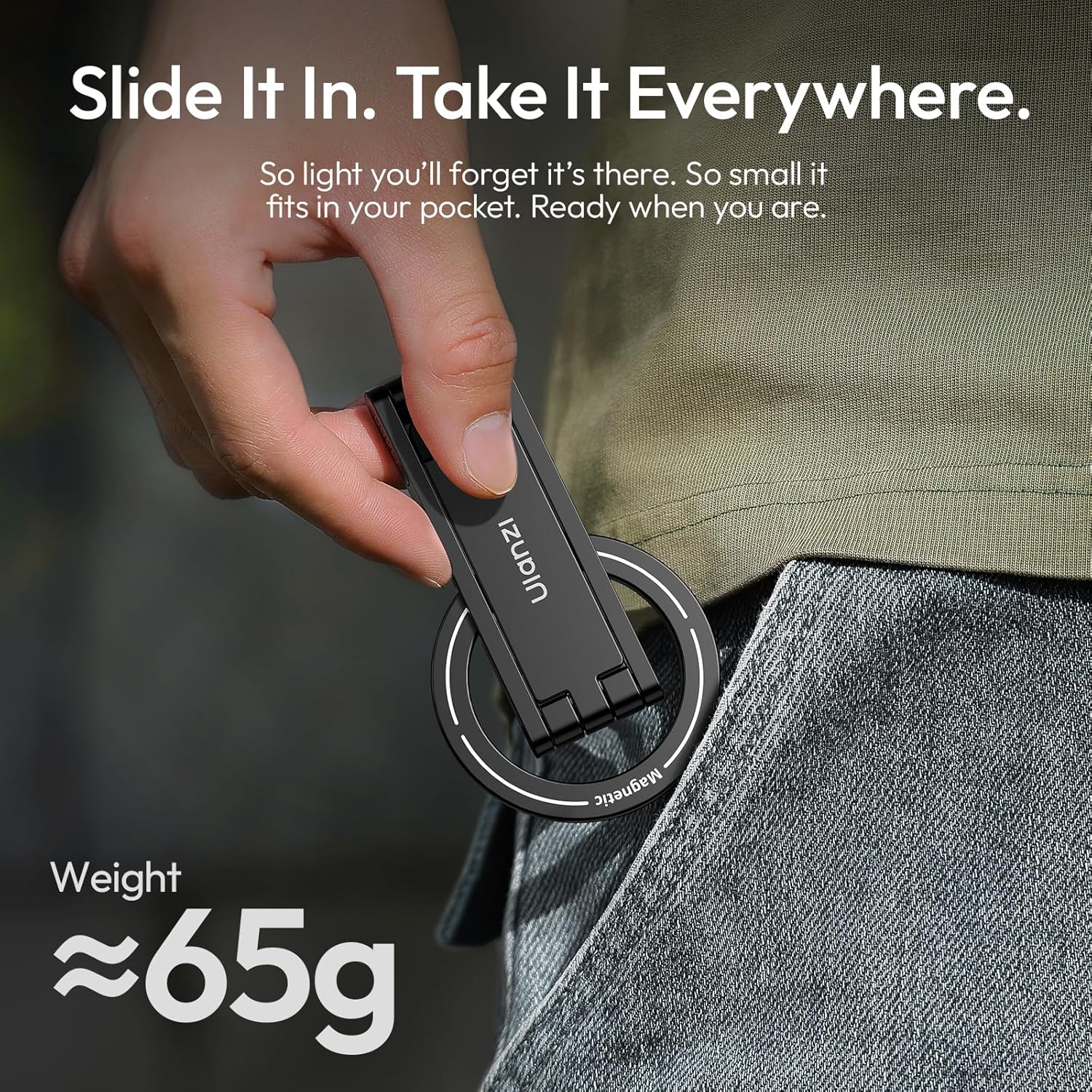
This image shows the ULANZI MA60 in its compact, folded state and extended, ready-to-use configurations, demonstrating its portability.
4.2 Using as a Tripod Stand
- Unfold the tripod legs until they are fully extended and stable on a flat surface.
- Attach your phone magnetically to the stand.
- Adjust the angle of your phone by rotating the magnetic mount. The stand supports both horizontal and vertical orientations.

The ULANZI MA60 configured as a tripod stand, holding a smartphone in a stable position for hands-free viewgrabatzea edo grabatzea.
4.3 Using as a Handheld Grip
Fold the tripod legs inward and hold the main body of the stand for a secure handheld grip. This mode is useful for vlogging, stable video recording, or taking selfies.

An image showing the ULANZI MA60 being held as a grip, providing a stable way to hold a smartphone for photography or videography.
4.4 Angelua doitzea
The stand allows for smooth rotation and angle adjustments. Gently pivot the phone mount to achieve your desired viewing or shooting angle. The flexible design provides total control over your framing.
This image illustrates the adjustable nature of the ULANZI MA60, with arrows indicating the range of motion for setting various angles.
4.5 Dual-Sided Magnetic Functionality
The MA60 features magnets on both sides. This allows you to attach your phone to one side and a compatible accessory (e.g., a small LED light or microphone) to the other side, expanding your setup possibilities for creative content creation.

A visual representation of the dual-sided magnetic design of the ULANZI MA60, showing how a phone attaches to one side and an accessory to the other.
5. Mantentzea
- Keep the magnetic surfaces clean and free from dust, dirt, or debris to ensure optimal magnetic adhesion.
- Avoid exposing the product to extreme temperatures, direct sunlight for prolonged periods, or harsh chemicals.
- Store the stand in a dry place when not in use to prevent damage.
- Periodically check for any loose parts or signs of damage. If any issues are found, discontinue use and contact customer support.
- If the rubber padding on the magnetic ring begins to peel, discontinue use to prevent potential scratching of your device. Contact customer support for assistance.
6. Arazoak
6.1 Phone does not attach securely:
- Ensure your phone or case is genuinely MagSafe compatible.
- If using the magnetic ring sticker, verify it is correctly applied, fully adhered, and has had sufficient time to cure.
- Check for any obstructions (e.g., excessively thick phone case, debris) between the stand and your phone's magnetic area.
- The maximum load capacity is 500g. Ensure your phone and any attached accessories do not exceed this weight.
6.2 Stand is unstable:
- Ensure the tripod legs are fully extended and placed on a flat, stable surface.
- Adjust the angle of the phone and stand to find a stable center of gravity for your device.
7. Zehaztapenak
| Ezaugarri | Xehetasuna |
|---|---|
| Eredua | MA60 |
| Neurriak (tolestuta) | 0.31 x 2.32 x 3.9 hazbete (0.8 x 5.9 x 9.9 cm) |
| Elementuaren pisua | 4.2 ontza (120 gramo) |
| Materiala | Aluminum Alloy, Silicone, Magnet |
| Karga Ahalmena | 500 g |
| Ezaugarri bereziak | Adjustable, Foldable, Magnetic |
| Gailu bateragarriak | Smartphones (MagSafe compatible or with magnetic ring sticker) |
A graphic detailing the physical dimensions, weight, and material specifications of the ULANZI MA60.
8. Bermea eta Laguntza
For warranty information and customer support, please visit the official ULANZI website or contact your retailer directly. Keep your purchase receipt as proof of purchase for any warranty claims.
Fabrikatzailea: ULANZI
Lehen eskuragarri dagoen data: 13ko ekainaren 2025a
9. Produktu Ofizialen Bideoak
The following video provides visual guidance on using your ULANZI MA60.
9.1 ULANZI MA60 Product Overview
This video demonstrates the various features and uses of the ULANZI MA60 Magnetic Phone Tripod Stand, including its folding mechanism, magnetic attachment, and different configurations for photography and videography. (Oharra: bideoa URL is a placeholder as specific video links with creator_type were not provided in the product data.)


